1. Introduzzjoni
Grazzi tax-xiriasing the ZEBRONICS Sound Feast 55 Portable Bluetooth Speaker. This manual provides detailed instructions for the proper use, setup, and maintenance of your device. Please read this manual carefully before operation to ensure optimal performance and longevity of your speaker.
The Sound Feast 55 is designed to deliver powerful audio with its 14W RMS output, dual 5.7cm drivers, and dual passive radiators for enhanced bass. It features multiple connectivity options including Bluetooth v5.3, USB, microSD, AUX, and a built-in FM radio. Enjoy hands-free calls, vibrant RGB lighting, and up to 10 hours of playback on a single charge. The TWS function allows for pairing two speakers for a true stereo experience.

Stampa 1.1: The speaker on a wooden surface, illustrating its dual 5.7cm drivers and 14W RMS output for dynamic sound.

Stampa 1.2: The speaker near water, highlighting its deep bass capabilities and dual passive radiators.
2. Kontenut tal-Pakkett
- ZEBRONICS Sound Feast 55 Speaker - 1 unit
- Kejbil tal-iċċarġjar (Tip Ċ) - unità 1
- QR Code Guide - 1 unit
3. Prodott Aktarview
Iffamiljarizza ruħek mal-komponenti u l-kontrolli tal-ispiker.

Stampa 3.1: Quddiem view of the ZEBRONICS Sound Feast 55 speaker, showcasinid-disinn ċilindriku u l-pannell tal-kontroll tiegħu.
Pannell tal-Kontroll u Portijiet:

Stampa 3.2: Top panel showing media and volume controls, and an end view highlighting the RGB light mode and fabric finish.

Stampa 3.3: Wara view displaying the multi-connectivity ports: TF (microSD) card slot, USB port, AUX input, and Type-C charging port.
- Buttuna tal-Qawwa: Agħfas u żomm biex tixgħel/itfi.
- Buttuna Play/Pause: Agħfas biex tilgħab jew twaqqaf il-mużika.
- Volum Up / Track Li jmiss: Agħfas qasir biex tgħolli l-volum, agħfas twil għat-trakka li jmiss.
- Volume Down / Track Preċedenti: Agħfas qasir biex tnaqqas il-volum, agħfas twil għat-trakka ta' qabel.
- Buttuna tal-Modalità (M): Press to switch between Bluetooth, USB, MicroSD, AUX, and FM radio modes.
- Buttuna tad-Dawl RGB: Press to cycle through RGB light modes or turn them off.
- Mikrofonu: Għal sejħiet mingħajr idejn.
- Slott tal-Karta TF: Għall-plejbek ta' kard MicroSD.
- Port USB: Għall-plejbek minn USB drive.
- Port AUX: Għal input awdjo bil-fili.
- Port tal-Iċċarġjar tat-Tip C: Għall-iċċarġjar tal-ispiker.
4. Setup
4.1 Iċċarġjar tal-Ispeaker
Before first use, fully charge the speaker. Use the provided Type-C charging cable.
- Qabbad it-tarf tat-Tip Ċ tal-kejbil tal-iċċarġjar mal-port tal-iċċarġjar tal-ispiker.
- Connect the USB-A end of the cable to a 5V DC power adapter (not included) or a computer's USB port.
- Id-dawl indikatur tal-iċċarġjar jixgħel waqt l-iċċarġjar u jintefa ladarba jkun iċċarġjat kompletament.
Charging time is approximately 2.5 hours. A full charge provides up to 10 hours of playback at 50% volume with LED lights off.
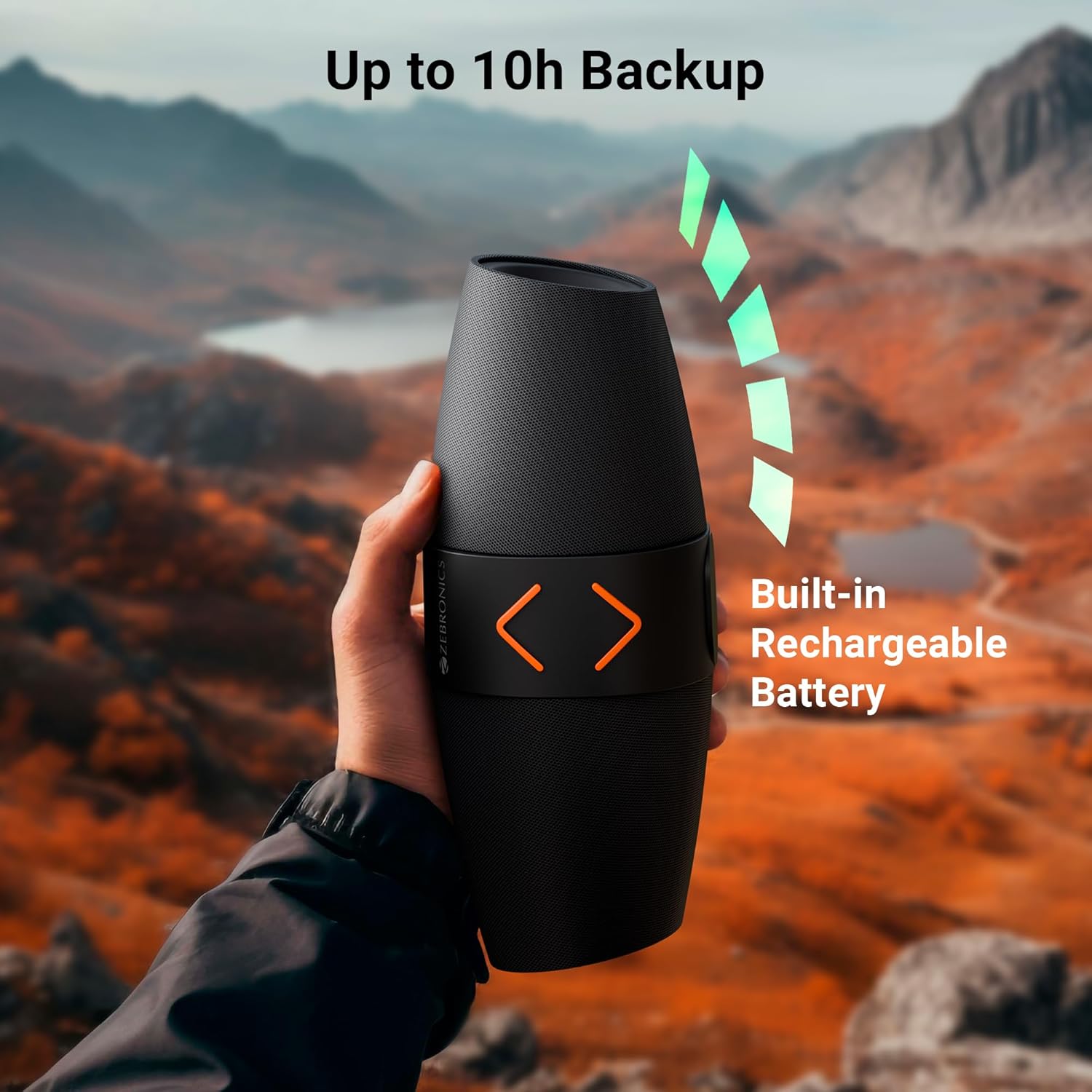
Stampa 4.1: The speaker being held outdoors, illustrating its portability and highlighting the built-in rechargeable battery and up to 10 hours of backup.
4.2 Power On/Off
- Biex tixgħel, agħfas u żomm il-buttuna tal-Power sakemm tisma' sinjal li jinstema'.
- Biex titfi, agħfas u żomm il-buttuna tal-Enerġija mill-ġdid sakemm tisma' sinjal li jinstema'.
4.3 Tqabbil tal-Bluetooth
- Ixgħel l-ispiker. Dan jidħol awtomatikament fil-modalità ta' tqabbil Bluetooth, indikat minn dawl LED li jteptep.
- Fuq it-tagħmir mobbli tiegħek, ippermetti l-Bluetooth u fittex tagħmir disponibbli.
- Select "ZEB-SOUND FEAST 55" from the list of devices.
- Once paired, you will hear a confirmation tone, and the LED light will stop flashing.
The speaker will automatically reconnect to the last paired device if it is within range and Bluetooth is enabled.
4.4 Tqabbil ta' Stereo Veru Wireless (TWS)
TWS allows you to connect two ZEB-SOUND FEAST 55 speakers for a stereo audio experience.
- Ensure both ZEB-SOUND FEAST 55 speakers are powered on and in Bluetooth mode, but not connected to any device.
- On one of the speakers (this will be the primary speaker), press and hold the Play/Pause button for a few seconds. You will hear a prompt indicating TWS pairing mode.
- Iż-żewġ kelliema jikkonnettjaw ma' xulxin awtomatikament. Ladarba jkunu konnessi, tisma' ton ta' konferma.
- Issa, qabbad l-apparat mobbli tiegħek mal-ispiker primarju permezz tal-Bluetooth kif deskritt fit-taqsima 4.3.
- L-awdjo issa se jindaqq b'mod stereo miż-żewġ kelliema.

Stampa 4.2: Top image shows the speaker on a desk with a phone displaying a call, indicating the call function. Bottom image shows two speakers paired, illustrating the TWS function for stereo sound.
5. Istruzzjonijiet Operattivi
5.1 Għażla tal-Modalità
Agħfas il- Modalità (M) button to cycle through available input modes: Bluetooth, USB, MicroSD, AUX, and FM Radio.
5.2 Modalità Bluetooth
- Ensure the speaker is paired with your device (refer to section 4.3).
- Daqq l-awdjo mit-tagħmir konness tiegħek.
- Use the speaker's Play/Pause, Volume Up/Next Track, and Volume Down/Previous Track buttons to control playback.
5.3 USB/MicroSD Mode
- Insert a USB drive or MicroSD card into the respective port.
- The speaker will automatically switch to USB or MicroSD mode and begin playing audio files. Jekk le, agħfas il-buttuna Modalità (M) buttuna biex tagħżel il-modalità korretta.
- Use the speaker's Play/Pause, Volume Up/Next Track, and Volume Down/Previous Track buttons to control playback.
5.4 Modalità AUX
- Connect an audio device (e.g., smartphone, MP3 player) to the speaker's AUX port using a 3.5mm audio cable (not included).
- Agħfas il- Modalità (M) buttuna biex tagħżel il-modalità AUX.
- Control playback from your connected audio device. Volume can be adjusted on both the speaker and the connected device.
5.5 Modalità tar-Radju FM
- Agħfas il- Modalità (M) buttuna biex tagħżel il-modalità tar-Radju FM.
- To auto-scan and save available FM channels, press the Play/Pause button once. The speaker will scan and store channels.
- Use the Volume Up/Next Track and Volume Down/Previous Track buttons to navigate between saved channels.
5.6 Funzjoni tas-Sejħa
- When a call comes in during Bluetooth mode, press the Play/Pause button to answer the call.
- Agħfas il-buttuna Play/Pause mill-ġdid biex ittemm is-sejħa.
- Agħfas u żomm il-buttuna Play/Pause biex tirrifjuta telefonata li tkun deħlin.
5.7 Modi tad-Dawl RGB
- Press the RGB Light button to cycle through different light modes.
- Continue pressing the button to turn the RGB lights off.
6. Manutenzjoni
- Tindif: Use a soft, dry cloth to clean the speaker. Do not use harsh chemicals or abrasive cleaners.
- Ħażna: Aħżen l-ispiker f'post frisk u niexef 'il bogħod mix-xemx diretta u minn temperaturi estremi.
- Kura tal-batterija: Biex ittawwal il-ħajja tal-batterija, evita li tiċċarġja kompletament l-ispiker ta' spiss. Iċċarġjah regolarment, anke jekk ma jkunx qed jintuża għal perjodi twal.
- Espożizzjoni għall-Ilma: Dan l-ispiker mhuwiex reżistenti għall-ilma. Evita l-espożizzjoni għall-ilma jew umdità eċċessiva.
- Immaniġġjar: Do not drop, disassemble, or attempt to repair the speaker yourself. This may void the warranty and cause damage.
7 Issolvi l-problemi
| Problema | Kawża Possibbli | Soluzzjoni |
|---|---|---|
| L-ispiker ma jixgħelx. | Batterija baxxa. | Iċċarġja l-ispiker kompletament. |
| Ma tistax tqabbad permezz tal-Bluetooth. | Il-Bluetooth mhux attivat fuq l-apparat; l-ispiker mhux fil-modalità ta' tqabbil; wisq 'il bogħod mill-apparat. | Ensure Bluetooth is enabled. Put speaker in pairing mode. Move device closer to speaker (within 10 meters). |
| L-ebda ħoss. | Volum baxx wisq; mod mhux korrett magħżul; apparat mhux qed idoqq l-awdjo. | Increase speaker and device volume. Ensure correct input mode (BT, USB, mSD, AUX, FM) is selected. Verify audio is playing on the source device. |
| Riċeviment fqir tal-FM. | Sinjal dgħajjef. | Move the speaker to a location with better signal reception. Re-scan channels. |
| It-tqabbil tat-TWS ifalli. | Speakers already connected to a device; incorrect pairing procedure. | Ensure both speakers are disconnected from other devices. Follow TWS pairing steps precisely (section 4.4). |
8. Speċifikazzjonijiet
| Isem tal-Mudell | FESTA ZEB-ĦOSS 55 |
| Qawwa tal-Ħruġ (RMS) | 14 Watts |
| Daqs tas-Sewwieq | Dual 5.7 cm |
| Verżjoni Bluetooth | v5.3 |
| Għażliet ta' Konnettività | Bluetooth, USB, MicroSD, AUX, FM Radio |
| Ħin tal-daqq | Up to 10 hours (at 50% volume, LED off) |
| Ħin tal-Iċċarġjar | Madwar sagħtejn |
| Tip ta 'ċċarġjar | Tip-Ċ |
| Rispons ta' Frekwenza | 18 KHz |
| Dimensjonijiet tal-Prodott (P x W x H) | 13.7D x 29.2W x 19H Ċentimetri |
| Piż tal-oġġett | 678 Gramm |
| Karatteristiċi | Dual Passive Radiators, Call Function, RGB Light Modes, TWS Function |
9. Informazzjoni dwar is-Sigurtà
- Tesponix l-ispiker għal temperaturi estremi, dawl tax-xemx dirett, jew fjammi mikxufa.
- Evita li twaqqa’ jew tissuġġetta lill-kelliem għal impatti qawwija.
- Do not immerse the speaker in water or expose it to rain or excessive moisture.
- Żomm il-kelliem 'il bogħod mit-tfal u l-annimali domestiċi.
- Uża biss il-kejbil tal-iċċarġjar provdut jew wieħed ekwivalenti ċċertifikat.
- Do not attempt to disassemble, repair, or modify the speaker. This may result in electric shock, fire, or product damage.
- Armi l-prodott b'mod responsabbli skont ir-regolamenti lokali. Tarmix mal-iskart domestiku.
10. Garanzija u Appoġġ
The ZEBRONICS Sound Feast 55 comes with a limited warranty. Please refer to the warranty card included in your package or visit the official ZEBRONICS websit għal termini u kundizzjonijiet dettaljati tal-garanzija.
For technical support, service, or inquiries, please contact ZEBRONICS customer service through their official webis-sit jew l-informazzjoni ta' kuntatt ipprovduta fid-dokumentazzjoni tal-prodott tiegħek.
Manifattur: AJZ Industries Pvt. Ltd.
Importatur: AJZ Industries Pvt. Ltd. Survey No 508/2, Door No 50/2, Inner Ring Road, Madhavaram, Chennai - 600060


