1. Introduzzjoni
Thank you for choosing the Xech BreezX Rechargeable Table Fan. This compact and versatile fan is designed to provide powerful, quiet, and portable cooling with added features like oscillation, tilt adjustment, and an integrated night light. Please read this manual carefully before use to ensure proper operation and maintenance.
2. Istruzzjonijiet tas-Sigurtà
- Do not insert fingers or any objects into the fan grill when the fan is operating.
- Żomm il-fann 'il bogħod mill-ilma jew likwidi oħra biex tevita xokk elettriku.
- Do not use the fan in extremely hot or humid environments.
- Kun żgur li l-fann jitqiegħed fuq wiċċ stabbli u ċatt biex tevita li jinqaleb.
- Żomm fejn ma jintlaħaqx mit-tfal u l-annimali domestiċi.
- Uża biss il-kejbil USB-C ipprovdut għall-iċċarġjar.
- Do not attempt to disassemble or repair the fan yourself. Contact customer support for assistance.
- Unplug the fan before cleaning or when not in use for extended periods.
3. Kontenut tal-Pakkett
- Xech BreezX Rechargeable Table Fan
- Korda tal-Iċċarġjar tal-USB-C
- Manwal għall-Utent
4. Prodott Aktarview
The Xech BreezX fan combines powerful airflow with portability and smart features for your comfort.

Figure 4.1: Xech BreezX Rechargeable Table Fan (Front View)

Figure 4.2: Wide 100° Oscillation and 90° Vertical Tilt for comprehensive air circulation.
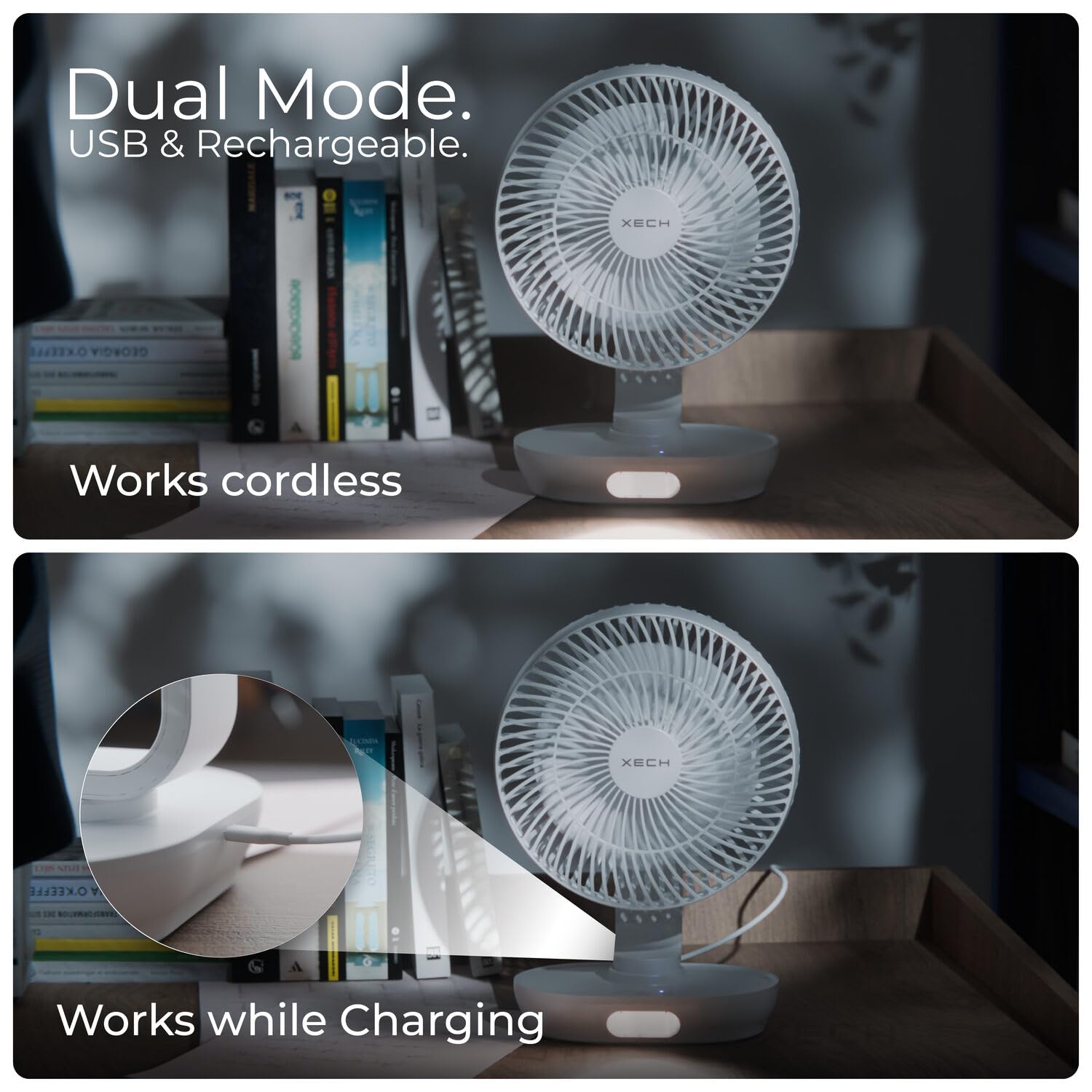
Figure 4.3: Dual Mode operation allows the fan to work cordless or while charging via USB-C.

Figure 4.4: Super-Quiet Brushless Motor ensures whisper-quiet operation, ideal for sleep or study.
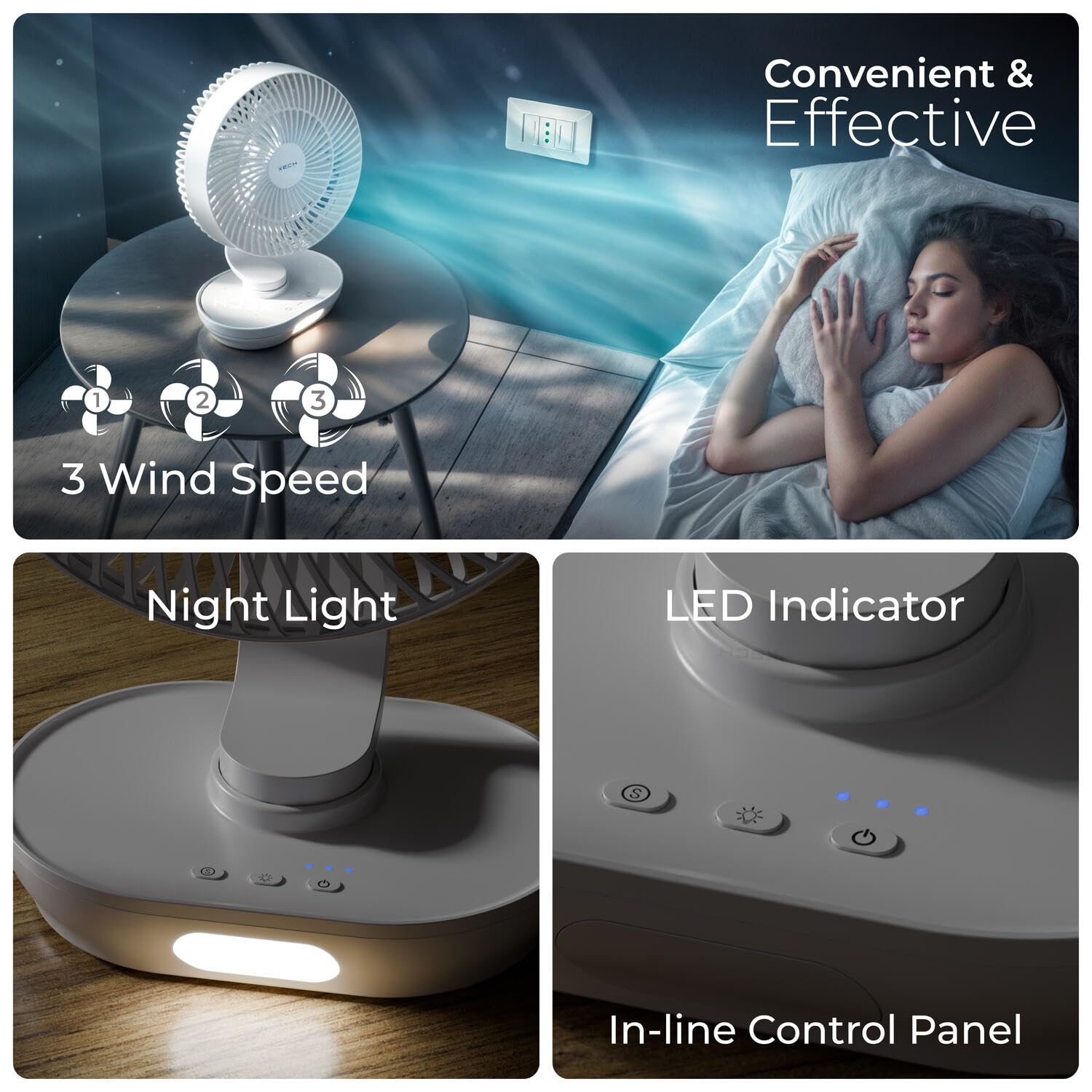
Figure 4.5: In-line Control Panel with buttons for power, speed, oscillation, and night light, along with LED indicators.

Figure 4.6: Engineered for Convenience: Features replaceable rechargeable batteries, easy-to-clean fan grills, an energy-efficient 2200 RPM motor, and aerodynamic fan blades.
5. Setup
- Ippakkja: Neħħi l-fann u l-aċċessorji kollha mill-imballaġġ bir-reqqa.
- Ħlas Inizjali: Before first use, fully charge the fan using the provided USB-C cable. Connect the USB-C end to the fan's charging port and the USB-A end to a compatible USB power adapter (not included) or computer USB port. The LED indicator will show charging status.
- Installazzjoni tal-Batterija (jekk applikabbli): The fan comes with pre-installed rechargeable batteries. If replacement is needed, open the battery compartment at the base and insert new compatible batteries, ensuring correct polarity.
- Pjazzament: Poġġi l-fann fuq wiċċ stabbli u ċatt.
6. Istruzzjonijiet Operattivi
- Power On/Off: Agħfas il-buttuna Power (U) on the control panel to turn the fan on or off.
- Aġġusta l-Veloċità tal-Fan: While the fan is on, press the Speed button (ikona tal-fann) repeatedly to cycle through 3 wind speeds (Low, Medium, High).
- Funzjoni ta 'Oxxillazzjoni: Agħfas il-buttuna Oxxillazzjoni (ikona tal-oxxillazzjoni) to activate or deactivate the 100° automatic oscillation.
- Aġġusta l-Angolu tal-Inklinazzjoni: Manually adjust the fan head up or down to achieve the desired 90° vertical tilt angle.
- Dawl bil-lejl: Agħfas il-buttuna tad-Dawl (ikona tal-bozza tad-dawl) to turn the LED night light on or off. Some models may have multiple brightness levels; press repeatedly to cycle through them.
7. Manutenzjoni
- Tindif tal-Fan: Kun żgur li l-fann ikun mitfi u splaggjat qabel it-tindif.
- Grill and Blades: The front grill and blades are removable for easy cleaning. Gently twist or unclip the front grill (refer to product diagrams if available) to access the blades. Wipe the blades and grill with a soft, damp drapp. Tużax tindif jew solventi li joborxu.
- Barra: Imsaħ il-parti ta' barra tal-fann b'ċarruta ratba u niexfa.
- Ħażna: Meta ma tkunx qed tużah għal perjodi twal, aħżen il-fann f'post frisk u niexef, 'il bogħod mix-xemx diretta u mill-umdità.
8 Issolvi l-problemi
| Problema | Kawża Possibbli | Soluzzjoni |
|---|---|---|
| Il-fann ma jixgħelx. | Il-batterija hija eżawrita. | Charge the fan using the USB-C cable. |
| Il-buttuna tal-qawwa mhux ippressata sew. | Ensure the Power button is pressed firmly. | |
| Fluss ta 'arja dgħajjef. | Il-veloċità tal-fann hija ssettjata baxxa wisq. | Żid il-veloċità tal-fann. |
| Fan grill or blades are dirty. | Clean the fan grill and blades as per maintenance instructions. | |
| Il-fann jagħmel ħoss mhux tas-soltu. | Obstruction in the fan blades. | Turn off and unplug the fan, then check for any obstructions and remove them carefully. |
| Il-fann mhux fuq wiċċ stabbli. | Poġġi l-fann fuq wiċċ ċatt u stabbli. | |
| Night light not working. | Night light function is off. | Press the Light button to turn it on. |
| Il-batterija hija baxxa wisq. | Iċċarġja l-fann. |
9. Speċifikazzjonijiet
| Karatteristika | Dettall |
|---|---|
| Brand | Xech |
| Isem tal-Mudell | BreezX (X-803) |
| Disinn tal-Fann Elettriku | Fan tal-mejda |
| Sors tal-Enerġija | Mħaddma bil-batterija |
| Dimensjonijiet tal-Prodott | 12.5D x 20W x 30.5H Ċentimetri |
| Karatteristiċi Speċjali | Portable, Quiet Operation, LED Light, Adjustable Tilt, Oscillating |
| Livell ta' Storbju | 58 dB |
| Wattage | 6 Watts |
| Numru ta' Xfafar | 3 |
| Tul tax-xafra | 200 Millimetru |
| Veloċità | 2200 RPM |
| Voltage | 5 Volts |
| Tip ta' Swiċċ | Imbotta Buttuna |
| Piż tal-oġġett | 575 Gramm |
| Tip ta' Konnettur | USB Tip Ċ |
| Użabbiltà mill-ġdid | Rikarikabbli |
| Numru ta 'Livelli ta' Qawwa | 3 |
| Pajjiż ta' Oriġini | Iċ-Ċina |
10. Garanzija u Appoġġ
The Xech BreezX fan is manufactured by XECH Technologies Pvt Ltd. For any warranty claims, technical support, or service inquiries, please contact XECH Technologies Pvt Ltd directly. Please retain your proof of purchase for warranty validation.
For further assistance, please visit the official Xech store on Amazon or contact their customer service channels.


