Introduzzjoni
Grazzi tax-xiriasing the ZEBRONICS Sound Feast 800 Portable Bluetooth Speaker. This manual provides essential information for the safe and efficient operation of your device. Please read it thoroughly before use and retain it for future reference.
Istruzzjonijiet Importanti dwar is-Sigurtà
- Tesponix l-ispiker għal temperaturi estremi, dawl tax-xemx dirett, jew umdità għolja.
- Evita li twaqqa’ jew tissuġġetta lill-kelliem għal impatti qawwija.
- Keep the speaker away from water and other liquids. While it is splash-proof, it is not fully waterproof and should not be submerged.
- Tippruvax tiżżarma, issewwi, jew timmodifika l-ispiker int stess. Irreferi għal kull manutenzjoni lil persunal kwalifikat.
- Uża biss il-kejbil tal-iċċarġjar provdut jew wieħed ekwivalenti ċċertifikat.
- Aċċerta ruħek li jkun hemm ventilazzjoni xierqa meta tħaddem l-ispiker.
- Naddaf l-ispiker b'ċarruta ratba u niexfa. Tużax prodotti tat-tindif jew solventi li joborxu.
- Żomm fejn ma jintlaħaqx mit-tfal.
Kontenut tal-Pakkett
Jekk jogħġbok immarka l-kaxxa għall-oġġetti li ġejjin:
- ZEBRONICS Sound Feast 800 Speaker - 1 unit
- Wireless Microphone - 1 unit
- Charging Cable (Type-C) - 1 unit
- AUX Cable - 1 unit
- QR Code Guide - 1 unit

Image: The ZEBRONICS Sound Feast 800 speaker in black with a purple-lit grille, accompanied by its wireless microphone.
Prodott Overview
Karatteristiċi Ewlenin
- Qawwa Dinamika: 55 Watts output for robust sound.
- Sewwieq Qawwi: Equipped with a 16.51 cm (6.5 inch) driver for enhanced audio.
- Multi-Konnettività: Supports Bluetooth v5.3, USB, mSD, AUX, and FM radio.
- Ħin tal-logħob estiż: Up to 6 hours of playback on a single charge (at 50% volume with LED off).
- RGB LED Lights: Multiple light modes to enhance ambiance.
- Funzjoni TWS: Connect two Sound Feast 800 speakers for a stereo experience.
- Lest għall-Karaoke: Includes a 6.3mm mic input and a wireless microphone.
- Convenient Mobile Holder: Integrated holder for smartphones.
- Disinn li ma jgħaddix ilma minnu: Offers protection against splashes.
Kontrolli u Portijiet
Familiarize yourself with the control panel and connectivity ports for optimal use.

Immaġni: Dettaljata view of the speaker's control buttons (Power, Mode, Play/Pause, Volume/Track, RGB light control, Bass) and connectivity ports (6.3mm Mic In, USB, mSD, AUX In, Type-C Charging).
- Buttuna tal-Qawwa: Agħfas u żomm biex tixgħel/itfi.
- Buttuna tal-Modalità (M): Short press to switch between Bluetooth, USB, mSD, AUX, and FM modes.
- Buttuna Play/Pause: Agħfas qasir biex tilgħab jew twaqqaf l-awdjo.
- Volum Niżel / Track Preċedenti: Agħfas qasir għat-trakka ta' qabel, agħfas twil biex tnaqqas il-volum.
- Volum 'il fuq / Track Li jmiss: Agħfas qasir għat-trakka li jmiss, agħfas twil biex iżżid il-volum.
- Kontroll tad-Dawl RGB: Button to cycle through different RGB light modes.
- Buttuna tal-Bass: Activates or deactivates bass boost.
- Buttuna TWS: Jibda l-akkoppjar ta' Stereo True Wireless.
- 6.3mm Mic Input: For connecting a wired microphone.
- Port USB: Għall-plejbek minn USB drive.
- mSD Card Slot: For mSD card playback.
- Input AUX: For connecting external audio devices via AUX cable.
- Port tal-Iċċarġjar tat-Tip C: Għall-iċċarġjar tal-ispiker.
Gwida ta' Setup
Iċċarġjar Inizjali
- Before first use, fully charge the speaker. Connect the provided Type-C charging cable to the speaker's charging port and the other end to a USB power adapter (not included).
- The charging indicator will illuminate during charging and turn off once fully charged. A full charge takes approximately 4 hours.
Tixgħel/Jitfi
- Biex tixgħel, agħfas u żomm il-buttuna Buttuna tal-qawwa until the speaker activates.
- Biex tintefa, agħfas u żomm il-buttuna Buttuna tal-qawwa għal darb'oħra sakemm l-ispiker jintefa.
Istruzzjonijiet Operattivi
Modalità Bluetooth
- Turn on the speaker. It will automatically enter Bluetooth mode, indicated by a prompt sound.
- Enable Bluetooth on your mobile device and search for "ZEB-SOUND FEAST 800" in the list of available devices.
- Agħżel il-kelliem li trid tqabbad. Ladarba jkun imqabbad, tisma' ħoss ta' konferma.
- Issa tista' ddoqq l-awdjo mit-tagħmir tiegħek permezz tal-ispiker.
USB / mSD Card Mode
- Insert a USB drive or mSD card (with audio files) fil-port rispettiv fuq l-ispiker.
- The speaker will automatically detect the storage device and begin playback. If not, press the Buttuna tal-mod (M) to switch to USB or mSD mode.
- Uża l- Trekk ta 'qabel / li jmiss buttons to navigate songs and Play/Pawsa for playback control.
Modalità AUX
- Connect one end of the provided AUX cable to the speaker's AUX input and the other end to the audio output of your external device (e.g., smartphone, MP3 player).
- Agħfas il- Buttuna tal-mod (M) biex taqleb għall-modalità AUX.
- Ikkontrolla d-daqq u l-volum mit-tagħmir konness tiegħek.
Modalità tar-Radju FM
- Agħfas il- Buttuna tal-mod (M) biex taqleb għall-modalità tar-radju FM.
- Agħfas fit-tul il- Buttuna Play/Pause to automatically scan and save available FM channels.
- Uża l- Trekk ta 'qabel / li jmiss buttons to switch between saved channels.
Funzjoni True Stereo Wireless (TWS)
The TWS function allows you to connect two ZEB-SOUND FEAST 800 speakers wirelessly for a stereo sound experience.
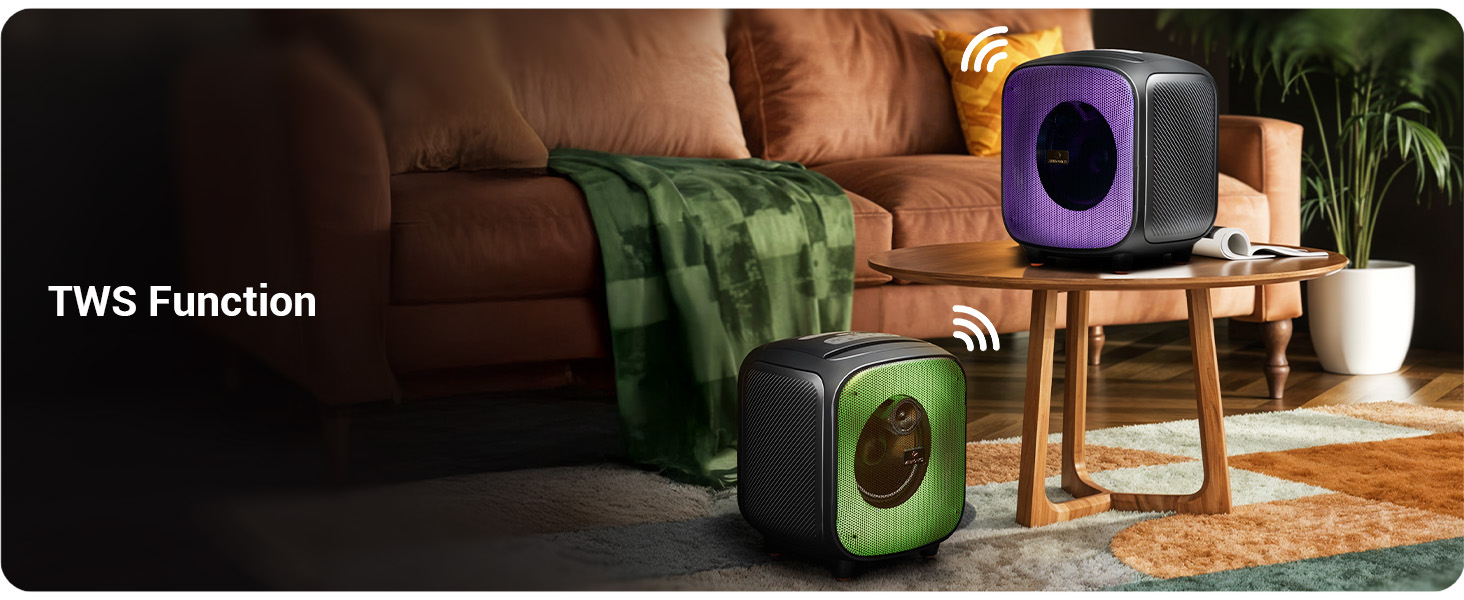
Image: Two Sound Feast 800 speakers positioned in a living room, illustrating the TWS connection.
- Ensure both ZEB-SOUND FEAST 800 speakers are powered on and in Bluetooth mode, but not connected to any device.
- On one of the speakers (this will be the primary speaker), short press the buttuna TWS. It will search for the secondary speaker.
- Once connected, you will hear a confirmation sound. The primary speaker's Bluetooth indicator will flash, and the secondary speaker's indicator will be solid.
- Now, connect your mobile device to the primary speaker via Bluetooth as described in the Bluetooth Mode section.
- Audio will play in stereo through both speakers.
Funzjoni Karaoke

Image: A woman holding the wireless microphone, demonstrating the karaoke function.
- Ensure the speaker is powered on and playing music (e.g., via Bluetooth, USB, or AUX).
- Turn on the provided wireless microphone. It will automatically connect to the speaker.
- Alternatively, connect a wired microphone to the 6.3mm Mic Input port.
- Adjust the microphone volume and echo effect (if available on the mic) for your desired karaoke experience.
Dwal LED RGB
The speaker features dynamic RGB LED lights with various modes.
- Agħfas qasir il- RGB Light Control button to cycle through different light modes.
- Press and hold the button to turn the RGB lights off or on.
Manutenzjoni
- Tindif: Uża drapp artab, niexef u mingħajr suf biex tnaddaf il-barra tal-ispiker. Tużax prodotti tat-tindif likwidi, aerosols, jew solventi.
- Ħażna: Meta ma tkunx qed tużah għal perjodi twal, aħżen l-ispiker f'post frisk u niexef, 'il bogħod mix-xemx diretta u minn temperaturi estremi.
- Kura tal-batterija: To prolong battery life, avoid fully discharging the speaker frequently. Charge the speaker regularly, even if not in use, to maintain battery health.
- Espożizzjoni għall-Ilma: While splash-proof, avoid direct exposure to heavy rain or submersion in water. Ensure all ports are dry before charging.
Issolvi l-problemi
| Problema | Kawża Possibbli | Soluzzjoni |
|---|---|---|
| L-ispeaker ma jixgħelx. | Batterija baxxa. | Iċċarġja l-ispiker kompletament billi tuża l-kejbil tat-Tip C provdut. |
| L-ebda ħoss. | Volum baxx wisq; mod mhux korrett; apparat mhux imqabbad. | Increase speaker and source device volume. Ensure correct input mode (BT, AUX, USB, mSD). Re-pair Bluetooth device. |
| Tqabbil Bluetooth ifalli. | L-ispiker mhux fil-modalità ta' tqabbil; l-apparat wisq 'il bogħod; interferenza. | Kun żgur li l-ispiker jinsab fil-modalità Bluetooth u jista' jinstab. Mexxi l-apparat eqreb lejn l-ispiker. Itfi apparati Bluetooth oħra. |
| Il-mikrofonu mhux qed jaħdem. | Microphone off; battery low (wireless mic); incorrect connection. | Ensure wireless mic is powered on and charged. For wired mic, ensure it's fully inserted into the 6.3mm port. |
| Il-konnessjoni tat-TWS tfalli. | Speakers already paired to a device; speakers too far apart. | Ensure both speakers are disconnected from other devices. Place speakers within close proximity (e.g., 5 meters). |
| Speaker turns off frequently. | Low battery; overheating; unstable power supply. | Charge the speaker. Ensure adequate ventilation. If problem persists, contact customer support. |
Speċifikazzjonijiet

Image: Diagram showing the dimensions of the ZEBRONICS Sound Feast 800 speaker: 25.5cm Depth, 26.4cm Width, 30.2cm Height.
| Karatteristika | Dettall |
|---|---|
| Isem tal-Mudell | FESTA ZEB-ĦOSS 800 |
| Tip ta' Kelliem | Speaker li jista ’jinġarr |
| Qawwa tal-Ħruġ | 55 Watts |
| Daqs tas-Sewwieq | 16.51 ċm (6.5 pulzieri) |
| Konnettività | Bluetooth v5.3, USB, mSD, AUX, FM Radio |
| Teknoloġija tal-Komunikazzjoni mingħajr Fili | Bluetooth |
| Sors tal-Enerġija | Mħaddma bil-batterija |
| Ħajja Medja tal-Batterija | Up to 6 Hours (at 50% volume, LED off) |
| Ħin tal-Iċċarġjar | Madwar 4 Sigħat |
| Metodu ta' Kontroll | Imbotta Buttuna |
| Sinjal-mal-ħoss Ratio | 65 dB |
| Rispons ta' Frekwenza | 60 Hz |
| Dimensjonijiet tal-Prodott (P x W x H) | 25.5 x 26.4 x 30.2 Ċentimetru |
| Piż tal-oġġett | 3.65 kg |
| Kulur | Iswed |
| Karatteristiċi Speċjali | Wireless MIC, Karaoke Function, RGB LED Lights, TWS Function, Mobile Holder, Splash-proof |
Garanzija u Appoġġ
The ZEBRONICS Sound Feast 800 comes with a Garanzija Limitata. For detailed warranty terms and conditions, please refer to the QR Code Guide included in your package or visit the official ZEBRONICS websit.
For technical support, service, or any queries regarding your product, please contact ZEBRONICS customer service. Contact information can typically be found on the official ZEBRONICS webis-sit jew fuq l-imballaġġ tal-prodott.
Manufacturer: Zebronics India Private Limited, No.13/7, Smith Road, Royapettah, Chennai - 600 002.


