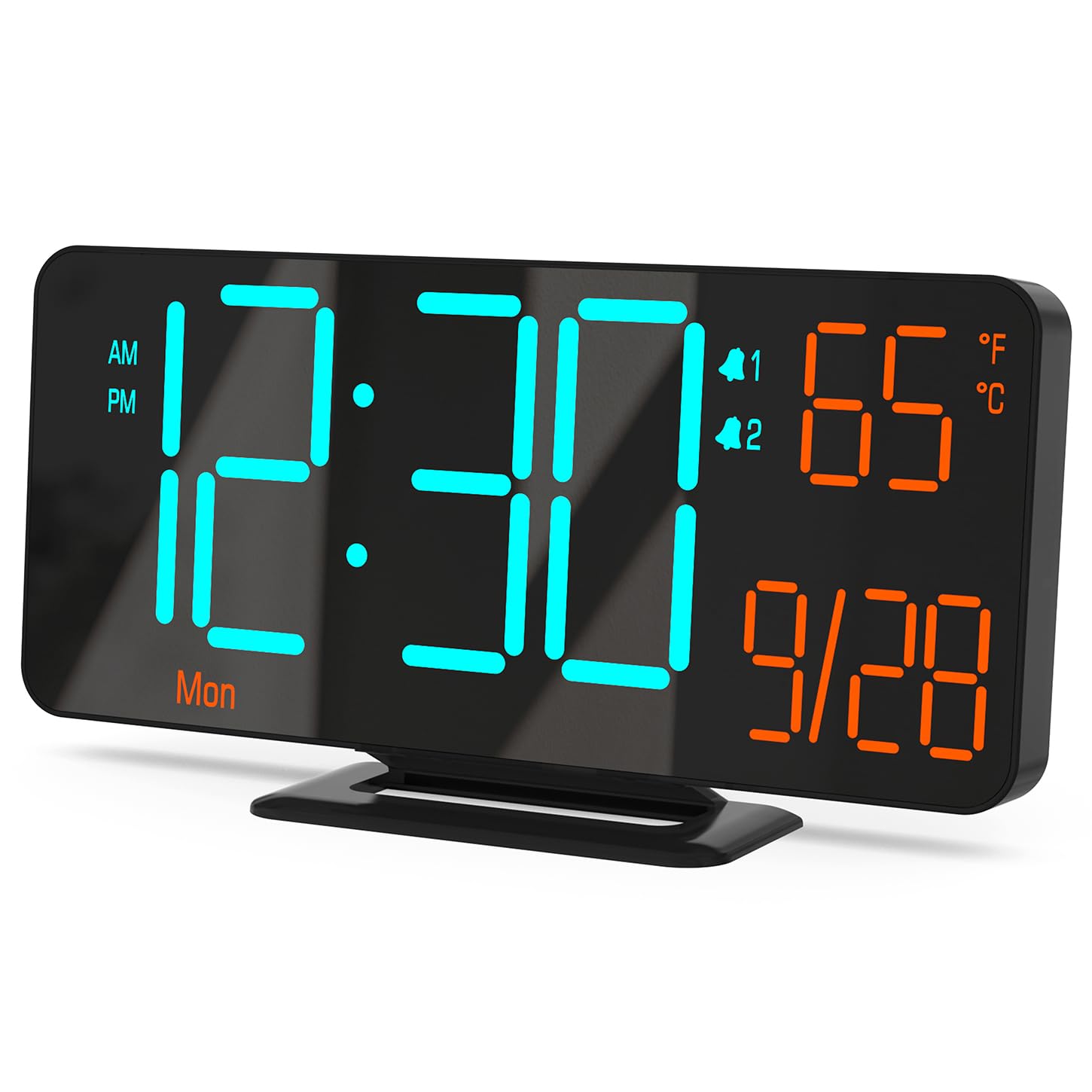
Figure 0: KOSUMOSU Digital Alarm Clock, Model ACD-330.
1. Introduzzjoni
This user manual provides detailed instructions for the KOSUMOSU Digital Alarm Clock, Model ACD-330. Please read this manual thoroughly before operating the device to ensure proper use and to understand all features. Keep this manual for future reference.
2. Prodott Aktarview
2.1 Karatteristiċi ewlenin
- 6.7-inch LED display with cool blue and orange light digits.
- Automatic and manual dimming capabilities (High, Medium, Low, OFF, Auto).
- Dual alarm clock with snooze function (5-minute snooze).
- Selectable 12/24 hour time format.
- Displays date, day of the week, seconds, and indoor temperature (Fahrenheit/Celsius).
- USB powered (requires 5V/1A AC adapter, not included).
- Includes a button battery for time preservation during power outages.
2.2 Kontenut tal-Pakkett
- KOSUMOSU Digital Alarm Clock (Model ACD-330)
- USB Power Cable (1.5-meter)
- Lithium Metal Button Battery (pre-installed for backup)
- Manwal għall-Utent (dan id-dokument)
2.3 Dijagramma tal-Prodott

Figura 1: Wara view of the alarm clock with labeled function buttons and dimensions.
- 1. Sensor tad-Dawl: For automatic dimming.
- 2. Dimming Buttons (-/+): Adjust brightness manually.
- 3. ℉/℃/Sec Button: Toggle between Fahrenheit/Celsius and display seconds.
- 4. SET Button: Enter setting mode for time, date, and alarms.
- 5. Alarm 1 Set Button: Set Alarm 1.
- 6. Alarm 2 Set Button: Set Alarm 2.
- 7. Snooze Button: Activates snooze during an alarm.
- 8. USB-A Power Cable Input: Connects to 5V/1A AC adapter.
- 9. Kompartiment tal-Batterija: For backup button battery.
3. Setup
3.1 Konnessjoni tal-Enerġija
Connect the provided USB power cable to the USB-A input port on the back of the alarm clock. Plug the other end of the USB cable into a 5V/1A AC adapter (not included) and then into a wall outlet. The clock display will illuminate.

Figure 2: Power connection setup. An AC adapter is required and not included.
3.2 Backup tal-Batterija
The clock includes a pre-installed Lithium Metal button battery. This battery is solely for preserving time settings during a power outage and does not power the display. Ensure the battery is properly seated in its compartment for this function to work.
4. Istruzzjonijiet Operattivi
4.1 L-issettjar tal-Ħin u d-Data
- Agħfas u żomm il- SET Agħfas il-buttuna għal madwar 3 sekondi biex tidħol fil-modalità tal-issettjar tal-ħin. Iċ-ċifri tas-sigħat jibdew jteptep.
- Uża l- + or - buttuni biex taġġusta s-siegħa.
- Agħfas SET Agħfas mill-ġdid biex tikkonferma s-siegħa u tmur għall-issettjar tal-minuti. Iċ-ċifri tal-minuti se jteptpu.
- Uża l- + or - buttuni biex taġġusta l-minuta.
- Agħfas SET again to confirm the minute and move to 12/24 hour format selection.
- Uża l- + or - buttons to select either 12-hour (with AM/PM indicator) or 24-hour format.
- Agħfas SET again to confirm the format and move to year setting.
- Kompli uża + or - to adjust the year, month, and day, pressing SET after each adjustment to confirm and proceed.
- Wara li tissettja l-jum, agħfas SET darba oħra biex toħroġ mill-modalità tas-settings.
4.2 Display Modes (Seconds / Temperature)
The clock can display either seconds or indoor temperature. To switch between these modes, short press the ℉/℃/Sec buttuna.
When displaying temperature, you can toggle between Fahrenheit (℉) and Celsius (℃) by pressing and holding the ℉/℃/Sec buttuna għal madwar 3 sekondi.

Figure 3: Various display modes including temperature and seconds.
4.3 Aġġustament tal-Luminożità (Dimming)
The clock offers both manual and automatic dimming features.
- Dimming manwali: Agħfas qasir il- + or - buttons to cycle through brightness levels: High, Medium, Low, and OFF.
- Dimming Awtomatiku: Agħfas u żomm il- + button for approximately 3 seconds to activate or deactivate auto-dimming. When active, the light sensor on the clock will automatically adjust the display brightness based on ambient light conditions.
Figura 4: Eżamples of manual and automatic dimming levels.
4.4 Issettjar tal-Allarmi (Allarm 1 & Allarm 2)
The clock features two independent alarms. The setting process is identical for both.
- Agħfas u żomm il- Alarm 1 Set or Alarm 2 Set Agħfas il-buttuna għal madwar 3 sekondi biex tidħol fil-modalità tas-settings tal-allarm. Iċ-ċifri tas-siegħa tal-allarm se jteptpu.
- Uża l- + or - buttuni biex taġġusta s-siegħa tal-allarm.
- Agħfas il-buttuna rispettiva Sett ta 'allarm Agħfas il-buttuna mill-ġdid biex tikkonferma s-siegħa u tmur għall-issettjar tal-minuti. Iċ-ċifri tal-minuti tal-allarm se jteptpu.
- Uża l- + or - buttuni biex taġġusta l-minuta tal-allarm.
- Agħfas il-buttuna rispettiva Sett ta 'allarm button again to confirm the minute and select the alarm cycle:
- 1-5: Weekdays (Monday-Friday)
- 1-7: Everyday (Monday-Sunday)
- 6-7: Weekends (Saturday-Sunday)
- Agħfas il-buttuna rispettiva Sett ta 'allarm button one last time to save the alarm settings and exit.
4.5 Attivazzjoni/Diżattivazzjoni tal-Allarmi
To turn an alarm ON or OFF, short press the Alarm 1 Set or Alarm 2 Set button. An alarm icon (1 or 2) will appear on the display when the alarm is active.
4.6 Funzjoni Snooze
Meta tinstema' allarm, agħfas il-buttuna l-kbira SNOOZE button on the top of the clock to activate the snooze function. The alarm will pause for 5 minutes and then sound again. The alarm duration is approximately 5 minutes if not snoozed or turned off.
To turn off a sounding alarm completely, press any other button on the back of the clock (e.g., SET, +, -). The alarm will reset for the next scheduled activation.

Figure 5: Illustration of the snooze function.
5. Manutenzjoni
- Naddaf il-wiċċ tal-arloġġ b'ċarruta ratba u niexfa. Tużax prodotti tat-tindif jew solventi li joborxu.
- Evita li tesponi l-arloġġ għal temperaturi estremi, dawl tax-xemx dirett, jew umdità għolja.
- Do not disassemble the clock. This will void the warranty.
- If the backup battery needs replacement, use a compatible Lithium Metal button battery.
6 Issolvi l-problemi
| Problema | Kawża Possibbli | Soluzzjoni |
|---|---|---|
| Il-wiri huwa vojt. | Ebda provvista ta 'enerġija. | Ensure the USB cable is securely connected to a 5V/1A AC adapter and the adapter is plugged into a working power outlet. |
| Il-ħin mhux korrett wara li tintefa' l-enerġijatage. | Il-batterija tal-backup hija mejta jew nieqsa. | Check or replace the Lithium Metal button battery. Reset the time manually. |
| L-allarm ma jdoqqx. | L-allarm mhux attivat jew issettjat ħażin. | Ensure the alarm icon (1 or 2) is visible on the display. Verify alarm time and cycle settings. |
| Id-displej huwa qawwi wisq/mhux ċar. | Manual or auto-dimming settings. | Adjust brightness manually using +/- buttons or toggle auto-dimming by holding the + button. |
| Il-qari tat-temperatura jidher li mhux preċiż. | Clock placed near heat source/vent. | Irriloka l-arloġġ f'żona b'temperatura ambjentali stabbli. |
7. Speċifikazzjonijiet
| Mudell: | ACD-330 |
| Tip ta' wiri: | LED |
| Daqs tal-Wiri: | 6.7 pulzieri |
| Input ta' Enerġija: | 5V/1A DC (USB powered) |
| Batterija tal-Backup: | 1 x Lithium Metal (included) |
| Dimensjonijiet tal-Prodott: | 16.26 x 3.81 x 8.38 ċm (6.4 x 1.5 x 3.3 pulzieri) |
| Piż tal-Prodott: | 131.54 g (0.29 lbs) |
| Karatteristiċi Speċjali: | Auto Dimmable, Calendar Display, Dual Alarm, Snooze, Temperature Display (℉/℃) |
8. Garanzija u Appoġġ
KOSUMOSU offers a 2-year warranty for this product. If you encounter any problems related to quality or usage, please contact KOSUMOSU customer service for assistance. Contact information can typically be found on the product packaging or the retailer's webis-sit minn fejn inxtara l-prodott.
For further support or inquiries, please refer to the official KOSUMOSU websit jew ikkuntattja lit-tim tal-appoġġ tal-klijenti tagħhom.


