Introduzzjoni
This manual provides detailed instructions for setting up, operating, and maintaining your Avantree HT4186-Q Wireless Earbuds and Transmitter. This system is designed to provide a high-quality audio experience for TV watching, featuring aptX Adaptive technology for minimal audio delay and boosted volume capabilities. Please read this manual thoroughly before use to ensure optimal performance and longevity of your device.
X'hemm fil-Kaxxa
Iftaħ il-komponenti kollha bir-reqqa mill-pakkett u kun żgur li rċevejt l-oġġetti li ġejjin:
- Trasmettitur Audikast-3
- NB16-Q Earbuds
- 2 Type C Power & Charging Cables for Transmitter & Earbuds
- Kejbil tal-Awdjo Ottiku
- 3.5mm AUX Cable Awdjo
Prodott Overview & Karatteristiċi Ewlenin
The Avantree HT4186-Q system offers several features designed to enhance your TV audio experience:
- L-ebda Dewmien fis-Sinkronizzazzjoni tax-Xufftejn: Enjoy perfectly synchronized audio and visuals with aptX Adaptive technology, ensuring latency of less than 50ms.
- Kompatibbiltà Wiesgħa: The transmitter works with TVs featuring Optical (TOSLINK), AUX (3.5mm), or RCA audio outputs. For Smart TVs with built-in Bluetooth, the earbuds can connect directly.
- Qualcomm Powered: An advanced Qualcomm chipset provides clearer sound, stable connections, and reliable performance.
- Boosted Volumes: Addresses low volume issues often associated with optical connections by providing a built-in 6dB optical volume boost.
- Medda Estiża: Maintain a stable connection up to 100ft / 30m from the transmitter.
- Secure Neckband Design: The earbuds feature a comfortable and secure neckband for extended wear.
- Ħin twil tal-logħob: Sa 20-il siegħa ta' ħajja tal-batterija b'ċarġ wieħed.

The Avantree HT4186-Q Wireless Earbuds and Transmitter system.
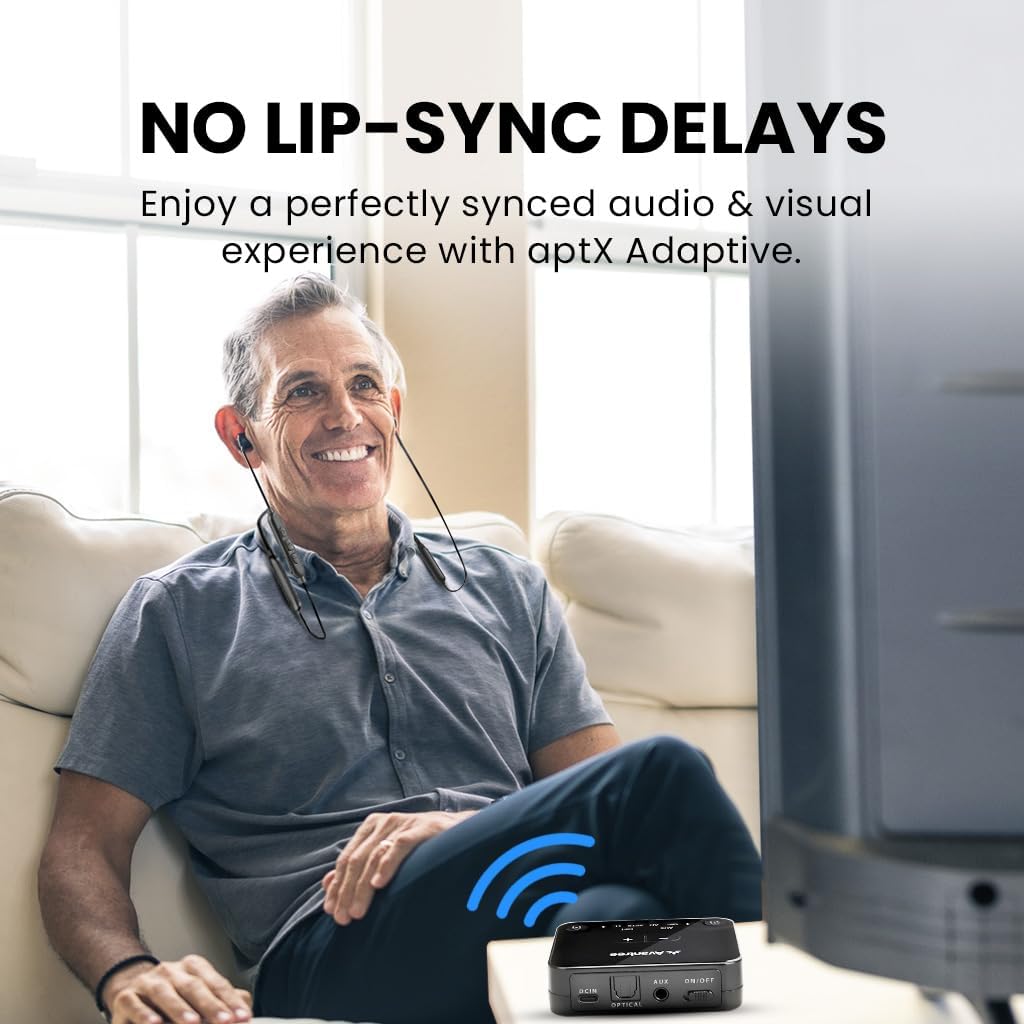
Experience perfectly synchronized audio and visuals with aptX Adaptive technology.

The transmitter supports Optical (TOSLINK), AUX (3.5mm), and Smart TV built-in Bluetooth. It does not support HDMI-only TVs or simultaneous soundbar passthrough.

Benefit from boosted volumes, providing up to +6dB to overcome fixed output volumes when using optical connections.

Maintain a strong and stable connection with an extended range of up to 100ft (30m).
Gwida ta' Setup
For the easiest and most interactive setup experience, scan the QR code provided on your product packaging or the transmitter itself. This will guide you through the process step-by-step. Alternatively, follow the general steps below:
Watch this interactive user guide video for a simplified setup process for your Avantree HT4186-Q Earbuds for TV.
1. L-Ixgħel tat-Trasmettitur
- Connect one end of the provided USB Type-C power cable to the DCIN port on the Audikast-3 Transmitter.
- Connect the other end of the USB cable to a USB port on your TV (if available) or a 5V/500mA-2A rated USB wall adapter (not included). This allows the transmitter to power on/off with your TV.

Step 1: Plug the power cable into the transmitter's DCIN port.
2. Connecting to your TV's Audio Output
The HT4186-Q transmitter supports Optical (TOSLINK), AUX (3.5mm), and RCA audio outputs. Choose the appropriate cable based on your TV's available ports:
- Optical (Recommended): Connect the Optical Audio Cable from your TV's "Optical Out" port to the "OPTICAL" port on the transmitter.
- AUX (3.5mm): Connect the 3.5mm AUX Audio Cable from your TV's "Audio Out" (headphone jack) to the "AUX" port on the transmitter.
- RCA: Use an RCA to 3.5mm adapter (not included) to connect to your TV's red and white RCA audio output ports, then connect the 3.5mm end to the "AUX" port on the transmitter.

Connect the transmitter to your TV's audio output port using the appropriate cable.
3. TV Audio Settings
After connecting the transmitter, you may need to adjust your TV's audio output settings. Navigate to your TV's sound settings menu and select the correct output:
- For Optical connection, select "Optical Out" or "External Speaker" and ensure the digital audio format is set to PCM (not Dolby/DTS).
- For AUX connection, select "Headphone Out" or "Audio Out".

Adjust your TV's sound output settings to match your connection type.
4. Pairing Earbuds with Transmitter
The NB16-Q earbuds and Audikast-3 transmitter are pre-paired from the factory. Simply power on both devices, and they should connect automatically. The LED indicators on both devices will turn solid blue once connected.
- Ensure the earbuds are charged before first use.
- If they do not connect automatically, place both the earbuds and transmitter into pairing mode (refer to the Operating Instructions section for details).

The earbuds and transmitter should automatically connect when powered on.
5. Enjoy Your Audio
Once connected, you can enjoy your TV audio privately through the earbuds. Adjust the volume using the controls on the earbuds.

Enjoy clear, synchronized TV audio without disturbing others.
Istruzzjonijiet Operattivi
Earbuds (NB16-Q)
- Power On/Off: Agħfas u żomm il-buttuna multi-funzjoni għal 3 sekondi.
- Kontroll tal-Volum: Use the '+' and '-' buttons on the neckband to adjust volume.
- Mod ta 'tqabbil: From OFF status, press and hold the multi-function button for 7 seconds until the LED indicator flashes red and blue alternately.
- Iċċarġjar: Connect the Type-C charging cable to the earbuds' charging port. The LED will indicate charging status.
Transmitter (Audikast-3)
- Power On/Off: Use the ON/OFF switch. If connected to TV USB, it will power on/off with the TV.
- Għażla tal-Input tal-Awdjo: The transmitter automatically detects the active audio input (Optical or AUX).
- Mod ta 'tqabbil: Press and hold the pairing button (usually marked with a headphone icon) for 3 seconds until the LED flashes blue rapidly.
- Adding a Second Pair of Earbuds: To connect a second pair of Avantree Bluetooth headphones, put the second headphones into pairing mode, then briefly press the pairing button on the transmitter.
Manutenzjoni
To ensure the longevity and optimal performance of your Avantree HT4186-Q system, follow these maintenance guidelines:
- Tindif: Use a soft, dry cloth to clean the earbuds and transmitter. Avoid using harsh chemicals or abrasive materials.
- Ħażna: Aħżen l-apparati f'post frisk u niexef 'il bogħod mix-xemx diretta u minn temperaturi estremi.
- Iċċarġjar: Charge the earbuds regularly, even if not in frequent use, to maintain battery health. Avoid overcharging.
- Espożizzjoni għall-Ilma: The devices are not waterproof. Avoid exposure to water or excessive moisture.
Issolvi l-problemi
Jekk tiltaqa' ma' xi problemi, jekk jogħġbok irreferi għas-soluzzjonijiet komuni li ġejjin:
Ebda Ħoss
- Iċċekkja l-Konnessjonijiet: Ensure all cables (power, audio) are securely connected to both the TV and the transmitter.
- Ħruġ tal-Awdjo tat-TV: Verify your TV's audio output settings are correctly configured for the connected port (e.g., Optical Out, PCM format).
- Earbud/Transmitter Pairing: Confirm that the earbuds and transmitter are successfully paired (solid blue LED). If not, re-pair them.
- Livelli tal-Volum: Adjust the volume on both the earbuds and your TV.
Audio Delay (Lip-Sync Issue)
- Ensure both the earbuds and transmitter support aptX Adaptive for the lowest latency.
- Check if your TV has any audio delay settings that can be adjusted.
Earbuds Mhux Jiċċarġjaw
- Verify the charging cable is properly connected to both the earbuds and a working USB power source.
- Ipprova port USB differenti jew adapter tal-enerġija.

For further assistance, please contact Avantree customer support.
Speċifikazzjonijiet
| Karatteristika | Speċifikazzjoni |
|---|---|
| Isem tal-Mudell | HT4186 |
| Teknoloġija tal-Konnettività | Bluetooth |
| Teknoloġija tal-Komunikazzjoni mingħajr Fili | Bluetooth |
| Verżjoni Bluetooth | 5.3 |
| Medda Bluetooth | 10 Metru (33 pied) |
| Latency tal-Awdjo | 50 Milliseconds (with aptX Adaptive) |
| Ħajja tal-Batterija (Earbuds) | 20 Sigħat |
| Ħin tal-Iċċarġjar | 2 Sigħat |
| Headphones Jack | 3.5 mm Jack (on transmitter for AUX input) |
| Tqegħid tal-widnejn | Fil-widnejn |
| Fattur tal-Formola | Fil-widnejn |
| Piż tal-oġġett | 196 Gram (6.9 uqija) |
| Dimensjonijiet tal-Prodott | 16.14 x 4.72 x 0.39 pulzieri |
| Apparati Kompatibbli | Televiżjonijiet b'outputs awdjo ottiċi (TOSLINK), AUX (3.5mm), jew Bluetooth integrati |
Garanzija u Appoġġ
Avantree products come with a standard warranty. For the HT4186-Q, you can register for a FREE 24-month coverage. Please refer to the QR code provided with your product or visit the Avantree website for details on how to register and claim your extended warranty.
If you require technical assistance, troubleshooting, or have any questions regarding your product, please contact Avantree customer support:
- Email: support@avantree.com
- Appoġġ onlajn: Visit the Avantree website and navigate to the support section for FAQs, guides, and contact options.
Please have your product model number (BTHT-4186-Q) and purchase details ready when contacting support.


