1. Introduzzjoni
Grazzi tax-xiriasing the ZEBRONICS PROTONE ONE Portable Bluetooth Speaker. This powerful and versatile speaker is designed to deliver an immersive audio experience with its 120W output, dual full-range drivers, and dual tweeters. It features multiple connectivity options, including Bluetooth v5.0, USB, mSD, and AUX, along with dedicated inputs for a microphone and guitar. The PROTONE ONE also includes a wireless UHF microphone for karaoke and recording functions, making it ideal for various entertainment needs. Please read this manual carefully before using the product to ensure proper operation and to maximize its lifespan.
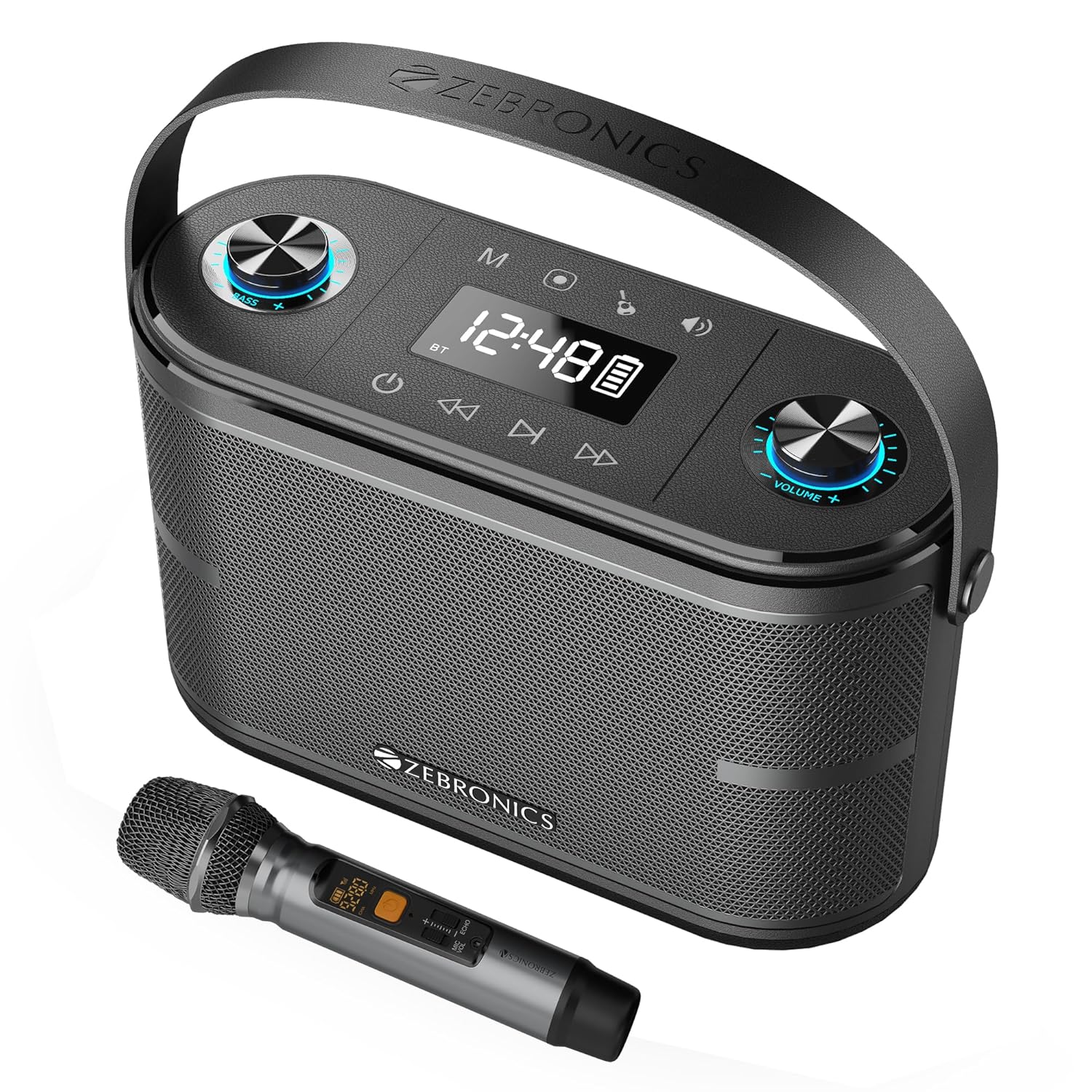
Image: The ZEBRONICS PROTONE ONE speaker shown with its accompanying wireless microphone, highlighting its portable design and integrated handle.
2. Istruzzjonijiet tas-Sigurtà
Biex tiżgura tħaddim sikur u tevita ħsara, jekk jogħġbok osserva l-prekawzjonijiet li ġejjin:
- Tesponix l-ispiker għall-ilma, umdità, jew temperaturi estremi.
- Avoid placing the speaker near heat sources such as radiators, stoves, or other heat-producing appliances.
- Do not block any ventilation openings. Ensure proper airflow around the speaker.
- Uża biss aċċessorji/aċċessorji speċifikati mill-manifattur.
- Skonnettja l-ispiker waqt maltempati bis-sajjetti jew meta ma jintużax għal perjodi twal.
- Irreferi l-manutenzjoni kollha lil persunal tas-servizz kwalifikat. Is-servizz huwa meħtieġ meta l-apparat ikun ġie bil-ħsara b'xi mod, bħal korda tal-provvista tal-enerġija jew plagg ikun bil-ħsara, likwidu jkun inxtered jew oġġetti jkunu waqgħu fl-apparat, l-apparat ikun ġie espost għax-xita jew umdità, ma jaħdimx b'mod normali , jew twaqqgħet.
- Tiżżarmax l-unità. Dan jannulla l-garanzija.
3. Kontenut tal-Pakkett
Jekk jogħġbok iċċekkja l-kontenut tal-pakkett meta tiftaħ il-kaxxa:
- ZEBRONICS PROTONE ONE Portable Bluetooth Speaker: 1 Unit
- Wireless UHF Microphone: 1 Unit
- Charging Adapter: 1 Unit
- AUX Cable: 1 Unit
- Manwal għall-Utent: 1 Unità
4. It-Tqassim u l-Kontrolli tal-Prodott
Familiarize yourself with the various parts and controls of your PROTONE ONE speaker.
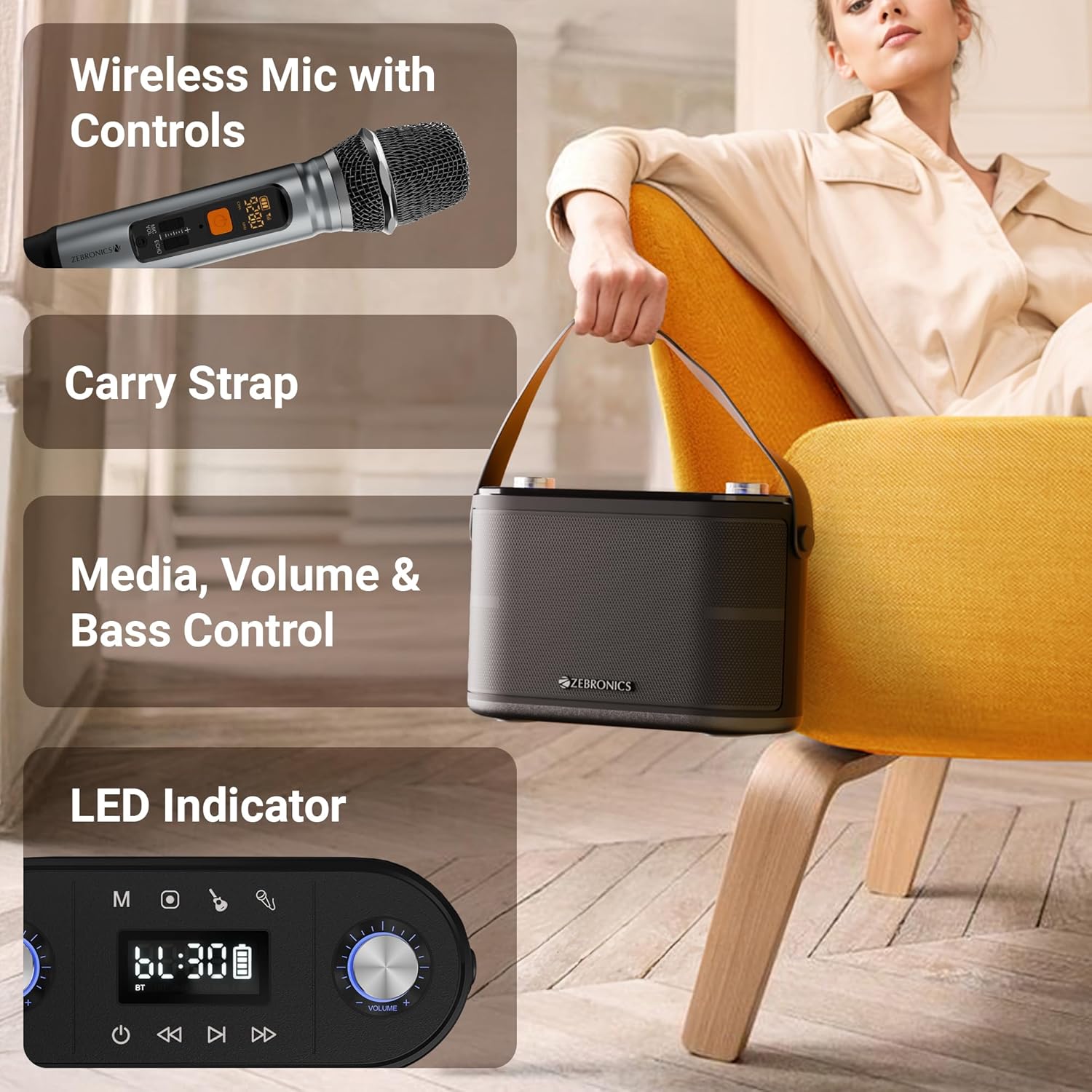
Immaġni: Dettaljata view of the speaker's top panel showing control knobs, LED display, and media controls, alongside the wireless microphone with its own display.
Kontrolli tal-Panew ta' Fuq:
- Buttuna tal-Qawwa: Agħfas u żomm biex tixgħel/titfi l-ispiker.
- Buttuna tal-Modalità (M): Press to switch between Bluetooth, USB, mSD, and AUX modes.
- Buttuna Play/Pause: Agħfas biex tilgħab jew twaqqaf l-awdjo.
- Buttuna tat-Trekk ta 'Qabel: Agħfas biex tmur għall-korsa preċedenti.
- Buttuna tat-Trekk li jmiss: Agħfas biex tmur għall-korsa li jmiss.
- Buttuna tal-Volum: Rotate to adjust the main speaker volume.
- Pum Eku: Rotate to adjust the echo effect for the microphone.
- Buttuna tal-Volum tal-Mikrofonu: Rotate to adjust the microphone volume.
- Pum tal-bass: Dawwar biex taġġusta l-livell tal-bass.
- Wiri LED: Shows current mode, track information, and battery status.
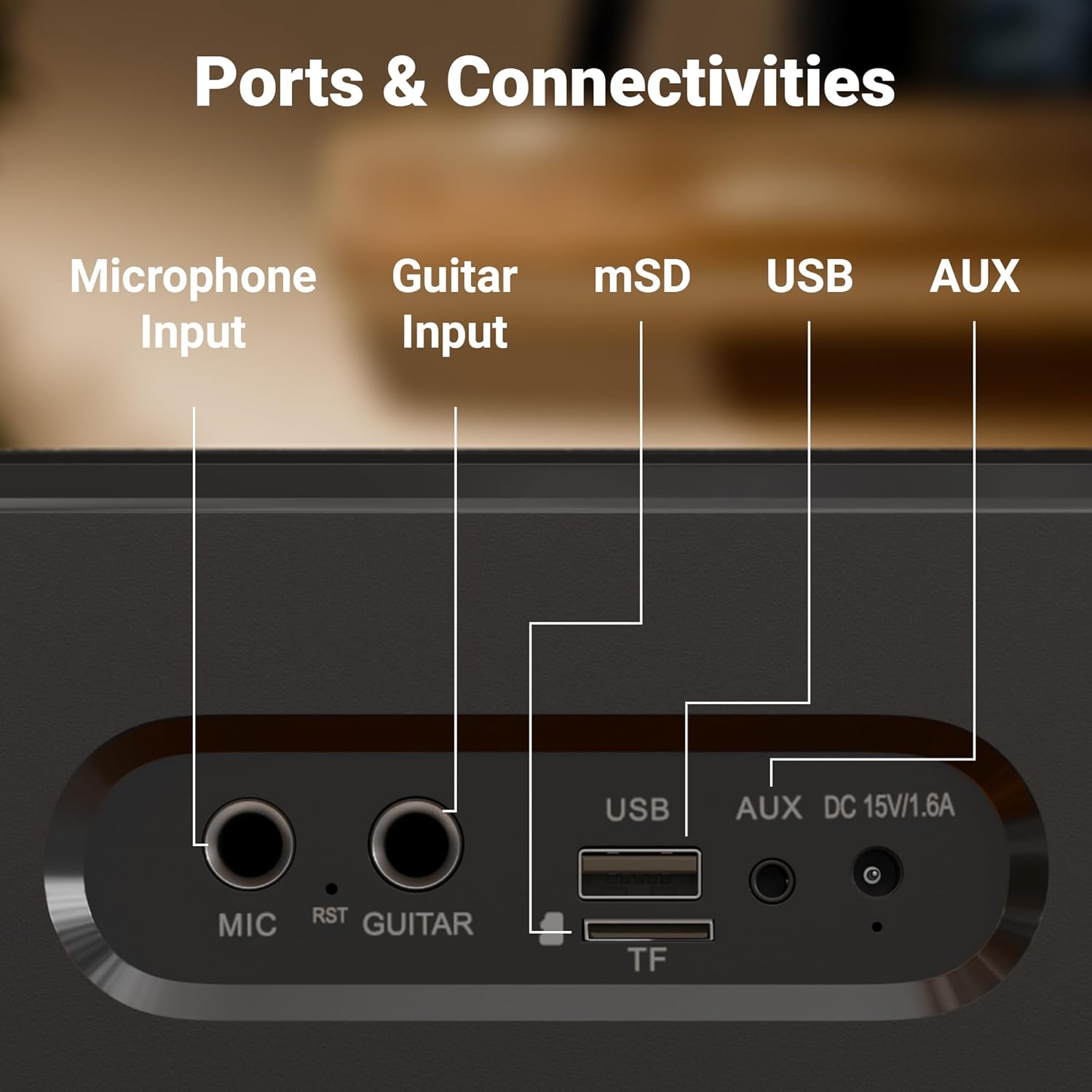
Immaġni: Close-up view of the rear panel of the speaker, clearly labeling the Microphone Input, Guitar Input, mSD card slot, USB port, AUX input, and DC 15V/1.6A charging port.
Portijiet tal-Panel ta' Wara:
- Input tal-MIC (6.3mm): For connecting an external wired microphone.
- GUITAR Input (6.3mm): Għall-konnessjoni ta' kitarra.
- mSD Card Slot (TF): For playing audio from a microSD card.
- Port USB: Għad-daqq tal-awdjo minn flash drive USB.
- Input AUX: Għall-konnessjoni ta' apparati awdjo esterni permezz ta' kejbil ta' 3.5mm.
- DC 15V/1.6A Input: Għall-iċċarġjar tal-ispiker.
5. Setup
Iċċarġjar inizjali:
Before first use, fully charge the speaker. Connect the provided charging adapter to the DC 15V/1.6A input port on the speaker and plug it into a power outlet. The LED display will indicate charging status. Once fully charged, the charging indicator will change or turn off. A full charge provides up to 8 hours of playtime at 50% volume.
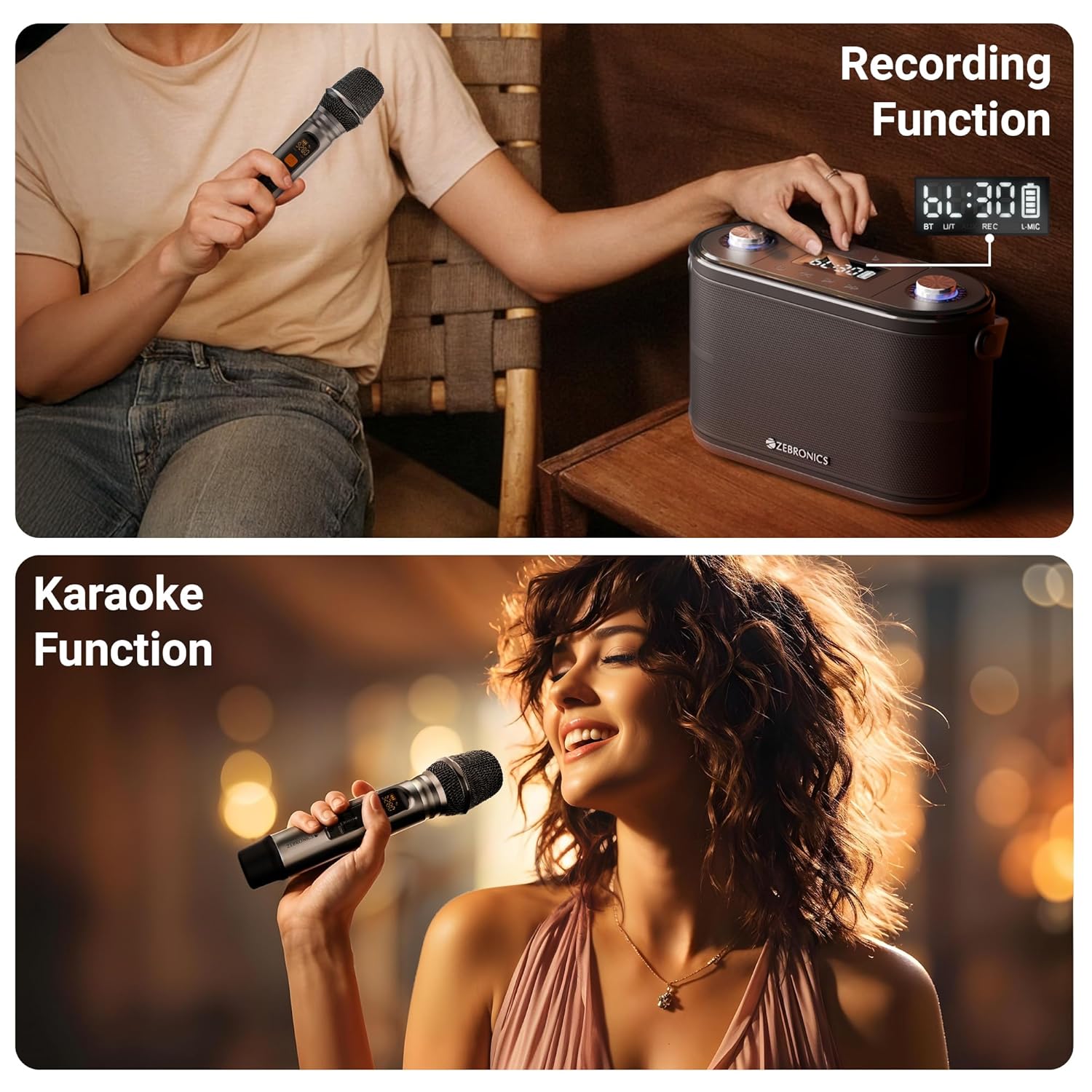
Image: The speaker is shown with an overlay indicating "Built-in Rechargeable Battery" and "Up to 8h* Backup", illustrating its portability and battery life.
Wireless Microphone Setup:
The wireless UHF microphone is pre-paired with the speaker. Simply insert batteries into the microphone (not included) and turn it on. The microphone will automatically connect to the speaker. Ensure the microphone's display shows a stable connection.
6. Istruzzjonijiet Operattivi
Power On/Off:
Press and hold the Power button on the top panel to turn the speaker ON or OFF.
Għażla tal-Modalità:
Press the "M" (Mode) button repeatedly to cycle through available input modes: Bluetooth, USB, mSD, and AUX.
Bluetooth Mode (BT v5.0):
- Turn on the speaker and switch to Bluetooth mode. The LED display will show "BT" and a blinking Bluetooth icon, indicating it's in pairing mode.
- Ippermetti l-Bluetooth fuq l-apparat mobbli jew il-kompjuter tiegħek.
- Fittex għal "ZEB-PROTONE ONE" in the list of available devices and select it to connect.
- Once connected, the Bluetooth icon on the speaker's display will stop blinking, and you will hear a confirmation tone.
- Issa tista' ddoqq l-awdjo mit-tagħmir tiegħek permezz tal-ispiker.
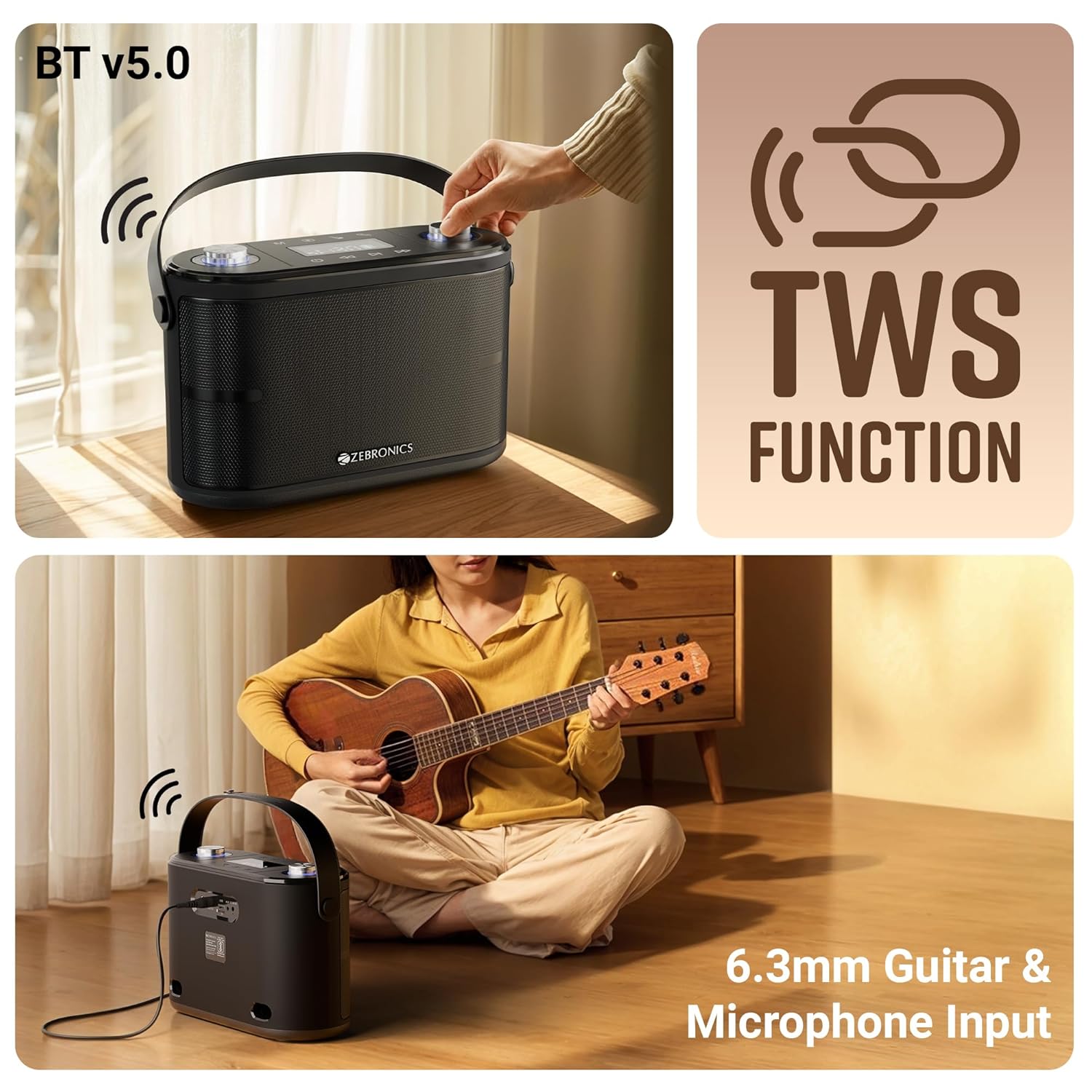
Image: This composite image illustrates the speaker's Bluetooth v5.0 connectivity, the TWS (True Wireless Stereo) function, and the 6.3mm Guitar & Microphone Input ports.
USB / mSD Mode:
Insert a USB flash drive or a microSD card (with pre-loaded MP3/WAV files) into the respective port. The speaker will automatically switch to USB or mSD mode and begin playing audio. Use the Play/Pause, Previous, and Next buttons to control playback.
Modalità AUX:
Connect an external audio device (e.g., smartphone, MP3 player) to the AUX input port using the provided 3.5mm AUX cable. Switch the speaker to AUX mode using the Mode button. Audio will now play from your connected device.
Microphone Usage (Wireless & Wired):
- Mic bla fili: Ensure the wireless microphone is powered on. It will automatically connect. Adjust microphone volume using the "Mic Vol" knob and echo effect using the "Echo" knob on the speaker.
- Mic bil-fili: Plug a 6.3mm wired microphone (not included) into the "MIC" input port. Adjust volume and echo as with the wireless mic.
Input tal-kitarra:
Connect your guitar to the "GUITAR" input port using a 6.3mm cable. You can play your guitar along with music from other input sources.
Funzjoni TWS (True Wireless Stereo):
To experience true stereo sound, you can connect two ZEB-PROTONE ONE speakers together:
- Kun żgur li ż-żewġ kelliema huma mixgħula u fil-modalità Bluetooth.
- On one of the speakers (this will be the primary unit), press and hold the "Play/Pause" button for a few seconds until you hear a confirmation tone, indicating TWS pairing mode.
- Il-kelliem primarju awtomatikament ifittex u jikkonnettja mat-tieni kelliem.
- Once connected, both speakers will play audio in stereo. You can control playback and volume from either speaker or your connected Bluetooth device.
Funzjoni ta' Reġistrazzjoni:
The speaker supports recording your microphone input directly to a USB drive or mSD card.
- Insert a USB drive or mSD card into the respective slot.
- Ensure the microphone is connected and working.
- Press the "REC" button (if available, or a combination of buttons as per specific model, typically Play/Pause or Mode button long press in recording mode) to start recording. The display may show "REC".
- Press the "REC" button again to stop recording. The recorded file will be saved on your USB drive or mSD card.

Image: This image demonstrates the speaker's recording capability, showing the display indicating recording status, and also illustrates the karaoke function with a person singing into the microphone.
Funzjoni tal-karaoke:
To use the karaoke function, simply play music from any source (Bluetooth, USB, mSD, AUX) and use the connected microphone to sing along. Adjust the music volume, microphone volume, and echo effect to your preference for the best karaoke experience.
7. Iċċarġjar
The ZEBRONICS PROTONE ONE speaker features a built-in rechargeable battery. When the battery is low, the speaker will indicate this via the LED display or an audible prompt. To charge the speaker:
- Connect the provided charging adapter to the DC 15V/1.6A input port on the rear of the speaker.
- Plug the adapter into a standard wall power outlet.
- The LED display will show a charging indicator.
- Once fully charged, the indicator will change or turn off. Disconnect the charger to preserve battery life.
Nota: Do not use any charger other than the one provided by the manufacturer. Overcharging or using an incompatible charger may damage the battery and void the warranty.
8. Manutenzjoni
Proper care and maintenance will ensure the longevity of your speaker:
- Tindif: Uża drapp artab u niexef biex tnaddaf il-barra tal-ispiker. Tużax prodotti tat-tindif, xama', jew solventi li joborxu.
- Ħażna: Meta ma tkunx qed tużah għal perjodi twal, aħżen l-ispiker f'post frisk u niexef, 'il bogħod mix-xemx diretta u minn temperaturi estremi.
- Kura tal-batterija: Biex ittawwal il-ħajja tal-batterija, evita li tiċċarġja kompletament il-batterija ta' spiss. Iċċarġja l-ispiker regolarment, anke jekk ma jkunx qed jintuża, biex iżżomm il-batterija f'saħħitha.
- Immaniġġjar: Immaniġġja l-ispiker b'attenzjoni. Evita li twaqqgħu jew li tissottomettih għal impatti qawwija.
9 Issolvi l-problemi
If you encounter any issues with your ZEBRONICS PROTONE ONE speaker, please refer to the following common problems and solutions:
| Problema | Kawża Possibbli | Soluzzjoni |
|---|---|---|
| L-ispeaker ma jixgħelx. | Il-batterija hija eżawrita. | Iċċarġja l-ispiker kompletament. |
| L-ebda ħoss mill-ispiker. | Il-volum huwa baxx wisq jew immut. Modalità żbaljata magħżula. L-apparat mhux imqabbad sew. | Increase volume. Ensure correct input mode (BT, USB, AUX). Reconnect device. |
| Tqabbil Bluetooth ifalli. | L-ispiker mhux fil-modalità ta' tqabbil. Il-Bluetooth tal-apparat huwa mitfi. Wisq 'il bogħod mill-ispiker. | Ensure speaker is in BT pairing mode. Turn on device Bluetooth. Move device closer (within 10m). Forget device and re-pair. |
| Il-mikrofonu mhux qed jaħdem. | Microphone not powered on. Batteries low/dead. Not connected properly. | Ensure mic is ON. Replace mic batteries. Check mic connection (for wired mic). Adjust mic volume. |
| Poor sound quality/distortion. | Volume too high. Source audio quality poor. Interference. | Reduce volume. Try different audio source. Move away from other electronic devices. |
| USB/mSD not playing. | Mhux appoġġjat file format. Korrott files. Drive/card not inserted correctly. | Tiżgura files are MP3/WAV. Reinsert drive/card. Try different drive/card. |
If the problem persists after trying these solutions, please contact ZEBRONICS customer support for further assistance.
10. Speċifikazzjonijiet
| Karatteristika | Speċifikazzjoni |
|---|---|
| Brand | ŻEBRONIKA |
| Isem tal-Mudell | PROTONE WIEĦED |
| Qawwa tal-Ħruġ Massimu tal-Ispeaker | 120 Watts |
| Teknoloġija tal-Konnettività | Bluetooth v5.0, Auxiliary, USB, mSD |
| Modalità tal-Ħruġ tal-Awdjo | Stereo |
| Tip ta 'Immuntar | Floor Permanenti |
| Sewwieqa | Dual 9.3 cm full-range drivers, Dual 3.1 cm tweeters |
| Ħin tal-daqq | Up to 8 hours (@ 50% volume) |
| Mikrofonu | Wireless UHF Microphone included |
| Inputs | 6.3mm Mic Input, 6.3mm Guitar Input |
| Karatteristiċi Speċjali | TWS Function, Karaoke, Recording Function, Carry Strap, LED Display, Control Knobs |
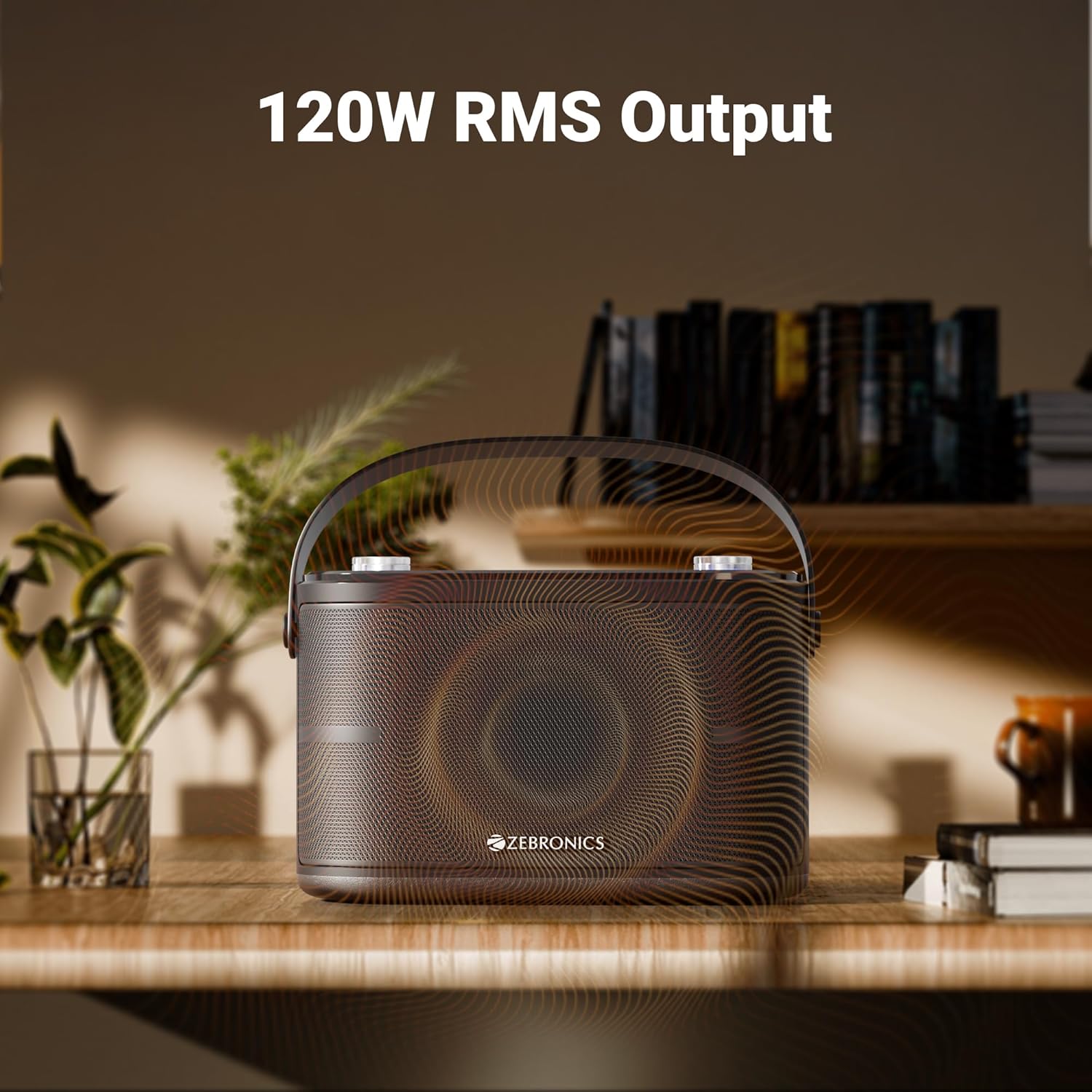
Image: The speaker is depicted with an overlay highlighting its "120W RMS Output", emphasizing its powerful audio capabilities.
11. Garanzija u Appoġġ
For warranty information and customer support, please refer to the warranty card included in your package or visit the official ZEBRONICS websit. Żomm l-irċevuta tax-xiri tiegħek bħala prova tax-xiri għal talbiet ta' garanzija.
ZEBRONICS Customer Service:
- Websit: www.zebronics.com
- Email: Irreferi għal websit għal email ta' appoġġ.
- Telefon: Irreferi għal website for customer care numbers.


