Introduzzjoni
This manual provides detailed instructions for the setup, operation, and maintenance of your KYSONA 57° Ergonomic Wireless Tower Mouse. Please read this manual thoroughly before using the product to ensure proper functionality and a comfortable user experience.
Karatteristiċi tal-Prodott
- Disinn Vertikali Ergonomiku: Features a 57° tilt to promote a natural wrist and forearm position, reducing strain and tension during extended use.
- Silent Switch: Equipped with quiet click buttons for a disturbance-free work or entertainment environment.
- Konnettività b'Modalità Doppja: Supports both Bluetooth (BT 3.0/5.0) and 2.4G wireless connections for versatile compatibility across multiple devices.
- DPI aġġustabbli: Offers 5 adjustable DPI settings (800/1200/1600/2400/4000) for precise cursor control.
- Smart Auto-Sleep Mode: Automatically enters sleep mode during inactivity to conserve battery life, providing up to 12 months of use.
- Kompatibilità: Works with Windows, macOS, iPadOS, laptops, and PCs.
Kontenut tal-Pakkett
- KYSONA 57° Ergonomic Wireless Tower Mouse
- Riċevitur USB (għal konnessjoni mingħajr fili 2.4G)
- Manwal għall-Utent
- Nota: Meħtieġa 2 batteriji AAA u mhumiex inklużi.
Setup Istruzzjonijiet
1. Installa Batteriji
Open the battery compartment on the underside of the mouse. Insert two AAA batteries, ensuring correct polarity. Close the compartment securely.
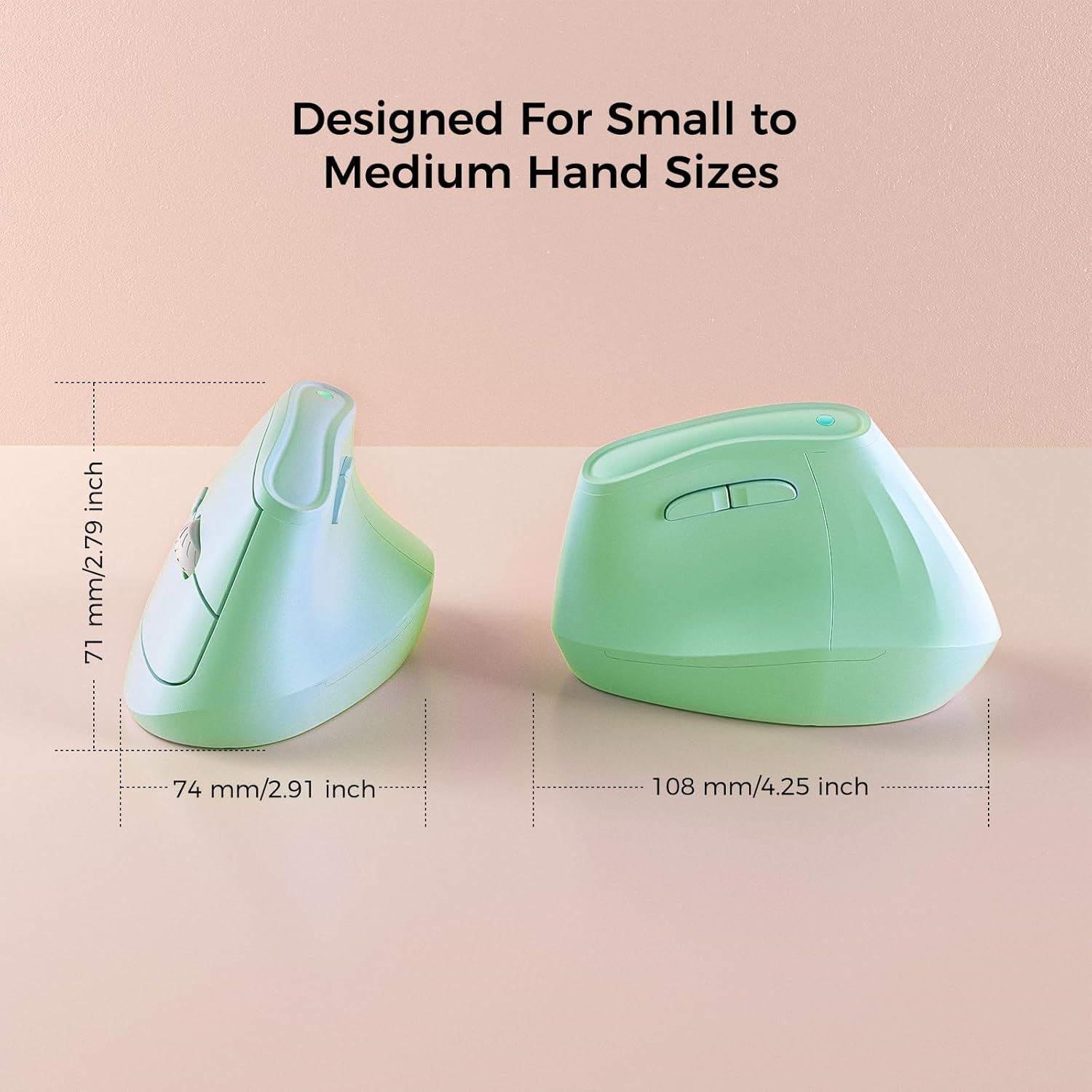
Image: Underside of the mouse with battery compartment visible.
2. Ixgħel
Sib is-swiċċ ON/OFF fil-qiegħ tal-maws u żżerżaqha għall-pożizzjoni "ON".
3. Qabbad mal-Apparat
Your KYSONA mouse offers two connectivity options:
3.1. Konnessjoni bla fili 2.4G (permezz ta' Riċevitur USB)
- Remove the USB receiver from its storage slot on the bottom of the mouse.
- Ipplaggja r-riċevitur USB f'port USB disponibbli fuq il-kompjuter tiegħek.
- The mouse should automatically connect. If not, press the "Mode Switch" button on the bottom of the mouse until the indicator light shows 2.4G mode (usually green or blue).
3.2. Bluetooth Connection (BT 3.0/5.0)
- Press the "Mode Switch" button on the bottom of the mouse to cycle through modes until the indicator light shows Bluetooth mode (usually blue).
- On your device (Windows, macOS, iPadOS), go to Bluetooth settings.
- Fittex għal new devices and select "KYSONA Mouse" (or similar) from the list.
- Segwi kwalunkwe prompts fuq l-iskrin biex tlesti l-proċess ta 'tqabbil.
- The mouse can connect to up to three Bluetooth devices. Use the "Mode Switch" button to toggle between paired devices.

Image: Mouse demonstrating dual-mode connectivity with a laptop and tablet.
Istruzzjonijiet Operattivi
1. Hand Position
Place your hand on the mouse so that your wrist and forearm are in a natural, handshake-like position. The 57° vertical design is intended to reduce pronation of the forearm.

Image: Proper hand placement on the ergonomic mouse.
2. Funzjonijiet tal-buttuna
- Ikklikkja Xellug: Għażla standard.
- Ikklikkja bil-lemin: Menù tal-kuntest.
- Scroll Wheel: Skrollja 'l fuq/'l isfel. L-ippressar tar-rota tal-iskrolljar jaġixxi bħal klikk tan-nofs.
- Buttuni 'l Quddiem/Lura: Located on the thumb side, these buttons allow for quick navigation in web browsers jew file esploraturi.
- Buttuna DPI: Located near the scroll wheel, press to cycle through DPI settings.
3. Aġġustament tad-DPI
The mouse features 5 adjustable DPI levels: 800, 1200, 1600, 2400, and 4000. Press the DPI button to cycle through these settings. A higher DPI setting results in faster cursor movement, while a lower DPI provides more precise control.

Image: Visual representation of DPI settings.
Informazzjoni dwar il-batterija
- Jeħtieġ 2 batteriji AAA (mhux inklużi).
- The smart auto-sleep mode helps extend battery life up to 12 months, depending on usage.
- Replace batteries when cursor movement becomes erratic or the mouse stops responding.
Manutenzjoni
- Naddaf il-maws regolarment b'ċarruta ratba u niexfa.
- Evita li tuża kimiċi ħarxa jew tindif li joborxu.
- Keep the optical sensor on the bottom of the mouse clean for optimal tracking performance.
- Store the USB receiver in its designated slot on the mouse when not in use to prevent loss.
Issolvi l-problemi
| Problema | Soluzzjoni |
|---|---|
| Il-ġurdien ma jirrispondix |
|
| Moviment erratiku tal-cursor |
|
| Ma nistax nqabbad permezz tal-Bluetooth |
|
Speċifikazzjonijiet
- Mudell: EM9
- Konnettività: Bluetooth (BT 3.0/5.0) & 2.4G Wireless
- Settings DPI: 800 / 1200 / 1600 / 2400 / 4000
- Buttuni: 5 (Left, Right, Scroll Wheel/Middle, Forward, Backward, DPI)
- Sors tal-Enerġija: 2 x Batteriji AAA (mhux inklużi)
- Dimensjonijiet: 10.7 x 7.4 x 7.1 ċm (4.2 x 2.9 x 2.8 pulzieri)
- Piż: 4.2 uqija
- Kompatibilità: Windows, macOS, iPadOS, Laptop, PC
Garanzija u Appoġġ
For warranty information or technical support, please refer to the contact details provided on the product packaging or visit the official KYSONA websit. Żomm l-irċevuta tax-xiri tiegħek għal pretensjonijiet ta' garanzija.