Introduzzjoni
The Technoline WT175 is a compact and versatile quartz alarm clock designed for convenience and portability. It features a clear digital display and offers multiple functions including time, date, temperature, humidity, and various alarm settings. Its magnetic casing makes it suitable for travel and everyday use.

Figura 1: Quddiem view of the Technoline WT175 Mini Travel Alarm Clock, displaying the time and control buttons.
Karatteristiċi Ewlenin
- Wiri tal-ħin ta '12/24 siegħa
- Wiri tad-data
- Temperature display (in Celsius)
- Wiri tal-umdità
- Allarm b'funzjoni snooze
- Configurable alarm settings: Weekday, Weekend, or Daily
- Timer with countdown and stop function
- Indikatur tal-batterija baxxa
- Ċ manjetikuasing for versatile placement
Kontenut tal-Pakkett
- Technoline WT175 Mini Travel Alarm Clock
- Manwal għall-Utent (dan id-dokument)
- Nota: Il-batteriji mhumiex inklużi u jridu jinxtraw separatament.

Figura 2: Product packaging for the Technoline WT175, detailing specifications and features.
Setup
1. Installazzjoni tal-batterija
- Sib il-kompartiment tal-batterija fuq wara tal-arloġġ tal-allarm.
- Iftaħ l-għatu tal-kompartiment tal-batterija.
- Insert 1x AAA Micro LR03 battery, ensuring correct polarity (+/-).
- Agħlaq l-għatu tal-kompartiment tal-batterija sew.
2. L-Ewwel Tixgħil
Upon successful battery installation, the display will activate. You may need to press the SET button to begin initial time and date configuration.
Istruzzjonijiet Operattivi
The Technoline WT175 features several control buttons: SET, START/STOP/RESET, ZZ (Snooze/Light), AL SET ON-OFF, +, u MODALITÀ.
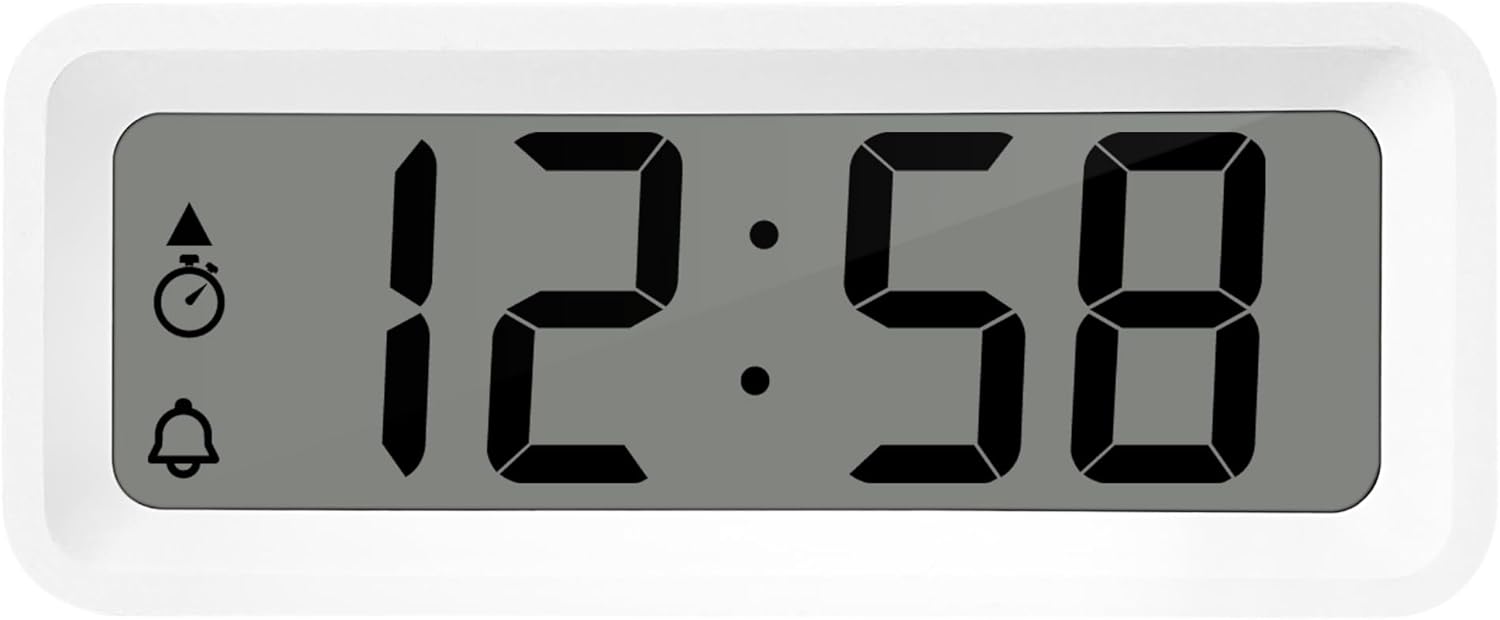
Figura 3: Dettaljati view of the alarm clock's display and control buttons.
1. L-issettjar tal-Ħin u d-Data
- Agħfas u żomm il- SET Agħfas il-buttuna sakemm il-wiri tal-ħin jibda jteptep.
- Uża l- + or - buttuni biex taġġusta s-siegħa.
- Agħfas SET again to confirm the hour and move to minutes.
- Użu + or - biex taġġusta l-minuti.
- Kompli agħfas SET biex tiċċikla u tissettja s-sena, ix-xahar, u l-jum billi tuża l- + or - buttuni.
- Agħfas SET darba oħra għall-aħħar darba biex toħroġ mill-modalità tas-settings.
2. Għażla tal-Format ta' 12/24 Siegħa
While in normal time display mode, press the MODALITÀ button to toggle between 12-hour and 24-hour time formats.
3. Issettjar tal-Allarm
- Agħfas il- AL SET ON-OFF button once to enter alarm setting mode. The alarm time will flash.
- Uża l- + or - buttuni biex taġġusta s-siegħa tal-allarm.
- Agħfas AL SET ON-OFF again to confirm the hour and move to alarm minutes.
- Użu + or - biex taġġusta l-minuti tal-allarm.
- Agħfas AL SET ON-OFF again to confirm and exit alarm setting mode.
4. Activating/Deactivating Alarm and Snooze
- Biex tixgħel l-allarm ON or OFF, agħfas il- AL SET ON-OFF button while in normal time display mode. An alarm icon will appear/disappear on the display.
- Meta l-allarm jinstema ', agħfas il-buttuna ZZ (Snooze) button to activate the snooze function. The alarm will temporarily stop and sound again after a few minutes.
- To stop the alarm completely, press any other button (e.g., SET or MODALITÀ).
5. Weekday/Weekend/Daily Alarm Settings
The WT175 allows for flexible alarm scheduling. While in alarm setting mode (after pressing AL SET ON-OFF), you can cycle through alarm types by pressing the + or - buttons after setting the alarm time. Look for indicators on the display for:
- Allarm ta' Kuljum: L-allarm idoqq kuljum.
- Weekday Alarm: L-allarm idoqq mit-Tnejn sal-Ġimgħa.
- Weekend Alarm: Alarm sounds Saturday and Sunday.
6. Timer and Countdown Function
- Agħfas il- MODALITÀ button repeatedly until the timer display appears (often indicated by a stopwatch icon).
- To set the countdown timer, press and hold SET. Użu + or - to set the desired hours, minutes, and seconds. Press SET to confirm each segment.
- Agħfas START/STOP/RESET biex tibda l-countdown.
- Agħfas START/STOP/RESET għal darb'oħra biex twaqqaf/terġa' tibda l-countdown.
- Biex tirrisettja t-tajmer, agħfas u żommha START/STOP/RESET.
7. Wiri tat-Temperatura u l-Umdità
The Technoline WT175 continuously displays the current indoor temperature (in Celsius) and humidity levels. These readings are typically shown alongside the time and date on the main display.

Figura 4: The WT175 alarm clock displaying time, temperature, and humidity in a bedroom setting.
Manutenzjoni
1. Sostituzzjoni tal-batterija
When the low battery indicator appears on the display, it is time to replace the battery. Follow the battery installation steps outlined in the Setup section. Ensure to dispose of old batteries responsibly according to local regulations.
2. Tindif
To clean the alarm clock, use a soft, dry cloth. Do not use abrasive cleaners, solvents, or immerse the device in water. Avoid spraying cleaning solutions directly onto the unit.
Issolvi l-problemi
- Id-displej huwa vojt jew mudlam:
- Iċċekkja jekk il-batterija hijiex installata sew.
- Ibdel il-batterija b'waħda ġdida.
- L-allarm ma jdoqqx:
- Ensure the alarm is activated (alarm icon visible on display).
- Iċċekkja li l-ħin tal-allarm huwa ssettjat b'mod korrett.
- Check the alarm type (Daily, Weekday, Weekend) matches your desired schedule.
- Incorrect time or date:
- Re-enter the time and date following the instructions in the Istruzzjonijiet Operattivi sezzjoni.
- Ensure the 12/24 hour format is set as desired.
- Il-buttuni ma jirrispondux:
- Neħħi u erġa' daħħal il-batterija biex twettaq soft reset.
- Ensure the device is not in a specific setting mode that locks other buttons.
Speċifikazzjonijiet
| Karatteristika | Dettall |
|---|---|
| Mudell | WT175 |
| Brand | Technoline |
| Dimensjonijiet (L x W x H) | 8.8 x 3.81 x 3.7 ċm |
| Piż | 120 gramma |
| Sors tal-Enerġija | 1x AAA Micro LR03 Battery (not included) |
| Tip ta 'Wiri | Diġitali |
| Karatteristiċi Speċjali | Alarm, Snooze, Temperature, Humidity, Date, Timer, Countdown, Magnetic Casing, Low Battery Indicator |
| Kulur | White (as per current product variant) |
| Użu fuq ġewwa/barra | Ġewwa |

Figura 5: Dimensions of the Technoline WT175 alarm clock.
Garanzija u Appoġġ
For warranty information or technical support regarding your Technoline WT175 Mini Travel Alarm Clock, please refer to the warranty card included with your purchase or visit the official Technoline websit.
Official Technoline Websit: http://www.technoline.de


