1. Introduzzjoni
This manual provides comprehensive instructions for the safe and effective use of your Artfone Smart_500 Smartphone. Please read this manual thoroughly before operating the device and retain it for future reference. The Artfone Smart_500 is designed with ease of use in mind, featuring large icons, a clear display, and essential functions for communication.
2. Device Overview
Familiarize yourself with the components of your Artfone Smart_500 smartphone.

Immaġni 2.1: Minn quddiem u minn wara view of the Artfone Smart_500 smartphone placed in its charging dock. The front displays a simplified interface with large icons for Phone, Contacts, Camera, and Photos. The back shows the camera module and the SOS button.

Immaġni 2.2: Multipla views of the Artfone Smart_500 smartphone, illustrating its front, back, and side profiles. This provides a comprehensive look at the device's physical design and button placement.
Komponenti Ewlenin:
- Wiri ta' Quddiem: 5-inch IPS screen for clear viewing u interazzjoni.
- Buttuni Fiżiċi: Dedicated buttons for call answer/end, volume control, and power.
- Buttuna SOS: Located on the rear for emergency alerts.
- Kameras: Rear 13MP camera with LED flash, Front 5MP camera.
- Port tal-Iċċarġjar: Port USB-C fil-qiegħ.
- Stazzjon tal-Iċċarġjar: Included for convenient desktop charging.
3. Setup
3.1 Installazzjoni tal-Karta SIM u l-Karta Micro SD
- Itfi l-apparat kompletament.
- Locate the SIM/Micro SD card tray on the side of the phone.
- Uża l-għodda tal-ejector tas-SIM provduta biex tiftaħ it-trej.
- Carefully place your Nano-SIM card(s) and/or Micro SD card into the designated slots. Ensure correct orientation.
- Imbotta t-trej bil-mod lura fit-telefon sakemm tikklikkja f'postu.
3.2 Qawwa Inizjali
- Press and hold the Power button (usually on the right side) until the screen lights up.
- Segwi l-istruzzjonijiet fuq l-iskrin biex tlesti s-setup inizjali, inkluż l-għażla tal-lingwa, il-konnessjoni Wi-Fi, u s-setup tal-kont Google.
3.3 Iċċarġjar tal-Apparat
The Artfone Smart_500 can be charged using the included USB-C cable or the charging station.
- L-użu tal-Istazzjon tal-Iċċarġjar: Place the phone into the charging station, ensuring the charging contacts align. The phone will indicate that it is charging.
- Bl-użu ta' Cable USB-C: Connect the USB-C cable to the phone's charging port and the other end to a compatible power adapter.
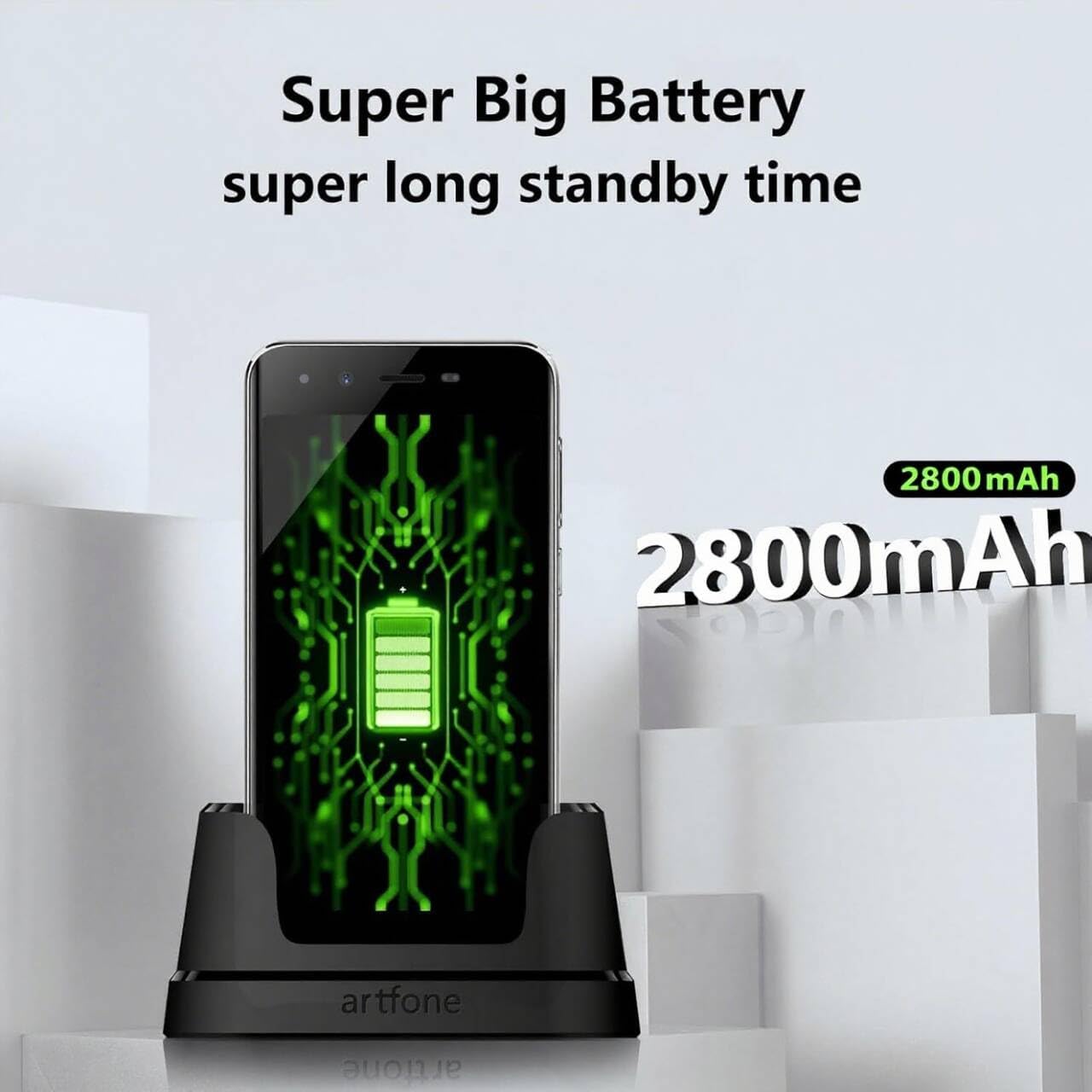
Image 3.1: The Artfone Smart_500 smartphone in its charging dock, displaying a battery icon on the screen. Text indicates 'Super Big Battery' and 'super long standby time', highlighting the device's 2550mAh battery capacity.
4. Operazzjoni Bażika
4.1 Navigazzjoni
- Touch Screen: Tektek l-ikoni biex tiftaħ l-applikazzjonijiet, swipe biex tinnaviga bejn l-iskrins.
- Skrin tad-dar: Features large, easy-to-identify icons for common functions like Phone, Contacts, Camera, and Photos.
- Buttuna Lura: Terġa' lura għall-iskrin ta' qabel.
- Buttuna Apps riċenti: Juri applikazzjonijiet użati reċentement.
4.2 Tagħmel u Riċeviment Sejħiet
- Tagħmel Sejħa: Tap the 'Phone' icon, enter the number using the large keypad, then tap the green call button.
- Jirċievu Sejħa: When a call comes in, tap the green 'Answer' button on the screen or press the dedicated answer button.
- Tmiem Sejħa: Tap the red 'End Call' button on the screen or press the dedicated end call button.
4.3 Kuntatti
- Żieda ta' Kuntatt: Tap the 'Contacts' icon, then tap the '+' or 'Add New Contact' button. Enter the contact's name and phone number, then save.
- Calling a Contact: Tap the 'Contacts' icon, select the desired contact, then tap the phone icon next to their name.
4.4 Messaġġi
- Tap the 'Messages' icon (if available on home screen, otherwise find in app drawer).
- Tap 'Start new chat' or the '+' icon.
- Enter the recipient's number or select from contacts, then type your message and tap 'Send'.
4.5 Kamera
The Artfone Smart_500 features a 13MP rear camera and a 5MP front camera.

Image 4.1: A hand holding the Artfone Smart_500 smartphone, with text emphasizing its 13-megapixel camera for high-definition photography.
- Tap the 'Camera' icon on the home screen.
- Ipponta l-kamera lejn is-suġġett tiegħek.
- Tap the shutter button on the screen to take a photo.
- Use the LED flash in low-light conditions.
4.6 Funzjoni ta' Emerġenza SOS
The SOS button is a critical safety feature for emergencies.

Image 4.2: A visual representation of the SOS button located on the back of the Artfone Smart_500 smartphone. The diagram illustrates how pressing this button can alert pre-set emergency contacts such as family members (daughter, son, spouse), a doctor, or first responders.
- Issettjar tal-Kuntatti SOS: Navigate to the SOS settings in the phone's menu to add up to 5 emergency contact numbers.
- Attivazzjoni tal-SOS: In an emergency, press and hold the SOS button on the back of the phone.
- The phone will automatically call the pre-set emergency numbers one by one until a connection is made.
- Simultaneously, an emergency SMS message, including your location, will be sent to these contacts.
5. Karatteristiċi Avvanzati
5.1 Sistema Operattiva Android 12
Your Artfone Smart_500 runs on Android 12, providing access to a wide range of applications and features.
- Google Play Store: Access the Play Store to download additional applications such as WhatsApp, social media, and utility tools.
- Ibbrawżjar fuq l-Internet: Use the pre-installed browser to access the internet.
- Multimedja: View videos, photos, and listen to music.
5.2 Konnettività

Image 5.1: A prominent 4G logo positioned above the Artfone Smart_500 smartphone, which displays a strong 4G signal indicator. This highlights the device's 4G connectivity for high-definition voice calls and faster internet.
- 4G/3G/2G: Supports various cellular networks for reliable communication.
- 4G VoLTE: Ensures high-quality voice calls with reduced background noise.
- Wi-Fi: Qabbad ma' netwerks mingħajr fili għal aċċess għall-internet.
- Bluetooth: Pair with wireless headphones or other Bluetooth devices.
6. Manutenzjoni
6.1 Kura tal-Batterija
- Biex ittawwal il-ħajja tal-batterija, evita li tesponi t-telefon għal temperaturi estremi.
- Charge the battery regularly, but avoid leaving it fully charged or fully depleted for extended periods.
- Use only the original charger and charging station provided with the device.
6.2 Tindif
- Imsaħ l-iskrin u l-korp b'ċarruta ratba u mingħajr suf.
- Evita li tuża kimiċi ħarxa jew materjali li joborxu.
7 Issolvi l-problemi
Kwistjonijiet Komuni u Soluzzjonijiet:
- It-telefon mhux qed jixgħel: Kun żgur li l-batterija hija ċċarġjata. Qabbad mal-ċarġer u erġa' pprova.
- Kwalità fqira tas-sejħiet: Check network signal strength. Ensure VoLTE is enabled in settings if available.
- Applications freezing: Close background applications. Restart the phone.
- Batterija tisbat malajr: Reduce screen brightness. Close unused apps. Check battery usage in settings to identify power-hungry apps.
- SOS button not working: Verify that emergency contacts are correctly set up in the SOS settings.
Jekk il-problemi jippersistu, jekk jogħġbok ikkuntattja l-appoġġ għall-klijenti.
8. Speċifikazzjonijiet
| Karatteristika | Speċifikazzjoni |
|---|---|
| Isem tal-Mudell | SMART_500 |
| Sistema Operattiva | Android 12.0 |
| Wiri | Skrin tattili IPS ta' 5 pulzieri |
| Proċessur | 1.5 GHz Quad-Core (MTK 6739WW) |
| RAM | 3 GB |
| Ħażna Interna | 32 GB (Expandable via Micro SD) |
| Kamera ta' wara | 13 MP bil-flash LED |
| Kamera ta' Quddiem | 5 MP |
| Kapaċità tal-batterija | 2550 mAh Lithium-ion |
| Ħin ta' Standby | 50-80 hours (average) |
| Ħin tat-Tkellem | 5-6 hours (average) |
| Konnettività | 4G, 3G, 2G (4G VoLTE) |
| Port tal-Iċċarġjar | USB Tip-Ċ |
| Karatteristiċi Speċjali | SOS Button, Charging Station, Large Icons, High Volume |

Image 8.1: A visual representation of the phone's internal platform, highlighting the MTK 6739WW processor, 32GB of ROM (internal storage), and 3GB of RAM.
9. Garanzija u Appoġġ
For warranty information and customer support, please refer to the documentation included in your product packaging or visit the official Artfone websit. Informazzjoni dwar id-disponibbiltà tal-ispare parts u l-aġġornamenti tas-softwer mhijiex disponibbli bħalissa.
Manifattur: artfone


