Introduzzjoni
This manual provides detailed instructions for the assembly, operation, maintenance, and troubleshooting of your Polibi Full Size Loft Bed. Please read this manual thoroughly before assembly and use to ensure safe and correct operation.
Informazzjoni dwar is-Sigurtà
- Do not overload the bed beyond its specified weight capacity.
- Exercise caution during assembly to avoid sharp edges.
- Kun żgur li l-boltijiet u l-qafliet kollha huma ssikkati sew qabel l-użu.
- Iċċekkja l-konnessjonijiet kollha regolarment biex tiżgura li jibqgħu ssikkati.
- Żomm lit-tfal 'il bogħod miż-żona tal-assemblaġġ.
- Use only the mattress size specified for this bed.
Kontenut tal-Pakkett
Qabel tibda l-assemblaġġ, ivverifika li l-komponenti kollha elenkati hawn taħt huma preżenti u mhux imħassra. Jekk xi partijiet huma nieqsa jew imħassra, ikkuntattja l-appoġġ għall-klijenti immedjatament.
- Steel Frame Components
- Paletti tas-sodda
- Desk Surface and Shelves
- Unità tal-Ħruġ tal-Enerġija
- Strixxa tad-Dawl LED
- Fabric Tent and Storage Components
- Ħardwer tal-Assemblaġġ (viti, boltijiet, Allen wrench)
- Manwal ta' Istruzzjoni
Setup u Assemblea
Assembly requires two adults. Clear a spacious area for assembly. Do not fully tighten all bolts until the entire frame is assembled.
Pass 1: Arma l-Qafas Prinċipali tas-Sodda
Begin by connecting the main steel frame components. Ensure all pieces are oriented correctly according to the diagrams provided in the separate assembly guide (if applicable, otherwise refer to general instructions).

Immaġni: Aktar minnview of the fully assembled Polibi Full Size Loft Bed, showcasing the black steel frame, integrated desk, and the fabric storage tent.
Step 2: Install the Desk and Shelves
Attach the wooden desk surface and the two mesh shelves to the designated side of the loft bed frame. Secure them using the provided hardware. Ensure the desk is level and stable.
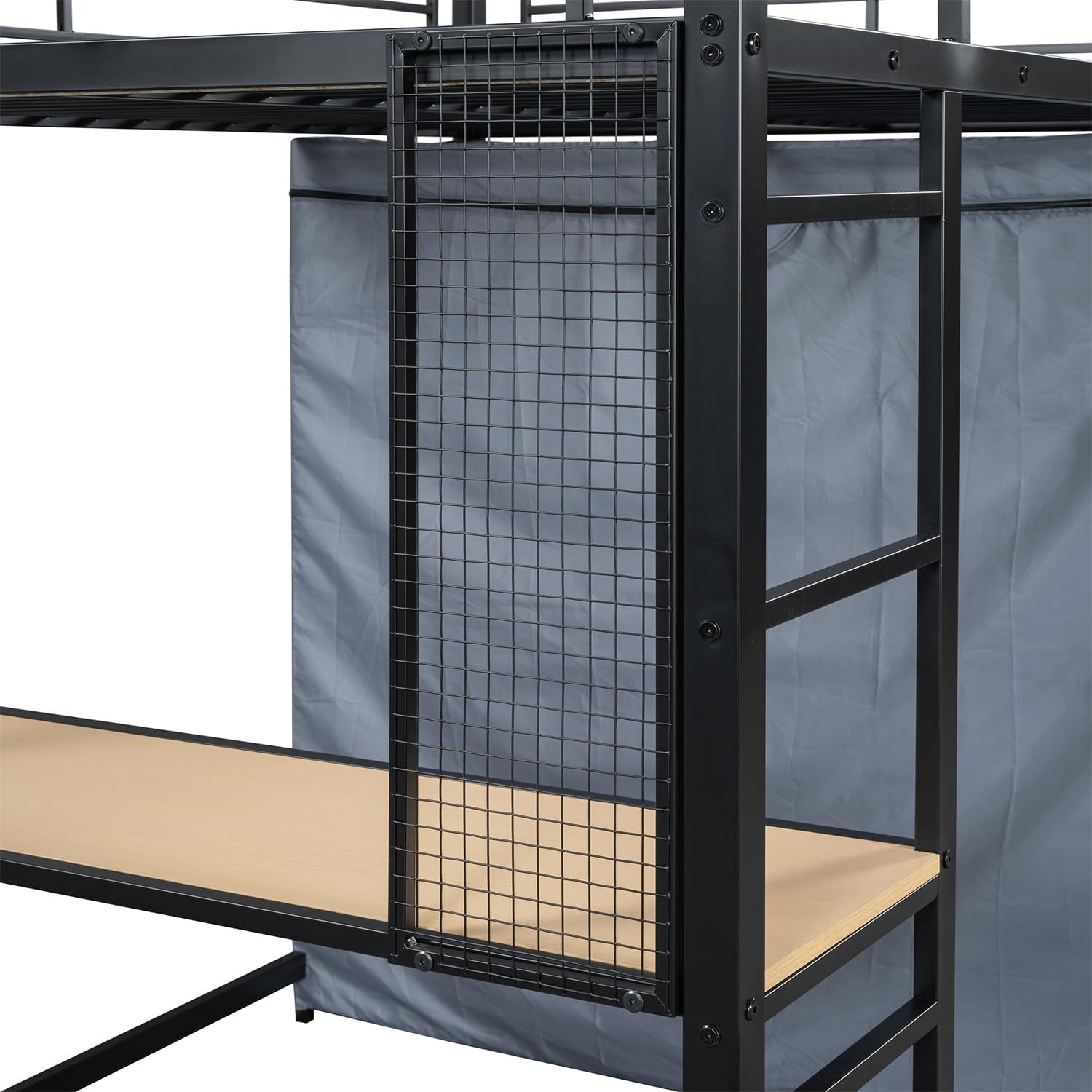
Immaġni: Dettaljata view of the built-in desk area, showing the wooden desk surface, two circular mesh shelves, and the metal grid panel.
Step 3: Attach the Power Outlet and LED Light
Mount the power outlet unit to the side of the desk frame. Connect the LED light strip to the underside of the bed frame, ensuring it is securely adhered and the wiring is neatly routed to the power outlet.

Immaġni: Close-up view of the LED light strip, which is affixed to the underside of the metal bed frame, providing illumination for the desk area below.
Step 4: Install the Fabric Tent Storage
Assemble the fabric tent structure on the opposite side of the desk. This tent includes a hanging rod and shelves for storage. Secure the fabric cover to the frame using the integrated fasteners (zippers, ties, or Velcro).
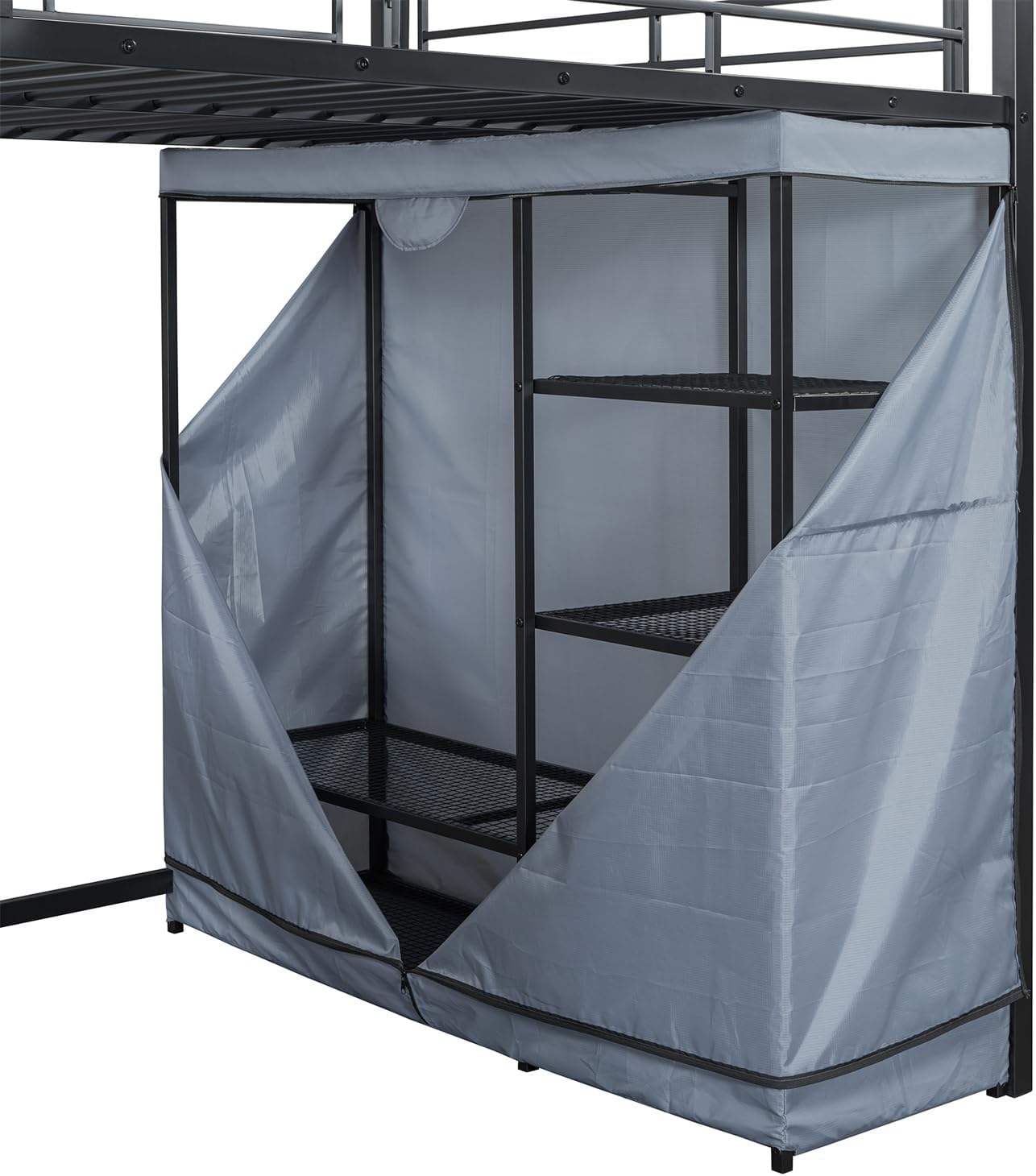
Image: The fabric tent storage area shown with its front panels open, revealing internal mesh shelves and a hanging rod for organizing items.
Step 5: Place Bed Slats
Lay the metal bed slats across the bed frame. Ensure they are evenly spaced and securely seated in their designated positions. These slats provide support for your mattress.

Immaġni: Close-up view of the metal bed slats, which form the mattress support platform on the loft bed.
Step 6: Final Tightening and Inspection
Once all components are in place, go back and fully tighten all bolts and screws. Perform a final inspection to ensure the bed is stable, all parts are correctly installed, and there are no loose connections. Place your mattress on the bed.
Istruzzjonijiet Operattivi
Using the Desk and Power Outlet
The integrated desk provides a dedicated workspace. Use the built-in power outlet to conveniently charge electronic devices or power small appliances. Ensure devices are within the outlet's power specifications.
Activating the LED Light
The LED light strip is designed to provide ambient or task lighting for the desk area. Connect the light strip to the power outlet. Operation typically involves a switch located on the light strip or its power cord.
Utilizing the Fabric Tent Storage
The fabric tent offers enclosed storage space. Use the internal shelves and hanging rod to organize clothing, books, or other personal items. The tent can be zipped closed for a tidy appearance.
Manutenzjoni
- Tindif tal-qafas: Wipe the steel frame with a soft, damp drapp. Evita prodotti tat-tindif li joborxu jew kimiċi ħarxa li jistgħu jagħmlu ħsara lill-finitura.
- Cleaning the Desk and Shelves: Clean wooden desk surfaces and mesh shelves with a mild cleaner and a soft cloth.
- Fabric Tent Care: The fabric tent can be spot cleaned with a mild detergent and water. Allow it to air dry completely. Do not machine wash or tumble dry.
- Iċċekkja tal-Hardware: Periodically (e.g., every 3-6 months) inspect all bolts, screws, and connections to ensure they are tight. Re-tighten as necessary to maintain stability and safety.
- Komponenti elettriċi: Ensure the power outlet and LED light wiring are free from damage. Do not attempt to repair electrical components yourself; contact a qualified technician if issues arise.
Issolvi l-problemi
| Problema | Kawża Possibbli | Soluzzjoni |
|---|---|---|
| Is-sodda tħossha titriegħed jew instabbli. | Ħardwer maħlul. | Iċċekkja u ssikka l-boltijiet u l-viti kollha. Kun żgur li s-sodda tkun fuq wiċċ ċatt. |
| Dawl LED ma jaħdimx. | Power connection issue, faulty light strip. | Verify the light strip is properly plugged into the power outlet. Check the power outlet for functionality. If still not working, contact support. |
| Power outlet not providing power. | No power to the outlet, faulty outlet. | Ensure the bed's main power cord is plugged into a functional wall outlet. Test the outlet with another device. If the issue persists, contact support. |
| Fabric tent does not fit correctly. | Incorrect assembly of tent frame or fabric. | Review the assembly instructions for the fabric tent. Ensure all frame pieces are correctly connected and the fabric is aligned properly. |
Speċifikazzjonijiet
| Karatteristika | Dettall |
|---|---|
| Mudell | B0DNQ6DRNP |
| Brand | polybi |
| Daqs tas-sodda | Sħiħ |
| Dimensjonijiet Ġenerali tal-Prodott | 77.4"T x 56.5"W x 66.5"Għ |
| Materjal | Steel Frame, Wood (desk/shelves), Fabric (tent) |
| Kulur | Iswed |
| Karatteristiċi Speċjali | Built-in Desk, Power Outlet, Mesh Shelves, Fabric Tent Storage, LED Light |
| Firxa ta' Età (Deskrizzjoni) | Teen |

Image: A technical diagram illustrating the various dimensions of the Polibi Full Size Loft Bed, including height, length, and width measurements for the bed, desk, and storage areas.
Informazzjoni dwar Garanzija
Specific warranty details for the Polibi Full Size Loft Bed are typically provided with the product packaging or can be obtained by contacting Polibi customer support directly. Please retain your proof of purchase for any warranty claims.
Appoġġ għall-Klijent
For assistance with assembly, missing parts, or any other inquiries regarding your Polibi Full Size Loft Bed, please contact Polibi customer support. Refer to the contact information provided in your product packaging or visit the official Polibi websit.
Tista 'wkoll iżżur il- Ħanut Polibi fuq Amazon għal aktar informazzjoni.


