Introduzzjoni
The Baseus NOMOS 5-in-1 140W Desktop Charging Station is a versatile power solution designed to efficiently charge multiple devices simultaneously. Featuring a Qi2 certified wireless charger, a retractable USB-C cable, two additional USB-C ports, and one USB-A port, this station provides comprehensive charging capabilities for a wide range of electronic devices, including smartphones, tablets, and laptops. Its integrated LCD display allows for real-time monitoring of charging status and power distribution.

Figura 1: Aktarview of the Baseus NOMOS 5-in-1 140W Desktop Charging Station.
Gwida ta' Setup
Follow these steps to set up your Baseus NOMOS Charging Station:
- Spakkja l-Apparat: Carefully remove the charging station and any accessories from its packaging.
- Qabbad mal-Enerġija: Plug the provided power cable into the charging station's power input port, then connect the other end to a standard 220V AC power outlet.
- Pjazzament: Place the charging station on a stable, flat surface, such as a desk or table, ensuring adequate ventilation around the device.
- Qawwa Inizjali Mixgħula: The LCD display should illuminate, indicating the device is powered on and ready for use.
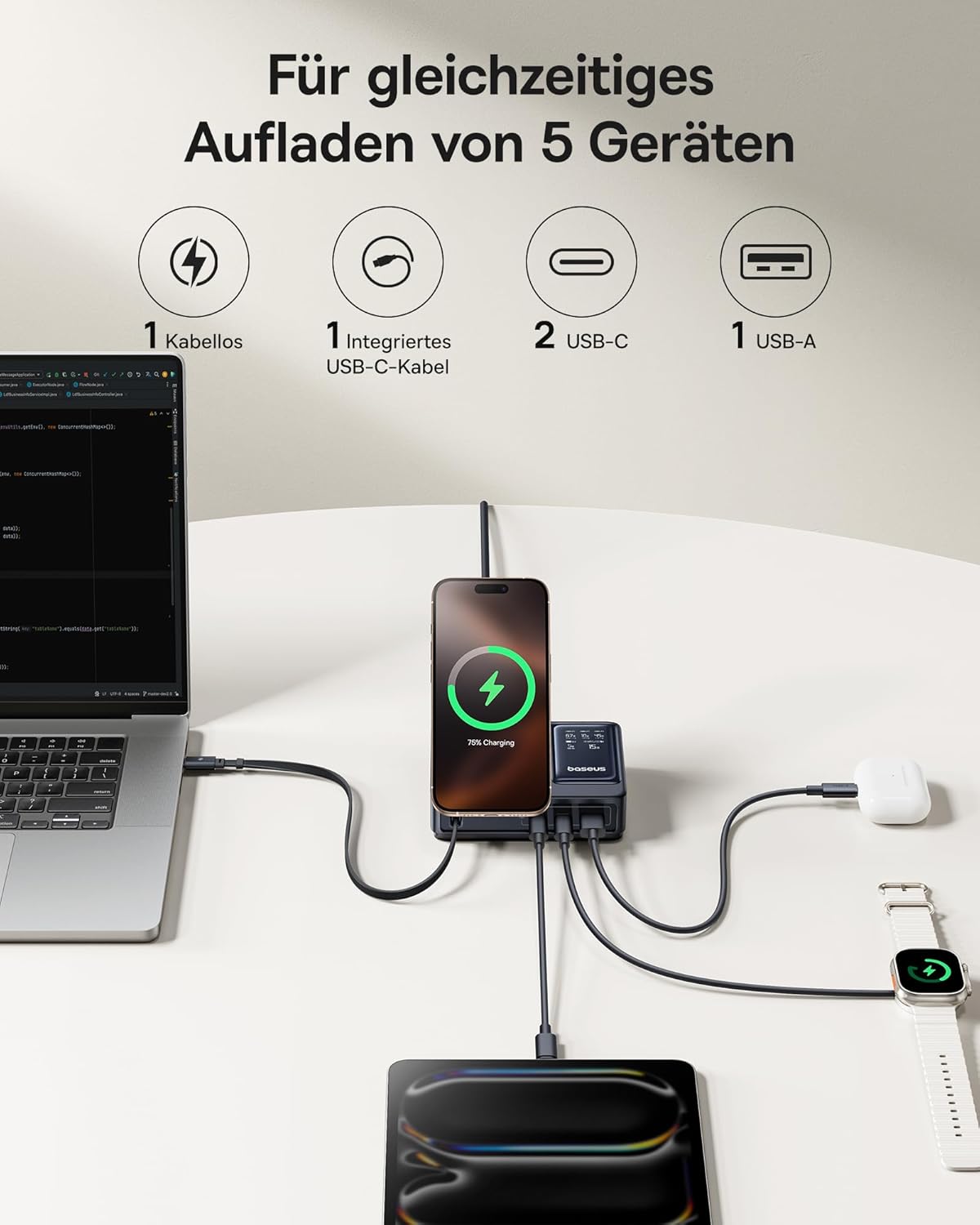
Figure 2: The charging station supports simultaneous charging of up to five devices.
Istruzzjonijiet Operattivi
The Baseus NOMOS Charging Station offers multiple charging methods:
1. Qi2 Wireless Charging
The integrated wireless charging pad supports Qi2 certified devices, including iPhone 13-16 series (iOS 17.2.0 or higher) at 15W, and other Qi2 compatible Android phones at 5W.
- Użu: Place your compatible smartphone directly onto the wireless charging pad. Ensure the device is centered for optimal charging.
- Stand aġġustabbli: The wireless charging pad features an adjustable and foldable stand, allowing you to position your phone for comfortable viewing waqt iċċarġjar.
- Indikatur: The LCD display will show the charging status and power output for the wireless connection.

Figure 3: The Qi2 wireless charging pad provides fast charging for compatible devices.

Figure 4: The adjustable stand allows for flexible phone positioning during wireless charging.
2. Retractable 100W USB-C Cable
The charging station includes a built-in 100W retractable USB-C cable for convenient wired charging.
- Użu: Gently pull the USB-C cable from its housing to extend it. Connect the cable to your USB-C compatible device.
- Irtirar: When finished, gently pull the cable again to activate the retraction mechanism, allowing it to neatly store back into the station.
- Durabilità: This cable has been tested for over 10,000 retractions, ensuring long-term reliability.

Figure 5: The integrated 100W retractable USB-C cable for convenient charging.
3. USB-C Ports (PD3.1 140W Max)
Two additional USB-C ports are available, supporting Power Delivery 3.1 for high-speed charging up to 140W, ideal for laptops like MacBook Pro.
- Użu: Connect your device using a compatible USB-C to USB-C cable to either of the two USB-C ports.
- Ħruġ ta' Enerġija Għolja: These ports are capable of delivering significant power, suitable for demanding devices.
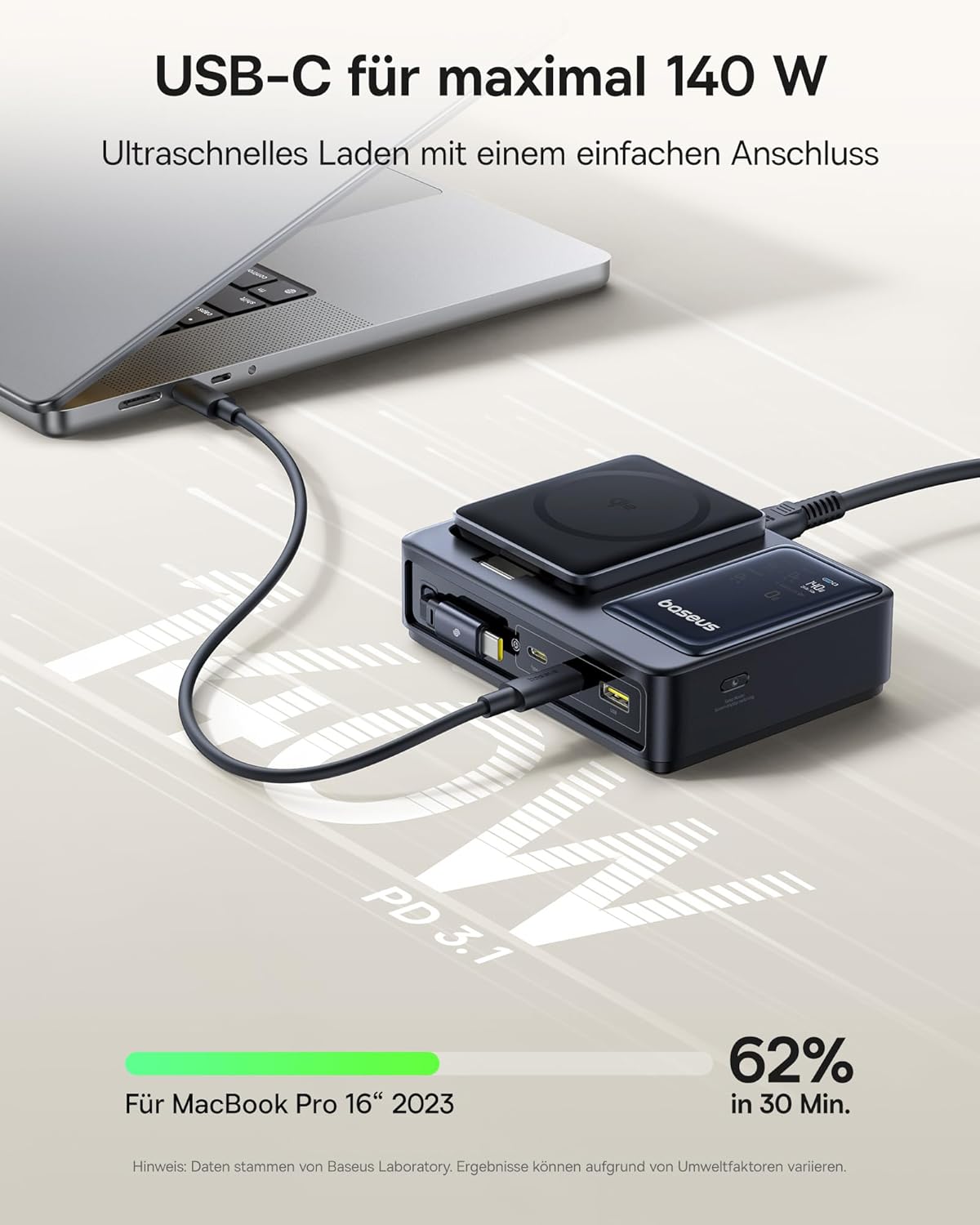
Figure 6: High-speed 140W USB-C charging for laptops and other power-hungry devices.
4. Port USB-A
One standard USB-A port is included for charging devices that utilize this connection type.
- Użu: Connect your device using a compatible USB-A cable to the USB-A port.
5. Display LCD
The integrated LCD display provides real-time charging information.
- Informazzjoni Murija: The screen shows the power output for each connected port and the total power being drawn when multiple devices are charging.
- Monitoraġġ: This allows you to monitor the charging status and ensure optimal power delivery to your devices.

Figure 7: The LCD display provides detailed charging status and power allocation information.
Speċifikazzjonijiet
| Karatteristika | Dettall |
|---|---|
| Brand | Baseus |
| Numru tal-Mudell | CCNMS140 |
| Kulur | Iswed |
| Potenza Totali | 140 Watt (Mass) |
| Input Voltage | 220 Volts AC |
| Numru ta' Portijiet | 5 (1x Qi2 Wireless, 1x Retractable USB-C, 2x USB-C, 1x USB-A) |
| Retractable Cable Output | 100W USB-C |
| Output tal-Port USB-C | Up to 140W (PD3.1) |
| Qi2 Wireless Output | 15W (iPhone 13-16 series), 5W (other Qi2 Android) |
| Apparati Kompatibbli | iPhone 13-16 series, Qi2 compatible Android phones, MacBook Pro, other USB-C/USB-A devices |
| Karatteristiċi Speċjali | Digital LCD Display, Adjustable Phone Stand, Low Temperature Charging |
| UPC | 850068772803 |
Manutenzjoni
To ensure the longevity and optimal performance of your Baseus NOMOS Charging Station, follow these maintenance guidelines:
- Tindif: Disconnect the power cable before cleaning. Use a soft, dry, lint-free cloth to wipe the surface of the device. Do not use liquid cleaners, aerosols, or abrasive materials.
- Ħażna: Meta ma tkunx qed tużaha għal perjodi twal, aħżen l-istazzjon tal-iċċarġjar f'post frisk u niexef 'il bogħod mix-xemx diretta u minn temperaturi estremi.
- Kura tal-Cable: Ensure the retractable USB-C cable is fully retracted when not in use to prevent damage. Avoid pulling the cable excessively or at sharp angles.
- Ventilazzjoni: Do not block the ventilation openings on the device. Ensure there is sufficient airflow to prevent overheating.
Issolvi l-problemi
Jekk tiltaqa' ma' problemi bl-istazzjon tal-iċċarġjar tiegħek, irreferi għall-problemi u s-soluzzjonijiet komuni li ġejjin:
| Problema | Kawża / Soluzzjoni Possibbli |
|---|---|
| Apparat mhux jiċċarġja |
|
| Veloċità tal-iċċarġjar bil-mod |
|
| LCD display is off or not showing information |
|
| Retractable cable not retracting |
|
Garanzija u Appoġġ
Information regarding the specific warranty period and support contact details for the Baseus NOMOS 5-in-1 140W Desktop Charging Station was not available in the provided product data. For warranty claims, technical support, or service inquiries, please refer to the product packaging, the official Baseus webis-sit, jew ikkuntattja lill-bejjiegħ bl-imnut li mingħandu nxtara l-prodott.
It is recommended to retain your proof of purchase for any warranty-related matters.


