Introduzzjoni
This manual provides essential information for setting up, operating, maintaining, and troubleshooting your HP 15-DY58 Slim Laptop. Please read this guide thoroughly to ensure proper use and to maximize the performance and longevity of your device.
X'hemm fil-Kaxxa
Upon opening your HP 15-DY58 Slim Laptop package, you should find the following items:
- HP 15-DY58 Slim Laptop
- Adapter tal-Enerġija AC u Korda tal-Enerġija
- Gwida ta' Bidu Mgħaġġel (jekk inkluża separatament)
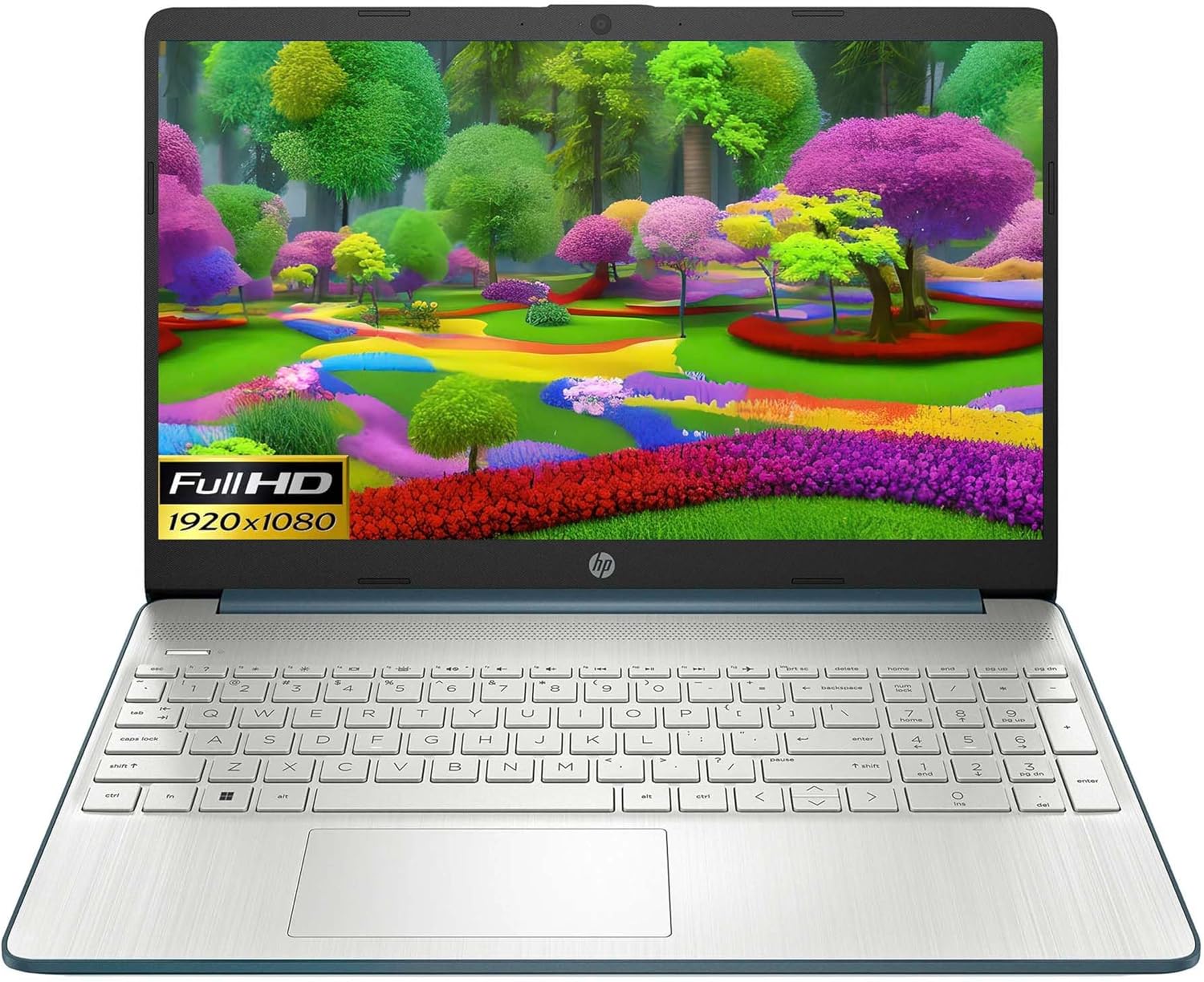
Image: HP 15 Slim Laptop, closed view, showing the blue lid with HP logo.
Setup
1. L-Ewwel Tixgħil
- Qabbad l-Adapter tal-Enerġija: Ipplaggja l-adapter tal-enerġija AC fil-port smart pin tal-AC tal-laptop u mbagħad f'sokit tal-ħajt.
- Iftaħ il-Laptop: Erfa' l-għatu tad-displej bir-reqqa.
- Qawwa Mixgħul: Press the power button, usually located on the keyboard deck. The laptop will begin the initial Windows 11 setup process.
- Segwi l-Istruzzjonijiet fuq l-Iskrin: Complete the Windows 11 setup, including language selection, network connection, and user account creation.

Image: HP 15 Slim Laptop open, showcasing the Windows 11 operating system interface during initial setup.
2. Konnessjoni Periferali
Your HP 15-DY58 Slim Laptop offers various ports for connecting external devices:
- Portijiet USB tat-Tip A: Connect USB devices such as mice, keyboards, or external storage drives. There are two SuperSpeed USB Type-A 5Gbps ports.
- Port USB tat-Tip Ċ: Connect compatible USB-C devices. This laptop features one SuperSpeed USB Type-C 5Gbps signaling rate port.
- Port HDMI: Connect an external monitor or TV using an HDMI cable for extended display. The laptop has one HDMI 1.4b port.
- Jack tal-Headphone/Mikrofonu Combo: Qabbad headphones, kelliema esterni, jew headset b'mikrofonu.
- SD Media Card Reader: Insert an SD card to transfer photos and files.

Image: Left side ports including SD card reader, headphone jack, USB-C, AC power, and HDMI.

Image: Right side ports featuring two USB Type-A ports.
It-Tħaddim tal-Laptop Tiegħek
Funzjonijiet Bażiċi
- Buttuna tal-Qawwa: Located on the keyboard deck, use it to turn the laptop on or off, or to put it to sleep.
- Tastiera: The full-size island-style keyboard provides comfortable typing. Familiarize yourself with function keys (Fn) for quick access to settings like volume, brightness, and Wi-Fi.
- Touchpad: Use the integrated touchpad for navigation. It supports multi-touch gestures for scrolling, zooming, and more.

Image: HP 15 Slim Laptop open, showcasinid-displej u t-tastiera tiegħu.
Konnettività bla fili
- Wi-Fi: Connect to wireless networks using Wi-Fi 5 (802.11ac). Access Wi-Fi settings through the Windows 11 taskbar or Settings app.
- Bluetooth: Pair Bluetooth-enabled devices such as headphones, speakers, or mice using Bluetooth 5. Manage Bluetooth devices in Windows 11 Settings.
Wiri u Awdjo
- Wiri: The 15.6-inch Full HD (1920 x 1080) micro-edge display offers clear visuals. Adjust brightness and display settings via Windows 11.
- Awdjo: The laptop features dual speakers for audio output. The headphone/microphone combo jack allows for private listening or communication.
- Kamera: The HP True Vision 720p HD camera with integrated dual array digital microphones is suitable for video calls and online meetings.
Manutenzjoni
Tindif tal-Laptop Tiegħek
- Skrin: Uża ċarruta ratba u mingħajr ħelu dampLaħlaħ bl-ilma jew b'tindif tal-iskrin. Evita kimiċi ħarxa.
- Tastiera u Chassis: Use a soft cloth to wipe surfaces. Compressed air can remove dust from between keys.
- Portijiet: Kun żgur li l-portijiet huma ħielsa mit-trab u l-fdalijiet. Uża arja kkompressata jekk meħtieġ.
Aġġornamenti tas-Software
Regularly update your Windows operating system and drivers to ensure optimal performance and security. Access Windows Update through the Settings app.
Kura tal-batterija
- Evita temperaturi estremi.
- Tneħħix il-batterija kompletament ta' spiss.
- Għal ħażna fit-tul, iċċarġja l-batterija sa madwar 50-70%.
Issolvi l-problemi
This section addresses common issues you might encounter with your HP 15-DY58 Slim Laptop.
Il-laptop ma jixgħelx
- Kun żgur li l-adapter tal-AC huwa konness sew kemm mal-laptop kif ukoll ma' sokit tal-enerġija li jaħdem.
- Iċċekkja jekk is-sokit tal-enerġija hux qed jaħdem billi tqabbad apparat ieħor.
- Jekk il-batterija tkun ixxotta kompletament, ħalliha tiċċarġja għal ftit minuti qabel ma tipprova tixgħelha.
Kwistjonijiet tal-Wiri
- Ebda Display: If the laptop powers on but the screen remains black, try connecting an external monitor via the HDMI port to check if the issue is with the laptop's internal display.
- Dim Display: Adjust screen brightness using the function keys (usually F2/F3 or similar, look for sun icons) or through Windows 11 display settings.
Problemi ta' Konnettività (Wi-Fi/Bluetooth)
- Wi-Fi: Ensure Wi-Fi is enabled in Windows 11 settings. Restart your router and modem. Run the Windows Network Troubleshooter.
- Bluetooth: Ensure Bluetooth is enabled. Try unpairing and re-pairing the device. Update Bluetooth drivers if necessary.
Speċifikazzjonijiet
| Karatteristika | Dettall |
|---|---|
| Mudell | HP 15-DY58 Slim Laptop |
| Proċessur | Intel 12th Gen Core i5-1235U (up to 4.2 GHz, 10-core) |
| Grafika | Grafika Intel Iris Xe integrata |
| Sistema Operattiva | Windows 11 Home (64-bit) |
| Memorja (RAM) | 8 GB DDR4 |
| Ħażna | SSD ta' 256 GB PCIe NVMe M.2 |
| Wiri | 15.6-inch Full HD (1920 x 1080), Micro-edge, Anti-glare, 250 nits |
| Konnettività bla fili | Wi-Fi 5 (802.11ac), Bluetooth 5 |
| Portijiet | 1x SuperSpeed USB Type-C 5Gbps, 2x SuperSpeed USB Type-A 5Gbps, 1x HDMI 1.4b, 1x AC Smart Pin, 1x Headphone/Microphone Combo, 1x Multi-format SD Media Card Reader |
| Kamera | HP True Vision 720p HD Camera with Integrated Dual Array Digital Microphones |
| Awdjo | Kelliema Doppju |
| Tastiera | Full-size Island-style Keyboard |
| Dimensjonijiet (LxWxH) | 14 x 10 x 1 pulzieri |
| Piż | 3.3 liri |

Image: HP 15 Slim Laptop, emphasizing its energy efficiency certifications.
Garanzija u Appoġġ
Għal informazzjoni dettaljata dwar il-garanzija, jekk jogħġbok irreferi għall-karta tal-garanzija inkluża mal-prodott tiegħek jew żur is-sit uffiċjali tal-appoġġ tal-HP. website. HP provides various support resources, including:
- Appoġġ onlajn: Access drivers, software updates, and troubleshooting guides.
- Appoġġ Tekniku: Contact HP customer service for assistance with technical issues.
- Reġistrazzjoni tal-Prodott: Irreġistra l-prodott tiegħek biex tirċievi aġġornamenti u appoġġ.
Żur support.hp.com għal aktar informazzjoni.