KLIM K8

KLIM K8 Cassette Player Instruction Manual

Mudell: K8

1. Istruzzjonijiet Importanti dwar is-Sigurtà

2. Kontenut tal-Pakkett

Ivverifika li l-oġġetti kollha huma preżenti u f'kundizzjoni tajba:

3. Prodott Aktarview

KLIM K8 Cassette Player with included earbuds and a cassette tape inserted

Stampa 3.1: The KLIM K8 Cassette Player, showing the cassette compartment, main controls, and included earbuds.

3.1. Kontrolli u Portijiet

4. Setup

4.1. It-Tħaddim tal-Apparat

The KLIM K8 can be powered by two AA batteries or via a USB Type-C cable connected to a compatible AC-DC adapter (not included) or USB power source.

  1. Installazzjoni tal-batterija:
    • Iftaħ l-għatu tal-kompartiment tal-batterija fuq wara tal-apparat.
    • Daħħal żewġ batteriji AA, waqt li tiżgura l-polarità korretta (+/-) kif indikat ġewwa l-kompartiment.
    • Agħlaq l-għatu tal-kompartiment tal-batterija sew.
    KLIM K8 Cassette Player showing 2x AA batteries and a USB Type-C cable

    Stampa 4.1: Powering options for the KLIM K8, including AA batteries and USB Type-C cable.

  2. Qawwa Esterna:
    • Connect the provided USB Type-C cable to the DC IN port on the device.
    • Qabbad it-tarf l-ieħor tal-kejbil USB ma' sors ta' enerġija USB kompatibbli (eż., adapter tal-ħajt, port USB tal-kompjuter).

4.2. Inserting a Cassette Tape

  1. Gently slide open the cassette compartment door.
  2. Insert a standard audio cassette tape with the open edge facing the playback head and the desired side (A or B) facing outwards.
  3. Close the cassette compartment door until it clicks securely.

5. Istruzzjonijiet Operattivi

5.1. Cassette Playback

  1. Kun żgur li t-tejp tal-cassette huwa mdaħħal sew.
  2. Set the AM/FM/TAPE selector to "TAPE".
  3. Agħfas il- PLAY buttuna biex tibda daqq.
  4. Aġġusta l- VOL control to your desired listening level.
  5. Biex tavvanza malajr, agħfas il- F.FWD button. To rewind, press the REW buttuna. Agħfas STOP to resume playback after fast forwarding or rewinding.
  6. Agħfas il- STOP buttuna biex ittemm il-plejbek.

5.2. Cassette Recording

The KLIM K8 allows recording audio directly onto a cassette tape using its built-in microphone.

  1. Insert a blank or recordable cassette tape. Ensure the tape's erase protection tabs are intact if you intend to record over existing content.
  2. Set the AM/FM/TAPE selector to "TAPE".
  3. Agħfas il- REC button simultaneously with the PLAY button. The tape will start moving, and recording will begin.
  4. Speak clearly into the built-in microphone (MIC).
  5. Agħfas il- STOP buttuna biex ittemm ir-reġistrazzjoni.
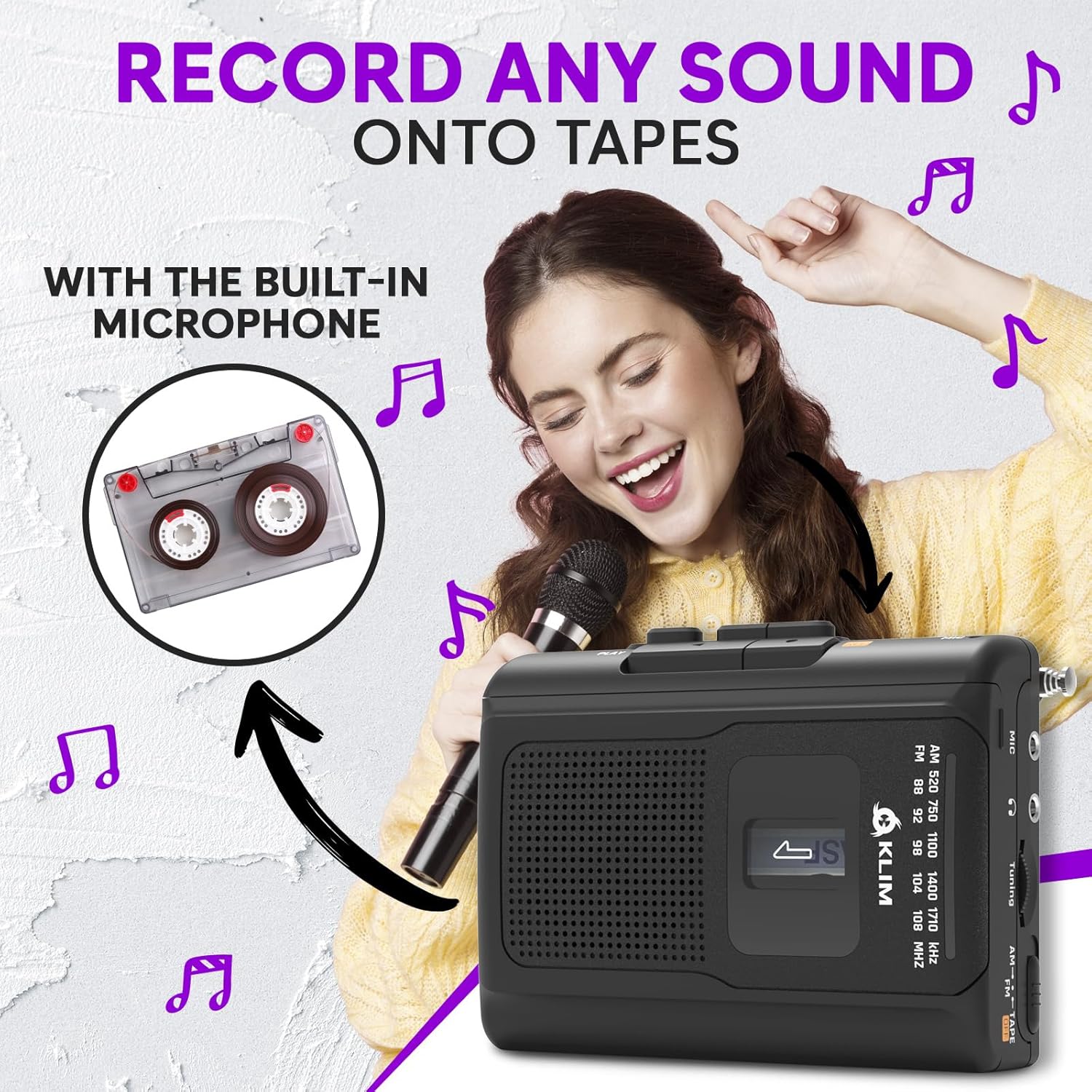
Woman smiling and holding a microphone, with an inset image of a cassette tape, illustrating the recording function of the KLIM K8

Stampa 5.1: Recording audio onto a cassette tape using the integrated microphone.

5.3. Tħaddim tar-Radju AM/FM

  1. Set the AM/FM/TAPE selector to "AM" or "FM".
  2. Extend the telescopic antenna for optimal FM reception. For AM reception, rotate the unit for best signal.
  3. Dawwar il- Buttuna tal-Irfinar to scan for radio stations.
  4. Aġġusta l- VOL control to your desired listening level.
KLIM K8 Cassette Player with an extended antenna, showing the AM/FM tuning dial, indicating radio functionality

Stampa 5.2: Tuning into AM/FM radio stations with the KLIM K8.

5.4. Użu ta 'headphones

For private listening, connect the included KLIM Fusion earbuds or any standard 3.5mm headphones to the headphone jack on the side of the device. The built-in speaker will automatically mute when headphones are connected.

Person listening to music with headphones connected to the KLIM K8, highlighting the 3.5mm jack port

Stampa 5.3: Enjoying audio privately with headphones.

6. Manutenzjoni

7 Issolvi l-problemi

ProblemaKawża PossibbliSoluzzjoni
Ebda enerġija / L-apparat ma jixgħelx.
  • Il-batteriji huma mejta jew imdaħħla ħażin.
  • USB power cable is not connected or faulty.
  • Ibdel il-batteriji jew iċċekkja l-polarità.
  • Kun żgur li l-kejbil USB huwa konness sew u li s-sors tal-enerġija huwa attiv.
Poor sound quality from cassette.
  • Tape heads are dirty.
  • Cassette tape is old or damaged.
  • Il-volum huwa baxx wisq.
  • Clean tape heads and pinch rollers.
  • Try a different cassette tape.
  • Żid il-volum.
Riċeviment ħażin tar-radju.
  • Antenna not extended (FM).
  • Interferenza jew sinjal dgħajjef.
  • Estendi l-antenna teleskopika bis-sħiħ.
  • Rotate the device for AM reception.
  • Try moving to a different location.
Recording not working.
  • REC and PLAY buttons not pressed simultaneously.
  • Cassette tape is write-protected (tabs removed).
  • Ensure both buttons are pressed together.
  • Use a recordable tape or cover the write-protect tabs with adhesive tape.

8. Speċifikazzjonijiet

BrandKLIM
MudellK8
FunzjonijietCassette Player, Cassette Recorder, AM/FM Radio
MikrofonuMibnija fil-
Jack tal-headphone3.5mm Universal
Sors tal-Enerġija2x AA Batteries (included) or USB Type-C (DC IN)
KulurIswed
Dimensjonijiet (Approx.)4.7" x 3.4" x 1.5" (based on image PT06)
Piż (Approx.)6.8 oz (based on image PT06)
KLIM K8 Cassette Player showing dimensions of 4.7 inches by 3.4 inches by 1.5 inches and a weight of 6.8 ounces

Stampa 8.1: Approximate dimensions and weight of the KLIM K8.

9. Garanzija u Appoġġ

The KLIM K8 Cassette Player comes with a garanzija ta 'sena. This warranty covers manufacturing defects and ensures the quality and durability of your device.

For technical support, warranty claims, or any questions regarding your KLIM K8, please contact KLIM Technologies France, the seller, through your purchase platform or visit the official KLIM websit għal informazzjoni ta' kuntatt.

Jekk jogħġbok żomm il-prova tax-xiri tiegħek għal skopijiet ta' garanzija.

Dokumenti Relatati - K8

Preview Manwal tal-Utent tal-KLIM Journey CD Player
Manwal komprensiv għall-utent għas-CD player portabbli KLIM Journey, li jkopri s-setup, it-tħaddim, il-karatteristiċi, u s-soluzzjoni tal-problemi. Tgħallem kif iddoqq CDs u TF cards, tikkonnettja apparati Bluetooth, tuża t-trasmettitur FM, u aktar.
Preview Manwal tal-Utent tal-Ispeaker KLIM: CD Player Portabbli ta' Fideltà Għolja b'Batterija Rikargabbli
Manwal komprensiv għall-utent għall-KLIM Speaker, CD player portabbli li joffri riproduzzjoni tal-ħoss ta' fedeltà għolja. Tgħallem dwar il-karatteristiċi, l-operat, l-iċċarġjar, l-għażliet ta' daqq, u s-soluzzjoni tal-problemi tiegħu. Jinkludi l-kontenut tal-pakkett, l-ispeċifikazzjonijiet tekniċi, u l-linji gwida tas-sigurtà.
Preview Manwal tal-Utent tal-KLIM Discman: Gwida għall-Plejer tas-CD Portabbli
Manwal komprensiv għall-utent għas-CD player portabbli KLIM Discman, li jkopri s-setup, it-tħaddim, il-karatteristiċi, u s-soluzzjoni tal-problemi. Jinkludi struzzjonijiet ta' sigurtà u speċifikazzjonijiet tekniċi.
Preview Manwal tal-Utent tal-KLIM Nomad CD Player Portabbli
Manwal komprensiv għall-utent għas-CD player portabbli KLIM Nomad, li jkopri struzzjonijiet ta' sigurtà, karatteristiċi tal-prodott, speċifikazzjonijiet, tħaddim, issolvi l-problemi, u aktar. Jinkludi appoġġ multilingwi.
Preview KLIM Skopri Manwal għall-Utent ta' CD Player li jinġarr
Manwal komprensiv għall-utent għas-CD player portabbli KLIM Discover, li jkopri s-setup, l-għażliet ta' daqq, il-karatteristiċi, it-trasmettitur FM, il-konnettività Bluetooth, u s-soluzzjoni tal-problemi.
Preview Manwal tal-Utent tal-KLIM Boombox: Karatteristiċi, Setup, u Tħaddim
Manwal komprensiv għall-utent għall-KLIM Boombox, li jkopri twissijiet ta' sigurtà, kontrolli, speċifikazzjonijiet, setup, daqq ta' CDs, konnettività Bluetooth, radju FM, input AUX, daqq ta' USB, u s-soluzzjoni ta' problemi.