1. Introduzzjoni
This manual provides essential information for the proper use and maintenance of your GOODTEL G9 11-inch Android Tablet. Please read this manual thoroughly before operating the device to ensure optimal performance and longevity.
The GOODTEL G9 tablet features an 11-inch 2K display, an octa-core processor, 16GB RAM (8GB fixed + 8GB expandable), 256GB ROM (expandable up to 1TB via Micro SD), an 8600mAh battery, 5G Wi-Fi, Bluetooth 5.0, and 13MP rear and 5MP front cameras. It operates on Android 13 and is GMS certified.

Image 1.1: GOODTEL G9 Tablet overview, highlighting 2K display, 16GB RAM, 256GB ROM, and Android OS.
2. Kontenut tal-Pakkett
Upon opening the package, please verify that all items are present and in good condition. The standard package includes:
- GOODTEL G9 11-inch Android Tablet
- Adapter tal-Enerġija
- Kejbil USB Type-C
- Kawża Protettiva
- Protettur tal-Iskrin (applikat minn qabel jew separat)
- Manwal għall-Utent (dan id-dokument)
Image 2.1: The GOODTEL G9 Tablet and its standard accessories.
3. Setup
3.1. Iċċarġjar Inizjali
Before first use, fully charge the tablet.
- Qabbad il-kejbil USB tat-Tip Ċ mal-port tal-iċċarġjar tat-tablet.
- Qabbad it-tarf l-ieħor tal-kejbil mal-adapter tal-enerġija.
- Ipplaggja l-adapter tal-enerġija f'iżbokk tal-ħajt.
- Allow the tablet to charge until the battery indicator shows 100%.
3.2. Tixgħil / Mitfi
- Biex Tixgħel: Press and hold the Power button until the GOODTEL logo appears.
- Biex Tifi: Agħfas u żomm il-buttuna tal-Enerġija, imbagħad agħżel "Itfi" mill-għażliet fuq l-iskrin.
- Biex terġa' tibda: Agħfas u żomm il-buttuna tal-Power, imbagħad agħżel "Restart" mill-għażliet fuq l-iskrin.
3.3. Inizjali Setup Wizard
The first time you power on the tablet, an on-screen setup wizard will guide you through basic configurations:
- Għażla tal-Lingwa: Agħżel il-lingwa ppreferuta tiegħek.
- Konnessjoni Wi-Fi: Qabbad ma' netwerk Wi-Fi biex taċċessa l-internet.
- Kont Google: Idħol bil-kont tal-Google tiegħek jew oħloq wieħed ġdid. Dan huwa neċessarju biex tniżżel apps mill-Google Play Store.
- Data u Ħin: Issettja d-data u l-ħin korretti.
- Sigurtà: Set up a screen lock (PIN, pattern, password, or facial recognition).
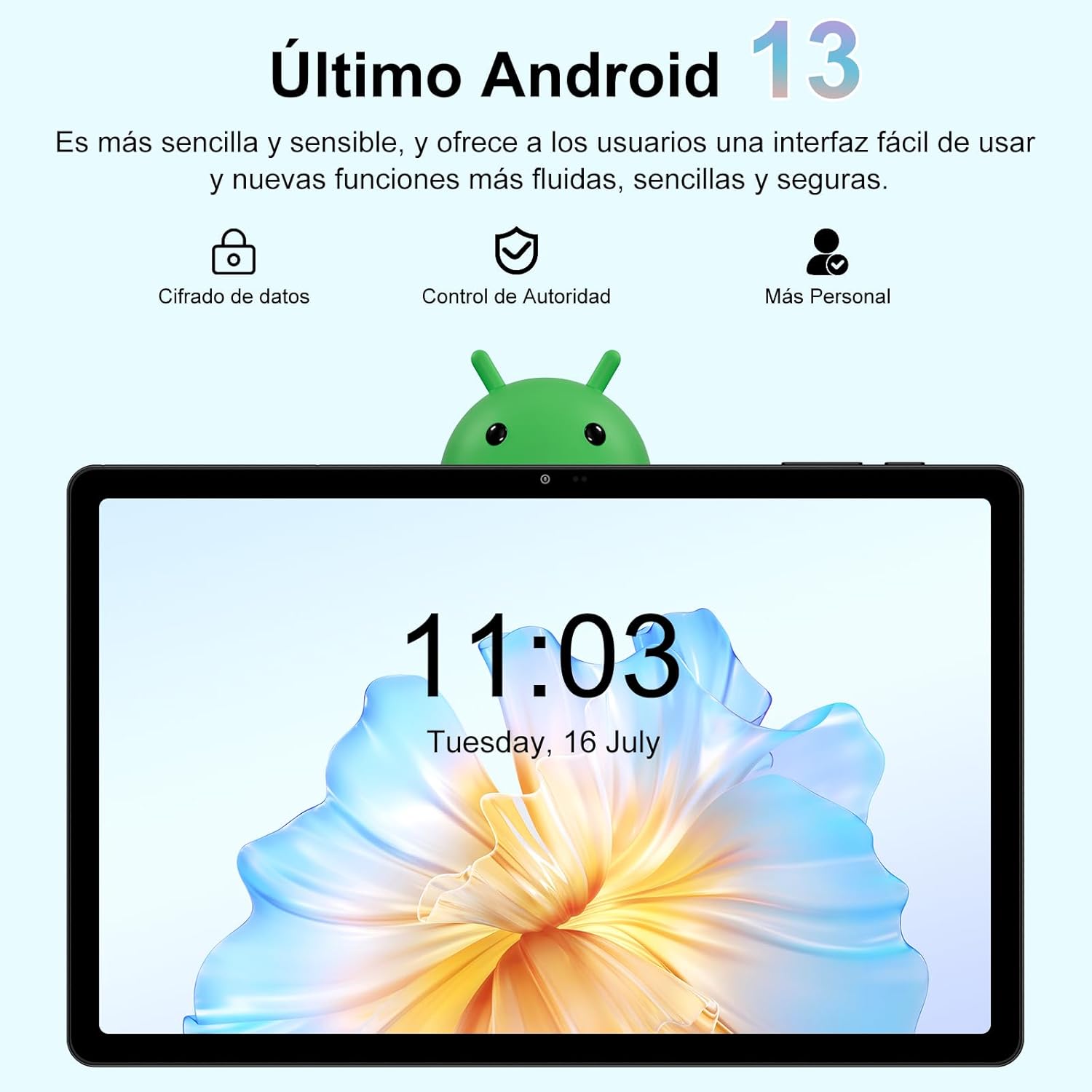
Image 3.1: The Android 13 operating system interface on the GOODTEL G9 Tablet.
4. Tħaddim tat-Tablet
4.1. Wiri u Navigazzjoni
The GOODTEL G9 features an 11-inch 2K Incell HD display with a resolution of 2000x1200 pixels, offering vibrant colors and rich details.
- Ġesti mess: Innaviga l-interfaċċja billi tuża ġesti standard tal-mess tal-Android (tektek, swipe, pinch-to-zoom).
- Skrin tad-dar: Access your apps and widgets.
- Panel tan-Notifika: Swipe 'l isfel minn fuq tal-iskrin għal view notifiki u settings veloċi.
- Apps riċenti: Tap the square navigation button (or swipe up and hold) to view u aqleb bejn applikazzjonijiet li użajt dan l-aħħar.

Image 4.1: The 11-inch display of the GOODTEL G9 Tablet.
4.2. Prestazzjoni u Ħażna
The tablet is equipped with an 8-core 2.0 GHz processor, 16GB RAM (8GB fixed + 8GB expandable), and 256GB internal storage (ROM). Storage can be expanded up to 1TB using a Micro SD card (not included).
- Ġestjoni tal-App: Install and uninstall applications from the Google Play Store.
- File Ġestjoni: Uża l-installazzjoni minn qabel file manager to organize your documents, photos, and videos.
- Multitasking: The generous RAM allows for smooth multitasking and app switching.

Image 4.2: Memory and storage capabilities of the GOODTEL G9 Tablet.
4.3. Kameras
The GOODTEL G9 features a 13MP rear camera and a 5MP front camera, suitable for capturing photos, videos, and video calls.
- Nieħdu Ritratti: Iftaħ l-app tal-Kamera, iffrajma r-ritratt tiegħek, u agħfas il-buttuna tax-shutter.
- Vidjos ta 'Reġistrazzjoni: Aqleb għall-modalità tal-vidjo fl-app tal-Kamera u tektek il-buttuna tar-reġistrazzjoni.
- Settings: Adjust camera settings such as resolution, flash, and timer within the Camera app.

Immaġni 4.3: Eż.amples of photos taken with the GOODTEL G9 Tablet cameras.
4.4. Konnettività
- Wi-Fi: Supports dual-band 2.4G and 5G Wi-Fi for stable and fast internet access. Go to Settings > Network & internet > Wi-Fi to connect to a network.
- Bluetooth 5.0: Connect to wireless headphones, speakers, and other Bluetooth-enabled devices. Go to Settings > Connected devices > Bluetooth.
- GPS: Integrated GPS allows for navigation and location-based services.
- OTG (Fuq il-Mixi): Supports OTG connectivity for connecting USB peripherals like flash drives or external keyboards/mice.

Image 4.4: Connectivity features of the GOODTEL G9 Tablet.
4.5. Ġestjoni tal-batterija
The tablet is equipped with an 8600mAh high-capacity battery, providing extended usage time for reading, browsing, and multimedia consumption.
- Saver tal-Batterija: Enable battery saver mode in Settings > Battery to extend battery life.
- Iċċarġjar: Use the provided Type-C charger for optimal charging.
- Saħħa tal-batterija: Evita temperaturi estremi u skarika l-batterija kompletament ta' spiss biex ittawwal il-ħajja tagħha.

Image 4.5: The 8600mAh high-capacity battery.
5. Manutenzjoni
- Tindif: Uża drapp artab u mingħajr suf biex tnaddaf l-iskrin u l-qafas tat-tablet. Evita prodotti tat-tindif jew solventi li joborxu.
- Aġġornamenti tas-Software: Iċċekkja u installa aġġornamenti tas-sistema regolarment biex tiżgura prestazzjoni u sigurtà ottimali. Mur f'Settings > Sistema > Aġġornament tas-sistema.
- Backup tad-Data: Periodically back up important data to a cloud service or external storage device.
- Ġestjoni tal-Ħażna: Neħħi regolarment bla bżonn files and cache to free up storage space and maintain performance.
- Kundizzjonijiet Ambjentali: Evita li tesponi l-pillola għal temperaturi estremi, dawl tax-xemx dirett, jew umdità għolja.
6 Issolvi l-problemi
- It-tablet mhux qed jixgħel: Ensure the battery is charged. Connect the charger and try again. If it still doesn't turn on, perform a forced restart by holding the power button for 10-15 seconds.
- L-apps jiġġarraf jew jiffriża: Close and reopen the app. Clear the app's cache (Settings > Apps > [App Name] > Storage & cache > Clear cache). If the issue persists, uninstall and reinstall the app.
- Kwistjonijiet ta' konnessjoni Wi-Fi: Kun żgur li l-Wi-Fi huwa attivat. Erġa' ibda r-router u t-tablet tiegħek. Insieh in-netwerk u erġa' qabbad.
- Prestazzjoni bil-mod: Agħlaq l-apps fl-isfond li mhumiex meħtieġa. Neħħi l-cache u l-applikazzjonijiet temporanji files. Ikkunsidra li tagħmel reset tal-fabbrika jekk il-problemi tal-prestazzjoni jippersistu wara passi oħra għas-soluzzjoni tal-problemi (agħmel backup tad-dejta tiegħek l-ewwel).
- L-iskrin ma jirrispondix: Restart the tablet. If the issue continues, contact customer support.
7. Speċifikazzjonijiet
| Karatteristika | Speċifikazzjoni |
|---|---|
| Mudell | GOODTEL G9 |
| Sistema Operattiva | Android 13 |
| Daqs tal-Wiri | 11 pulzieri |
| Riżoluzzjoni tal-Wiri | 2000 x 1200 pixels (2K Incell HD) |
| Proċessur | MediaTek Octa-Core, 2.0 GHz |
| RAM | 16 GB (8 GB fixed + 8 GB expandable) |
| Ħażna Interna (ROM) | 256 GB |
| Ħażna espansibbli | Up to 1 TB via Micro SD card |
| Kamera ta' wara | 13 MP |
| Kamera ta' Quddiem | 5 MP |
| Kapaċità tal-batterija | 8600 mAh (Litju-Jon) |
| Konnettività | 5G Wi-Fi (802.11a/b/g/n), Bluetooth 5.0, GPS, Type-C, OTG |
| Dimensjonijiet | 17 x 12 x 0.8 ċm |
| Piż | 480 gramma |
8. Garanzija u Appoġġ
Your GOODTEL G9 Tablet comes with a standard manufacturer's warranty. Please refer to the warranty card included in your package for specific terms and conditions.
For technical support, troubleshooting assistance, or warranty claims, please contact GOODTEL customer service through the retailer where you purchased the product or visit the official GOODTEL websit.
Appoġġ onlajn: Visit the GOODTEL Store on Amazon


