Introduzzjoni
Thank you for choosing the Dragon Touch L01 Wireless Mini Projector. This portable projector is designed to provide a vivid and immersive viewing experience, supporting 4K video projection with native 1080P resolution and 350 ANSI brightness. Equipped with high-speed WiFi 6 and Bluetooth 5.2, it offers versatile connectivity for various devices, making it ideal for home cinema, outdoor entertainment, business presentations, and educational purposes. This manual provides essential information on setup, operation, maintenance, and troubleshooting to ensure optimal performance and longevity of your projector.

The Dragon Touch L01 projector, designed for cinematic brilliance in both home and outdoor environments.
X'hemm fil-Kaxxa
Jekk jogħġbok iċċekkja l-kontenut tal-pakkett meta tiftaħ il-kaxxa biex tiżgura li l-oġġetti kollha huma preżenti:
- Dragon Touch L01 Wireless Mini Projector
- Cable HDMI
- Kejbil tal-Enerġija
- Kontroll mill-bogħod (batteriji AAA mhux inklużi)
- Manwal għall-Utent (dan id-dokument)

Illustration of the projector and its included accessories: HDMI cable, power cable, and remote control.
Karatteristiċi tal-Prodott
The Dragon Touch L01 projector is equipped with advanced features for a superior viewesperjenza:
- Native 1080P Resolution & 4K Support: Delivers crisp, clear images with a native 1920x1080 resolution and supports 4K video input for enhanced detail.
- 350 ANSI Brightness: Provides a bright and vivid projection, suitable for various lighting conditions.
- High-Speed WiFi 6 (5G & 2.4G Dual-Band): Ensures faster and more stable wireless phone projection and streaming.
- Fokus Elettriku: Allows for convenient focus adjustments via remote control, eliminating the need for manual lens rotation.
- Korrezzjoni Keystone: Features automatic vertical keystone correction for quick image alignment.
- Bluetooth 5.2: Enables seamless connection to external audio devices like Bluetooth speakers or headphones for enhanced sound.
- Built-in 2*5W Speakers: Provides clear and robust audio directly from the projector.
- Multimedia Connectivity: Equipped with HDMI, USB 2.0, and Audio Out ports for connecting a wide range of devices including TV sticks, game consoles, PCs, smartphones, and USB drives.
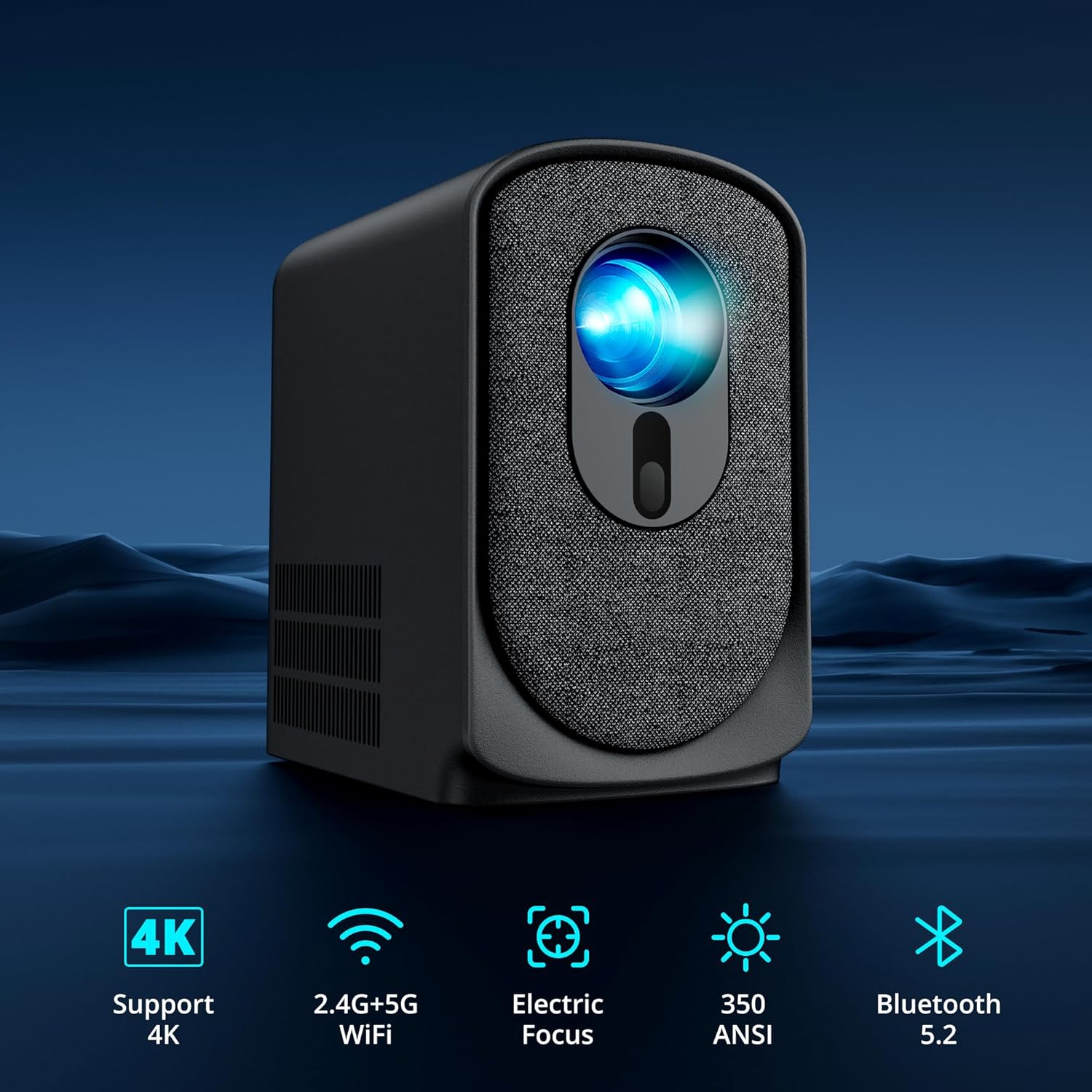
Key features of the L01 projector, including 4K support, dual-band WiFi, electric focus, 350 ANSI lumens, and Bluetooth 5.2.
Gwida ta' Setup
- Pjazzament: Place the projector on a stable, flat surface. Ensure there is adequate ventilation around the device. For optimal viewing, project onto a smooth, light-colored wall or a dedicated projector screen. Refer to the projection distance table in the specifications for recommended distances.
- Konnessjoni tal-Enerġija: Connect the power cable to the projector's power input port and then plug the other end into a power outlet. The power indicator light will illuminate.
- Qawwa Inizjali Mixgħula: Agħfas il-buttuna tal-qawwa fuq il-proġekter jew il-kontroll mill-bogħod biex tixgħel l-apparat.
- Aġġustament tal-Focus: Once powered on, the projector will perform an electric focus adjustment. If needed, use the F+ or F- buttons on the remote control to fine-tune the focus until the image is clear.
- Għażla tas-Sors: Use the input source button on the remote or projector to select your desired input (HDMI, USB, Screen Mirroring).
Istruzzjonijiet Operattivi
Qawwa mixgħul/mitfi
- Qawwa Mixgħul: Agħfas il-buttuna tal-qawwa fuq il-proġekter jew il-kontroll mill-bogħod.
- Itfi: Agħfas il-buttuna tal-qawwa mill-ġdid. Jista' jidher messaġġ ta' konferma; agħżel 'Itfi'.
Focus u Korrezzjoni Keystone
The L01 projector features electric focus and automatic keystone correction for easy image adjustment.
- Fokus Elettriku: Uża l- F+ u F- buttons on the remote control to adjust the image sharpness. This eliminates the need to manually turn a focus ring on the lens.
- Korrezzjoni Keystone: The projector automatically corrects vertical distortion. For manual adjustments or horizontal correction, navigate to the settings menu.

Electric focus and keystone correction allow for precise image adjustment using the remote control.
Apparat li jgħaqqad
Il-proġettur joffri diversi għażliet ta' konnettività:
- HDMI: Connect your TV Stick/Box, game console, PC, or laptop using the included HDMI cable. Select 'HDMI' as the input source.
- USB: Insert a USB flash drive into the USB 2.0 port to play media files directly. Select 'USB' as the input source.
- Wireless (WiFi 6): For screen mirroring from smartphones or tablets, select the 'Screen Mirroring' option. Follow the on-screen instructions to connect your device via 5G or 2.4G WiFi. Note: Due to HDCP copyright restrictions, direct screen mirroring of Netflix, Amazon Prime, and Hulu is not supported. Use an Amazon Fire Stick or TV Stick for these services.
- Bluetooth 5.2: To connect external Bluetooth speakers or headphones, go to the Bluetooth settings in the projector's menu, enable Bluetooth, and pair with your desired audio device.

The projector is compatible with a wide array of devices for diverse entertainment and productivity needs.
Għażliet Awdjo
The projector offers flexible audio solutions:
- Kelliema Mibnija: The 2*5W internal speakers provide clear and sufficient sound for most environments.
- External Audio via Bluetooth: For enhanced sound quality, connect to external Bluetooth speakers or soundbars.
- Out tal-Awdjo: Use the 3.5mm audio out port to connect wired headphones or external wired speakers.

Connect external Bluetooth speakers for a more immersive audio experience.
Manutenzjoni
Manutenzjoni xierqa tiżgura l-lonġevità u l-prestazzjoni ottimali tal-proġettazzjoni tiegħek:
- Tindif tal-Lenti: Use a soft, lint-free cloth specifically designed for optical lenses to gently wipe the projector lens. Avoid using abrasive cleaners or excessive force.
- Tneħħija tat-Trab: Regularly clean the projector's vents and exterior with a soft, dry cloth or a small brush to prevent dust buildup, which can affect cooling and performance.
- Ħażna: Meta ma tkunx qed tużah għal perjodi twal, aħżen il-proġettur f'post frisk u niexef, 'il bogħod mix-xemx diretta u minn temperaturi estremi. Uża l-imballaġġ oriġinali jew kaxxa protettiva biex tevita t-trab u l-ħsara.
- Evita l-Ostruzzjoni: Ensure that the ventilation openings are not blocked during operation to prevent overheating.
Issolvi l-problemi
Jekk tiltaqa' ma' problemi bil-proġettur tiegħek, irreferi għall-problemi u s-soluzzjonijiet komuni li ġejjin:
| Problema | Kawża Possibbli | Soluzzjoni |
|---|---|---|
| L-ebda immaġni fuq l-iskrin | Power not connected; Incorrect input source; Loose HDMI/USB cable; Projector in standby mode. | Check power connection; Select correct input source; Reconnect cables securely; Press power button to wake. |
| L-immaġni hija mċajpra | Il-fokus mhux aġġustat; Il-proġettazzjoni hija qrib/bogħod wisq mill-iskrin. | Use F+ / F- buttons on remote to adjust electric focus; Adjust projection distance. |
| L-ebda ħoss | Volume too low/muted; External audio device not connected/paired; Incorrect audio output selected. | Increase volume; Check Bluetooth connection or 3.5mm cable; Ensure internal speakers are enabled if no external device is used. |
| Cannot screen mirror Netflix/Hulu/Prime Video | Restrizzjonijiet tad-drittijiet tal-awtur tal-HDCP. | Use an Amazon Fire Stick or other TV Stick connected via HDMI for these services. |
| Il-kontroll mill-bogħod ma jaħdimx | Batteriji baxxi/mejta; Ostruzzjoni bejn ir-remote u l-proġettazzjoni; Sensur tar-remote imblukkat. | Replace batteries (AAA); Ensure clear line of sight to projector's IR sensor. |
| Projector overheating / Fan noise | Ventilazzjoni mblukkata; Użu fit-tul. | Ensure vents are clear; Allow projector to cool down after extended use. |
Speċifikazzjonijiet
Detailed technical specifications for the Dragon Touch L01 Projector:
- Mudell: L01
- Riżoluzzjoni tal-wiri: Native 1920 x 1080P (Supports 4K video input)
- Luminożità: 350 lumens ANSI
- Teknoloġija tal-Konnettività: Bluetooth 5.2, HDMI, USB 2.0, Wi-Fi 6 (5G & 2.4G)
- Karatteristiċi Speċjali: Built-In Speaker, Built-In Wi-Fi, Portable, Electric Focus
- Użi Rakkomandati: Business, Education, Home Cinema
- Awdjo: 2 x 5W Kelliema Inkorporati
- Piż tal-oġġett: 2.9 liri (madwar 1.32 kg)
- Dimensjonijiet tal-pakkett: 9.02 x 7.91 x 4.88 pulzieri (madwar 22.9 x 20.1 x 12.4 ċm)
- Manifattur: Dragon Touch
- ASIN: B0DMD85YDF
Distanza tal-Projezzjoni u Daqs tal-Iskrin
| Daqs tal-iskrin (pulzier) | Projection Distance (feet) |
|---|---|
| 70 | 6.4 |
| 100 | 9.08 |
| 120 | 10.9 |
| 200 | 17.06 |

Recommended projection distances for optimal screen sizes.
Garanzija u Appoġġ
Dragon Touch products are designed for reliability and performance. For warranty information and customer support, please refer to the official Dragon Touch webis-sit jew ikkuntattja lis-servizz tal-konsumatur tagħhom direttament. Żomm l-irċevuta tax-xiri tiegħek bħala prova tax-xiri għal talbiet ta' garanzija.
Pjanijiet ta' protezzjoni fakultattivi huma disponibbli għal kopertura estiża:
- Pjan ta' Protezzjoni ta' Sentejn
- Pjan ta' Protezzjoni ta' Sentejn
- Complete Protect (kontijiet ta' kull xahar, tkopri xiri eliġibbli tal-passat u tal-futur)
Għal aktar għajnuna, jekk jogħġbok żur il- Dragon Touch Store on Amazon.


