1. Introduzzjoni
This manual provides detailed instructions for the safe and efficient operation of your Retoo ER1007 Mini Projector. Please read this manual thoroughly before using the device and retain it for future reference. The Retoo ER1007 is a portable projector designed for home entertainment, presentations, and educational purposes, featuring Android OS, Wi-Fi, Bluetooth 5.0, and 4K content support.
2. Kontenut tal-Pakkett
Iċċekkja li l-oġġetti kollha elenkati hawn taħt huma inklużi fil-pakkett tiegħek:
- Retoo ER1007 Mini Projector
- Kontroll mill-bogħod
- Cable HDMI
- Adapter tal-Enerġija
- Manwal għall-Utent (dan id-dokument)
- Ippakkjar oriġinali
3. Prodott Aktarview
Familiarize yourself with the components and features of your Retoo ER1007 Mini Projector.

Figura 3.1: Quddiem view of the Retoo ER1007 Mini Projector, showcasing its lens, integrated stand, and a remote control. The projected image displays various streaming application icons, indicating its smart functionality.

Figura 3.2: Wara view of the Retoo ER1007 Mini Projector, highlighting its various input ports including HDMI, USB, and power input. Accompanying power cables and an HDMI cable are also shown.

Figura 3.3: A hand demonstrating the compact size and portability of the Retoo ER1007 Mini Projector by placing it into a small carrying bag.

Figura 3.4: The Retoo ER1007 Mini Projector illustrating its 180-degree rotating stand, allowing for flexible projection angles, including ceiling projection.
4. Setup
- Konnessjoni tal-Enerġija: Connect the power adapter to the projector's power input port and then plug it into a power outlet.
- Pjazzament: Place the projector on a stable, flat surface. Utilize the 220-degree rotating stand to adjust the projection angle as needed. Ensure there are no obstructions blocking the lens or ventilation vents.
- Qawwa Inizjali Mixgħula: Agħfas il-buttuna tal-qawwa fuq il-proġekter jew il-kontroll mill-bogħod biex tixgħel l-apparat.
5. Istruzzjonijiet Operattivi
5.1 Operazzjoni Bażika
- Power On/Off: Press the power button on the remote or projector.
- Navigazzjoni: Use the arrow keys and 'OK' button on the remote to navigate the Android interface.
- Kontroll tal-Volum: Use the volume buttons on the remote to adjust the audio output.

Figura 5.1: The Retoo ER1007 Mini Projector in operation, projecting a high-definition image of a car onto a wall in a modern living room setting.
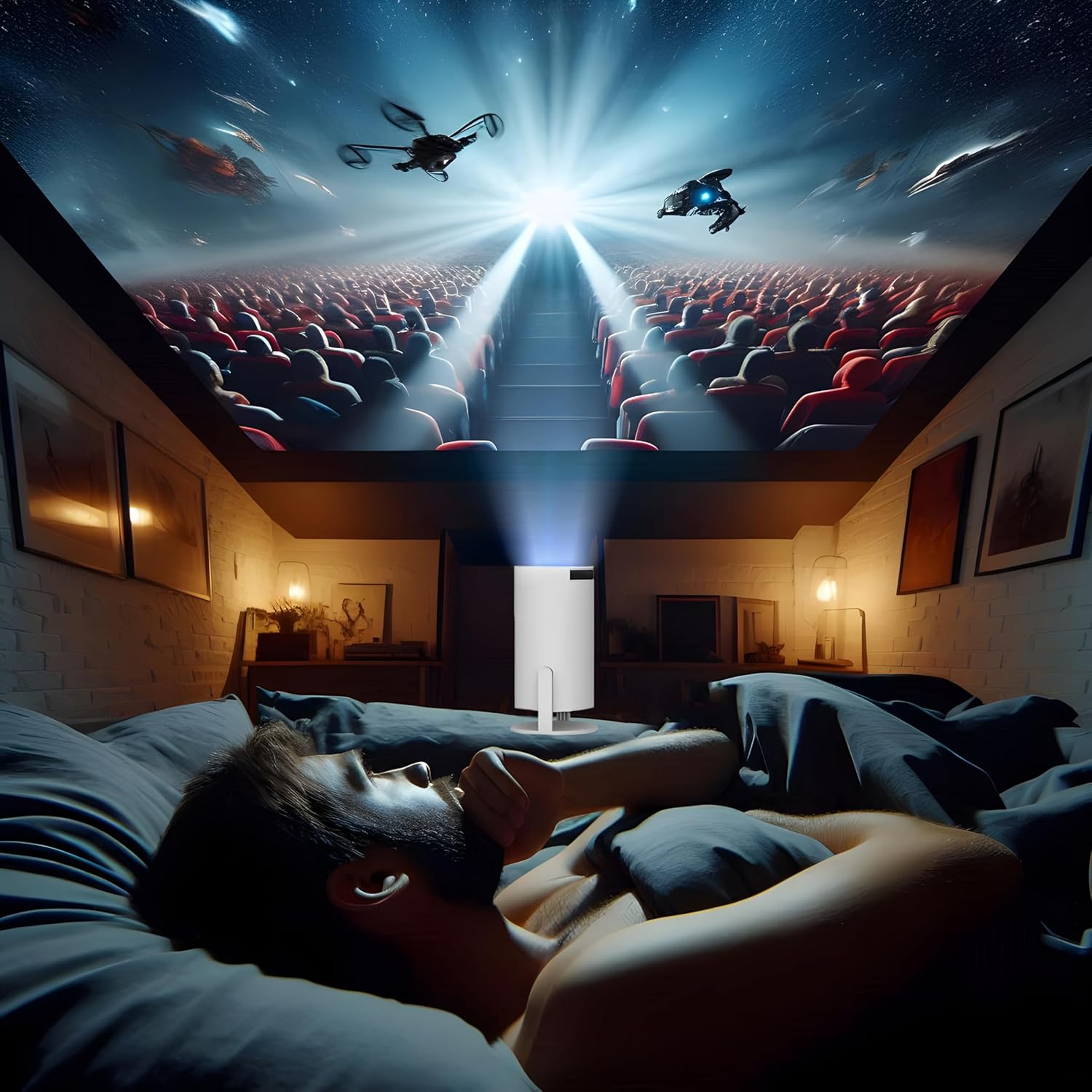
Figura 5.2: A person comfortably watching a movie projected onto the ceiling by the Retoo ER1007 Mini Projector, demonstrating its versatile projection capabilities.
6. Konnettività
6.1 Konnessjoni Wi-Fi
- Go to the 'Settings' menu on the projector's interface.
- Select 'Network & Internet' and then 'Wi-Fi'.
- Agħżel in-netwerk Wi-Fi mixtieq tiegħek u daħħal il-password jekk tintalab.
6.2 Konnessjoni Bluetooth
The projector supports Bluetooth 5.0 for connecting external audio devices.
- Go to 'Settings' and select 'Connected Devices' or 'Bluetooth'.
- Ippermetti Bluetooth u fittex tagħmir disponibbli.
- Agħżel l-ispiker jew il-headphones Bluetooth tiegħek mil-lista biex tqabbadhom.
6.3 HDMI and USB Connections
Connect external devices such as laptops, gaming consoles, or USB drives using the HDMI and USB ports.
- HDMI: Connect an HDMI cable from your source device to the projector's HDMI port. Select the HDMI input source from the projector's menu.
- USB: Insert a USB drive into the USB port to access media files. The projector's media player will allow you to browse and play content.
6.4 Screen Mirroring (Android & Apple)
The projector supports screen projection from compatible Android and Apple mobile devices.
- Kun żgur li kemm l-apparat mobbli tiegħek kif ukoll il-proġettur huma konnessi mal-istess netwerk Wi-Fi.
- On the projector, select the screen mirroring application (e.g., 'Miracast' for Android, 'AirPlay' for Apple).
- On your mobile device, activate screen mirroring/casting feature and select the projector from the list of available devices.

Figura 6.1: The Retoo ER1007 Mini Projector projecting an image while simultaneously connected to a soundbar via Bluetooth and mirroring content from a smartphone.
7. Aġġustament tal-Immaġni
7.1 Korrezzjoni Awtomatika tat-Trave
The projector is equipped with a high-precision sensor that automatically corrects the four corners of the projection surface, ensuring optimal image geometry without manual intervention.
7.2 Manual Focus Adjustment
For the sharpest possible image, manually adjust the focus ring located on the front of the projector.

Figura 7.1: A hand rotating the focus ring on the front of the Retoo ER1007 Mini Projector to achieve a clear and sharp projected image.
8. Manutenzjoni
- Tindif tal-Lenti: Uża drapp artab u mingħajr suf iddisinjat speċifikament għal lentijiet ottiċi. Tużax prodotti tat-tindif jew solventi li joborxu.
- Tindif ta' barra: Imsaħ il-barra tal-proġettazzjoni b'ċarruta ratba u niexfa. Għal marki persistenti, neħħi ftit ċarruta.amp Jista' jintuża drapp, segwit minn wieħed niexef.
- Ventilazzjoni: Ensure the ventilation vents are clear of dust and debris to prevent overheating. Do not block the vents during operation.
- Ħażna: Meta ma tkunx qed tużah għal perjodi twal, aħżen il-proġettur f'post frisk u niexef, 'il bogħod mix-xemx diretta u minn temperaturi estremi.
9 Issolvi l-problemi
9.1 Ebda Qawwa
- Check if the power adapter is securely connected to both the projector and the power outlet.
- Kun żgur li l-iżbokk tad-dawl huwa funzjonali.
9.2 Ebda Immaġni jew Immaġni Distorta
- Ebda Immaġni: Verify the input source is correctly selected (e.g., HDMI, USB, Screen Mirroring).
- Immaġni mċajpra: Adjust the manual focus ring (refer to Section 7.2).
- Keystone/Distortion: The projector features automatic keystone correction. If issues persist, ensure the projector is placed on a stable surface and try restarting.
- Ebda Sinjal: Ensure the source device is powered on and the cable connection is secure.
9.3 Ebda Ħoss
- Aġġusta l-volum fuq il-proġettazzjoni u l-apparat tas-sors.
- If using external Bluetooth speakers, ensure they are properly paired and their volume is adjusted.
- Check if the audio output is muted on the projector or source device.
10. Speċifikazzjonijiet
Detailed technical specifications for the Retoo ER1007 Mini Projector:
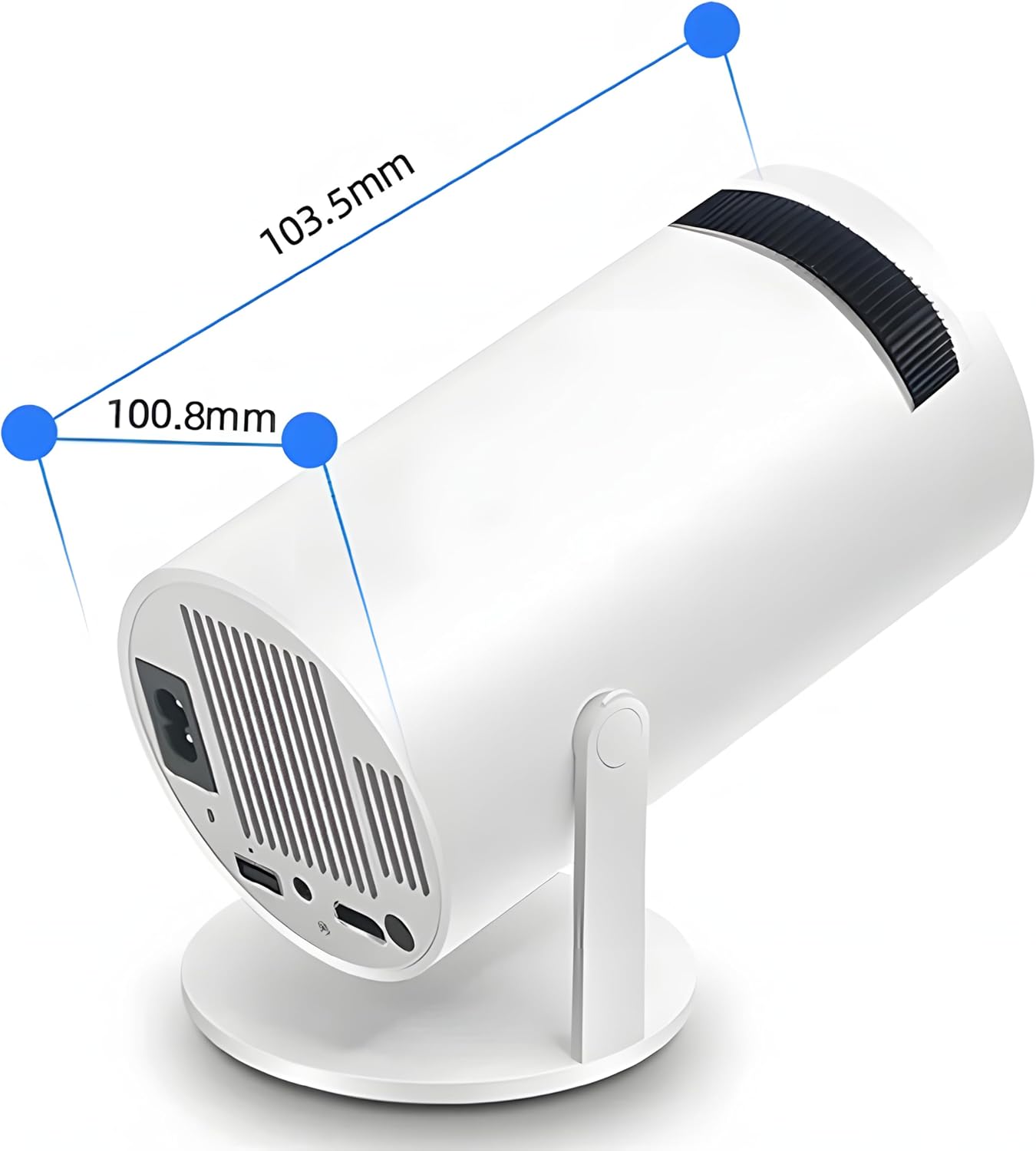
Figura 10.1: The Retoo ER1007 Mini Projector displaying its approximate dimensions: 103.5mm in length and 100.8mm in diameter.
| Karatteristika | Speċifikazzjoni |
|---|---|
| Mudell | ER1007 |
| Riżoluzzjoni Nattiva | 1280 x 720p |
| Riżoluzzjoni Appoġġjata | Sa 4K |
| Luminożità | 250 lumens ANSI |
| Proporzjon ta' Kuntrast | 1500:1 |
| Proporzjon ta' l-aspett | 16:9 |
| Daqs tal-Projezzjoni | 40 sa 130 pulzier |
| Korrezzjoni Keystone | Automatic (4D) |
| Aġġustament Focus | Manwal |
| Sistema Operattiva | Android |
| RAM | 1GB |
| ROM | 8GB |
| Konnettività | Wi-Fi, Bluetooth 5.0 |
| Portijiet | HDMI, USB, Jack tal-Awdjo ta' 3.5mm |
| Speaker integrat | Kelliem Stereo ta' 3W |
| Lamp Ħajja | 50,000 sigħat |
| Konsum tal-Enerġija | 60 watt |
| Dimensjonijiet (madwar) | 22 x 13 x 12 cm (Package); 103.5mm x 100.8mm (Projector) |
| Piż (madwar) | 850 g (Pakkett) |
11. Garanzija u Appoġġ
Għal informazzjoni dwar il-garanzija u appoġġ għall-klijenti, jekk jogħġbok irreferi għad-dokumentazzjoni pprovduta fil-ħin tax-xiri jew ikkuntattja lill-bejjiegħ tiegħek. Żomm il-prova tax-xiri tiegħek għal talbiet ta' garanzija.
