1. Introduzzjoni
This manual provides instructions for the installation, operation, and maintenance of your AT&T EL51403 DECT 6.0 Cordless Home Phone System. This system includes a base unit and four cordless handsets, designed for clear communication and ease of use in your home or office environment.
Key features include DECT 6.0 technology for interference-free communication, a simulated full-duplex handset speakerphone, a backlit LCD display, a lighted keypad, and Caller ID/Call Waiting functionality.
2. X'hemm fil-Kaxxa
Ivverifika li l-pakkett tiegħek fih l-oġġetti li ġejjin:
- Unità bażi
- 4 Handsets
- 3 Adaptors (for charging cradles)
- 4 Pakketti tal-batteriji
- Korda tal-linja tat-telefon
- Gwida tal-bidu ta 'malajr

Immaġni: Fuqview of the AT&T EL51403 4-handset cordless phone system, showing the main base unit with one handset and three additional charging cradles with their respective handsets.
3. Setup
3.1. Installazzjoni tal-batterija
- Iftaħ l-għatu tal-kompartiment tal-batterija fuq wara ta’ kull handset.
- Connect the battery pack plug securely into the jack inside the compartment.
- Place the battery pack with the label UP into the compartment.
- Slide the battery compartment cover back into place until it clicks.
3.2. Connecting the Base Unit and Charging Cradles
- Plug the large end of the base unit power adapter into an electrical outlet.
- Plug the small end of the base unit power adapter into the power jack on the back of the base unit.
- Plug one end of the telephone line cord into the telephone jack on the back of the base unit.
- Ipplaggja t-tarf l-ieħor tal-korda tat-telefon f'ġakk tat-telefon tal-ħajt.
- For each additional handset, plug the power adapter into an electrical outlet and the charging cradle.
3.3. Iċċarġjar Inizjali
Place each handset in its respective base unit or charging cradle. The CHARGE light on the handset will illuminate. Allow the handsets to charge for at least 16 hours before initial use to ensure optimal battery performance.
4. Istruzzjonijiet Operattivi
4.1. Nagħmlu u Nwieġbu Telefonati
- Biex Tagħmel Sejħa: Agħfas TELEFON / FLASH, imbagħad ċempel in-numru.
- Biex Twieġeb Sejħa: Meta t-telefon iċempel, agħfas TELEFON / FLASH or any dialing key (0-9, *, #).
- Biex Intemm Sejħa: Agħfas MITFI/KANNELLA or place the handset back in the base/charger.
4.2. L-Użu tal-Ispeakerphone
Waqt sejħa, agħfas Kelliem button to activate the speakerphone. Press it again to return to normal handset mode.
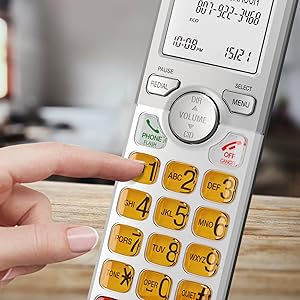
Image: A cordless handset on its base, with the speakerphone function active, illustrating a simulated full-duplex conversation between two individuals.
4.3. Volum ta 'aġġustament
Waqt sejħa, agħfas VOLUM (DIR/CID) up or down to adjust the listening volume.
4.4. Phonebook Directory
The phonebook can store up to 50 names and numbers. To access, add, or edit entries:
- Agħfas MENU/AGĦŻEL meta l-idejn ikun wieqaf.
- Scroll to "Phonebook" and press MENU/AGĦŻEL.
- Follow the on-screen prompts to add, review, or edit entries.
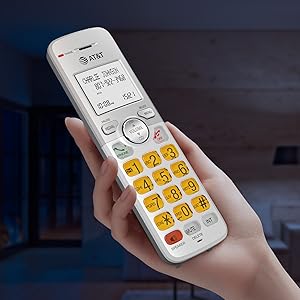
Image: A cordless handset on its base, with the screen showing a phonebook directory interface, indicating the ability to store up to 50 names and numbers.
4.5. Caller ID/Call Waiting
The handset displays the caller's name and number if you subscribe to Caller ID service. The phone stores up to 50 Caller ID records.
- Reviewing Caller ID History: Agħfas CID when the handset is idle. Scroll through the list using the DIR / VOLUM buttuni.
- To Call Back: Filwaqt li viewing a Caller ID entry, press TELEFON / FLASH.

Image: A close-up of the cordless handset's screen showing an incoming call with caller ID information, including name and number.
5. Karatteristiċi
- Teknoloġija DECT 6.0: Provides superior sound quality, security, and range. This digital technology ensures calls are clear and interference-free, with an operating range of up to 1000 feet outdoors.
- Simulated Full-Duplex Handset Speakerphone: Allows both parties to speak and be heard simultaneously, enhancing natural conversation flow.
- Modalità ECO: An energy-saving feature that intelligently manages power consumption, extending battery life and reducing energy usage.
- Backlit Screen and Lighted Keypad: The high-contrast white backlit LCD screen and illuminated keypad ensure easy readability and dialing in various lighting conditions, including low light.
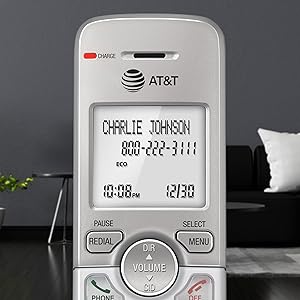
Image: A hand holding the cordless handset, clearly showing the illuminated keypad and the bright, backlit LCD screen in a dimly lit room.
- Extra-Large Display: The large text on the screen makes it easy to read caller ID information and navigate menus.
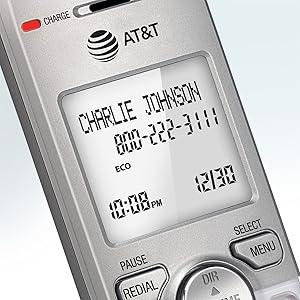
Immaġni: Close-up view of the cordless handset's screen, highlighting the large, easy-to-read text for caller ID and time display.
- Buttuni kbar: Features large font and extra-large backlit keys, which are particularly helpful for users with visual impairments.
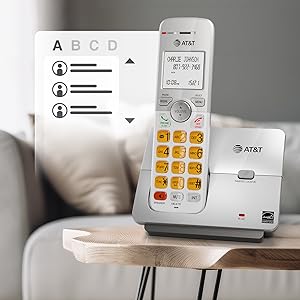
Image: A cordless handset on its base, showing the large, clearly visible, and backlit numeric keys. An inset image shows an elderly man comfortably using the phone.
- Wall-Mount Bracket Included: The base unit can be easily installed on a table or mounted on a wall for flexible placement options.
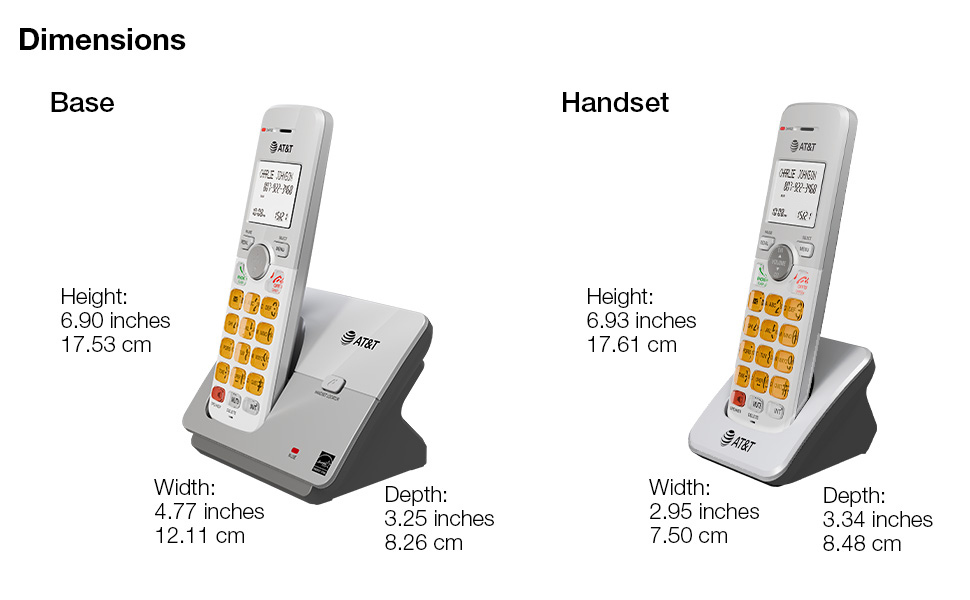
Image: The cordless phone base unit with a handset, shown mounted on a wall using the included bracket, demonstrating its versatile installation options.
6. Manutenzjoni
- Tindif: Clean the phone and base unit with a soft, slightly damp drapp. Tużax sprejs tat-tindif jew kimiċi ħarxa.
- Kura tal-batterija: To maintain optimal battery life, fully charge the handsets for 16 hours before first use. If the phone will not be used for an extended period, remove the batteries.
- Kundizzjonijiet Ambjentali: Evita li tpoġġi t-telefon fid-dawl tax-xemx dirett, ħdejn sorsi ta’ sħana, jew f’żoni b’umdità jew trab eċċessiv.
7 Issolvi l-problemi
7.1. Ebda Ton ta' Sejħa
- Ensure the base unit's power adapter is securely plugged into an electrical outlet and the telephone line cord is connected to a working wall jack.
- Check if other phones on the same line are working. If not, contact your telephone service provider.
7.2. Handset Does Not Charge
- Verify the handset is correctly placed in the charging cradle and the CHARGE light is on.
- Ensure the battery pack is properly installed and connected inside the handset.
- Naddaf il-kuntatti tal-iċċarġjar kemm fuq il-handset kif ukoll fuq il-benniena b'ċarruta niexfa.
7.3. Poor Sound Quality or Interference
- Mexxi l-idejn eqreb lejn l-unità bażi.
- Avoid placing the base unit near other electronic devices (e.g., microwaves, computers, Wi-Fi routers) that may cause interference.
- If using a DSL service, ensure a DSL filter is installed on the telephone line.
7.4. Display is Blank or Handset Does Not Power On
- Ensure the battery pack is fully charged. Place the handset in the charger for at least 16 hours.
- Check that the battery pack is correctly installed.
8. Speċifikazzjonijiet
| Dimensjonijiet tal-Prodott | 4.76 x 3.29 x 6.81 pulzieri |
|---|---|
| Piż tal-oġġett | 2.59 liri |
| Numru tal-Mudell | EL51403 |
| Batteriji | 4 Batteriji speċifiċi tal-prodott meħtieġa (inklużi) |
| Tip tat-Telefon | Bla fili |
| Materjal | Plastik |
| Sors tal-Enerġija | Corded Elettriku |
| Tip ta' Dialer | Tastiera Unika |
| Tip ta' Sistema ta' Tweġiba | Nru |
| Apparati Kompatibbli | PSTN Landline Services |
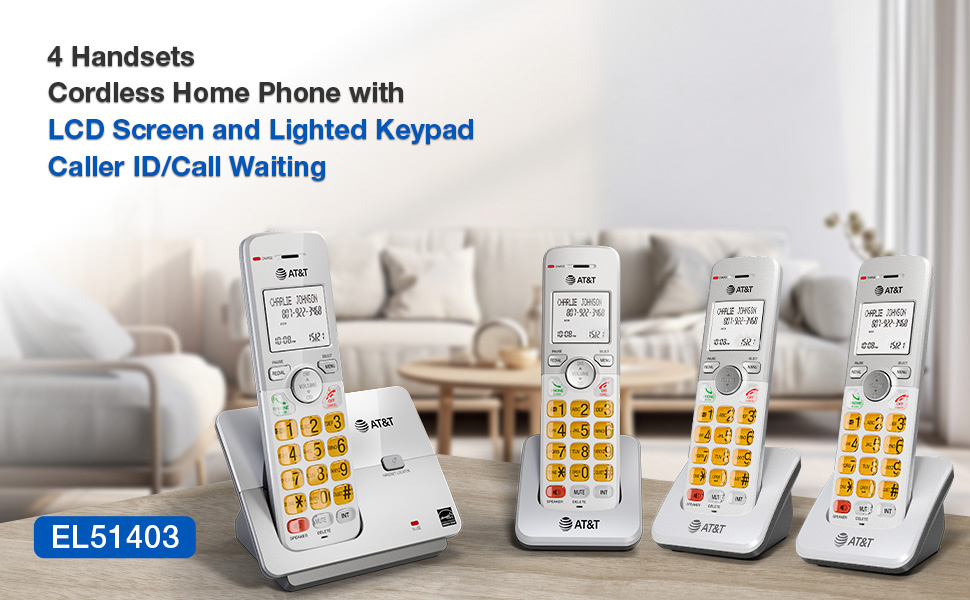
Image: A visual representation of the AT&T EL51403 base unit and a handset, detailing their respective height, width, and depth measurements.
9. Garanzija u Appoġġ
AT&T products are manufactured by VTech Communications, Inc. A standard limited warranty typically covers defects in materials and workmanship under normal use for a specified period from the date of purchase. Please refer to the warranty card included in your product packaging or visit the official AT&T product support website for detailed warranty information and customer service contact options.
For technical support or warranty claims, please contact AT&T customer service. Keep your purchase receipt as proof of purchase.


