1. Informazzjoni Importanti dwar is-Sigurtà
Jekk jogħġbok aqra l-istruzzjonijiet kollha tas-sigurtà bir-reqqa qabel ma tuża t-televiżjoni tiegħek. Żomm dan il-manwal għal referenza futura.
- Tesponix it-TV għax-xita jew l-umdità.
- Żgura ventilazzjoni xierqa madwar it-TV.
- Timblokkax il-fetħiet tal-ventilazzjoni b'oġġetti bħal gazzetti, tvalji tal-mejda, purtieri, eċċ.
- Ipproteġi l-korda tad-dawl milli jimxi fuqu jew maqrusa.
- Skonnettja t-TV waqt maltempati bis-sajjetti jew meta ma tużahx għal perjodi twal.
- Irreferi l-manutenzjoni kollha lil persunal tas-servizz kwalifikat.
2. X'hemm fil-Kaxxa
Ivverifika li l-komponenti kollha huma preżenti fl-imballaġġ:
- Thomson 43QG5C14 QLED Google Smart TV
- Kontroll mill-bogħod
- Korda tal-Enerġija
- Central Stand (and screws for assembly)
- Manwal għall-Utent (dan id-dokument)
- Batteriji għall-Kontroll mill-bogħod
3. Setup
3.1 It-twaħħil tal-Istand
Carefully place the TV screen-down on a soft, flat surface to prevent damage. Attach the central stand to the bottom of the TV using the provided screws. Ensure the stand is securely fastened.
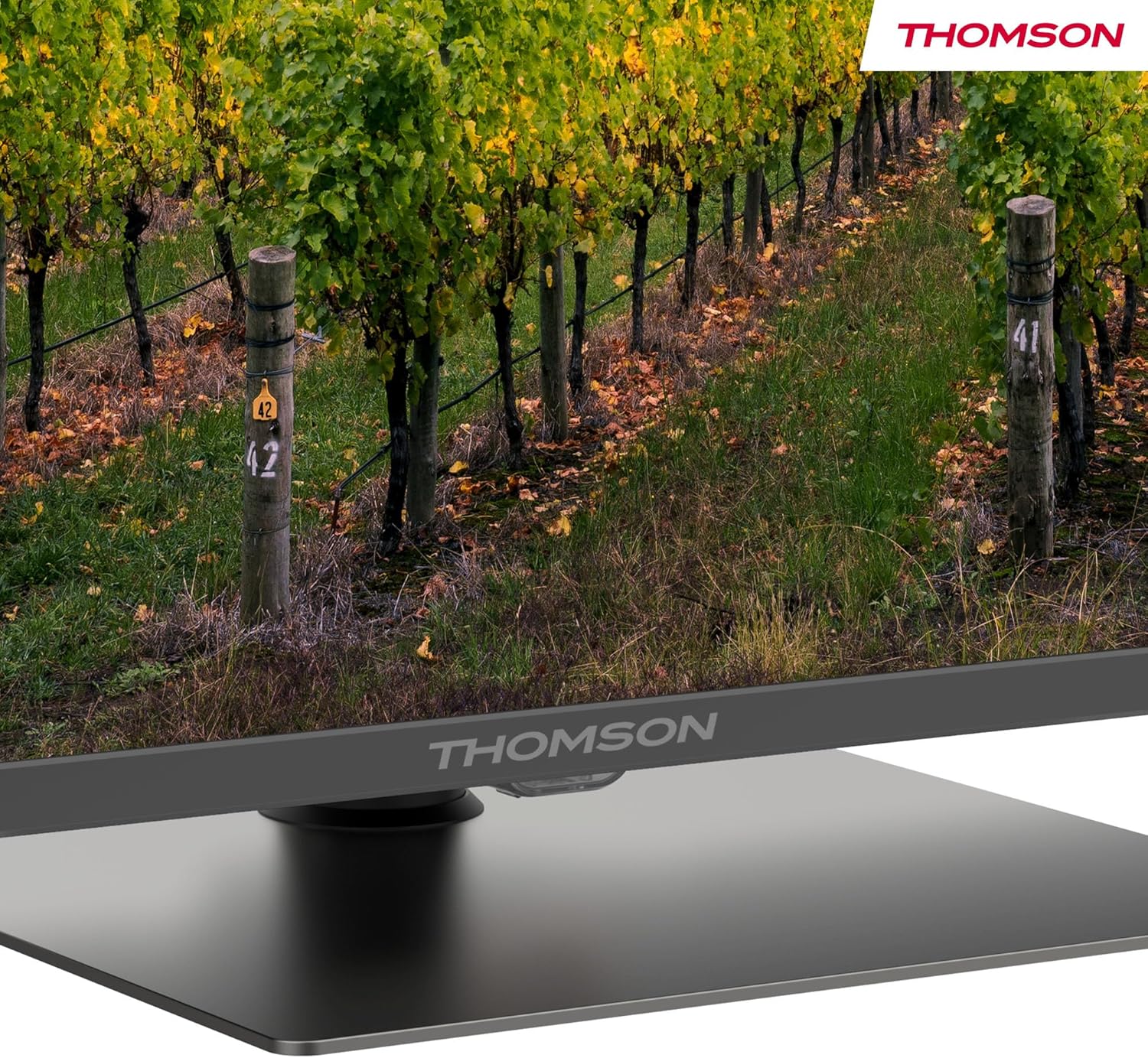
A dettaljata view of the central stand, featuring the Thomson branding.

This diagram provides the physical measurements of the television, including width, height, and depth, essential for placement and installation.
3.2 Immuntar mal-Ħajt (Mhux obbligatorju)
If you choose to wall mount your TV, ensure you use a VESA-compatible wall mount kit (sold separately) and follow the instructions provided with the wall mount. Professional installation is recommended.
3.3 Konnessjoni tal-Periferali
Connect your external devices such as set-top boxes, gaming consoles, or sound systems to the appropriate ports on the TV. The TV features multiple HDMI and USB ports, as well as a LAN connection.

This image details the available connection ports on the back of the television, including HDMI, USB, LAN, and antenna inputs.
3.4 Setup Inizjali
- Qabbad il-korda tad-dawl mat-TV u żbokk tad-dawl.
- Agħfas il-buttuna tal-qawwa fuq il-kontroll remot jew it-TV biex tixgħelha.
- Segwi l-istruzzjonijiet fuq l-iskrin biex tagħżel il-lingwa, il-pajjiż tiegħek, u tikkonnettja man-netwerk Wi-Fi tiegħek.
- Idħol bil-kont Google tiegħek biex taċċessa l-karatteristiċi ta' Google TV u tniżżel l-apps.
4. Istruzzjonijiet Operattivi
4.1 Kontroll mill-Bogħod
The included remote control provides easy access to all TV functions. It features backlit buttons for visibility in low light and dedicated buttons for popular streaming services.

The remote control features dedicated buttons for popular streaming services, a Google Assistant button for voice commands, and backlit keys for ease of use in low light.
4.2 Karatteristiċi tat-TV tal-Google
Your Thomson TV runs on Google TV, offering a personalized entertainment experience. Access over 400,000 movies and shows from various streaming services. Use the integrated Google Assistant for voice control and the built-in Chromecast to stream content from your smart devices.

This image demonstrates the voice control functionality, allowing users to operate the TV and search for content using spoken commands.

The Google TV home screen provides access to a wide range of streaming applications and personalized content recommendations.
4.3 Display Features: QLED, 4K UHD, HDR10
Experience vibrant and realistic colors thanks to QLED technology with Quantum Dots. The 4K UHD resolution delivers crystal-clear images, offering four times the detail of Full HD. HDR10 support ensures balanced brightness, rich contrast, and precise color reproduction.
4.4 Audio Features: Dolby Atmos
Enjoy a dynamic and immersive sound experience with Dolby Atmos technology, bringing cinematic audio directly to your living room.

This image illustrates the immersive audio experience provided by Dolby Atmos, showing sound waves emanating from the television.
4.5 Konnettività
- Wi-Fi: Qabbad man-netwerk tad-dar tiegħek għal aċċess għall-internet u streaming.
- Bluetooth 5.1: Qabbad headphones mingħajr fili, soundbars, jew apparati oħra Bluetooth.
- HDMI: Multiple HDMI ports (including HDMI 2.1 with eARC) for connecting various external devices.
- USB: USB 2.0 and USB 3.0 ports for media playback from USB drives.
- Tuner triplu: Integrated tuner for Cable (DVB-C), Satellite (DVB-S2), and Antenna (DVB-T2) reception.
- CI+: Common Interface Plus slot for conditional access modules (CAM) to view kanali encrypted.
5. Manutenzjoni
- Tindif tal-Iskrin: Gently wipe the screen with a soft, lint-free cloth. For stubborn marks, use a screen-cleaning solution specifically designed for TVs.
- Tindif tal-Kabinett: Uża drapp artab u niexef biex tnaddaf il-kabinett tat-TV. Tużax prodotti tat-tindif jew solventi li joborxu.
- Aġġornamenti tas-Software: Ensure your TV's software is up to date for optimal performance and security. Updates can usually be found in the TV's settings menu.
6 Issolvi l-problemi
Jekk tiltaqa' ma' problemi bit-TV tiegħek, irreferi għas-soluzzjonijiet komuni li ġejjin:
- Ebda Qawwa: Check if the power cord is securely connected and the power outlet is working.
- Ebda Stampa/Ħoss: Verify that the correct input source is selected. Check all cable connections.
- Remote Mhux Taħdem: Ibdel il-batteriji. Kun żgur li m'hemm l-ebda ostaklu bejn ir-remote u t-TV.
- Kwalità Fqira tal-Istampa: Adjust picture settings (brightness, contrast, sharpness). Check antenna/cable connection.
- Kwistjonijiet ta' Konnessjoni man-Netwerk: Restart your router. Reconnect the TV to the Wi-Fi network in the settings.
For further assistance, consult the full electronic manual or contact Thomson customer support.
7. Speċifikazzjonijiet
| Karatteristika | Speċifikazzjoni |
|---|---|
| Brand | Thomson |
| Numru tal-Mudell | 43QG5C14 |
| Daqs tal-Iskrin | 43 pulzieri (109 ċm) |
| Teknoloġija tal-Wiri | QLED |
| Riżoluzzjoni | 4K UHD (3840 x 2160) |
| Riffriskar Rata | 60 Hz |
| Karatteristiċi Speċjali | QLED, Dolby Atmos, Dolby Vision, HDR10 |
| Sistema Operattiva | Google TV |
| Konnettività | Bluetooth 5.1, HDMI, USB, Wi-Fi |
| Proporzjon ta' l-aspett | 16:9 |
| Dimensjonijiet tal-Prodott (W x H x D) | 96 x 59 x 9 ċm |
| Piż | 12.5 kg |
Effiċjenza tal-Enerġija

The energy label indicates the television's energy efficiency class and annual energy consumption.
Għal informazzjoni dettaljata dwar l-enerġija, irreferi għall- EPREL Product Data Sheet.
8. Garanzija u Appoġġ
Your Thomson 43QG5C14 QLED Google Smart TV comes with a garanzija ta 'sena, ensuring clear images without dead pixels. This product is assembled in Europe, reflecting a commitment to quality.
For technical support, warranty claims, or additional information, please visit the official Thomson website or contact your local customer service.


