KOFIRE UG-06

KOFIRE UG-06 Wireless Gaming Headset Instruction Manual

Mudell: UG-06 | Marka: KOFIRE

Introduzzjoni

Thank you for choosing the KOFIRE UG-06 Wireless Gaming Headset. This manual provides detailed instructions for setup, operation, and maintenance to ensure you get the best experience from your new headset. The UG-06 is designed to deliver superior audio performance and comfort for gaming, work, and entertainment across multiple platforms.

X'hemm fil-Kaxxa

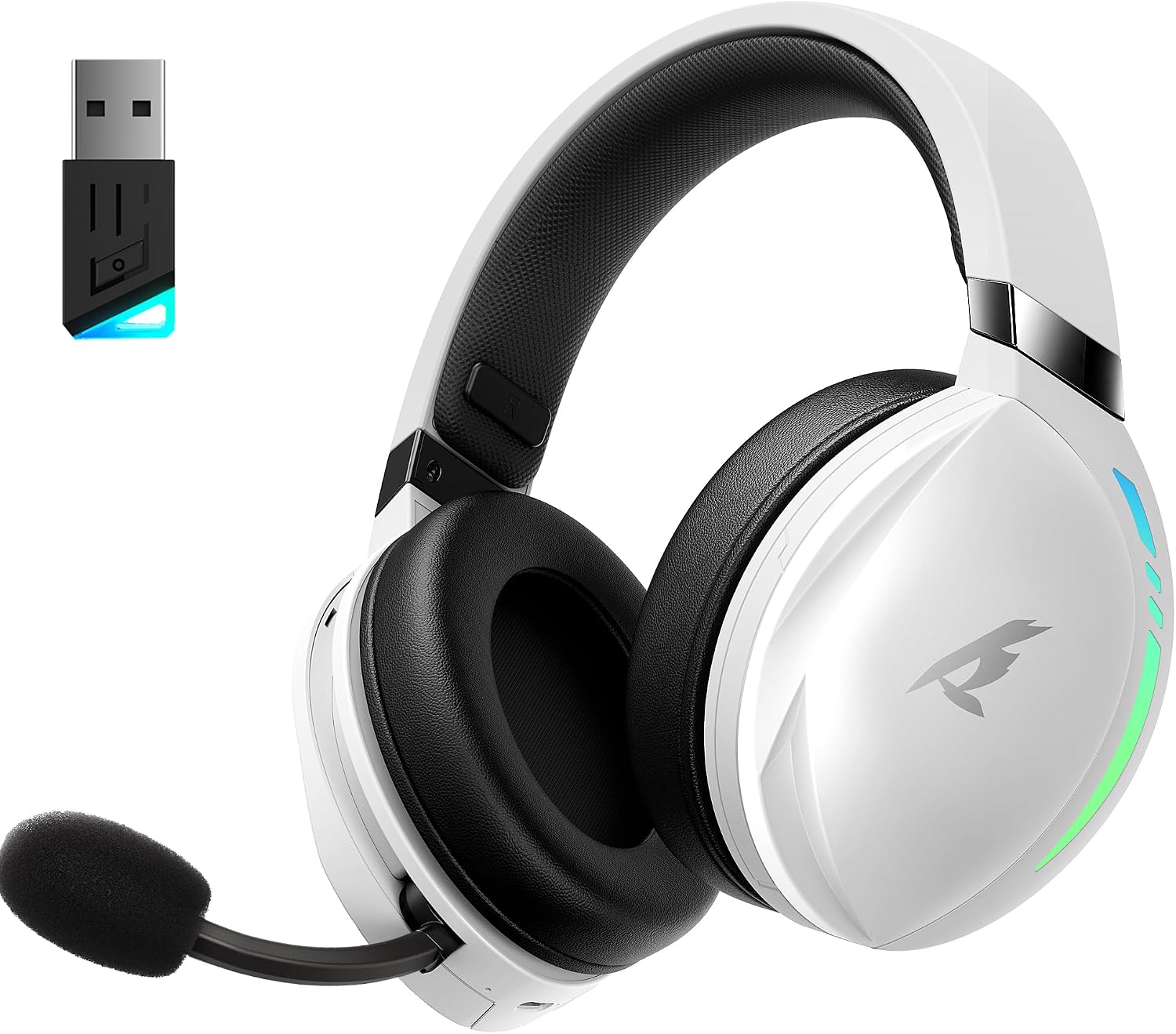
KOFIRE UG-06 Wireless Gaming Headset with USB dongle

The KOFIRE UG-06 Wireless Gaming Headset in white and black, shown with its USB dongle.

Prodott Overview u Karatteristiċi Ewlenin

Person wearing KOFIRE UG-06 headset experiencing 3D spatial audio

A user wearing the headset, illustrating the immersive 3D spatial audio experience.

Close-up of the hidden noise-canceling microphone on KOFIRE UG-06 headset

A close-up view of the retractable, hidden noise-canceling microphone.

KOFIRE UG-06 headset showing multi-platform compatibility with various devices

The headset demonstrating its compatibility with multiple gaming platforms and devices.

Setup Istruzzjonijiet

1. Iċċarġjar Inizjali

Before first use, fully charge your headset using the provided USB Type-C charging cable. Connect the Type-C end to the headset's charging port and the USB-A end to a compatible power source (e.g., computer USB port, USB wall adapter). The charging indicator light will show charging status.

2. Connecting via 2.4GHz USB Dongle (Recommended for Gaming)

  1. Insert the 2.4GHz USB dongle into an available USB port on your device (PS4, PS5, PC, Mac, Switch).
  2. Power on the headset by pressing and holding the Power button until you hear a confirmation tone or see the indicator light.
  3. The headset should automatically pair with the dongle. A solid indicator light on both the headset and dongle typically signifies a successful connection.
  4. Ensure the headset is selected as the audio output and input device in your system's sound settings.

3. Konnessjoni permezz tal-Bluetooth 5.4

  1. With the headset powered on, triple-click the Power button to switch to Bluetooth mode. The indicator light will flash, indicating pairing mode.
  2. On your device (phone, tablet, PC), go to Bluetooth settings and search for "KOFIRE UG-06" (or similar).
  3. Select the headset to pair. Once connected, the indicator light will become solid.

4. Connecting via 3.5mm Wired Connection

  1. Qabbad tarf wieħed tal-kejbil tal-awdjo ta' 3.5mm mal-port ta' 3.5mm tal-headset.
  2. Qabbad it-tarf l-ieħor mal-jack tal-awdjo ta' 3.5mm fuq l-apparat tiegħek.
  3. The headset will operate in passive mode, drawing no power from its internal battery.

Istruzzjonijiet Operattivi

Kontrolli tal-headset

Close-up of KOFIRE UG-06 headset controls on earcup

Dettaljati view of the control buttons and volume wheel on the headset's earcup.

KOFIRE UG-06 headset with dynamic breathing RGB lights

The headset showcasing its dynamic breathing RGB lighting feature.

Manutenzjoni

Issolvi l-problemi

ĦruġSoluzzjoni
No sound/microphone not working (2.4GHz)
  • Ensure the USB dongle is securely plugged in.
  • Check if the headset is powered on and in 2.4GHz mode (triple-click power button).
  • Verify that the headset is selected as the default audio device in your computer/console settings.
  • Ensure the microphone is not muted on the headset.
Kwistjonijiet ta 'tqabbil tal-Bluetooth
  • Ensure the headset is in Bluetooth pairing mode (indicator light flashing).
  • Iddiżattiva u erġa' attiva l-Bluetooth fuq l-apparat tiegħek.
  • Insieh l-apparat mil-lista tal-Bluetooth tiegħek u erġa' pprova tqabbad.
Ħajja qasira tal-batterija
  • Kun żgur li l-headset huwa kompletament iċċarġjat qabel l-użu.
  • Turn off RGB lighting when not needed, as it consumes more power.
  • Reduce volume levels.
Sound quality issues (wired mode)
  • Ensure the 3.5mm audio cable is fully inserted into both the headset and the device.
  • Try a different 3.5mm audio cable to rule out cable issues.

Speċifikazzjonijiet

KaratteristikaDettall
Isem tal-MudellUG-06
Teknoloġija tal-Konnettività2.4Ghz Wireless, Bluetooth 5.4, 3.5mm Wired
Daqs tas-Sewwieq tal-Awdjo50 Millimetru
Ħajja tal-batterijaUp to 65 Hours (music/video, lights off), 40 Hours (2.4Ghz gaming)
Ħin tal-Iċċarġjar3 Sigħat
Latency tal-Awdjo15 Millisekondi
Kontroll tal-ĦossSound Isolation, ENC Noise Canceling Mic
Apparati KompatibbliPS4, PS5, PC, Switch, Mac, Phone, Tablet
MaterjalLeather, Plastic, Polycarbonate (PC), Soft Memory Sponge Cushions
Piż tal-oġġett1.19 liri
Dimensjonijiet tal-Prodott7.5 x 1 x 7.9 pulzieri

Garanzija u Appoġġ

KOFIRE provides a reliable 24-hour online service to ensure customer satisfaction. For any issues, questions, or support needs, please contact KOFIRE customer service through the retailer's platform or the official KOFIRE websit.

Please refer to your purchase documentation for specific warranty details and duration.

Dokumenti Relatati - UG-06

Preview UG-09 Manwal għall-Utent tal-Wdna tal-Logħob bla Fili
Manwal tal-utent għall-KOFIRE UG-09 Wireless Gaming Headset, li jagħti dettalji dwar l-indikaturi LED, l-operazzjonijiet tal-buttuni, il-modi ta' konnessjoni (2.4G u Bluetooth), is-settings tal-awdjo għall-PC u l-PlayStation, u l-ispeċifikazzjonijiet tekniċi.
Preview Manwal tal-Utent tal-Headphones Wireless UG-05
Manwal tal-utent għall-headphones mingħajr fili UG-05, li jiddeskrivi s-setup, it-tħaddim, il-karatteristiċi u l-ispeċifikazzjonijiet. Jinkludi informazzjoni dwar it-tqabbil, l-iċċarġjar, il-modi awdjo u s-soluzzjoni tal-problemi.
Preview Gwida għas-Soluzzjoni tal-Problemi tal-Headset tal-Logħob Wireless Kofire XG One
Gwida għall-utent u għas-soluzzjoni tal-problemi għall-Kofire XG One Wireless Gaming Headset, li tkopri kwistjonijiet komuni, soluzzjonijiet, u struzzjonijiet dwar l-użu għal diversi tipi ta' konnessjoni.
Preview Manwal tal-Utent u Informazzjoni dwar il-Garanzija tal-Headset tal-Logħob Wireless KOFIRE UT-01
Manwal komprensiv għall-utent u dettalji tal-garanzija għall-headset tal-logħob mingħajr fili KOFIRE UT-01, li jkopri s-setup, it-tħaddim, il-karatteristiċi, l-ispeċifikazzjonijiet, u s-soluzzjoni tal-problemi għal PC, PlayStation, u Nintendo Switch. Jinkludi deskrizzjonijiet tal-indikaturi LED, funzjonijiet tal-buttuni, gwidi tal-konnessjoni, u kura tal-prodott.
Preview Manwal tal-Utent tal-Headset tal-Logħob Wireless Kofire XG ONE
Manwal komprensiv għall-utent għall-Kofire XG ONE Wireless Gaming Headset, li jiddeskrivi l-karatteristiċi, is-setup, u t-tħaddim għal esperjenza ottimali tal-logħob.
Preview Kofire XG One Troubleshooting Guide v2.0
Troubleshooting guide for the Kofire XG One headset, covering common issues like Bluetooth connectivity, microphone problems, audio quality, and power issues. Includes LED status reference.