1. Introduzzjoni
The LOFREE Zero ARTZ is a 75% mechanical keyboard designed for versatile use across multiple operating systems. It features a unique terrazzo-inspired design, hot-swappable linear switches, and multiple connection options for enhanced productivity and user experience.
2. Kontenut tal-Pakkett
Ivverifika li l-oġġetti kollha huma preżenti fil-pakkett tiegħek:
- LOFREE Zero ARTZ Mechanical Keyboard
- Marble Palm Rest
- USB-C għal USB-A Cable
- Pinzell tat-tindif
- Manwal għall-Utent (dan id-dokument)
- Karta ta' Garanzija

Image: Included accessories with the keyboard.
3. Setup
3.1. Power On/Off & Connection Mode Selection
Locate the switches on the back edge of the keyboard:
- Swiċċ tal-Enerġija: Slide the switch to turn the keyboard ON or OFF.
- Swiċċ tas-Sistema Operattiva: Select between "Win/And" (Windows/Android) or "Mac/iOS" (Mac/iOS) to optimize key functions for your operating system.
- Swiċċ tal-Modalità ta' Konnessjoni: Agħżel il-metodu ta' konnessjoni preferut tiegħek:
- WLS (Wireless/Bluetooth): Għal konnessjoni Bluetooth.
- CAB (Cable): For wired USB-C connection.
- MITFI: Turns off the keyboard.
Image: Close-up of the USB-C port, OS switch, and connection mode switch.
3.2. Connecting via Bluetooth (WLS Mode)
- Ensure the keyboard is ON and the Connection Mode Switch is set to "WLS".
- On your device (computer, tablet, smartphone), enable Bluetooth.
- Fittex għal available Bluetooth devices and select "LOFREE Zero ARTZ" (or similar name).
- Segwi kwalunkwe prompts fuq l-iskrin biex tlesti l-proċess ta 'tqabbil.
3.3. Connecting via USB-C Cable (CAB Mode)
- Qabbad tarf wieħed tal-kejbil USB-C provdut mal-port USB-C tat-tastiera.
- Qabbad it-tarf l-ieħor (USB-A) ma' port USB disponibbli fuq il-kompjuter tiegħek.
- Ensure the Connection Mode Switch is set to "CAB". The keyboard will automatically connect.
4. Istruzzjonijiet Operattivi
4.1. Backlighting Effects
The keyboard features customizable backlighting:
- Ibdel l-Effett tad-Dawl: Agħfas Fn + Vleġġa 'l fuq to cycle through 7 distinct lighting effects.
- Aġġusta l-luminożità: Agħfas Fn + Vleġġa tax-Xellug or Fn + Vleġġa Lemin biex taġġusta bejn 4 livelli ta' luminożità.
- Adjust Blink Frequency: Agħfas Fn + Vleġġa 'l isfel to change between 4 blink frequencies for dynamic effects.
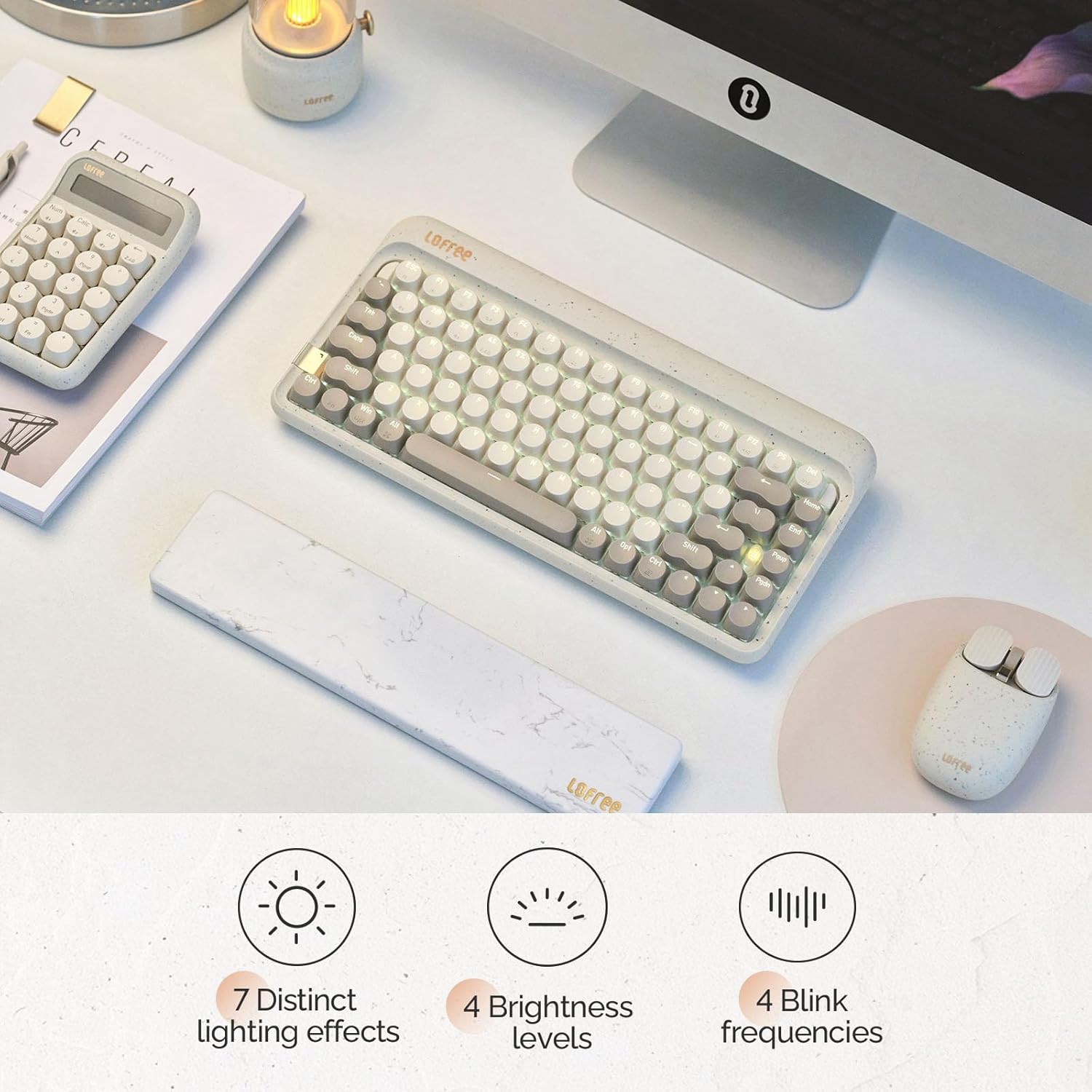
Image: The keyboard displaying its various backlighting options.
4.2. Marble Palm Rest
The included Marble Palm Rest provides ergonomic support and features a natural marble texture. It is equipped with non-slip mats for stability during use.

Image: The marble palm rest showing its non-slip mats.

Image: Close-up of the marble palm rest highlighting its natural texture.
4.3. Swiċċijiet li jistgħu jinbidlu bis-sħana
The LOFREE Zero ARTZ keyboard features hot-swappable switches, allowing users to easily change switches without soldering. This enables customization of typing feel and sound.
Video: Demonstrates the hot-swappable feature of the keyboard, showing how switches can be easily removed and replaced.
Vidjo: Preċedenza qasiraview wirjaasing the hot-swappable switches and customizable keycaps.
5. Manutenzjoni
To keep your keyboard in optimal condition:
- Use the provided cleaning brush to remove dust and debris from between the keycaps regularly.
- For deeper cleaning, carefully remove keycaps using a keycap puller (not included) and clean the switches and plate.
- Evita li tesponi t-tastiera għal likwidi jew temperaturi estremi.
6 Issolvi l-problemi
- It-tastiera ma tirrispondix:
- Ensure the keyboard is powered ON.
- Check the connection mode (WLS/CAB) and ensure it matches your connection type.
- For Bluetooth, try re-pairing the device.
- For wired, try a different USB port or cable.
- Id-dawl ta' wara mhux qed jaħdem:
- Kun żgur li t-tastiera hija ċċarġjata.
- Try adjusting brightness levels using Fn + Vleġġa tax-Xellug/Lemin.
- Iċ-ċwievet mhux qed jirreġistraw:
- Ensure the OS switch is set correctly for your operating system.
- If a specific key is not working, it might be a faulty switch. Utilize the hot-swappable feature to replace it.
7. Speċifikazzjonijiet
| Karatteristika | Dettall |
|---|---|
| Brand | LOFREE |
| Mudell | Zero ARTZ |
| Tip ta' Tastiera | 75% Mechanical |
| Tip ta' Swiċċ | Linear (Hot-swappable) |
| Konnettività | Bluetooth, Wired (USB-C) |
| Apparati Kompatibbli | Android, Laptop, Mac, PC, Smartphone, Tablet |
| Sistemi Operattivi | MacOS, iOS, Windows, Android |
| Sors tal-Enerġija | Mħaddma bil-batterija |
| Karatteristika Speċjali | Ergonomic Marble Palm Rest |
8. Garanzija u Appoġġ
Your LOFREE Zero ARTZ Mechanical Keyboard comes with a manufacturer's warranty. Please refer to the included Warranty Card for details regarding coverage, terms, and conditions.
For technical support or customer service, please visit the official LOFREE website or contact their customer support channels as listed on the product packaging or warranty card.


