1. Introduzzjoni
Thank you for choosing the LOFREE Zero ARTZ Mechanical Keyboard and Terrazzo Mouse combo. This manual provides essential information for setting up, operating, and maintaining your new devices. The Zero ARTZ keyboard features a 75% layout, hot-swappable switches, and versatile connectivity options including Bluetooth, 2.4GHz wireless, and USB-C. The accompanying Terrazzo Mouse offers dual-mode connectivity and adjustable DPI settings for enhanced productivity.

Image: The LOFREE Terrazzo Mouse, featuring its unique speckled design.
2. Kontenut tal-Pakkett
Jekk jogħġbok kun żgur li l-oġġetti kollha huma preżenti fil-pakkett tiegħek:
- LOFREE Zero ARTZ Mechanical Keyboard
- LOFREE Terrazzo Mouse
- USB-C għal USB-A Cable
- Riċevitur Wireless 2.4GHz
- Keycap Puller (għal swiċċijiet li jistgħu jinbidlu bis-sħana)
- Switch Puller (għal swiċċijiet li jistgħu jinbidlu bis-sħana)
- Manwal għall-Utent (dan id-dokument)
3. Setup
3.1 Iċċarġjar tal-Apparati
Both the keyboard and mouse are equipped with rechargeable batteries. Before first use, it is recommended to fully charge both devices.
- Connect the provided USB-C cable to the charging port on the keyboard and mouse.
- Qabbad it-tarf l-ieħor tal-kejbil USB-C ma' adapter tal-enerġija USB (mhux inkluż) jew mal-port USB tal-kompjuter.
- Id-dawl indikatur tal-iċċarġjar jixgħel waqt l-iċċarġjar u jintefa jew jibdel il-kulur meta jkun iċċarġjat kompletament.
3.2 Keyboard Connectivity
The Zero ARTZ keyboard supports three connection modes: Bluetooth, 2.4GHz Wireless, and USB-C wired.
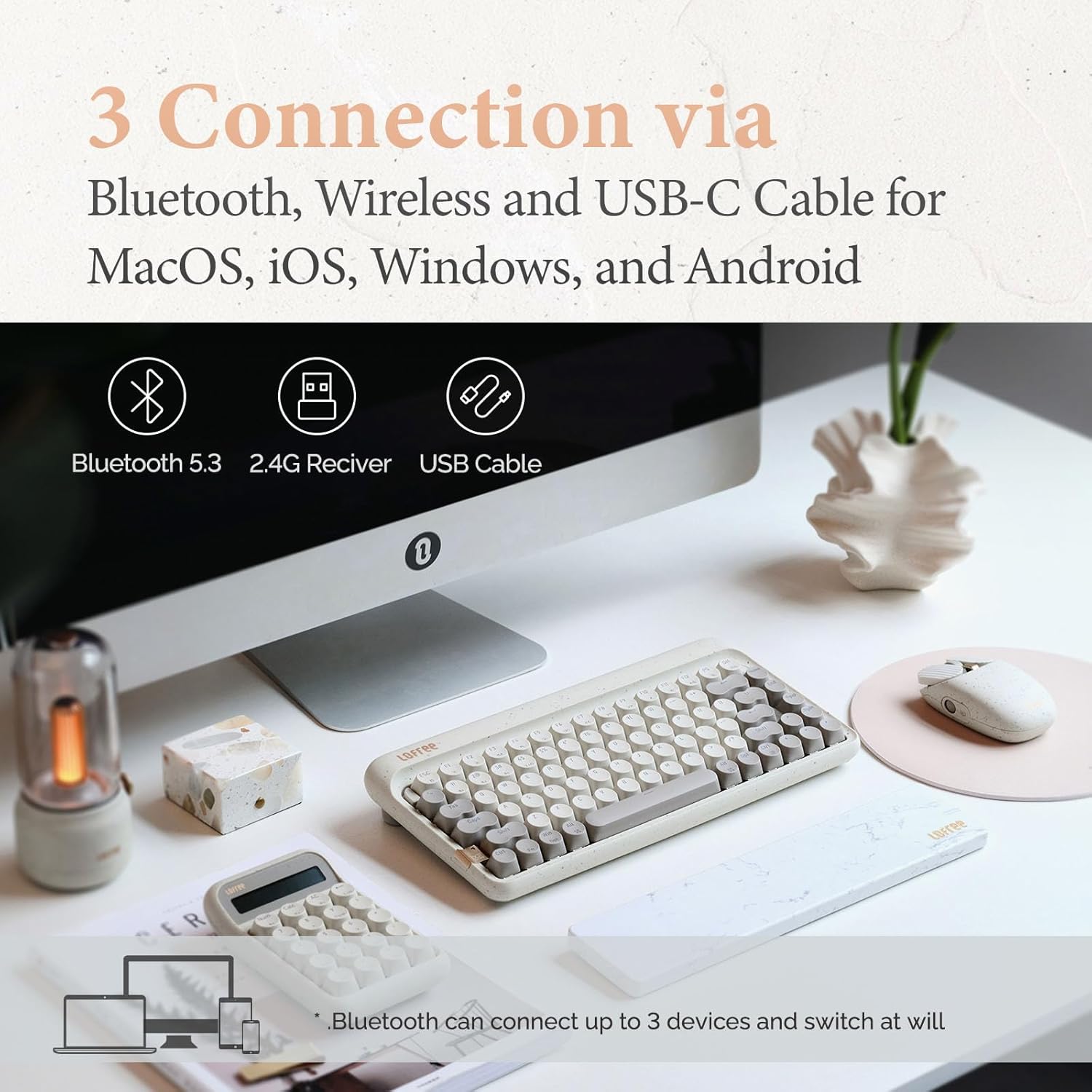
Image: Illustration showing the three connection methods: Bluetooth 5.3, 2.4G Receiver, and USB Cable, compatible with MacOS, iOS, Windows, and Android.
3.2.1 Konnessjoni Bluetooth
- Locate the mode switch on the keyboard and set it to 'BT' (Bluetooth).
- Agħfas u żomm fn+1, fn+2, jew fn+3 for 3-5 seconds until the indicator light flashes rapidly, indicating pairing mode. The keyboard can store up to three Bluetooth devices.
- On your device (computer, tablet, smartphone), enable Bluetooth and search for 'LOFREE Zero ARTZ'.
- Agħżel it-tastiera biex tqabbadha. Id-dawl indikatur jieqaf iteptep ladarba tkun imqabbda.
- Biex taqleb bejn apparati Bluetooth imqabbdin, agħfas fn+1, fn+2, jew fn+3 fil-qosor.
Konnessjoni bla fili 3.2.2 2.4GHz
- Locate the mode switch on the keyboard and set it to '2.4G'.
- Insert the 2.4GHz wireless receiver into an available USB port on your computer.
- The keyboard should automatically connect. If not, press fn+4 biex tibda tqabbil.
3.2.3 Konnessjoni bil-Wajer USB-C
- Locate the mode switch on the keyboard and set it to 'USB'.
- Qabbad il-kejbil USB-C provdut mit-tastiera mal-port USB tal-kompjuter tiegħek.
- The keyboard will be recognized as a standard USB device and is ready for use.
3.3 Mouse Connectivity
The Terrazzo Mouse supports dual-mode connection: Bluetooth and 2.4GHz Wireless.
3.3.1 Konnessjoni Bluetooth
- Locate the mode switch on the bottom of the mouse and set it to 'BT'.
- Press and hold the Bluetooth pairing button (usually near the mode switch) for 3-5 seconds until the indicator light flashes.
- On your device, enable Bluetooth and search for 'LOFREE Terrazzo Mouse'.
- Select the mouse to pair. The indicator light will stop flashing once connected.
- The mouse can connect to 2 devices simultaneously. Use the pairing button to switch between them.
Konnessjoni bla fili 3.3.2 2.4GHz
- Locate the mode switch on the bottom of the mouse and set it to '2.4G'.
- Insert the 2.4GHz wireless receiver into an available USB port on your computer.
- Il-maws għandu jikkonnettja awtomatikament.
4. Istruzzjonijiet Operattivi
4.1 Funzjonijiet tat-Tastiera
The Zero ARTZ keyboard is designed for optimal typing experience with a gasket mount structure and 1000Hz polling rate.

Immaġni: Splodiet view of the LOFREE keyboard showing the Gasket Mount, Keycaps, Switches, Gasket Pad, Poron, PCBA IXPE Foam, EVA Foam, EVA Pad, Upper Case, and Bottom Case layers.
4.1.1 Kombinazzjonijiet ta' Tasti tal-Funzjoni (Fn)
Uża l- Fn key in combination with other keys to access special functions:
- Fn + 1/2/3: Switch between Bluetooth devices.
- fn+4: Activate 2.4GHz wireless pairing.
- Fn + Q/W/E/R: (Specific to some models) Switch between operating system layouts (e.g., Mac/Windows). Refer to the keycap legends for specific OS modes.
- Fn+F1-F12: Multimedia and system control keys (e.g., volume, playback, screen brightness). The specific functions are indicated by icons on the keycaps.
4.1.2 Kompatibilità tas-Sistema Operattiva
The keyboard is compatible with MacOS, iOS, Windows, and Android. Ensure the correct operating system mode is selected if available, typically via a switch or Fn key combination, to ensure proper key mapping.

Image: A user typing on the LOFREE keyboard, highlighting the 1000Hz Polling Rate for responsive input.
4.2 Funzjonijiet tal-Maws
The Terrazzo Mouse features an ergonomic design and adjustable sensitivity.

Image: A hand comfortably resting on the LOFREE Terrazzo Mouse, demonstrating its ergonomic design.
4.2.1 Aġġustament DPI
The mouse offers 5 adjustable DPI levels to suit different preferences and tasks. Press the DPI button (usually located on the top or bottom of the mouse) to cycle through the available DPI settings. The indicator light may change color or flash to indicate the current DPI level.
4.2.2 Thumb Wheel and Button
The mouse includes a thumb wheel and an additional button for multi-gesture use, enhancing navigation and productivity. Refer to your operating system's mouse settings for customization options.
5. Manutenzjoni
5.1 Tindif
To maintain the appearance and functionality of your devices:
- Uża drapp artab, niexef u mingħajr suf biex timsaħ l-uċuħ tat-tastiera u l-maws.
- Għal ħmieġ iebes, neħħi ftitampLaħlaħ id-drapp bl-ilma jew b'tindif ħafif u mhux abrażiv. Evita umdità eċċessiva.
- To clean between keycaps, use compressed air or a small brush.
5.2 Swiċċijiet li jistgħu jinbidlu bis-sħana
The Zero ARTZ keyboard features hot-swappable switches, allowing for easy replacement without soldering.
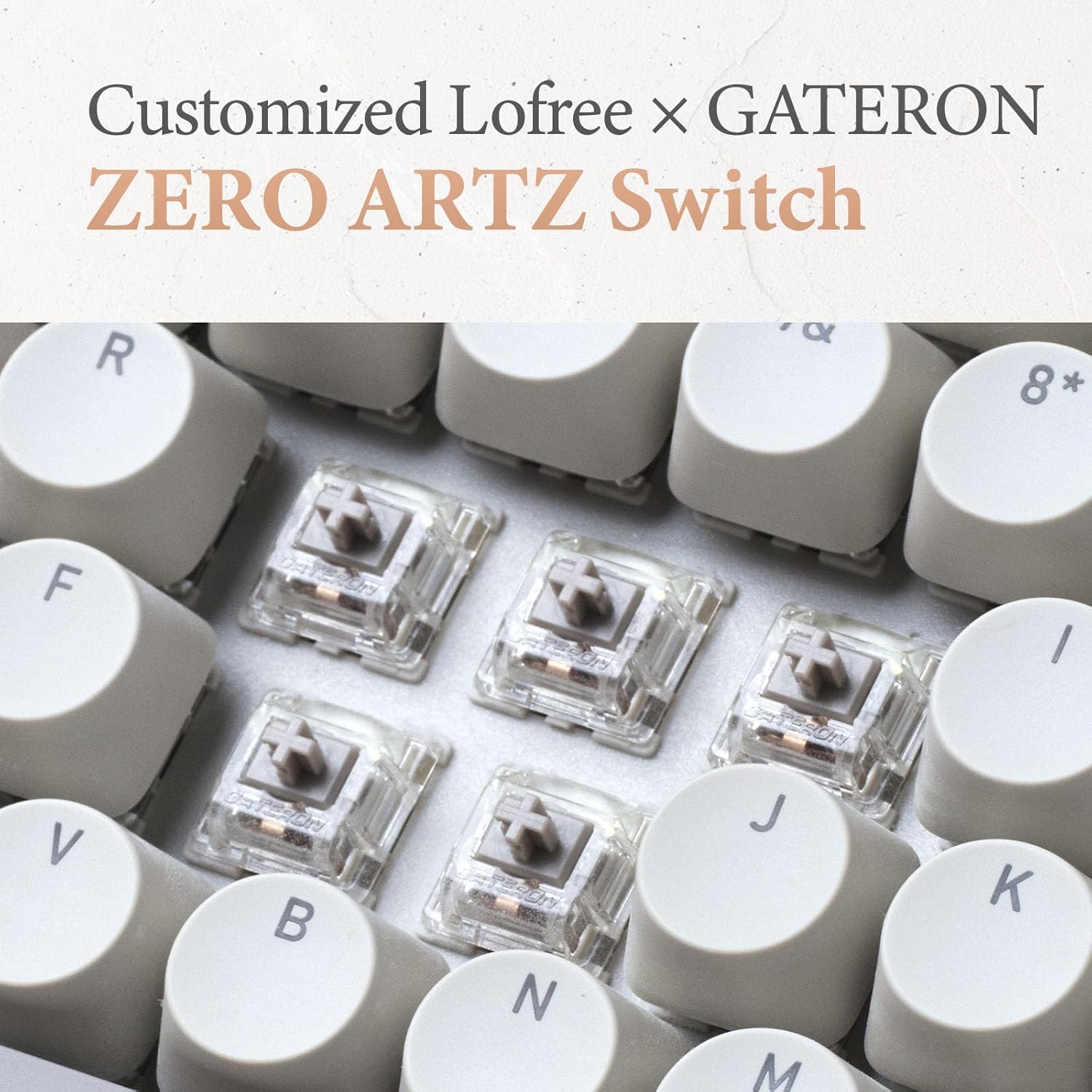
Image: Close-up of the customized LOFREE x GATERON ZERO ARTZ switches installed in the keyboard.
- Uża l-puller tal-keycap provdut biex tneħħi bir-reqqa l-keycap mixtieq.
- Use the provided switch puller to gently grip the switch from its top and bottom clips, then pull it straight up to remove.
- Align the pins of the new switch with the holes on the PCB and press it down firmly until it clicks into place. Ensure the pins are not bent.
- Ibdel il-għatu taċ-ċwievet.
5.3 Kura tal-Batterija
Biex ittawwal il-ħajja tal-batterija:
- Evita li tiċċarġja l-batterija kompletament ta' spiss.
- Aħżen l-apparati f'post frisk u niexef meta ma jkunux qed jintużaw għal perjodi twal.
- Recharge the devices when the low battery indicator appears. The mouse has an approximate 50-day battery life on a single charge, depending on usage.
6 Issolvi l-problemi
6.1 Kwistjonijiet ta' Konnettività
- Apparat mhux qed jikkonnettja permezz tal-Bluetooth: Ensure the keyboard/mouse is in pairing mode. Check your device's Bluetooth settings and try re-pairing. Ensure no other devices are interfering.
- 2.4GHz wireless not working: Ensure the 2.4GHz receiver is securely plugged into a USB port. Try a different USB port. Ensure the keyboard/mouse is set to 2.4G mode.
- Wired connection issues: Ensure the USB-C cable is properly connected to both the keyboard and the computer. Try a different USB-C cable or port.
6.2 Keyboard/Mouse Not Responding
- Iċċekkja l-livelli tal-batterija u recharge jekk meħtieġ.
- Ensure the correct connection mode (Bluetooth, 2.4G, USB) is selected on the device.
- Erġa' ibda l-kompjuter jew l-apparat tiegħek.
- For the keyboard, ensure the correct operating system mode (Mac/Windows) is selected.
6.3 DPI Adjustment Not Working (Mouse)
- Kun żgur li l-maws huwa mixgħul u konness.
- Press the DPI button firmly. If there's no visual indicator, try moving the mouse after each press to feel the change in sensitivity.
7. Speċifikazzjonijiet
| Karatteristika | Dettall |
|---|---|
| Brand | LOFREE |
| Mudell | Zero ARTZ |
| Layout tat-Tastiera | 75% QWERTY |
| Teknoloġija tal-Konnettività | Bluetooth 5.3, Wireless 2.4GHz, USB-C bil-wajer |
| Apparati Kompatibbli | Laptop, Personal Computer, Smartphone, Tablet (Windows, Mac OS, iOS, Android) |
| Sors tal-Enerġija | Li jaħdem bil-batterija (rikarikabbli) |
| Keyboard Polling Rate | 1000Hz |
| Swiċċijiet tat-Tastiera | Customized LOFREE x GATERON ZERO ARTZ (Linear) |
| Keycaps tat-Tastiera | Dual Color PBT |
| Livelli tad-DPI tal-Maws | 5 Livelli Aġġustabbli |
| Ħajja tal-Batterija tal-Maws | Approx. 50 days (depending on usage) |
| ASIN | B0DKJB48FR |
| Data L-Ewwel Disponibbli | 22 ta’ Ottubru, 2024 |
8. Garanzija u Appoġġ
LOFREE products are covered by a limited warranty. For detailed warranty information, please refer to the warranty card included with your product or visit the official LOFREE website. If you encounter any issues or require technical assistance, please contact LOFREE customer support through their official channels.
- Official LOFREE Websit: www.lofree.co
- Email ta 'Appoġġ lill-Klijent: Irreferi għall-imballaġġ tal-prodott jew websit għal informazzjoni ta' kuntatt attwali.


