Introduzzjoni
The Anlapus C518 Home Security Indoor Camera provides comprehensive surveillance for your indoor spaces. Designed for ease of use and robust performance, this camera offers a 360° panoramic view, intelligent motion detection with auto-tracking, clear 1080p HD video, and two-way audio communication. It supports both 2.4GHz and 5GHz WiFi for stable connectivity and offers flexible local storage options. This manual provides detailed instructions for setting up, operating, and maintaining your Anlapus C518 camera.
Kontenut tal-Pakkett
Jekk jogħġbok ivverifika li l-oġġetti kollha huma preżenti fil-pakkett tiegħek:
- 2 x Anlapus C518 WiFi Camera
- 2 x Adapter tal-Enerġija tal-Kamera
- 2 x Camera Dock
- 2 x Borża tal-Invita tal-Immuntar
- 2 x Mudell ta 'Immuntar
- 1 x Gwida Quick Start

Figure 1: Contents included in the Anlapus C518 2-Pack.
Karatteristiċi tal-Prodott
360° Pan/Tilt View & Auto-Tracking
The Anlapus C518 camera offers a full 360° panoramic view, eliminating blind spots in your monitoring area. Its auto-tracking function allows the camera to automatically follow moving subjects, ensuring continuous coverage of important events.

Figure 2: The camera provides a 360-degree all-round view tad-dar tiegħek.

Figure 3: Smart auto-tracking feature keeps an eye on moving subjects.
Motion Detection & Alarm Push
Equipped with intelligent motion detection, the camera identifies movement within its field of view and sends instant push notifications to your Anlapus Smart app, keeping you informed of any activity.
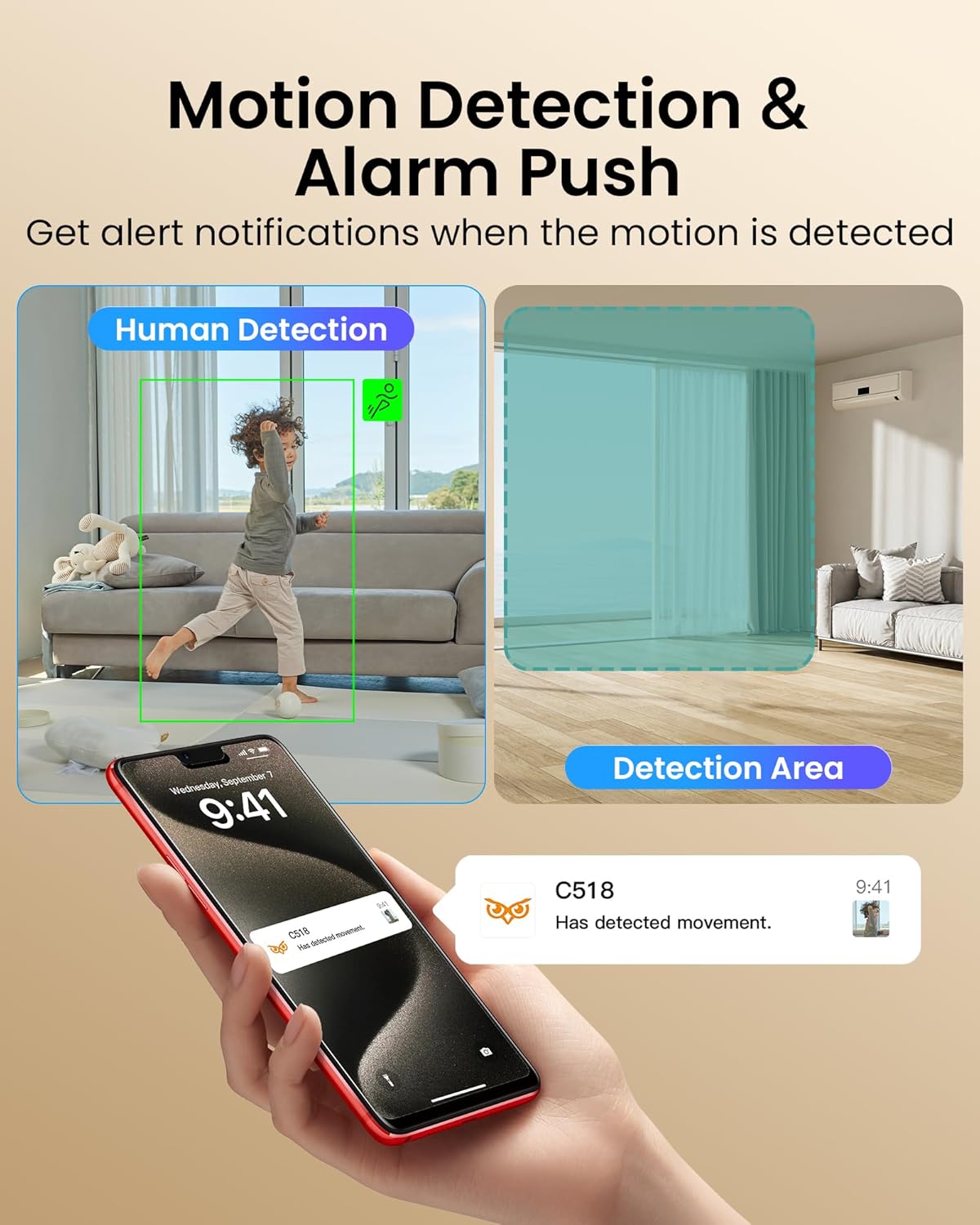
Figure 4: Motion detection sends alerts to your smartphone when movement is detected.
1080p HD Resolution & Clear Night Vision
Experience sharp 1080p HD live streaming and recordings. The built-in infrared night vision provides clear footage up to 10 meters (33 feet) even in complete darkness, ensuring 24/7 security.

Figure 5: Enhanced night vision allows clear viewing up to 33 feet in low light conditions.
Two-Way Audio & Easy Gesture Calling
Communicate in real-time using the camera's built-in microphone and speaker. The unique "Gesture Call" feature allows users to initiate a call by making an "OK" gesture, or by pressing the one-touch call button on the camera.

Figure 6: The camera supports easy call initiation via gesture or button press.

Figure 7: Clear two-way audio enables communication with family members.
2.4GHz/5GHz WiFi Connectivity & Remote Access
The camera supports stable dual-band WiFi connectivity, allowing seamless remote monitoring and access to live footage, alerts, and settings via the Anlapus Smart app from anywhere.
Ħażna Flessibbli
Video footage can be stored locally on a micro SD card (up to 256GB, not included), ensuring your recordings are safe and accessible even if the camera is tampered ma.
Vidjo Uffiċjali tal-Prodott
Video 1: Anlapus 2MP Pan/Tilt Indoor C518 camera overview, demonstrating key features like 360-degree view, press-to-call, person detection, two-way audio, night vision, and local storage.
Gwida ta' Setup
- Qawwa Mixgħul: Connect the camera to the power adapter and plug it into a power outlet. The camera will power on and initiate its startup sequence.
- Niżżel l-App: Download the "Anlapus Smart" app from your device's app store (available for iOS and Android).
- Oħloq Kont: Iftaħ l-app u rreġistra għal kont ġdid jew idħol jekk diġà għandek wieħed.
- Żid Apparat: Follow the in-app instructions to add your Anlapus C518 camera. This typically involves scanning a QR code on the camera or manually selecting the device type and connecting to your WiFi network (supports 2.4GHz and 5GHz).
- Immuntar (Mhux obbligatorju): If desired, use the included mounting screws and template to securely mount the camera to a wall or ceiling. Ensure the camera has a clear line of sight to the desired monitoring area.
Istruzzjonijiet Operattivi
- Live View: Open the Anlapus Smart app and select your camera to view l-għalf ħaj.
- Kontroll tal-Pan/Tilt: Use the directional controls within the app to remotely pan (horizontal) and tilt (vertical) the camera lens to adjust the viewangolu tal-ing.
- Awdjo f'żewġ direzzjonijiet: Tap the microphone icon in the app to speak through the camera's speaker. Tap again to end. To receive audio, ensure the speaker icon is enabled.
- Gesture/One-Touch Call: Instruct family members to make an "OK" gesture in front of the camera or press the call button on the camera to initiate a call to your app.
- Twissijiet ta' Sejbien ta' Moviment: Configure motion detection sensitivity and alert settings in the app. You will receive push notifications when motion is detected.
- Viżjoni bil-lejl: Il-kamera taqleb awtomatikament għall-modalità tal-viżjoni bil-lejl f'kundizzjonijiet ta' dawl baxx.
- Ħażna Lokali: Insert a micro SD card (up to 256GB, not included) into the camera's SD card slot for continuous recording or event-triggered recording. Access recordings via the app's playback feature.
Manutenzjoni
- Tindif: Uża drapp artab u niexef biex tnaddaf il-lenti u l-qafas tal-kamera. Tużax prodotti tat-tindif likwidi jew aerosols.
- Aġġornamenti tal-Firmware: Regularly check the Anlapus Smart app for available firmware updates to ensure optimal performance and security.
- Pjazzament: Evita li tpoġġi l-kamera fid-dawl tax-xemx dirett, ħdejn sorsi ta’ sħana, jew f’żoni b’umdità għolja.
Issolvi l-problemi
| Problema | Soluzzjoni |
|---|---|
| Kamera offline | Check WiFi connection, ensure camera is powered on, and restart the camera if necessary. Verify router settings for 2.4GHz/5GHz compatibility. |
| Ebda twissijiet ta 'skoperta ta' moviment | Adjust motion detection sensitivity in the app. Ensure detection area is properly configured. Check app notification settings on your phone. |
| Kwalità fqira tal-vidjo | Ensure strong WiFi signal. Switch to HD mode in the app if currently in SD. Clean the camera lens. |
| Awdjo two-way mhux jaħdem | Check microphone and speaker settings in the app. Ensure volume is not muted on either end. |
| Il-karta SD mhux qed tirrekordja | Ensure SD card is inserted correctly and is not full. Format the SD card via the app. Check recording settings (continuous vs. event-triggered). |
Speċifikazzjonijiet
- Mudell: C518
- Użu fuq ġewwa/barra: Ġewwa
- Riżoluzzjoni tal-Qbid tal-Vidjo: 1080p
- Protokoll tal-Konnettività: Wi-Fi (2.4GHz/5GHz)
- Karatteristika Speċjali: Night Vision, Motion Detection, Two-Way Audio, Pan/Tilt, Auto-Tracking, One-Touch Call
- Sors tal-Enerġija: Corded Elettriku
- Tip ta 'Immuntar: Tabletop Mount (Wall/Ceiling mountable with included accessories)
- Dimensjonijiet tal-oġġett (L x W x H): 4 x 4 x 7 pulzieri
- Piż tal-oġġett: 1.74 liri
- Appoġġ Massimu tal-Karta SD: 256GB (mhux inkluż)
Garanzija u Appoġġ
Anlapus is committed to providing high-quality products and hassle-free support. For any questions, technical assistance, or warranty inquiries, please refer to the contact information provided in your Quick Start Guide or visit the official Anlapus websit għal riżorsi ta' appoġġ.
All video data is encrypted end-to-end using 2048-bit RSA, 128-bit AES-GCM, and TLS protocols to ensure maximum security and privacy.