1. Introduzzjoni
Thank you for choosing the Donner MT-1 Portable PA System. This powerful and versatile sound amplifier is designed for both indoor and outdoor use, offering exceptional audio quality and portability. With its robust features, including multiple input options, long battery life, and app control, the MT-1 is ideal for musicians, presenters, and anyone needing a reliable portable sound solution. Please read this manual thoroughly to understand the product's functions and ensure safe and optimal operation.
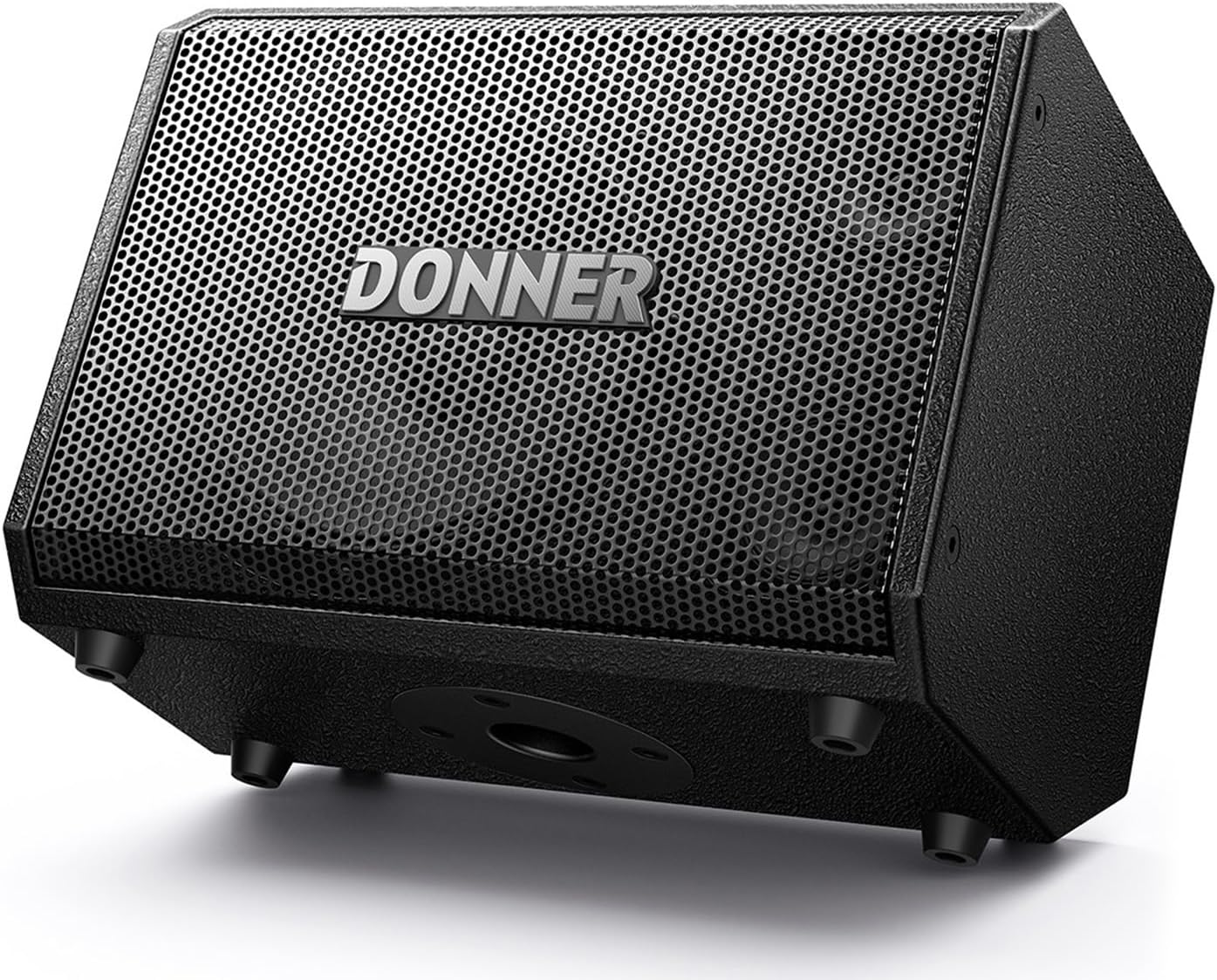
Figure 1: Donner MT-1 Portable PA System
2. Karatteristiċi ewlenin
- Ħruġ ta' Enerġija Għolja: Provides 300W peak power and 80W RMS, ensuring loud and clear sound output for various environments.
- Premium Speaker Configuration: Equipped with two 2.5-inch trebles and an 8-inch woofer for balanced and rich audio reproduction.
- Disinn portabbli: Weighs only 8.5kg (18.04 lbs) and features an ergonomically designed concave handle for easy transport.
- Konnettività versatili: Supports Bluetooth 5.0 for stable wireless connections up to 30ft/10M, along with TRS 6.35mm, USB, 2 Mic-in, AUX, and Type-C OTG inputs for broad compatibility with smartphones, tablets, laptops, PCs, and microphones.
- Għażliet ta' Enerġija Doppju: Can be powered by DC or its built-in rechargeable battery, offering 4-6 hours of playing time on a full charge, suitable for both indoor and outdoor use.
- Pożizzjonament Flessibbli: Features three positioning modes (mounted on stand, horizontally, or vertically) with Auto EQ to optimize sound performance in any orientation.
- Kontroll mill-Bogħod tal-App: Control various settings including volume, EQ, Reverb, and Echo directly through the dedicated Donner MT-1 APP.

Figure 2: Speaker Components - Two 2.5" Treble Speakers and an 8" Woofer

Figure 3: Control Panel with Multiple Input Options
3. Gwida ta' Setup
3.1 Tneħħija tal-kaxxa u Spezzjoni Inizjali
Neħħi l-komponenti kollha mill-imballaġġ bir-reqqa. Kun żgur li l-oġġetti li ġejjin huma preżenti:
- Donner MT-1 PA System
- Adapter AC
- Cable (likely power cable)
Inspect the unit for any signs of damage during transit. If any damage is found, contact customer support immediately.
3.2 Ixgħel u Iċċarġja
- Qawwa AC: Connect the supplied AC adapter to the "CHARGE INPUT" port on the MT-1 and then to a standard power outlet.
- Qawwa tal-batterija: The MT-1 comes with a built-in rechargeable battery. For first use, it is recommended to fully charge the battery. The "RED CHARGE GREEN FULL" indicator light will show charging status.
- Agħfas il- QAWWA buttuna biex tixgħel l-unità.

Figure 4: MT-1 in use, highlighting 4-6 hours battery life
3.3 Konnessjoni ta' Sorsi tal-Awdjo
The MT-1 offers a variety of input options:
- Microphone/Guitar Inputs (MIC 1 / MIC 2 GUITAR): Use TRS 6.35mm or XLR cables to connect microphones or instruments. MIC 2 also supports High-Z input for guitars and +48V phantom power for condenser microphones.
- Input AUX: Connect external audio devices (e.g., smartphones, MP3 players) using a 3.5mm AUX cable.
- Input USB: Daħħal USB drive bl-awdjo files għal daqq dirett.
- Type-C OTG / LIVE: For live streaming and recording directly from compatible devices.
- Bluetooth (BT): Għal streaming tal-awdjo mingħajr fili minn apparati li jaħdmu bil-Bluetooth.
4. Istruzzjonijiet Operattivi
4.1 Control Panel Overview
Familiarize yourself with the control panel (refer to Figure 3). Key controls include:
- Buttuni tal-Volum: Independent volume control for MIC 1, MIC 2/Guitar, and Master Volume.
- Kontrolli EQ: Bass, Mid, and Treble knobs for each input channel to shape your sound.
- Effect Knobs: Individual effect level control for each channel.
- Reverb + Echo: Master controls for built-in reverb and echo effects.
- Kontrolli tal-Volum tal-Mużika: Playback controls for Bluetooth/USB audio (play/pause, skip tracks).
- Soppressjoni ta' Feedback: Button to activate feedback reduction.
- BT Reset / Mute / System Reset: Utility buttons for various functions.
4.2 Tqabbil tal-Bluetooth
- Ensure the MT-1 is powered on.
- Attiva l-Bluetooth fuq l-apparat tiegħek (smartphone, tablet, eċċ.).
- On your device, search for "Donner MT-1" in the Bluetooth settings and select it to pair.
- Ħoss ta' konferma jindika tqabbil b'suċċess.
4.3 Using the Donner MT-1 APP
Download the official Donner MT-1 APP from your device's app store. The app allows for comprehensive remote control of the PA system, including:
- Adjusting individual channel volumes.
- Fine-tuning EQ settings.
- Controlling Reverb and Echo effects.
- Accessing additional features and settings.

Figure 5: Remote Control via Donner MT-1 App
4.4 Positioning Options
The MT-1 is designed for flexible placement with Auto EQ to ensure optimal sound:
- On a Stand: Utilize the integrated pole mount for elevated sound projection.
- Vertically on a Table: Place upright for a focused sound field.
- Monitor Mode (Tilted Back): Lay the unit on its side, tilted back, for use as a stagtissorvelja.

Figure 6: Three Positioning Options for the MT-1
5. Manutenzjoni
- Tindif: Uża drapp artab u niexef biex tnaddaf il-barra tal-unità. Tużax prodotti tat-tindif jew solventi li joborxu.
- Ħażna: When not in use for extended periods, store the MT-1 in a cool, dry place away from direct sunlight and extreme temperatures.
- Kura tal-batterija: Biex ittawwal il-ħajja tal-batterija, evita li tiċċarġja kompletament il-batterija ta' spiss. Erġa' ċċarġja l-unità regolarment, anke jekk ma tkunx qed tużaha kontinwament.
- Ventilazzjoni: Kun żgur li jkun hemm ventilazzjoni xierqa madwar l-unità waqt it-tħaddim biex tevita li tissaħħan iżżejjed.
6 Issolvi l-problemi
| Problema | Kawża Possibbli | Soluzzjoni |
|---|---|---|
| Ebda output tal-ħoss. | Volume too low; incorrect input selected; cable issue; device not connected. | Increase Master Volume and individual channel volumes. Check input connections and ensure the source device is playing. Verify Bluetooth connection. |
| Il-Bluetooth mhux qed jikkonnettja. | Device too far; interference; pairing mode not active. | Ensure device is within 10M (30ft) range. Press the "BT RESET" button on the MT-1. Turn Bluetooth off/on on your device and try pairing again. |
| Il-batterija mhix qed tiċċarġja. | AC adapter not properly connected; faulty adapter/cable. | Check all power connections. Ensure the power outlet is functional. Try a different power outlet. If issues persist, contact support. |
| Sound distortion/feedback. | Volume too high; microphone too close to speaker; improper EQ settings. | Reduce volume. Reposition microphone. Activate "FEEDBACK SUPPRESSION". Adjust EQ settings. |
7. Speċifikazzjonijiet
| Karatteristika | Dettall |
|---|---|
| Mudell | MT-1 |
| Qawwa tal-Ħruġ | 300W Peak / 80W RMS |
| Woofer | 8 pulzieri |
| Treble Speakers | Żewġ pulzieri ta' 2.5 |
| Rispons ta' Frekwenza | 30Hz - 20kHz |
| Konnettività | Bluetooth 5.0, TRS 6.35mm, USB, AUX, Type-C OTG |
| Medda Bluetooth | Sa 10 metri (30 pied) |
| Tip ta 'batterija | 12V 5500mAh Rechargeable Battery (included) |
| Ħajja tal-batterija | 4-6 sigħat (madwar) |
| Input tal-Enerġija | 18V DC 2A |
| Piż tal-oġġett | 8.2 kg (18.04 lbs) |
| Dimensjonijiet tal-Prodott (L x W x H) | 34.5 x 23.3 x 26 ċm (13.58 x 9.17 x 10.24 pulzieri) |
| Materjal | Injam |
| Kulur | Iswed |
| Tip ta 'Immuntar | Tabletop (also supports pole mount) |
8. Garanzija u Appoġġ
Donner provides a warranty for this product against defects in materials and workmanship under normal use. For detailed warranty information, product registration, or technical support, please visit the official Donner webis-sit jew ikkuntattja s-servizz tal-konsumatur tagħhom. Żomm l-irċevuta tax-xiri tiegħek bħala prova tax-xiri għal talbiet ta' garanzija.
Għal aktar għajnuna, tista' żżur il- Ħanut Donner fuq Amazon.


