1. Introduzzjoni
Welcome to the user manual for your Ulefone Armor 27 Rugged Smartphone. This device is engineered for durability and high performance, featuring a robust design, a powerful 10600mAh battery, advanced camera systems including night vision, and the latest Android 14 operating system. This manual provides essential information for setting up, operating, maintaining, and troubleshooting your device.

Figure 1.1: Ulefone Armor 27 Rugged Smartphone
The Ulefone Armor 27 is designed to withstand challenging environments, boasting IP68/IP69K water and dust resistance, and MIL-STD-810H shockproof certification. Its large battery ensures extended usage, while the MediaTek Helio G99 processor provides smooth performance for daily tasks and gaming.
2. X'hemm fil-Kaxxa
Meta tiftaħ il-kaxxa tal-Ulefone Armor 27 tiegħek, jekk jogħġbok ivverifika li l-oġġetti kollha li ġejjin huma inklużi:
- 1 x Ulefone Armor 27 Smartphone
- 1 x AC Power Charger (100~240V)
- 1 x Kejbil tad-Data tat-Tip-Ċ għal tat-Tip-Ċ (100cm)
- 1 x Screen Protector (Pre-installed)
- 1 x Protettur tal-iskrin tal-ħġieġ ittemprat
- 1 x Ejector tat-Trej tas-SIM
- 1 x Lanyard
- 1 x Multi-language User Manual (this document)
- 1 x Multi Function Instruction Card
- 1 x Charging Instruction Card
- 1 x Safety Prompt Card
- 1 x Accessories Ecosystem Brochure
- 1 x Service Center APP Instructions
- 1 x Thermal Imaging User Manual (if applicable)

Figura 2.1: Kontenut tal-Pakkett
3. Gwida ta' Setup
3.1 Installazzjoni tal-Karta SIM u l-MicroSD
The Ulefone Armor 27 supports dual Nano SIM cards and a microSD card for expandable storage. Locate the SIM tray on the side of the device. Use the provided SIM tray ejector tool to open the tray. Carefully place your Nano SIM cards and/or microSD card into the designated slots, ensuring correct orientation. Close the tray securely to maintain the device's water and dust resistance.
3.2 Iċċarġjar inizjali
Before first use, it is recommended to fully charge your Ulefone Armor 27. Connect the provided Type-C cable to the phone's charging port and the AC power charger to a wall outlet. The device supports 33W fast charging. For convenience, it also supports 30W Qi wireless charging. Simply place the phone on a compatible wireless charging pad. The 10600mAh battery provides extended standby and talk times.
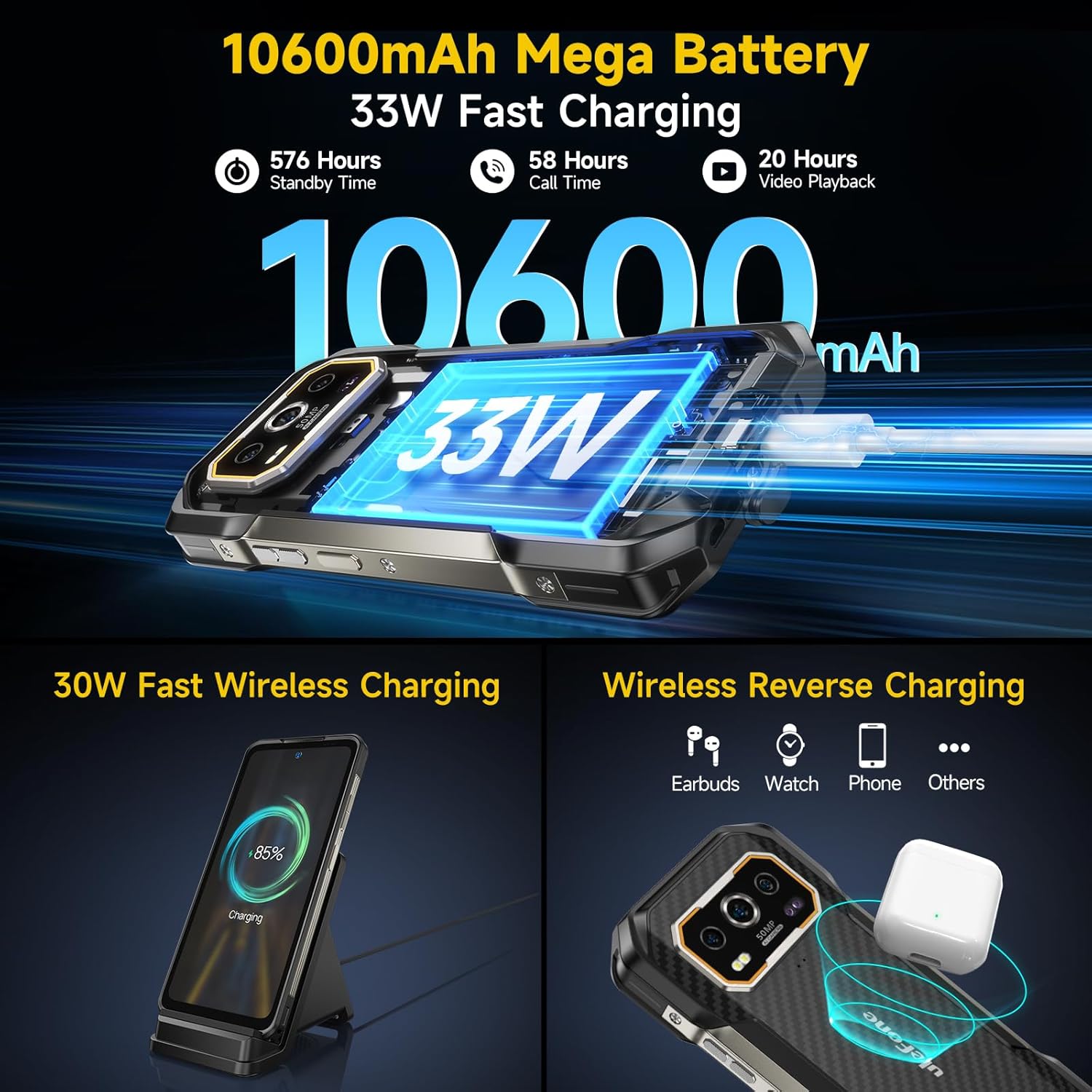
Figure 3.1: Battery and Charging Capabilities
3.3 Tixgħel/Jitfi
To power on your device, press and hold the Power button (located on the side) until the Ulefone logo appears. To power off, press and hold the Power button, then select 'Power off' from the options that appear on the screen.
4. Tħaddim tat-Tagħmir Tiegħek
4.1 Wiri u Navigazzjoni
The Ulefone Armor 27 features a 6.78-inch FHD+ display with a 120Hz refresh rate, offering a smooth and immersive visual experience. The screen is protected by Corning Gorilla Glass Victus, providing enhanced durability against scratches and drops.

Figure 4.1: High-Refresh-Rate Display
4.2 Karatteristiċi tal-Kamera
Aqbad ritratti u vidjows tal-għaġeb bis-sistema versatili tal-kamera:
- Kamera Prinċipali ta' 50MP: Equipped with a 1/1.31-inch ultra-large sensor for high-resolution images.
- Kamera tal-Viżjoni bil-Lejl ta' 64MP: Allows clear visibility and targeting in low-light or unlit environments.
- Kamera ta' Quddiem ta' 32MP: For sharp and detailed selfies and video calls.
- Modalità Taħt l-Ilma: Enables taking photos and videos while submerged, ideal for swimming or diving.

Figure 4.2: Advanced Camera System
4.3 Konnettività
Stay connected with various network and wireless options:
- Netwerk 4G: Supports WCDMA and LTE networks for global connectivity.
- Wi-Fi 6: Għal konnessjonijiet tal-internet mingħajr fili aktar veloċi u stabbli.
- Bluetooth 5.2: For efficient pairing with wireless accessories.
- NFC: Għal ħlasijiet mingħajr kuntatt u tqabbil rapidu ma' apparati kompatibbli.

Figura 4.3: Għażliet ta' Konnettività
4.4 Karatteristiċi Speċjali
The Ulefone Armor 27 includes several unique features for enhanced usability:
- Fingerprint ID & Face ID: Secure and convenient unlocking methods.
- Ċavetta tad-dwana: A programmable side button for quick access to frequently used functions or apps.
- IR Blaster: Ikkontrolla apparat domestiku kompatibbli.
- Radju FM: Enjoy radio without needing headphones (headset-free FM).
- Jack tal-headphones ta' 3.5mm: For traditional wired audio connections.
- GPS: Integrated GPS, GLONASS, Beidou, and Galileo for accurate navigation.
- uSmart Accessories Support: Compatible with Ulefone's uSmart connector for external accessories like endoscopes and microscopes.
- Modalità tal-Ingwanti: Enhances touch sensitivity for operation while wearing gloves.

Figure 4.4: Additional Functionalities
5. Manutenzjoni u Durabilità
The Ulefone Armor 27 is built to be highly durable, with certifications for extreme conditions:
- Klassifikazzjoni IP68/IP69K: This means the phone is dustproof and can withstand immersion in water up to 2 meters deep for 30 minutes, as well as high-pressure, high-temperature water jets.
- Ċertifikazzjoni MIL-STD-810H: Tested to military standards for shock resistance, capable of surviving drops from up to 2 meters without damage.
- Reżistenza għat-Temperatura Estrema: Designed to perform reliably in temperatures ranging from -30°C (-22°F) to 55°C (131°F).

Figure 5.1: Ruggedness and Durability
5.1 Tindif u Kura
To maintain your device's performance and appearance, wipe it regularly with a soft, damp cloth. Avoid using harsh chemicals or abrasive materials. Ensure all port covers are securely closed before exposing the phone to water or dusty environments.
6 Issolvi l-problemi
6.1 Kompatibilità tan-Netwerk
The Ulefone Armor 27 is an unlocked 4G smartphone. It is compatible with T-Mobile and supports WCDMA and LTE networks. Nota Importanti: Dan l-apparat huwa MHUX compatible with AT&T, Cricket, Metro PCS, Sprint, Boost Mobile, or Verizon networks. Please ensure your carrier supports the device's network bands before purchase.
6.2 Kwistjonijiet Komuni
- Apparat mhux Jirrispondi: If your device becomes unresponsive, press and hold the Power button for approximately 10-15 seconds to force a restart.
- Unexpected Restarts or Display Anomalies: Ensure your device's software is up to date. Check for available system updates in the Settings menu. If issues persist, a factory reset may be necessary (back up your data first).
- Kwistjonijiet ta' Iċċarġjar: Verify that the charging cable and adapter are securely connected and undamaged. Try a different outlet or charging method (wired vs. wireless) to isolate the problem.
- Sinjal/Konnettività Dgħajfa: Check your SIM card installation. Ensure you are within your carrier's supported network area. If using Wi-Fi, verify your router is functioning correctly.
For further assistance, utilize the Exclusive Service Center App pre-installed on your device. This app provides direct access to support resources and troubleshooting guides.
7. Speċifikazzjonijiet Tekniċi
| Karatteristika | Speċifikazzjoni |
|---|---|
| Isem tal-Mudell | Telefon robust Ulefone Armor 27 |
| Sistema Operattiva | Android 14 |
| Proċessur | MTK Helio G99 Octa Core 2.2Hz |
| RAM | Up to 24GB (12GB physical + 12GB virtual) |
| Ħażna Interna | 256GB |
| Ħażna espansibbli | Sa 2TB (mikroSD) |
| Daqs tal-Iskrin | 6.78 Pulzier |
| Riżoluzzjoni tal-Wiri | 1080 x 2460 FHD+ |
| Riffriskar Rata | 120Hz |
| Kamera Prinċipali | 50MP |
| Kamera tal-Viżjoni ta 'Lejl | 64MP |
| Kamera ta' Quddiem | 32MP |
| Kapaċità tal-batterija | 10600mAh |
| Iċċarġjar bil-fili | 33W Iċċarġjar Mgħaġġel |
| Iċċarġjar bla fili | 30W Qi Iċċarġjar bla Fili |
| Reżistenza għall-Ilma/Trab | IP68/IP69K |
| Reżistenza għax-xokk | MIL-STD-810H (2m drop) |
| Konnettività | 4G LTE, Wi-Fi 6, Bluetooth 5.2, NFC |
| Awdjo Jack | 3.5 mm |
| Piż tal-oġġett | 1.81 liri (madwar 821g) |
| Dimensjonijiet | 7.83 x 4.29 x 2.83 pulzieri (Pakkett) |
8. Garanzija u Appoġġ
Ulefone provides support for its products. For any technical issues, warranty claims, or general inquiries, please utilize the Exclusive Service Center App pre-installed on your Ulefone Armor 27. This application is designed to provide instant, personalized support and access to FAQs, contact information, and service options.
Please refer to the warranty card included in your product packaging for specific warranty terms and conditions applicable to your region. Keep your proof of purchase for warranty validation.


