1. Introduzzjoni
This user manual provides comprehensive instructions for the KAYSION SK58 Label Maker Machine. The SK58 is a portable, inkless thermal label printer designed for various labeling needs in small businesses, offices, and homes. It offers Bluetooth and USB connectivity for convenient printing from smartphones, tablets, and computers.
2. Kontenut tal-Pakkett
Jekk jogħġbok ivverifika li l-oġġetti kollha huma preżenti fil-pakkett tiegħek:
- KAYSION SK58 Label Maker Machine
- 3 Rolls of 50mm x 30mm White Thermal Print Paper
- Cable tal-Iċċarġjar tal-USB-C
- Label Roll Holders (if included separately)
- Manwal għall-Utent (dan id-dokument)
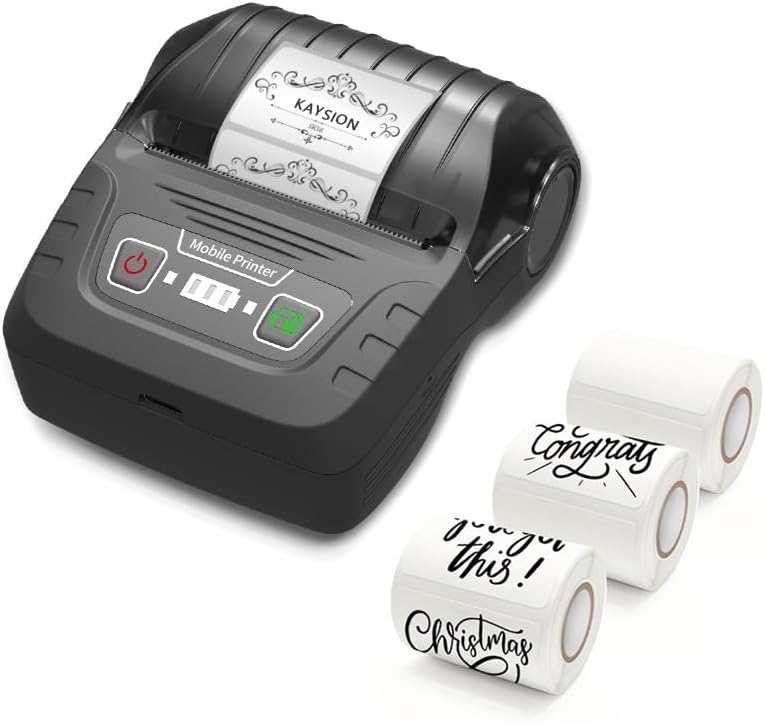
Image: The KAYSION SK58 Label Maker Machine shown with included label rolls.
3. Prodott Aktarview
The SK58 is a compact and efficient thermal label printer. Key features include:
- Stampar bla linka: Jutilizza teknoloġija termali, u jelimina l-ħtieġa għal linka jew toner.
- Disinn portabbli: Weighs approximately 0.4 pounds, making it easy to carry.
- Konnettività: Supports Bluetooth for Android and iOS devices, and USB for Mac OS and Windows laptops/PCs.
- Stampar veloċi: Prints labels at a speed of 2.4 inches per second (60mm/s).
- Tikketti Durabbli: Produces long-lasting, waterproof, wipeable, tear-resistant, self-adhesive, abrasion-resistant, and BPA-free labels.
- Batterija rikarikabbli: Equipped with a 2000mAh built-in battery.

Immaġni: Minn quddiem u mill-ġenb views of the SK58 Label Maker with approximate dimensions (101.8mm length, 86.7mm width, 48mm height).

Image: Visual representation of the KAYSION SK58's key features.
4. Setup
4.1 Iċċarġjar tal-Apparat
Before first use, ensure the label maker is fully charged. Connect the provided USB-C cable to the charging port on the device and to a compatible USB power source. The battery indicator lights will show charging progress.
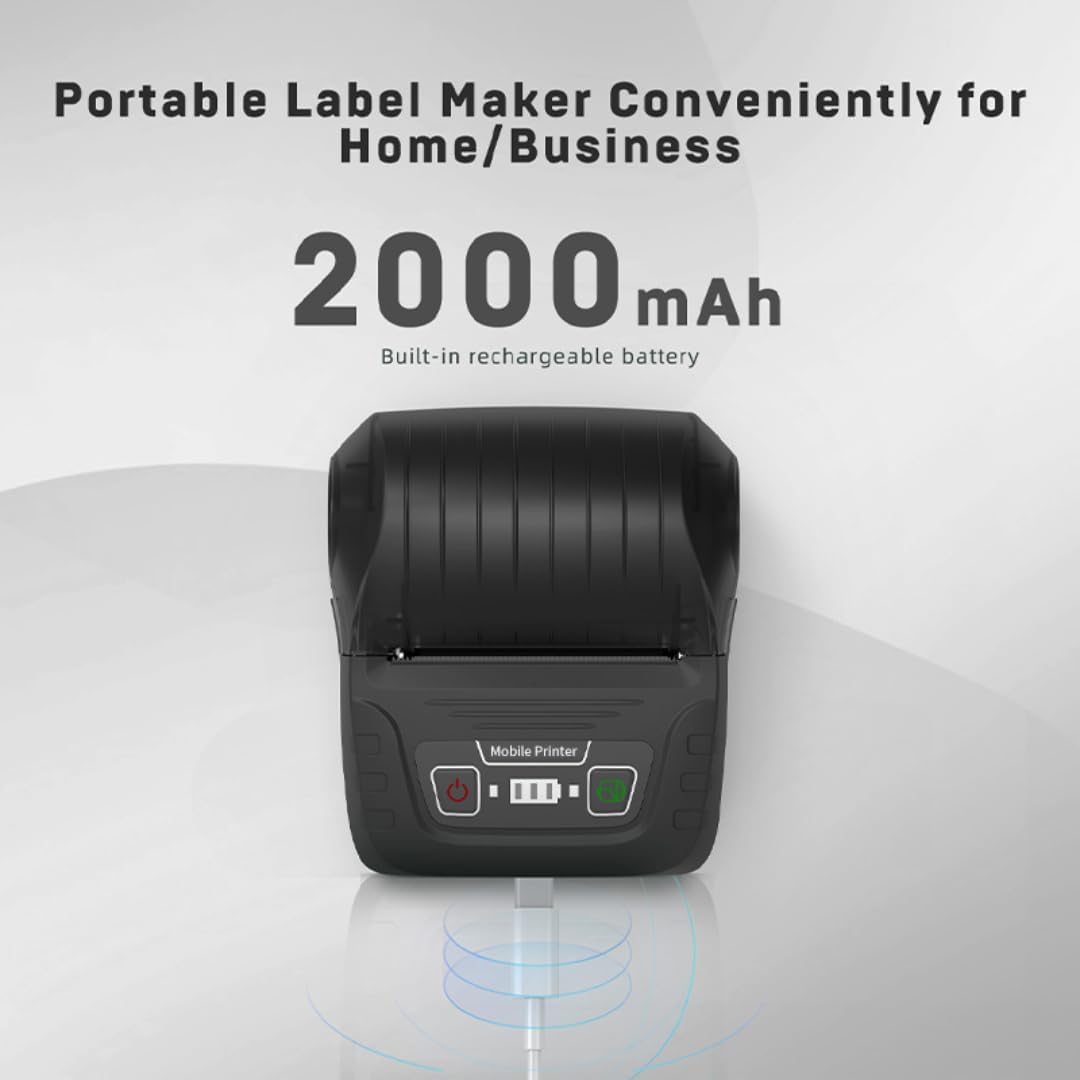
Image: The SK58 Label Maker connected via its USB-C charging port, highlighting its 2000mAh battery.
4.2 Installing Label Rolls
The SK58 features a one-piece paper loading structure for easy installation.
- Iftaħ l-għatu ta' fuq tal-magna tat-tikketti.
- If included, insert the label roll onto the provided holders.
- Place the label roll into the designated slot, ensuring the labels feed smoothly towards the printing mechanism.
- Agħlaq il-qoxra ta 'fuq sew.
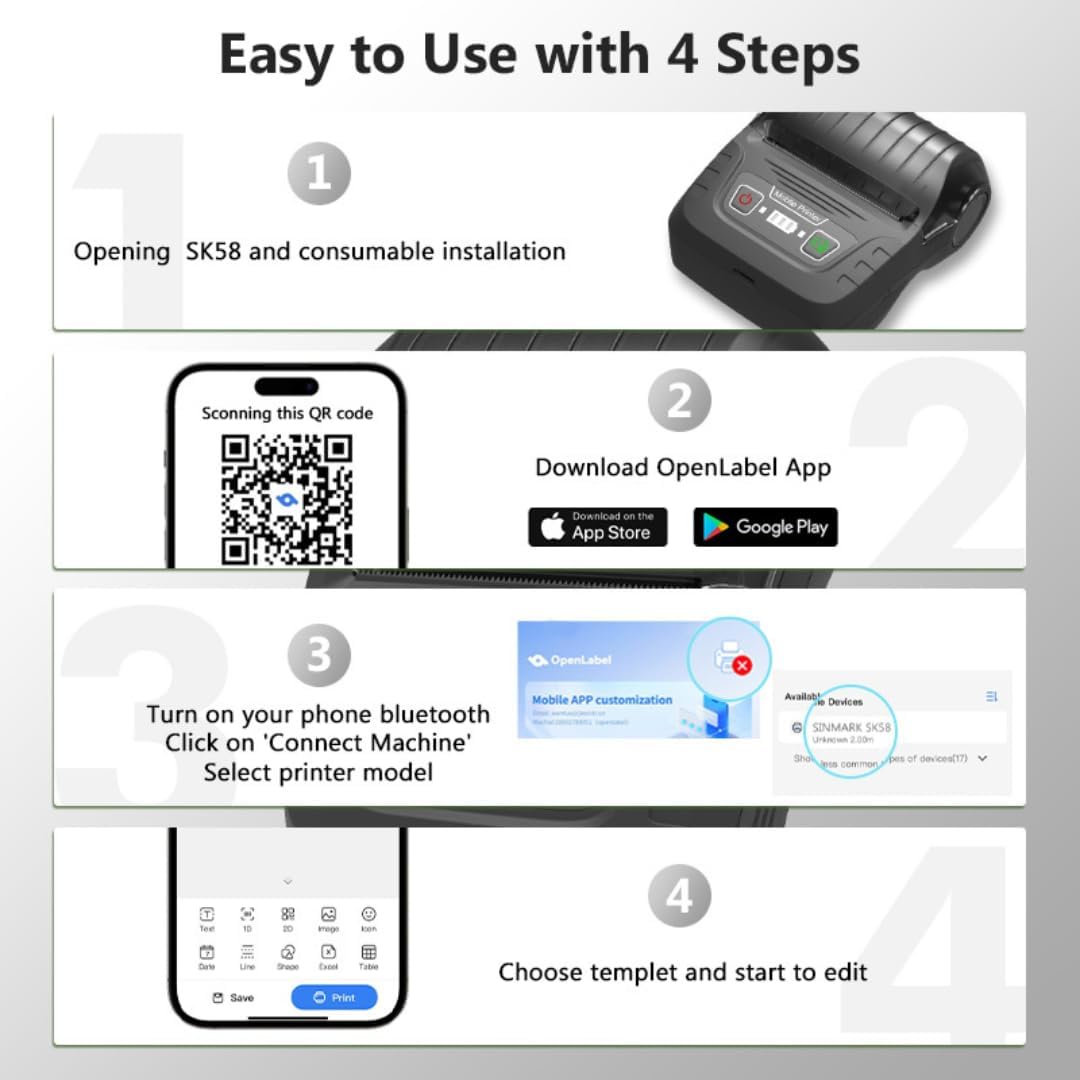
Image: Visual guide for the initial setup steps, including label installation.
Video: This video demonstrates the process of loading paper into the KAYSION SK58 Thermal Printer, showing the one-piece paper loading structure and how to insert the label roll.
4.3 Tniżżil u Konnessjoni tal-App
To utilize the full functionality of your SK58 Label Maker, download the dedicated mobile application.
- For Android devices, download the "Ipprintja t-Tikketta" app.
- For iOS devices, download the "Tikketta Ż" app.
- Alternatively, you can scan the QR code provided in the quick start guide or visit the official download page: https://guojiangcontrol.jiexinit.cn/label/download/app
- Once the app is installed, turn on your phone's Bluetooth.
- Open the app and click on "Connect Machine" or similar option. Select "SINMARK SK58" or the detected printer model from the list of available devices.
- For Mac OS and Windows laptops/PCs, connect the printer directly via USB. Bluetooth connectivity is not supported for these operating systems.

Image: Steps for downloading the app, connecting to the printer, and using the editing features.
5. Istruzzjonijiet Operattivi
5.1 Designing and Printing Labels
After successfully connecting your SK58 to the app or computer, you can begin designing and printing labels.
- Iftaħ l-app "Print Label" (Android) jew "Zlabel" (iOS).
- Select a template or create a new label design from scratch. The app offers various editing features for text, images, and barcodes.
- Customize your label content, font, size, and layout.
- Ensure your label design fits within the effective print width of 48mm (1.88 inches). The printer supports label widths from 30mm to 50mm.
- Preview your label to confirm the design.
- Tap the "Print" button in the app to send the design to the SK58 printer.

Immaġni: Eżamples of various label styles and sizes supported by the SK58, highlighting the effective print width.

Image: Demonstrations of customized labels for various organizational purposes in kitchen, office, school, and home settings.

Image: Various applications for the printed labels, such as on food items, gifts, and storage containers.
6. Manutenzjoni
Proper maintenance ensures the longevity and optimal performance of your KAYSION SK58 Label Maker.
- Tindif: Imsaħ regolarment il-barra tal-istampatur b'ċarruta ratba u niexfa. Għar-ras tal-istampar, uża swab tal-qoton imxarrab ħafif.ampened with isopropyl alcohol. Ensure the printer is off and disconnected from power before cleaning.
- Ħażna: Aħżen il-printer f'post frisk u niexef 'il bogħod mix-xemx diretta u minn temperaturi estremi.
- Rombli tat-Tikketti: Use only compatible thermal label rolls. Store unused rolls in their original packaging to protect them from dust and moisture.
- Kura tal-batterija: Biex tippreserva l-ħajja tal-batterija, evita li tiċċarġja kompletament il-batterija ta' spiss. Iċċarġja l-apparat regolarment, anke jekk ma tkunx qed tużah kontinwament.
7 Issolvi l-problemi
If you encounter issues with your SK58 Label Maker, refer to the following common troubleshooting steps:
| Problema | Kawża Possibbli | Soluzzjoni |
|---|---|---|
| Il-printer mhux qed jikkonnettja permezz tal-Bluetooth | Bluetooth is off on your device; incorrect app used; printer not discoverable; interference. |
|
| No print output or blank labels | Label roll installed incorrectly; empty label roll; print head dirty; low battery. |
|
| Kwalità fqira tal-istampar | Dirty print head; low battery; incompatible labels; print density settings. |
|
| It-tikketti mhux qed jitimgħu sew | Label roll jammed; incorrect label size; debris in paper path. |
|
If the issue persists after trying these steps, please contact KAYSION customer support for further assistance.
8. Speċifikazzjonijiet
| Karatteristika | Dettall |
|---|---|
| Brand | KAYSION |
| Isem tal-Mudell | SK58 |
| Teknoloġija tal-Istampar | Termali |
| Teknoloġija tal-Konnettività | USB tat-Tip Ċ, Bluetooth |
| Output Printer | Monokromu |
| Veloċità Max Stampa Monokroma | 60mm/s (2.4 inches/s) |
| Daqs Massimu tal-Midja | 50 x 50mm |
| Midja Stampata | Tikketti |
| Kapaċità Massima tal-Folja tal-Input | 50 (tikketti) |
| Riżoluzzjoni Massima tal-Istampar bl-Iswed u l-Abjad | 600 dpi |
| Kulur tal-linka | Black (Inkless) |
| Metodu ta' Kontroll | App |
| Batterija | Batterija tal-litju 2000mAh |
| Dimensjonijiet tal-Prodott | 4 x 3.54 x 1.9 pulzieri (madwar 10.16 x 8.99 x 4.83 ċm) |
| Piż tal-oġġett | 6.3-il uqija (madwar 0.18 kg) |
| Manifattur | Shanghai Dengyuan Information Technology Co., Ltd |
| Pajjiż ta' Oriġini | Iċ-Ċina |
9. Garanzija u Appoġġ
The KAYSION SK58 Label Maker Machine comes with a limited warranty. Please refer to the warranty information provided with your purchase for specific terms and conditions.
For technical support, troubleshooting assistance, or warranty claims, please contact KAYSION customer service through the retailer's platform or the official KAYSION website. When contacting support, please have your product model (SK58) and purchase details ready.


