1. Introduzzjoni
This manual provides detailed instructions for the setup, operation, maintenance, and troubleshooting of your Rapoo V300SE Dual-Mode E-Sports Gaming Mouse. Please read this manual thoroughly before using the product to ensure optimal performance and longevity.

Figura 1: Fuq view of the Rapoo V300SE Gaming Mouse.
2. Kontenut tal-Pakkett
Kun żgur li l-oġġetti kollha li ġejjin huma preżenti fil-pakkett tal-prodott tiegħek:
- Rapoo V300SE Wireless/Wired Gaming Mouse
- USB Dongle (located in the magnetic storage compartment at the bottom of the mouse)
- Kejbil tat-Tip Ċ għal USB
- Konvertitur USB-A għal Tip-C
- Manwal għall-Utent (dan id-dokument)
3. Setup
3.1 Iċċarġjar tal-Maws
The Rapoo V300SE mouse features a built-in 500 mAh lithium battery. Before first use, or when the battery is low, connect the mouse to a USB power source using the provided Type-C to USB cable. A full charge typically takes approximately 2 hours.
- Connect the Type-C end of the cable to the mouse.
- Connect the USB-A end to a computer's USB port or a USB wall adapter.
- Il-maws jista' jintuża waqt li jkun qed jiċċarġja.
3.2 Konnessjoni tal-Maws
The V300SE supports dual-mode connectivity: 2.4G Wireless and Wired.
3.2.1 Konnessjoni bla fili 2.4G
- Locate the USB dongle in the magnetic storage compartment at the bottom of the mouse.
- Neħħi l-dongle USB.
- Ipplaggja l-USB dongle f'port USB disponibbli fuq il-kompjuter tiegħek.
- Ixgħel il-maws billi tuża l-iswiċċ tal-enerġija li jinsab fil-qiegħ.
- Your computer should automatically detect and install the necessary drivers. The mouse is ready for use.

Figura 2: Qiegħ view of the mouse with the USB dongle compartment.
3.2.2 Konnessjoni bil-Fili
- Connect the Type-C end of the provided cable to the mouse.
- Connect the USB-A end to an available USB port on your computer.
- Il-maws awtomatikament jaqleb għall-modalità bil-fili u jibda jiċċarġja.
4. Istruzzjonijiet Operattivi
4.1 Aġġustament DPI
The Rapoo V300SE features an adjustable DPI range from 400 to 12000 DPI, with 7 preset levels that can be quickly switched. Use the dedicated DPI button(s) on the mouse to cycle through the sensitivity settings to match your preference and game requirements.

Figure 3: High-performance DPI settings ranging from 400 to 12000.
4.2 Buttuni Programmabbli
The mouse is equipped with 10 customizable buttons (1+9 programmable). These buttons can be configured using the Rapoo custom driver software (available for download from the official Rapoo website) to assign macros, key functions, or other commands.
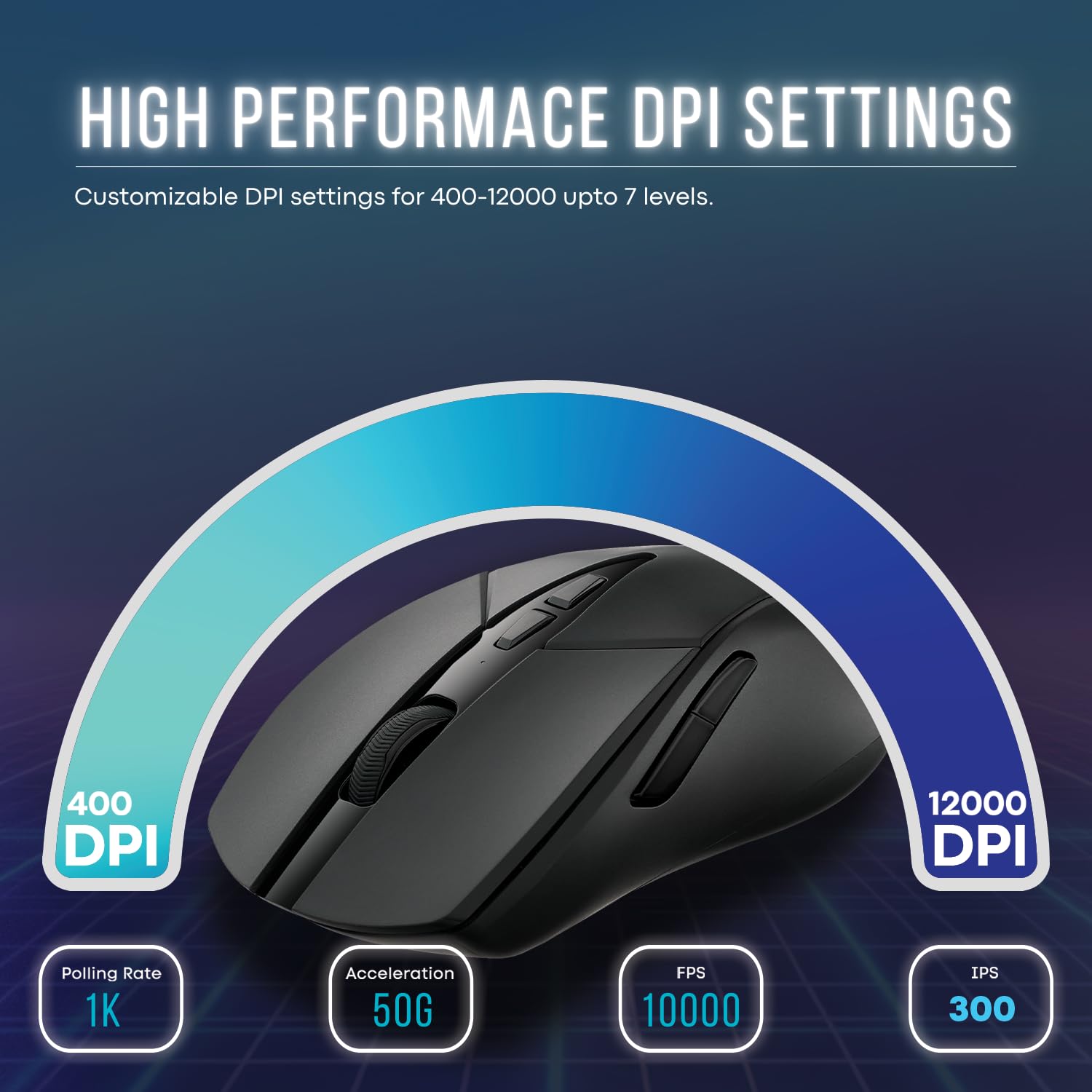
Figura 4: Ġenb view illustrating the customizable buttons on the mouse.
4.3 Onboard Memory
The V300SE features onboard memory, allowing you to save your customized button configurations and DPI settings directly to the mouse. This enables you to use your personalized settings on different computers without needing to reinstall the driver software.
5. Karatteristiċi ewlenin
- Sensur PAW 3311: Equipped with an advanced PAW 3311 sensor, offering 300 IPS and 35G acceleration for precise tracking.
- V+ Wireless Gaming Technology: Ensures minimal latency and input lag for a smooth and precise wireless gaming experience.
- Disinn ħafif: Weighs only 73g, providing comfort for extended gaming sessions and compatibility with various grip styles.
- C+Click Technology: Features split main buttons with micro switches rated for 50 million clicks, providing crisp presses and quick triggers.
- Ambidextrous Ergonomic Design: Symmetrical layout designed for comfort for both left and right-handed users.

Figure 5: The lightweight design of the mouse, weighing only 73 grams.

Figure 6: Illustration of the gaming-grade PAW 3311 sensor (image text shows PAW3395, but product description confirms PAW 3311).
6. Manutenzjoni
- Tindif: Uża drapp artab u niexef biex tnaddaf il-maws. Għal ħmieġ iebes, neħħi ftit drapp.amp Jista' jintuża drapp, iżda kun żgur li ma tidħolx umdità fl-apparat.
- Ħażna: When not in use for extended periods, store the mouse in a cool, dry place. Ensure the USB dongle is securely stored in its magnetic compartment.
- Kura tal-batterija: Evita li tiċċarġja l-batterija kompletament ta' spiss. Iċċarġja l-maws regolarment biex iżżomm il-batterija f'kundizzjoni tajba.
7 Issolvi l-problemi
| Problema | Soluzzjoni Possibbli |
|---|---|
| Il-maws ma jirrispondix (Wireless) |
|
| Il-maws ma jirrispondix (Wired) |
|
| Is-settings tad-DPI ma jinbidlux |
|
| Buttuni mhux programmabbli |
|
8. Speċifikazzjonijiet
| Mudell | V300SE |
| Konnettività | 2.4G Wireless, Wired (Type-C) |
| Sensor | Senser Ottiku PAW 3311 |
| Firxa tad-DPI | 400 - 12000 DPI (Aġġustabbli) |
| Aċċelerazzjoni | 35G |
| IPS | 300 FPS |
| Buttuni | 10 (Programmabbli) |
| Aqleb il-Ħajja | 50 Miljun Klikka |
| Batterija | Batterija tal-litju 500 mAh |
| Piż | 73g |
| Dimensjonijiet (LxWxH) | 12.3 x 6.8 x 0.1 ċm |
| Kulur | Iswed |
| Pjattaforma tal-Ħardwer | PC |
| Pajjiż ta' Oriġini | Iċ-Ċina |
9. Garanzija u Appoġġ
Rapoo provides a garanzija ta 'sena għal dan il-prodott mid-data tax-xiri. Jekk jogħġbok żomm il-prova tax-xiri tiegħek għal talbiet ta' garanzija.
For technical support, driver downloads, or further assistance, please visit the official Rapoo websit jew ikkuntattja lis-servizz tal-konsumatur tagħhom.
Manifattur: Shenzhen RAPOO Technology Co.Limited
Indirizz: 22, Jinxiu Road East, Pingshan District, Shenzhen, China
Importatur (l-Indja): Supertron Electronics PVT LTD
10. Vidjows Uffiċjali tal-Prodott
Bħalissa m'hemm l-ebda vidjows uffiċjali tal-prodott disponibbli mill-bejjiegħ għal dan il-prodott.


