Introduzzjoni
The EasySMX X15 PC Controller is an enhanced wireless Bluetooth controller designed for a superior gaming experience. It features Hall Effect joysticks and triggers to eliminate stick drift and dead zones, ensuring precise and reliable input. With vibrant RGB lighting and versatile compatibility, this controller is suitable for Windows PC, Android, Steam, and Switch platforms.

Figure 1: EasySMX X15 PC Controller Overview
Kontenut tal-Pakkett
Iċċekkja li l-oġġetti kollha elenkati hawn taħt huma inklużi fil-pakkett tiegħek:
- 1x EasySMX X15 Wireless Controller
- 1x Kejbil tad-Data tat-Tip Ċ
- 1x Wireless Receiver (USB Dongle)
- 1x Manwal għall-Utent

Figura 2: Kontenut tal-Pakkett
Karatteristiċi
Cool RGB Lighting
The EasySMX X15 controller features a unique RGB lighting design with 7 adjustable colors. The RGB indicator light enhances the gaming atmosphere. The lights can also be turned off for user preference.

Figure 3: Dazzling RGB Lighting
Hall Effect Joysticks and Triggers
Equipped with four Hall Effect sensors, the joysticks provide precise and reliable input detection, ensuring smoother and more accurate movement without stick drift or dead zones. The Hall Effect triggers offer frictionless and smoother operation with improved accuracy up to 0.1mm.

Figura 4: Joysticks tal-Effett Hall

Figura 5: Triggers tal-Effett Hall
Ħajja tal-batterija ta' 20 siegħa
The controller is equipped with a 1000mAh upgraded battery, providing up to 20 hours of continuous gameplay on a single charge. Charging time is approximately 3 hours via the Type-C port.
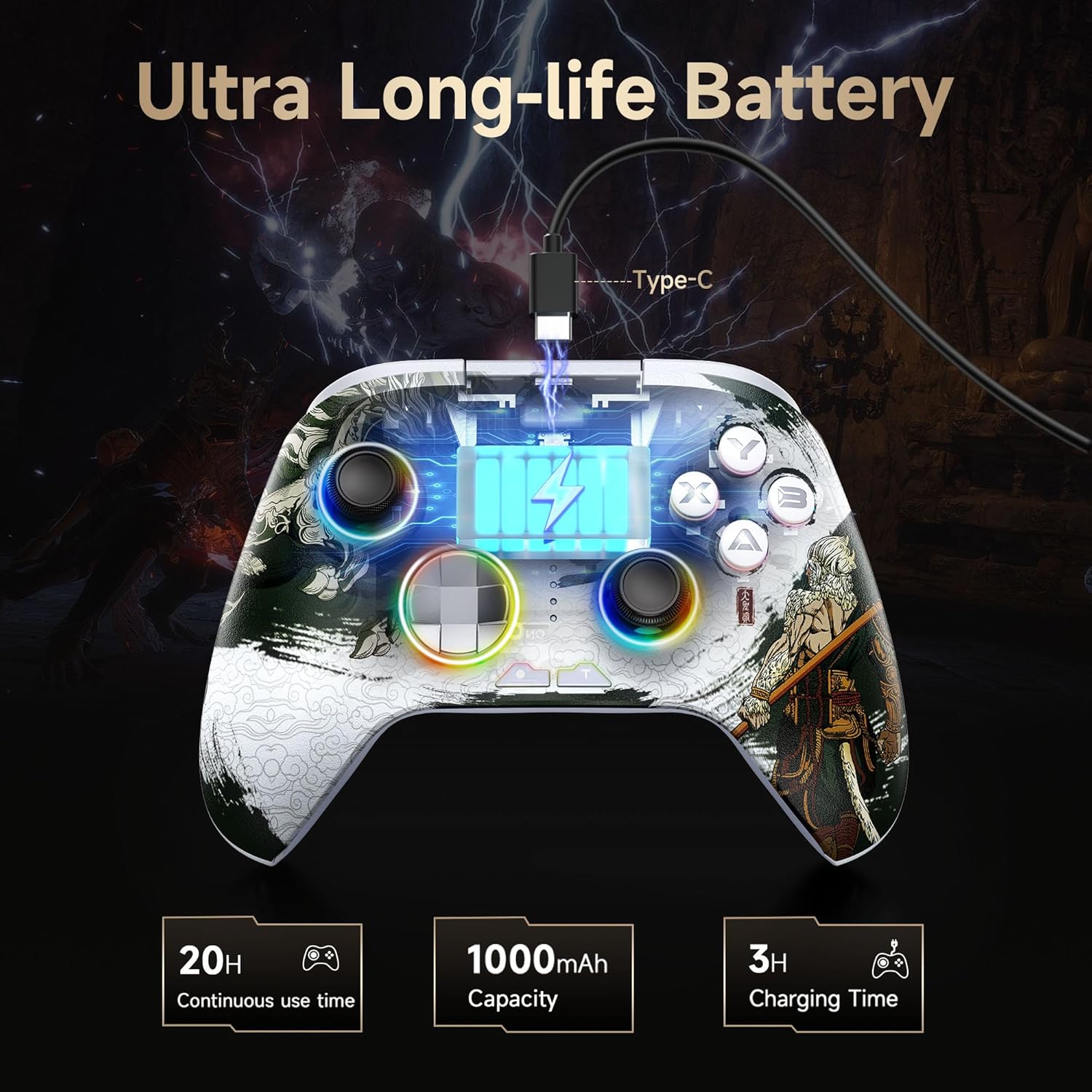
Figure 6: Ultra Long-life Battery
Kompatibilità versatili
The EasySMX X15 controller is designed for broad compatibility, supporting PC, Switch, iOS, and Android platforms. It offers seamless connectivity across multiple devices.

Figure 7: 3 Connection Modes and Compatibility
Customizable Back Keys
The controller features two additional programmable buttons (M1 and M2) on the back. These can be customized to trigger combos or other functions, enhancing gaming convenience.

Figure 8: 2 Programmable Keys
Funzjoni ta' Skambju taċ-Ċwievet ABXY
Simultaneously pressing "B", "-", and "+" keys allows you to switch the function of the ABXY keys between PC games button layout and Switch games button layout.
Non-Slip Grips
The controller grips feature laser-etched fine carving, providing a comfortable and sweat-resistant grip for extended gaming sessions.

Figure 9: Anti-slip Grips
Adjustable Vibration Levels
The controller includes dual vibration motors with 3 adjustable vibration levels for an immersive gaming experience.
Funzjoni Turbo
Utilize the Turbo function for continuous shooting with a single click, allowing for faster actions in games.
One-Button Wake-Up Function
The controller supports a one-button wake-up function for quick activation.
Setup
Modi ta 'Konnessjoni
The EasySMX X15 controller supports three primary connection modes:
- 2.4G Wireless (via USB Dongle):
Insert the included wireless receiver into a USB port on your PC, Android TV/Box, or Steam Deck. The controller will automatically connect for a stable wireless connection.
- Bluetooth Wireless:
For devices like iOS, Android phones/tablets, Nintendo Switch, or MacOS, enable Bluetooth on your device and search for the EasySMX X15 controller. Pair the device to establish a connection.
- Wired Connection (via USB-C Cable):
Connect the controller directly to your PC or Android TV/Box using the provided USB-C to USB-A cable. This mode offers a stable, low-latency connection and also charges the controller.
Istruzzjonijiet Operattivi
L-aġġustament tad-Dawl RGB
- To adjust the brightness of the LED: Press and hold the Minus (-) buttuna u agħfas il- D-pad Up/Down.
- To adjust the lighting mode: Press and hold the Minus (-) buttuna u agħfas il- D-pad Left/Right.
- To turn RGB lighting On/Off: Use the dedicated switch located on the back of the controller.
Programming Back Keys (M1/M2)
The M1 and M2 buttons on the back of the controller can be programmed for custom functions. Refer to the detailed user manual for specific programming steps.
Using Turbo Function
The Turbo function allows for rapid, continuous input of a button press. To activate or deactivate Turbo for a specific button, press and hold the Turbo button, then press the desired action button (e.g., A, B, X, Y, L1, R1, L2, R2).
ABXY Key Layout Swap
To switch between PC (Xbox) and Switch button layouts for ABXY keys, simultaneously press the B, Minus (-), u Plus (+) buttuni.
Manutenzjoni
- Żomm il-kontrollur nadif billi timsaħ b'ċarruta niexfa u ratba. Evita li tuża kimiċi ħarxa jew materjali li joborxu.
- Aħżen il-kontrollur f'post frisk u niexef 'il bogħod mix-xemx diretta u minn temperaturi estremi.
- Charge the controller regularly to maintain battery health, even if not in frequent use.
- Evita li twaqqa’ l-kontrollur jew li tissottomettih għal impatti qawwija.
Issolvi l-problemi
Kwistjonijiet ta' Konnettività
- Kun żgur li l-kontrollur huwa ċċarġjat biżżejjed.
- For 2.4G wireless, ensure the USB receiver is securely plugged into the device.
- For Bluetooth, ensure Bluetooth is enabled on your device and the controller is in pairing mode. Try re-pairing if connection is lost.
- If using a wired connection, ensure the USB-C cable is properly connected to both the controller and the device.
Stick Drift or Unresponsive Buttons
- The EasySMX X15 features Hall Effect joysticks and triggers designed to prevent drift. If you experience issues, ensure the controller's firmware is up to date (check EasySMX official support channels).
- Clean around the buttons and joysticks to remove any debris that might be causing interference.
Noti ta 'Kompatibilità
Please note that the EasySMX X15 controller is NOT compatible with Xbox, Luna, and Nvidia GeForce Now. It is primarily designed for Windows PC, Android, Steam, and Switch platforms.
Speċifikazzjonijiet
| Attribut | Dettall |
|---|---|
| Numru tal-Mudell | X15 |
| Brand | EasySMX |
| Konnettività | Wireless (2.4G USB Dongle, Bluetooth), Wired (USB-C) |
| Kompatibilità | Windows PC, Android, Steam, Switch, iOS, MacOS, Tesla, Raspberry Pi 3B |
| Kapaċità tal-batterija | 1000mAh |
| Ħajja tal-batterija | Sa 20 sigħat |
| Ħin tal-Iċċarġjar | Appross. 3 sigħat |
| Joysticks/Triggers | Hall Effect (No Stick Drift, No Dead Zone) |
| Dawl | RGB (7 adjustable colors, 2 lighting modes, On/Off switch) |
| Buttuni programmabbli | 2 (M1, M2 on back) |
| Vibrazzjoni | Muturi doppji, 3 livelli aġġustabbli |
| Dimensjonijiet | 6.5 x 4.7 x 2.7 pulzieri |
| Piż | 11.2 uqija |
Garanzija u Appoġġ
For any questions or issues regarding the EasySMX X15 controller, please contact the seller directly before initiating a return. This allows for prompt assistance and resolution of potential problems due to incorrect use or technical queries.
For further support, including firmware updates, please refer to the official EasySMX support channels or their Discord community as mentioned in some user reviews.


