1. Introduzzjoni
The CHUWI LarkBox X is a compact and powerful mini PC designed for a wide range of applications, from light office work and 4K video playback to online education and design tasks. Featuring the 12th Gen Intel Alder Lake-N100 Processor, 12GB LPDDR5 RAM, and a 512GB SSD, it offers robust performance in a small form factor. This manual provides detailed instructions for setting up, operating, maintaining, and troubleshooting your LarkBox X Mini PC.
2. Kontenut tal-Pakkett
Jekk jogħġbok ivverifika li l-oġġetti kollha huma preżenti fil-pakkett:
- CHUWI LarkBox X Mini PC
- Adapter tal-Enerġija
- Cable HDMI
- VESA Mount Kit (Screws included)
- Manwal għall-Utent (dan id-dokument)
- USB-C Hub (optional, may vary by package)

Image: The CHUWI LarkBox X Mini PC shown alongside an included USB-C hub, highlighting its compact design and accessory.
3. Prodott Aktarview & Ports
Familiarize yourself with the various ports and components of your LarkBox X Mini PC.
Front and Rear Panel Interfaces
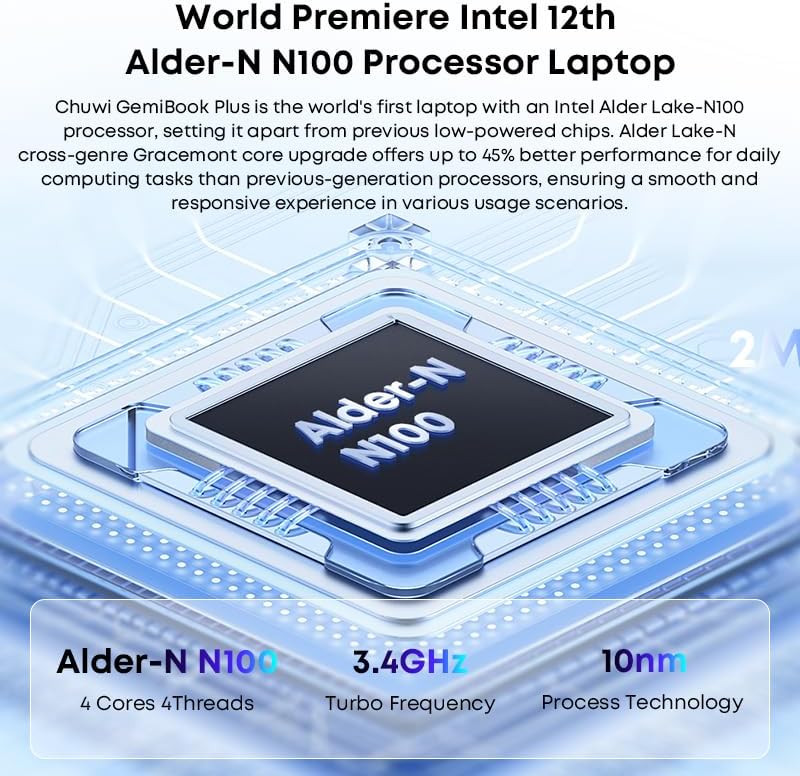
Image: A diagram illustrating the various ports on the front and rear panels of the LarkBox X Mini PC, including USB, audio, power, and display outputs.
- Panel ta' quddiem:
- 2 x Portijiet USB 3.0 Gen1
- 1 x USB-C Port (Full-featured)
- 1 x 3.5mm Audio Jack (Headphone/Microphone Combo)
- Buttuna tal-Qawwa
- Panel ta 'wara:
- 2 x Portijiet USB 3.2 Gen2
- 2 x RJ45 Gigabit LAN Ports
- 1 x HDMI 2.0 Port
- 1 x DisplayPort (DP)
- 1 x DC Power Input Jack
Included USB-C Hub (if applicable)

Image: The included USB-C hub, detailing its ports including USB-A, TF/SD card reader, and its compatibility with various devices for extended connectivity.
The optional USB-C hub expands connectivity, typically including additional USB-A ports, an SD/TF card reader, and potentially an HDMI output, allowing for more peripherals and external storage.
4. Setup Inizjali
Follow these steps to set up your LarkBox X Mini PC for the first time:
- Qabbad id-Displej: Connect your monitor(s) to the Mini PC using the HDMI, DisplayPort, or full-featured USB-C port.
- Ikkonnettja l-Periferali: Ipplaggja t-tastiera, il-maws, u kwalunkwe apparat USB ieħor tiegħek fil-portijiet USB disponibbli.
- Qabbad in-Netwerk (Mhux obbligatorju): For a wired connection, connect an Ethernet cable to one of the RJ45 LAN ports. For Wi-Fi, you will configure it during the Windows setup.
- Qabbad l-Enerġija: Insert the power adapter cable into the DC Power Input Jack on the rear panel, then plug the adapter into a power outlet.
- Qawwa Mixgħul: Press the Power Button on the front panel. The system will boot up.
- Setup tal-Windows: Segwi l-istruzzjonijiet fuq l-iskrin biex tlesti s-setup inizjali tal-Windows 11, inkluż il-lingwa, ir-reġjun, il-konnessjoni tan-netwerk, u l-ħolqien tal-kont tal-utent.
5. Istruzzjonijiet Operattivi
Your LarkBox X Mini PC comes pre-installed with Windows 11. Basic operation is similar to any standard Windows desktop computer.
Operazzjoni Bażika
- Power On/Off: Agħfas il-buttuna tal-qawwa biex tixgħel. Biex titfi, ikklikkja l-buttuna Start fil-Windows, imbagħad agħżel Power > Shut down.
- Ibda mill-ġdid: Mill-menù Start, agħżel Power > Restart.
- Modalità Sleep: Mill-menù Start, agħżel Power > Sleep.
Konnettività
- Wi-Fi: To connect to a wireless network, click the Wi-Fi icon in the taskbar, select your network, enter the password, and click Connect. The device supports Wi-Fi 6 for fast and stable connections.
- Bluetooth: To pair Bluetooth devices (e.g., keyboard, mouse, speakers), go to Settings > Bluetooth & devices, turn on Bluetooth, and select 'Add device'. The device supports Bluetooth 5.2.
- Apparat USB: Simply plug in your USB devices (e.g., external hard drives, flash drives) into the available USB 3.0 or USB 3.2 Gen2 ports.
6. Performance & Storage
The LarkBox X is equipped with advanced components for efficient performance and ample ħażna.

Image: An illustration highlighting the 12GB LPDDR5 RAM and 512GB PCIe SSD, indicating the system's memory and storage capabilities.
- Proċessur: Powered by the 12th Gen Intel Alder Lake-N100 Processor (4C/4T, up to 3.4GHz), providing efficient performance for daily computing tasks.
- Memorja: Features 12GB LPDDR5 RAM, ensuring smooth multitasking and application performance.
- Ħażna: Comes with a 512GB PCIe SSD for fast boot times and quick application loading. The M.2 2280 SATA3 SSD slot supports storage upgrades up to 1TB.
- Grafika: Integrated Intel UHD Graphics supports 4K@60Hz resolution, suitable for media consumption and light graphics tasks.
7. Multi-Screen Display Configuration
The LarkBox X supports simultaneous output to up to three screens, enhancing productivity and entertainment.

Image: The LarkBox X Mini PC connected to three external monitors, demonstrating its triple-screen 4K@60Hz output capability for an expanded workspace.
You can connect up to three displays using a combination of the following ports:
- 1 x HDMI 2.0 Port (supports 4K@60Hz)
- 1 x DisplayPort (DP) (supports 4K@60Hz)
- 1 x Full-featured USB-C Port (supports 4K@60Hz video output)
To configure multiple displays in Windows 11:
- Connect all desired monitors to the Mini PC.
- Right-click on an empty area of the desktop and select 'Display settings'.
- Under 'Multiple displays', you can detect, identify, and arrange your displays.
- Choose how you want your desktop to appear on the displays (e.g., Extend these displays, Duplicate these displays).
8. Manutenzjoni u Kura
Proper maintenance ensures the longevity and optimal performance of your LarkBox X Mini PC.
- Tindif: Regularly clean the exterior with a soft, dry cloth. Do not use liquid cleaners or aerosols. Ensure ventilation openings are free from dust and debris. The built-in fan cooling system helps manage heat, but keeping vents clear is crucial.
- Aġġornamenti tas-Software: Keep your Windows operating system and drivers updated to ensure security, stability, and performance. Go to Settings > Windows Update to check for updates.
- Kundizzjonijiet Ambjentali: Operate the Mini PC in a well-ventilated area, away from direct sunlight, heat sources, and excessive moisture.
- Ġestjoni tal-Enerġija: Use only the provided power adapter. Avoid frequent power cycles.
9 Issolvi l-problemi
This section addresses common issues you might encounter with your LarkBox X Mini PC.
| Problema | Soluzzjoni Possibbli |
|---|---|
| No power/System does not turn on |
|
| L-ebda wiri fuq il-monitor |
|
| Kwistjonijiet ta 'konnessjoni Wi-Fi |
|
| Is-sistema hija bil-mod jew ma tirrispondix |
|
10. Speċifikazzjonijiet Tekniċi
Detailed specifications for the CHUWI LarkBox X Mini PC.
| Karatteristika | Speċifikazzjoni |
|---|---|
| Isem tal-Mudell | LarkBox X |
| Proċessur | Intel Alder Lake-N100 (4C/4T, up to 3.4GHz) |
| Grafika | Grafika Intel UHD (Integrata) |
| RAM | 12GB LPDDR5 |
| Ħażna | 512GB PCIe SSD (M.2 2280 SATA3 slot, upgradeable to 1TB) |
| Sistema Operattiva | Windows 11 |
| Konnettività bla fili | Wi-Fi 6 (802.11ax), Bluetooth 5.2 |
| Ethernet | 2 x Gigabit RJ45 LAN Ports |
| Portijiet USB | 2 x USB 3.2 Gen2, 2 x USB 3.0 Gen1 |
| Output tal-vidjo | 1 x HDMI 2.0 (4K@60Hz), 1 x DisplayPort (4K@60Hz), 1 x Full-featured USB-C (4K@60Hz) |
| Port tal-awdjo | 1 x 3.5mm Audio Jack |
| Dimensjonijiet | Appross. 5.0 x 5.0 x 1.9 pulzieri (12.7 x 12.7 x 4.8 ċm) |
| Piż | Appross. 400g |
11. Garanzija u Appoġġ
CHUWI products are designed for reliability and performance. For warranty information and technical support, please refer to the warranty card included with your product or visit the official CHUWI website. You can also contact CHUWI customer service directly for assistance with product issues, troubleshooting, or general inquiries.
Official CHUWI Websit: www.chuwi.com


