Prodott Overview
The Mesqool CR1025 is a versatile alarm clock radio designed to provide multiple functionalities in a compact form factor. It integrates an alarm clock, Bluetooth speaker, FM radio, LED night light, and dual USB charging ports for convenience.
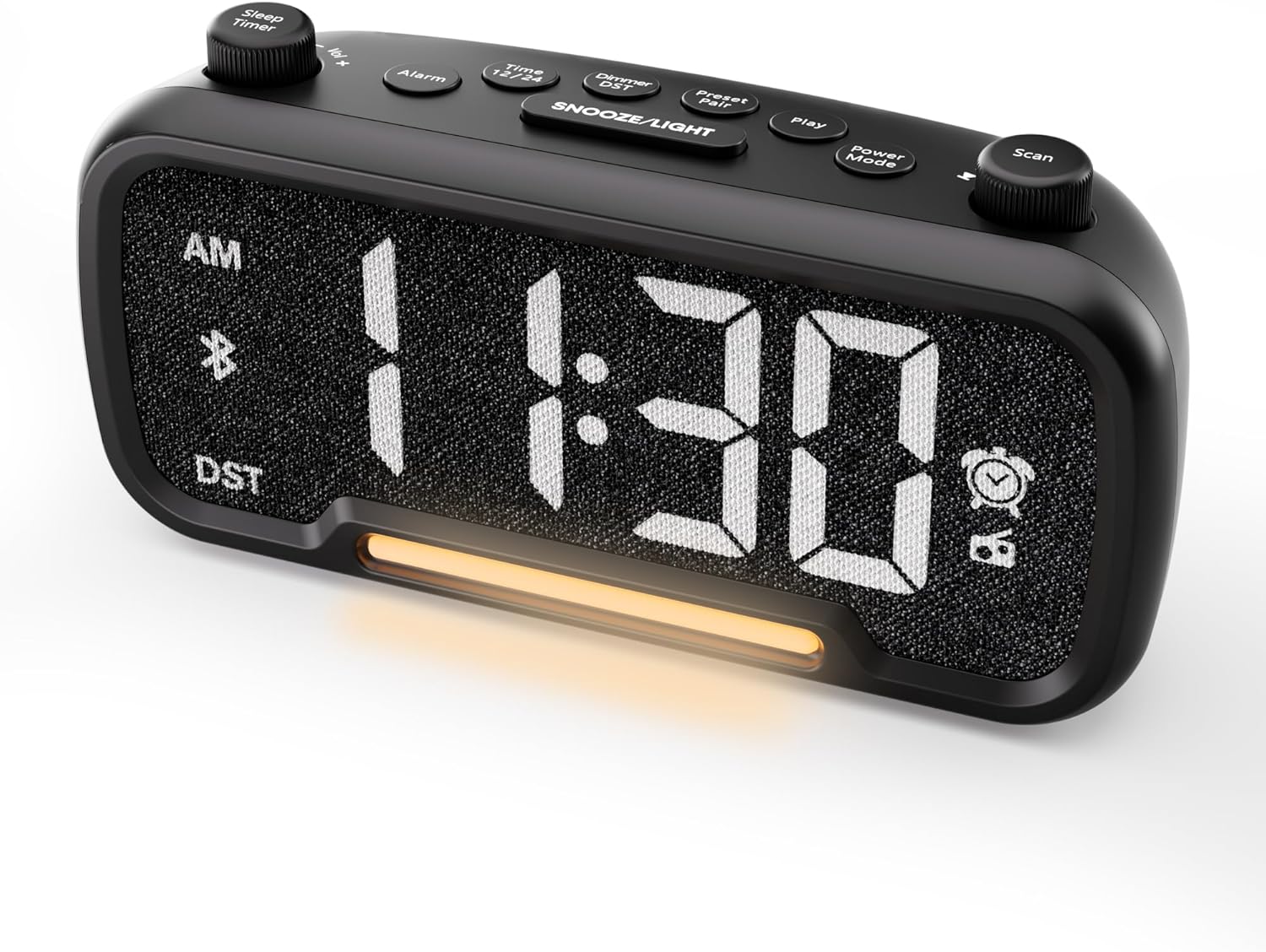
Figura 1: Quddiem view of the Mesqool CR1025 Alarm Clock Radio, displaying the digital time and control layout.

Figure 2: Key features of the Mesqool CR1025, highlighting its multi-functional design.
Gwida ta' Setup
1. Konnessjoni tal-Enerġija
- Qabbad l-adapter tal-enerġija pprovdut mal-port DC IN fuq wara tal-arloġġ tal-allarm.
- Plug the adapter into a standard electrical outlet. The clock will power on and the display will illuminate.

Figure 3: The alarm clock radio connected to power, ready for use.
2. Installazzjoni ta 'Backup tal-Batterija
- The unit includes a CR2032 lithium battery for backup. This battery retains alarm settings and time during a power outage, but the display will not show the time and the alarm will not sound until power is restored.
- Sib il-kompartiment tal-batterija fil-qiegħ tal-unità.
- Insert the CR2032 battery with the correct polarity (+ side up).
- Agħlaq il-kompartiment tal-batterija sew.
3. Issettjar tal-Ħin Inizjali
- Agħfas il- Ħin 12/24 buttuna. Iċ-ċifri tas-siegħa se jteptep.
- Dawwar il- Skennja knob (right knob) to adjust the hour.
- Agħfas il- Ħin 12/24 Agħfas il-buttuna mill-ġdid. Iċ-ċifri tal-minuti jibdew jteptep.
- Dawwar il- Skennja pum biex taġġusta l-minuta.
- Agħfas il- Ħin 12/24 button once more to confirm and exit time setting.
4. Format tal-Ħin 12/24 Siegħa
- To switch between 12-hour and 24-hour time formats, press and hold the Ħin 12/24 buttuna għal 2 sekondi.
- In 12-hour format, 'AM' or 'PM' indicators will appear on the display.

Figure 4: Display options for 12-hour and 24-hour time formats.
5. Daylight Saving Time (DST) Mode
- Biex tattiva jew tiddiżattiva l-Ħin tas-Sajf, agħfas u żomm il-buttuna Dimmer DST buttuna għal 2 sekondi.
- The time will adjust by one hour forward or backward, and the 'DST' indicator will appear or disappear.
Istruzzjonijiet Operattivi
1. Issettjar tal-Allarm
- Agħfas u żomm il- Allarm Agħfas il-buttuna għal 2 sekondi. Iċ-ċifri tas-sigħat jibdew jteptep.
- Dawwar il- Vol -/+ knob (left knob) to adjust the alarm hour.
- Agħfas il- Allarm Agħfas il-buttuna mill-ġdid. Iċ-ċifri tal-minuti jibdew jteptep.
- Dawwar il- Vol -/+ knob to adjust the alarm minute.
- Agħfas il- Allarm button again. The alarm source icon will flash. Rotate the Vol -/+ knob to select between buzzer or FM radio as the alarm sound.
- Agħfas il- Allarm button again. The volume level will flash. Rotate the Vol -/+ knob to adjust the alarm volume (L01-L16).
- Agħfas il- Allarm button once more to confirm and activate the alarm. The alarm icon will appear on the display.
Ikkanċella l-Allarm
- To cancel the alarm, press the Allarm button. The alarm icon will turn off, indicating the alarm has been deactivated.
Funzjoni Snooze
- Meta l-allarm jinstema ', agħfas il-buttuna SNOOZE / DAWL button to activate the snooze function. The alarm will pause for 9 minutes and then sound again.
- This can be repeated up to 9 times. To stop the alarm for the day, press the Allarm buttuna.

Figure 5: The alarm clock radio offers two alarm sound options: radio or buzzer.
2. Tħaddim tal-Ispeaker Bluetooth
- Agħfas il- Modalità tal-Enerġija button repeatedly until 'bt' appears on the display and the Bluetooth icon starts flashing. This indicates the clock is in Bluetooth pairing mode.
- On your mobile device, enable Bluetooth and search for available devices. Select 'CR1025' from the list.
- Once connected, the Bluetooth icon on the clock's display will stop flashing and remain solid. You can now play audio from your device through the clock's speaker.

Figure 6: Bluetooth 5.0 connectivity for wireless audio streaming.
3. Operazzjoni tar-Radju FM
- Agħfas il- Modalità tal-Enerġija button repeatedly until the radio icon lights up on the display, indicating FM radio mode.
- Skennjar Awtomatiku: Agħfas il- Skennja button to automatically search for and store up to 20 FM radio stations. The clock will cycle through frequencies and save strong signals as presets (P01, P02, etc.).
- Tiftix manwali: Dawwar il- Skennja knob to manually browse FM frequencies.
- Ħlief issettjat minn qabel: To save a manually found station, press and hold the Preset Pair button for 2 seconds. The preset number will flash. Rotate the Skennja knob to select a preset slot, then press Preset Pair mill-ġdid biex issalva.
- Recall Preset: Fil-modalità FM, agħfas qasir il-buttuna Preset Pair buttuna biex tiċċaqlaq bejn l-istazzjonijiet salvati.
- Aġġusta Volum: Dawwar il- Vol -/+ knob to adjust the radio volume (16 levels).

Figure 7: Enjoying FM radio with a wide frequency range and 20 presets.
4. Night Light and Brightness Dimmer
- The clock features a built-in LED night light.
- Agħfas il- SNOOZE / DAWL button to cycle through 5 adjustable brightness levels for the main display and the night light.
- The lowest setting is suitable for sleeping, while the brightest is for daytime visibility.

Figure 8: The 5-level brightness dimmer allows customization for various lighting conditions.
5. Phone Charging Ports
- The Mesqool CR1025 is equipped with two USB charging ports: one USB-C and one USB-A.
- Connect your devices (e.g., smartphone, smartwatch) to these ports using appropriate charging cables.
- The clock must be powered via its AC adapter for the charging ports to function.
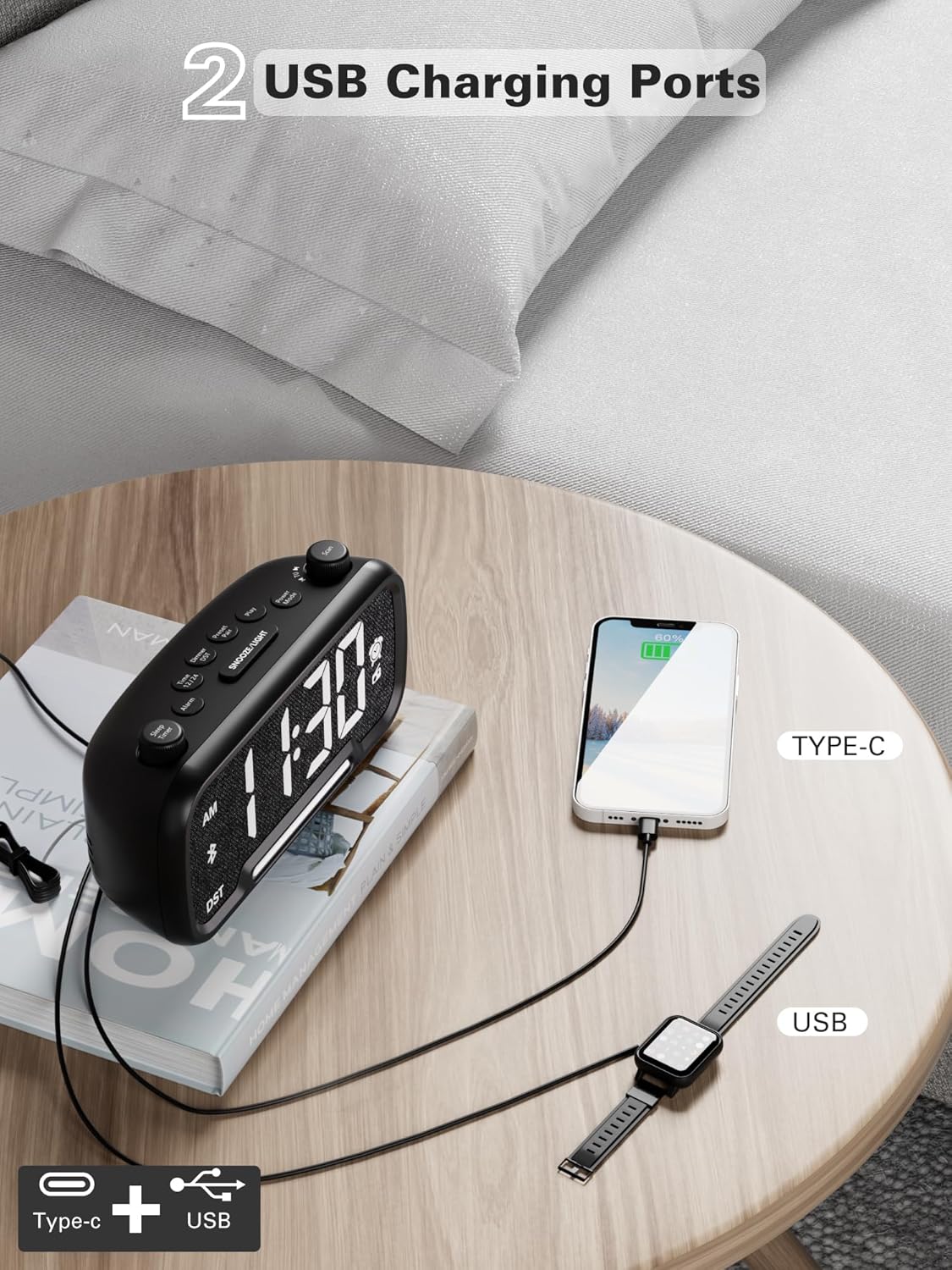
Figure 9: Dual USB charging ports for convenient device power.
6. Sleep Timer Setting
- When using the FM radio or Bluetooth speaker, you can set a sleep timer to automatically turn off playback after a set duration.
- Agħfas il- Sleep Timer button (left knob) to access the settings.
- Dawwar il- Sleep Timer knob to select the desired duration: 15, 30, 60, 90, or 120 minutes, or OFF.
- The display will show the selected duration, and then return to the current time. The music/radio will play for the set time and then automatically turn off.
Vidjow Istruttiv
Video 1: This instructional video demonstrates various settings for the Mesqool CR1025, including alarm setting, time setting, 12/24H format, DST mode, dimmer setting, Bluetooth pairing, FM radio operation, and sleep timer. Refer to the specific sections above for detailed steps.
Manutenzjoni
- Tindif: Uża drapp artab u niexef biex tnaddaf il-wiċċ tal-arloġġ tal-allarm. Tużax prodotti tat-tindif likwidi jew materjali li joborxu.
- Sostituzzjoni tal-batterija: If the battery backup is no longer retaining settings during power outages, replace the CR2032 battery in the compartment on the bottom of the unit. Ensure correct polarity.
- Ħażna: Jekk se taħżen l-unità għal perjodu estiż, skonnettjaha mill-elettriku u neħħi l-batterija ta' backup.
Issolvi l-problemi
- Ebda Qawwa/Wiri Mitfi: Ensure the power adapter is securely connected to both the clock and a working electrical outlet. Check if the outlet has power.
- Allarm ma Ddoqq: Verify that the alarm is set correctly (time, source, volume) and that the alarm icon is visible on the display. Ensure the alarm volume is not set to L00.
- Riċezzjoni ħażina tar-Radju FM: Extend the FM antenna fully. Try repositioning the clock to improve signal reception. Perform an auto-scan to find stronger stations.
- Bluetooth Mhux Konnessjoni: Ensure the clock is in Bluetooth pairing mode (flashing 'bt' icon). Make sure your device's Bluetooth is enabled and within range. Forget the device on your phone and try pairing again.
- L-Iċċarġjar tal-USB Mhux Taħdem: Confirm the clock is connected to AC power. Check if the charging cable is functional and properly connected to both the clock and your device.
- Wiri Wisq Qawwi/Mċajpar: Agħfas il- SNOOZE / DAWL button to adjust the brightness level.
Speċifikazzjonijiet
| Karatteristika | Speċifikazzjoni |
|---|---|
| Brand | Mesqool |
| Numru tal-Mudell | CR1025 |
| Dimensjonijiet tal-Prodott | 5.9 x 3.81 x 8.4 ċm |
| Piż tal-oġġett | 216 g |
| Materjal | Tessili |
| Tip ta 'Wiri | LED diġitali |
| Karatteristiċi Speċjali | Radio Clock, LED Display, Bluetooth Speaker, Night Light, Phone Charger |
| Frekwenza tar-Radju FM | 87.5MHz - 108.0MHz |
| Livelli tal-Volum tal-Allarm | 16 (L01-L16) |
| Livelli ta' Luminożità tal-Wiri | 5 |
| Output tal-Iċċarġjar tal-USB | USB-C and USB-A ports |
| Backup tal-batterija | CR2032 (for settings retention) |
Garanzija u Appoġġ
For warranty information, technical support, or further assistance, please refer to the contact details provided with your product packaging or visit the official Mesqool websit.


