1. Introduzzjoni
Thank you for choosing the Phomemo A30 Mini Bluetooth Portable Rechargeable Label Maker. This manual provides essential information for the safe and efficient operation of your device. Please read it thoroughly before use and keep it for future reference.

Figure 1: Phomemo A30 Label Maker and accessories. This image shows the compact white label maker, several rolls of colorful label tape, and a clear label cartridge, illustrating the product and its consumables.
2. Informazzjoni dwar is-Sigurtà
- Tiżżarmax, isewwi, jew timmodifikax l-apparat.
- Keep the device away from water, high temperatures, and direct sunlight.
- Use only Phomemo-approved label tapes and accessories.
- Żgura ventilazzjoni xierqa waqt l-iċċarġjar.
- Żomm fejn ma jintlaħaqx mit-tfal.
3. Kontenut tal-Pakkett
Ivverifika li l-oġġetti kollha huma preżenti fil-pakkett tiegħek:
- Phomemo A30 Label Maker
- Cable tal-Iċċarġjar tal-USB
- Manwal għall-Utent (dan id-dokument)
- One roll of label tape (pre-installed or separate)
4. Prodott Aktarview
Familiarize yourself with the components of your A30 Label Maker:

Figure 2: Key features of the A30 Label Maker. This image highlights the 1200mAh rechargeable battery, 203DPI high-definition printing, and the push-down cutter mechanism for easy label separation.
- Buttuna tal-Qawwa: On/Off and status indicator.
- Slott tal-Ħruġ tat-Tikketta: Fejn joħorġu tikketti stampati.
- Cutter: For cleanly cutting labels after printing.
- Port tal-Iċċarġjar tal-USB: Għall-iċċarġjar mill-ġdid tal-batterija interna.
- Kompartiment tat-Tikketta: Fih ir-romblu tat-tikketti.
5. Setup
5.1. Iċċarġjar tal-Apparat
Before first use, fully charge the label maker. Connect the provided USB cable to the charging port on the device and a compatible USB power adapter (not included) or computer USB port. The indicator light will show charging status.
- Indikatur tal-Iċċarġjar: Typically red while charging, turns green when fully charged.
- The device features a 1200mAh rechargeable battery.
5.2. Installing Label Rolls
- Iftaħ l-għatu tal-kompartiment tat-tikketti.
- Insert the label roll with the printing surface facing up, ensuring the label tape feeds smoothly into the print head mechanism.
- Pull a small portion of the label tape out through the label exit slot.
- Agħlaq l-għatu tal-kompartiment sew.
5.3. Tniżżil u Installazzjoni tal-App
The Phomemo A30 operates via a dedicated mobile application. Fittex għal "Print Master" in your device's app store (Apple App Store for iOS, Google Play Store for Android) or scan the QR code provided in the quick start guide (if applicable).
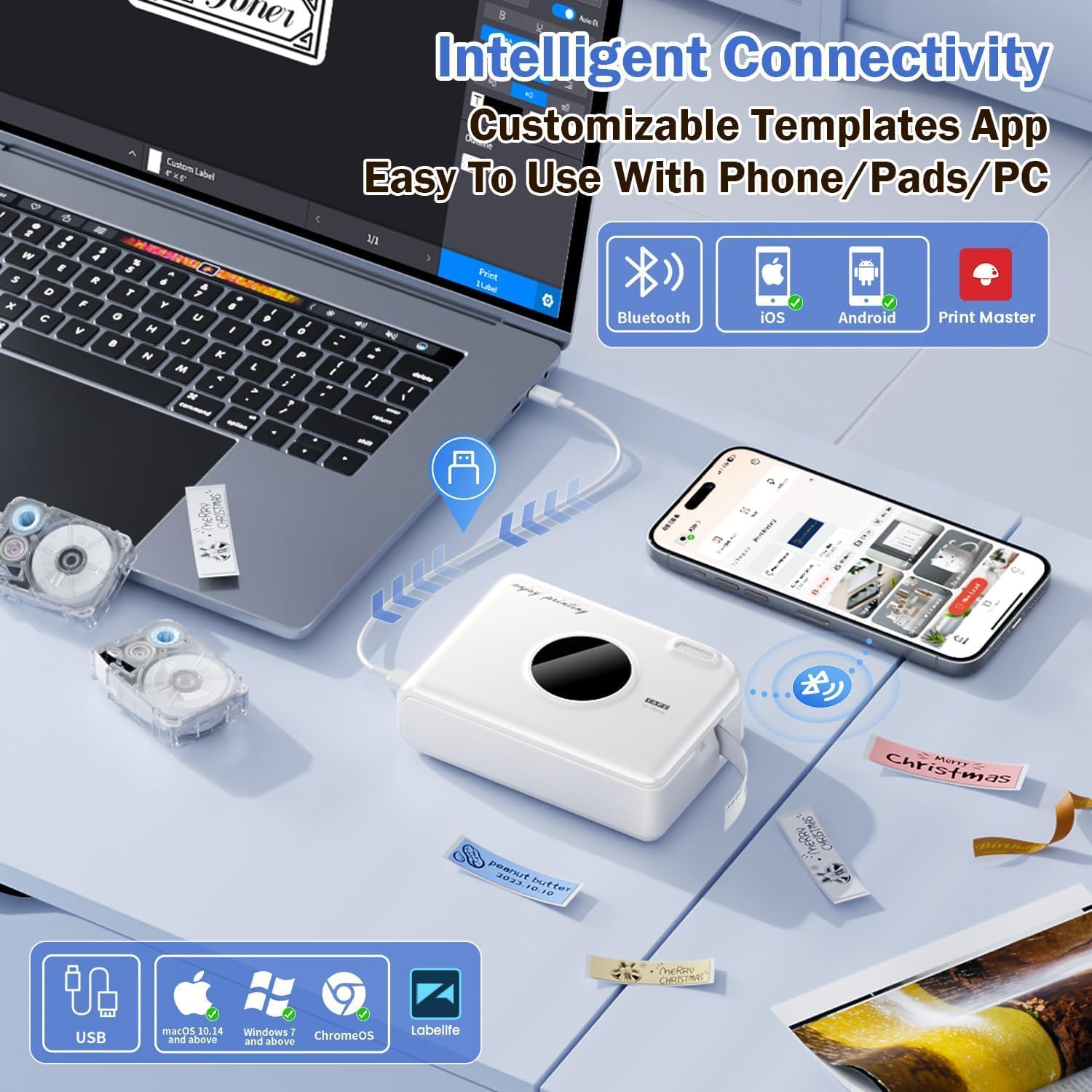
Figure 3: Connectivity options for the A30 Label Maker. This image illustrates the label maker connecting via Bluetooth to a smartphone and via USB to a laptop, highlighting compatibility with iOS, Android, and PC (Windows/Mac/ChromeOS) through the Print Master app.
The device also supports PC connectivity via USB for Windows, macOS 10.14+, and ChromeOS using the "Labellife" software.
5.4. Tqabbil tal-Bluetooth
- Turn on the Phomemo A30 Label Maker by pressing and holding the power button.
- Ippermetti l-Bluetooth fuq l-ismartphone jew it-tablet tiegħek.
- Open the "Print Master" app. The app will automatically search for nearby Phomemo devices.
- Select "A30" from the list of available devices to connect. The indicator light on the label maker will confirm a successful connection.
6. Istruzzjonijiet Operattivi
6.1. Passi Bażiċi tal-Istampar
- Ensure the label maker is charged and connected via Bluetooth to your device.
- Open the "Print Master" app.
- Select a template or create a new label design.
- Enter your desired text, add images, symbols, or barcodes.
- Preview the label to ensure accuracy.
- Tektek il-buttuna "Ipprintja" fl-app.
- Once printed, use the integrated cutter to separate the label from the roll.
6.2. Using App Features and Templates
L-app "Print Master" toffri għażliet estensivi ta' personalizzazzjoni:

Figure 4: Creative features and templates available in the Print Master app. This image displays the app's interface with options for text, QR codes, barcodes, images, timestamps, and a wide selection of fonts, symbols, and border templates for personalized label creation.
- Editjar tat-Test: Customize fonts (200+ built-in), sizes, styles (bold, italic), and alignment.
- Simboli u Ikoni: Access a library of 600+ symbols for various categories.
- Borduri u Gwarniċi: Choose from 200+ border templates.
- Kodiċijiet QR u Barkodijiet: Generate and print scannable codes.
- Stampi: Insert images from your device or use image recognition features.
- Mudelli: Utilize pre-designed templates for common uses (e.g., home organization, office, school).
- Rikonoxximent Awtomatiku tat-Tikketti: The A30 automatically recognizes compatible label consumables within the supported size of 12mm (0.47 inch) width.
6.3. Diverse Label Types and Applications
The A30 supports a wide range of Phomemo label types, allowing for versatile applications:
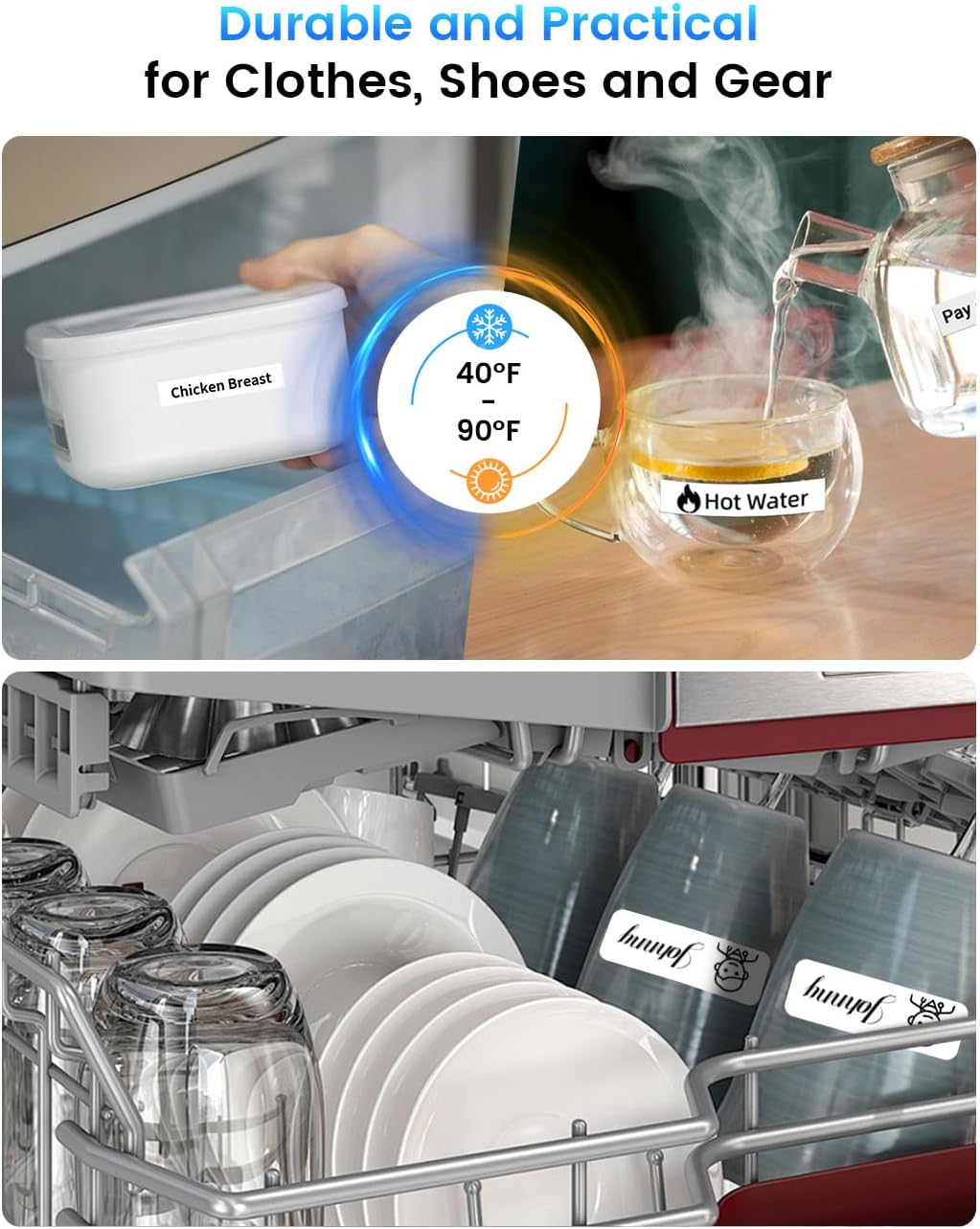
Figura 5: Eżamples of durable and practical label applications. This image shows labels applied to food containers in a refrigerator and items in a dishwasher, demonstrating the labels' resistance to temperature changes and water.
- Pre-cut/Continuous Labels: Standard labels for general use.
- Patterned Labels: Labels with decorative designs.
- Refrigerator Magnetic Labels: For organizing items in cold environments.
- Fabric Iron-on Labels: For clothing and textiles.
- Glitter Labels: For decorative purposes.
- Luminous Labels: Labels that glow in the dark.
The labels are designed for durability, offering water and oil resistance, and can withstand temperatures from -10°C to 60°C, making them suitable for outdoor use and dishwashers.
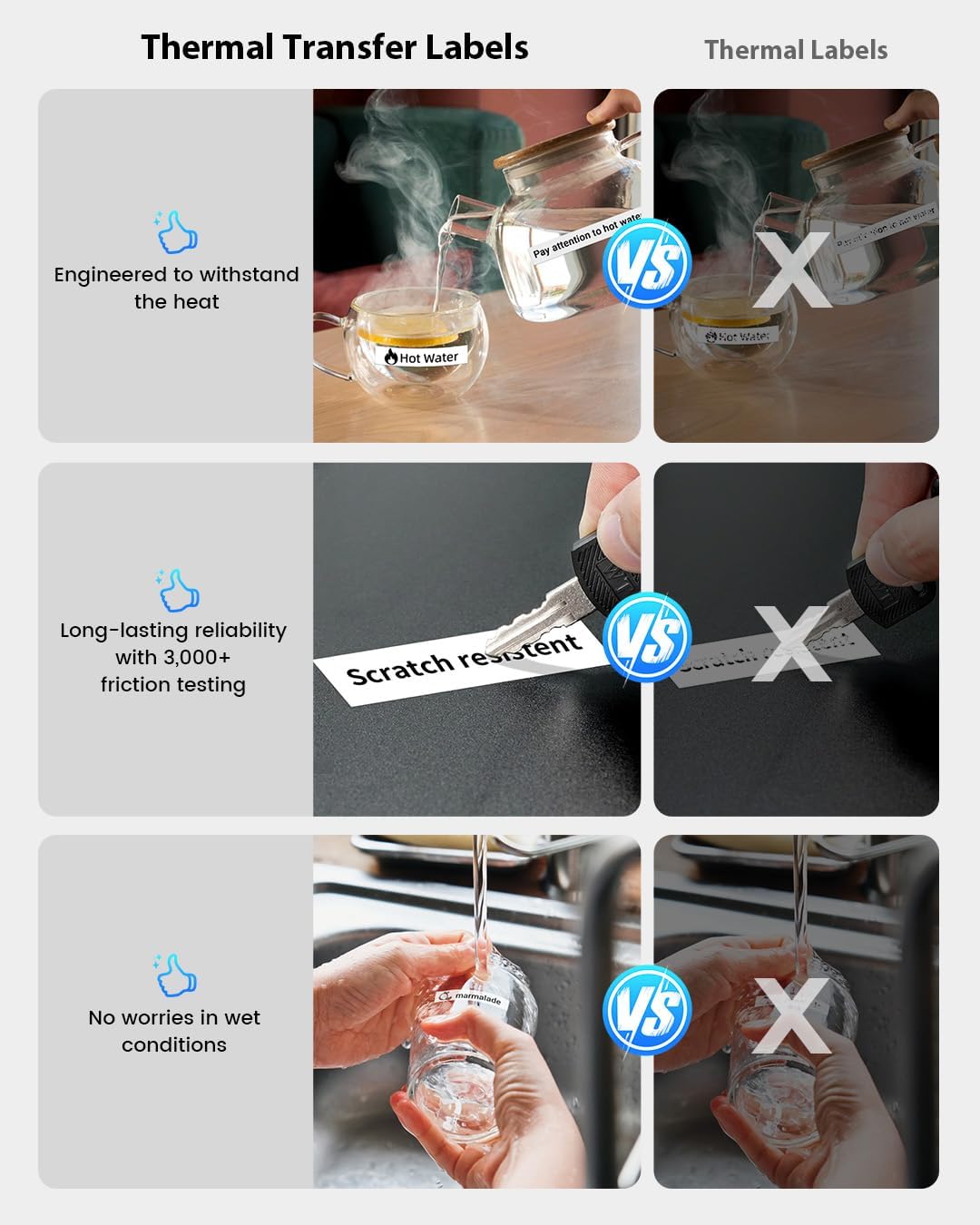
Figure 6: Durability comparison of thermal transfer labels. This image illustrates the superior resistance of thermal transfer labels to heat, scratches (3,000+ friction tests), and wet conditions compared to standard thermal labels, ensuring long-lasting reliability.
7. Manutenzjoni
7.1. Tindif tar-Ras tal-Istampar
If print quality degrades or lines appear, the print head may need cleaning. Use a cotton swab lightly dampened with isopropyl alcohol to gently wipe the print head. Allow it to dry completely before use.
7.2. Ħażna
Store the label maker in a cool, dry place away from direct sunlight and extreme temperatures. Remove the label roll if storing for an extended period.
8 Issolvi l-problemi
| Problema | Kawża Possibbli | Soluzzjoni |
|---|---|---|
| L-apparat ma jixgħelx. | Batterija baxxa. | Iċċarġja l-apparat għal mill-inqas 30 minuta. |
| Ma nistax nikkonnettja permezz tal-Bluetooth. | Il-Bluetooth mitfi; l-apparat mhux fil-firxa; problema bl-app. | Ensure Bluetooth is on; move device closer; restart app and label maker. |
| Poor print quality / Faded print. | Print head dirty; incorrect label roll insertion; low battery. | Clean print head; re-insert label roll correctly; charge device. |
| It-tikketti mhux qed jitimgħu sew. | Label roll jammed or incorrectly installed. | Open compartment, clear any jam, re-install label roll. |
| L-app tiġġarraf jew tiffriża. | Software bug; insufficient device memory. | Restart the app; update to the latest app version; clear app cache. |
9. Speċifikazzjonijiet

Figure 7: Phomemo A30 Label Maker key features and dimensions. This image highlights features such as colored ribbon printing, auto paper detection, extreme environment testing, 8+ years lifespan, 1200mAh rechargeable battery, and portable wireless design, along with its compact dimensions (5.16 x 3.74 x 1.52 inches).
| Karatteristika | Dettall |
|---|---|
| Isem tal-Mudell | A30 (7W31-WuAiTing-US-A30-WH-1) |
| Brand | Phomemo |
| Teknoloġija tal-Konnettività | Bluetooth |
| Teknoloġija tal-Istampar | Termali |
| Output Printer | Monokromu |
| Veloċità Massima tal-Istampar | 20 ppm (Monokromu) |
| Piż tal-oġġett | 160 Gramm |
| Batterija | 1200mAh Rikarikabbli |
| Wisa 'Tikketta Appoġġjata | 12mm (0.47 pulzieri) |
| Firxa tat-Temperatura Operattiva | -10°C sa 60°C |
| Karatteristiċi Speċjali | Creative Print Functions (Barcode, Text, Picture, QR 2D Code, Table, Date, Border, Icon, Shape, Pattern, Template, Save as, Line, Image Recognition, Voice Recognition, Automated Text Extraction, Automated Image Resizing, Automated Image Cropping, Automated Image Rotation, Automated Image Filtering, Automated Image Compression), Portable, Inkless, Wireless, Rechargeable, Print Continuous & Pre-cut Label Tapes, Rich Font Icon Pattern. |
10. Garanzija u Appoġġ
Phomemo products come with a standard warranty. For detailed warranty information, technical support, or customer service, please refer to the warranty card included with your product or visit the official Phomemo website. You can also contact Phomemo customer support through the "Print Master" app or their official channels.
Għal aktar għajnuna, jekk jogħġbok żur il- Phomemo Store on Amazon.


