Introduzzjoni
The Doro Leva L10 is a user-friendly mobile phone designed for seniors, offering simplified communication with essential features. It boasts a large landscape screen, powerful sound, a built-in camera, and a dedicated assistance button with GPS location for enhanced safety. This manual provides detailed instructions on setting up, operating, maintaining, and troubleshooting your Doro Leva L10.

Figure 1: Doro Leva L10 mobile phone with its charging dock, showing both the front keypad and screen, and the textured back panel with camera and assistance button.
1. Setup
1.1 Tneħħija tal-kaxxa u l-kontenut tal-pakkett
Qabel ma tibda, kun żgur li l-komponenti kollha huma preżenti fil-pakkett:
- Telefon Mobbli Doro Leva L10
- Baċir tal-Iċċarġjar
- Kejbil USB Type-C
- Adapter tal-Enerġija
- Manwal għall-Utent (dan id-dokument)
1.2 Iċċarġjar tal-batterija
The phone comes with a 1000mAh Lithium-ion battery. It is recommended to fully charge the phone before first use.
- Connect the USB Type-C cable to the charging dock.
- Connect the power adapter to the USB Type-C cable and plug it into a wall outlet.
- Place the Doro Leva L10 phone into the charging dock. Ensure it is seated correctly and the charging indicator appears on the screen.
- Alternatively, you can connect the USB Type-C cable directly to the phone's charging port.
A full charge typically takes a few hours. The battery offers long autonomy.
1.3 Id-Daħħal tas-SIM Card
The Doro Leva L10 requires a SIM card to make calls and send SMS messages. Refer to the phone's back panel for the SIM card slot location.

Figura 2: Wara view of the Doro Leva L10, highlighting the camera lens, flash, and the prominent assistance button. The speaker grille is also visible at the bottom.
- Power off the phone before inserting or removing the SIM card.
- Neħħi bir-reqqa l-għatu ta' wara tat-telefon.
- Locate the SIM card slot(s). Insert your SIM card(s) according to the diagram near the slot, ensuring the gold contacts face down.
- Ibdel il-qoxra ta' wara b'mod sikur.
1.4 Tixgħel/Jitfi
- Biex tixgħel: Agħfas u żomm il-buttuna Power/End Call (ġeneralment ħamra) sakemm l-iskrin jixgħel.
- To power off: Press and hold the Power/End Call button, then follow the on-screen prompts to shut down.
2. Istruzzjonijiet Operattivi
2.1 Making Calls and Sending SMS
The Doro Leva L10 is designed for straightforward communication.
- Tagħmel Sejħa: Dial the number using the large, well-spaced keypad and press the Green Call button.
- Tweġiba għal Sejħa: Agħfas il-buttuna l-Ħadra tas-Sejħa meta jdoqq it-telefon.
- Tmiem Sejħa: Agħfas il-buttuna l-Ħamra tat-Tmiem tas-Sejħa.
- Tibgħat SMS: Navigate to the 'Messages' menu, select 'New Message', enter the recipient's number and your message using the keypad, then send.
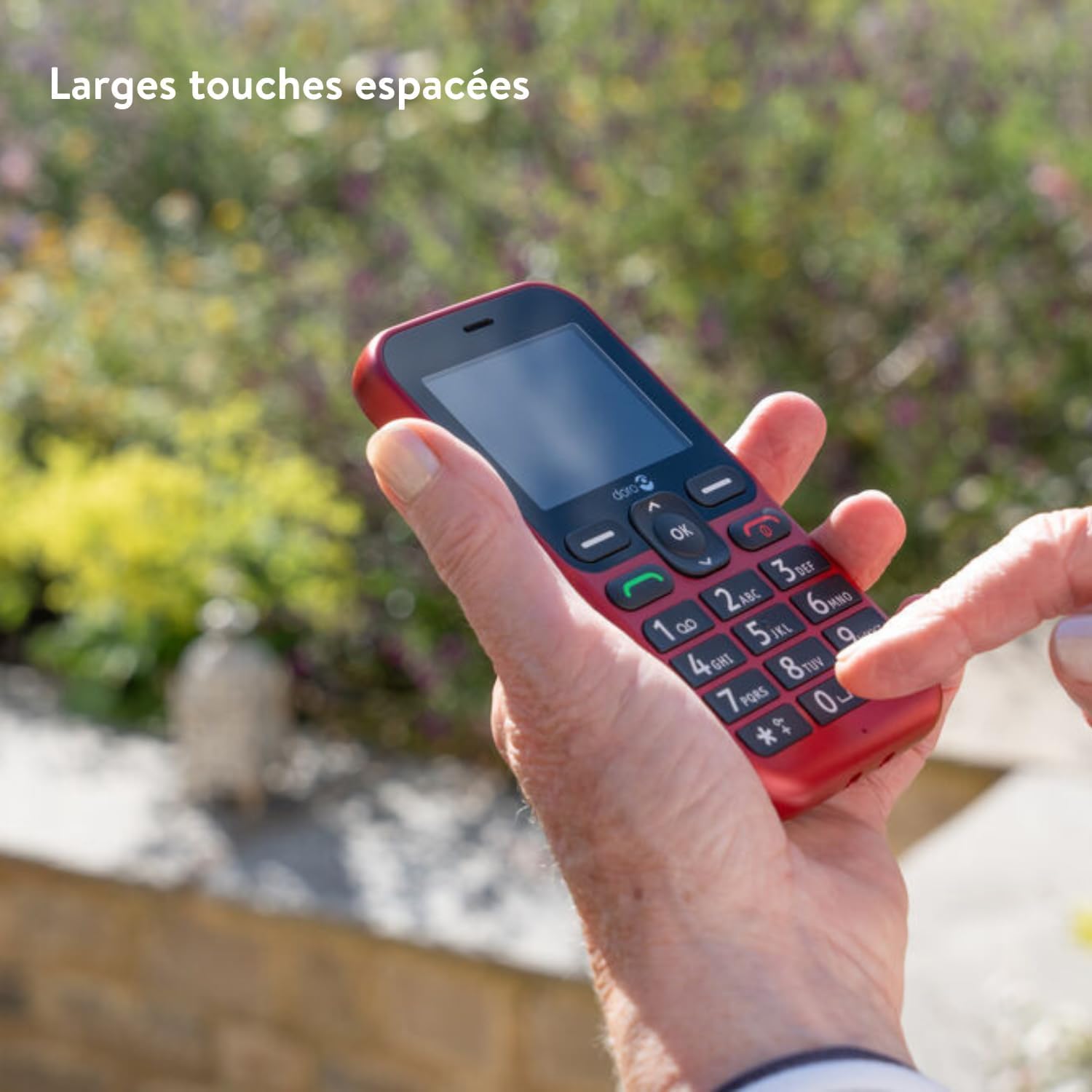
Figure 3: A hand demonstrating the ease of use with the Doro Leva L10's large, clearly spaced keypad buttons, designed for comfortable and accurate dialing.
2.2 Display and Readability
The phone features a 2.4-inch landscape screen with high contrast, ensuring optimal readability, especially for users with low visual acuity.

Figure 4: The Doro Leva L10 display, illustrating its high contrast and large text, making it easy to read for all users.
2.3 Assistance Button with GPS
For added security, the Doro Leva L10 includes a dedicated assistance button located on the back of the phone. When pressed, it alerts your trusted contacts via SMS, including your GPS location.
- Setting up Contacts: Access the 'Assistance' or 'SOS' settings in the phone's menu to add and manage your emergency contacts.
- Bl-użu tal-buttuna: In an emergency, press and hold the assistance button for a few seconds until the alert is activated.
2.4 Camera and Torch
The phone is equipped with a 2MP camera with flash for capturing memories and an integrated torch for convenience.
- Kamera: Access the camera from the main menu. Use the navigation keys to frame your shot and the 'OK' button to capture.
- Torċa: The torch function can typically be activated via a shortcut key or through the utilities menu.
2.5 Karatteristiċi tal-Ħoss
The Doro Leva L10 offers powerful and clear sound, compatible with hearing aids (HAC). This ensures conversations are easily heard.
- Aġġustament tal-Volum: Use the side volume buttons during a call or when playing media to adjust the sound level.
- Kompatibilità tal-Għajnuniet tas-Smigħ: The phone is designed to work seamlessly with most hearing aids, reducing interference.
3. Manutenzjoni
3.1 Tindif tal-Apparat
To keep your Doro Leva L10 in optimal condition, clean it regularly:
- Uża drapp artab u mingħajr suf biex timsaħ l-iskrin u l-qafas.
- Evita li tuża kimiċi ħarxa, prodotti tat-tindif li joborxu, jew sprejs tal-ajrusol.
- Ensure no moisture enters openings.
3.2 Reżistenza għall-isprejjar (IP54)
The Doro Leva L10 has an IP54 rating, meaning it is protected from dust ingress sufficient to prevent the product from operating normally and from water splashes from any direction. While it offers some protection, it is not waterproof and should not be submerged in water.
4 Issolvi l-problemi
If you encounter issues with your Doro Leva L10, try the following solutions:
| Problema | Kawża Possibbli | Soluzzjoni |
|---|---|---|
| It-telefon ma jixgħelx | Low battery; Faulty battery/charger | Charge the phone for at least 30 minutes. Ensure charger and cable are working. |
| Ma nistax nagħmel/nirċievi telefonati | No SIM card; SIM card not inserted correctly; No network signal | Iċċekkja l-inserzjoni tas-SIM card. Mur f'żona b'kopertura tan-netwerk aħjar. Ikkuntattja lill-fornitur tas-servizz tiegħek. |
| Kwalità tal-ħoss fqira | Low volume; Speaker/microphone blocked | Adjust volume. Ensure speakers and microphone are clear of debris. |
| Il-buttuna tal-assistenza mhux qed taħdem | Contacts not set up; GPS signal weak | Verify emergency contacts in settings. Ensure phone has clear view of sky for GPS. |
If the problem persists, please contact Doro customer support.
5. Speċifikazzjonijiet
| Karatteristika | Dettall |
|---|---|
| Brand | Doro |
| Isem tal-Mudell | Leva 10 |
| Kulur | Grafita |
| Daqs tal-Iskrin | 2.4 Pulzier |
| Riżoluzzjoni tal-Iskrin | 320 x 240 |
| Riżoluzzjoni tal-Kamera | 2 Megapixels |
| Konnettività | 4G |
| Kompożizzjoni tal-batterija | Lithium-ion (1000mAh) |
| Sistema Operattiva | OxygenOS |
| Kapaċità tal-Ħżin | 64 GB |
| Klassifikazzjoni tal-Protezzjoni tad-Dħul (IP). | IP54 (reżistenti għat-titjir) |
6. Garanzija u Appoġġ
Doro products are designed for reliability. For information regarding your product's warranty, please refer to the warranty card included in your product packaging or visit the official Doro websit.
For technical support, troubleshooting assistance beyond this manual, or service inquiries, please contact Doro customer support. Contact details can typically be found on the Doro webis-sit jew fuq l-irċevuta tax-xiri tiegħek.
Doro Uffiċjali Websit: www.doro.com


