1. Prodott Aktarview
The AUKEY Spark Mini 20000 PB-Y57-GY is a compact, high-capacity portable charger designed to provide reliable power on the go. With a 20000mAh battery, it offers ample power for multiple charges of various electronic devices, including smartphones and wearable tech. It features both USB-C and USB-A output ports, supporting fast charging standards like Power Delivery (PD3.0) and Quick Charge (QC3.0) for efficient power delivery.
This power bank is equipped with a low current mode, ideal for safely charging smaller devices such as wireless earphones that require a lower power input. An integrated LED indicator provides real-time battery status at a glance. Its compact design makes it convenient for travel, business trips, or simply for use at home or in the office, helping to keep your charging setup tidy.
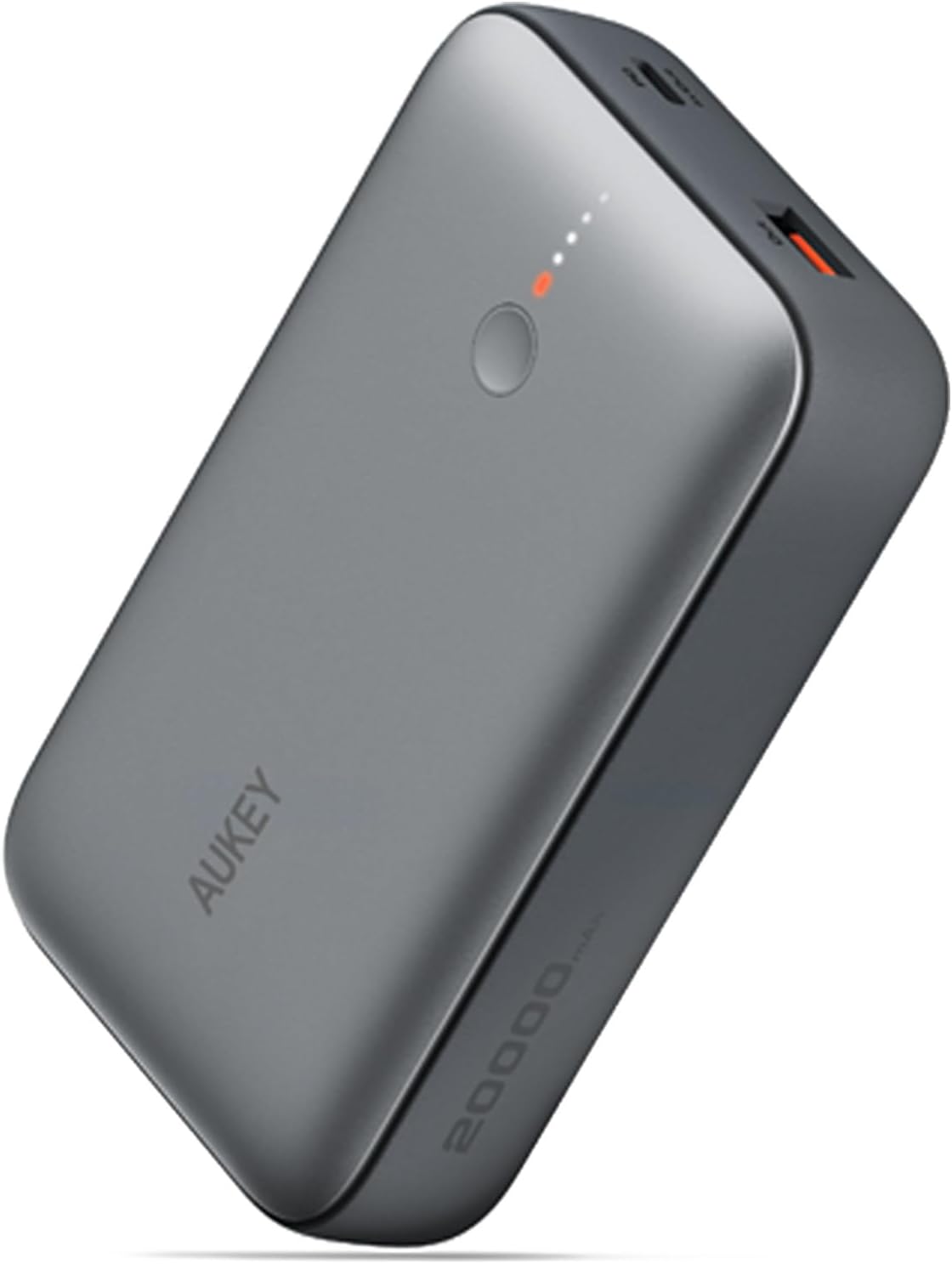
Figura 1.1: The AUKEY Spark Mini 20000 PB-Y57-GY portable charger, showcasing id-disinn kompatt u eleganti tiegħu.
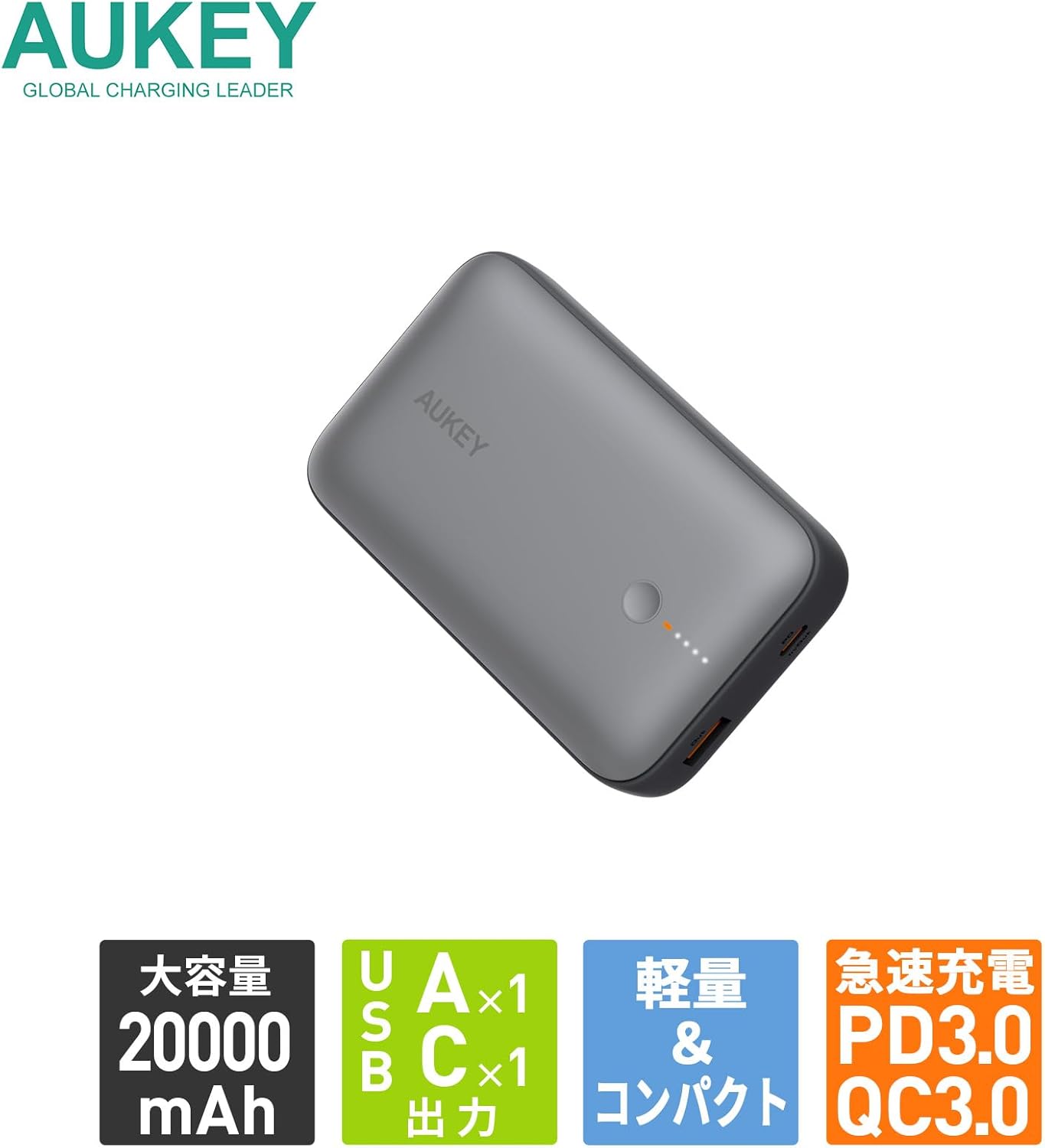
Figura 1.2: Fuqview of key features: 20000mAh large capacity, one USB-A and one USB-C output, lightweight and compact design, and support for PD3.0 and QC3.0 fast charging.
2. Twaqqif u l-Ewwel Użu
2.1. Kontenut tal-Pakkett
Before using your AUKEY Spark Mini 20000, please ensure all items are present in the package:
- AUKEY Spark Mini 20000 Portable Charger (Model: PB-Y57-GY)
- USB-C to C Cable (for charging the power bank)
- Manwal għall-Utent (dan id-dokument)
2.2. L-Iċċarġjar Inizjali tal-Power Bank
For optimal performance, it is recommended to fully charge the power bank before its first use.
- Connect the provided USB-C to C cable to the USB-C port on the power bank.
- Connect the other end of the USB-C cable to a compatible USB-C wall charger (not included).
- The LED indicators on the power bank will illuminate to show the charging progress. All LEDs will be solid when fully charged.

Figura 2.1: The USB-C port functions for both input (charging the power bank) and output (charging devices). The image illustrates charging the power bank itself using a USB-C wall adapter.
3. Operazzjoni
3.1. Apparat tal-Iċċarġjar
The Spark Mini 20000 features both USB-C and USB-A output ports for versatile charging.
- Output USB-C: Supports PD3.0 with a maximum output of 20W. Use a USB-C to USB-C cable or USB-C to Lightning cable (not included) for compatible devices.
- Output USB-A: Supports QC3.0 with a maximum output of 18W. Use a standard USB-A charging cable (not included) for compatible devices.
- Connect your device's charging cable to the appropriate port (USB-C or USB-A) on the power bank.
- Qabbad it-tarf l-ieħor tal-kejbil mat-tagħmir tiegħek.
- Il-power bank jibda jiċċarġja t-tagħmir tiegħek awtomatikament. L-indikaturi LED juru l-livell li jifdal tal-batterija.

Figura 3.1: Dettaljati view of the power bank's ports, including the USB-C port (18W input/20W output), USB-A port (18W output), power button, and LED indicator lights.

Figura 3.2: The power bank can charge two devices simultaneously using both the USB-A and USB-C output ports.
3.2. Modalità ta' Kurrent Baxx
The low current mode is designed for charging small devices that require lower power input, such as wireless earbuds, smartwatches, or fitness trackers. This mode ensures safe and optimal charging for these sensitive devices.
- Press and hold the power button for approximately 2 seconds until the first LED indicator changes color (e.g., from white to green, or a distinct pattern). This indicates that low current mode is activated.
- Connect your low-power device to either the USB-C or USB-A port.
- The power bank will charge your device at a reduced current.
- To exit low current mode, press the power button once. The LED indicator will return to its normal state.
3.3. Iċċarġjar Pass-Through
The Spark Mini 20000 supports pass-through charging, allowing you to charge the power bank itself while simultaneously charging a connected device.
- Connect the power bank to a wall charger using the USB-C input port.
- Connect your device to either the USB-C or USB-A output port on the power bank.
- Kemm il-power bank kif ukoll l-apparat tiegħek se jiċċarġjaw simultanjament.
4. Manutenzjoni
4.1. Tindif
- Wipe the surface of the power bank with a soft, dry cloth.
- Tużax prodotti tat-tindif li joborxu, solventi, jew kimiċi ħarxa.
- Żomm il-portijiet ħielsa mit-trab u l-fdalijiet.
4.2. Ħażna
- Aħżen il-power bank f'post frisk u niexef 'il bogħod mix-xemx diretta u minn temperaturi estremi.
- For long-term storage, charge the power bank to approximately 50-70% every 3 months to maintain battery health.
4.3. Kura Ġenerali
- Evita li twaqqa’ jew tissuġġetta l-bank tal-enerġija għal impatti qawwija.
- Tiżżarmax, timmodifikax jew tipprova ssewwa l-apparat lilek innifsek.
- Keep away from water and high humidity.
5 Issolvi l-problemi
| Problema | Kawża Possibbli | Soluzzjoni |
|---|---|---|
| Il-power bank mhux qed jiċċarġja. | Problema bil-kejbil jew bl-adapter; il-power bank iċċarġjat għalkollox; il-port difettuż. | Try a different USB-C cable and wall adapter. Ensure the adapter meets the power bank's input requirements. Check if the power bank is already fully charged (all LEDs solid). |
| L-apparat mhux qed jiċċarġja mill-power bank. | Power bank battery empty; cable issue; device incompatibility; low current mode not activated for small devices. | Charge the power bank. Try a different charging cable for your device. Ensure your device is compatible with the power bank's output. For small devices, activate low current mode. |
| Iċċarġjar bil-mod. | Cable quality; device not supporting fast charging; multiple devices charging simultaneously. | Use a high-quality cable. Ensure your device supports PD or QC fast charging. Charging multiple devices simultaneously may reduce individual charging speeds. |
| L-indikaturi LED mhux qed jaħdmu. | Power bank off; internal issue. | Press the power button to check battery status. If the issue persists, contact customer support. |
6. Speċifikazzjonijiet
| Karatteristika | Dettall |
|---|---|
| Numru tal-Mudell | PB-Y57-GY |
| Kapaċità tal-batterija | 20000mAh |
| Tip ta 'batterija | Jonju tal-litju |
| Output USB-C | PD3.0, Max 20W |
| Output USB-A | QC3.0, Max 18W |
| Input USB-C | Max 18W |
| Dimensjonijiet (L x W x H) | 11.22 x 7.04 x 2.63 ċm |
| Piż | 315 g |
| Kulur | Griż |
| Karatteristiċi Speċjali | Digital Display, Low Current Mode, Pass-Through Charging |
| Cable Inkluż | USB-C to C Cable (for power bank charging) |

Figura 6.1: The power bank is approved for carry-on luggage on domestic and international flights (77Wh), providing peace of mind for long journeys.

Figura 6.2: The compact design makes the power bank easy to carry in small bags, convenient for travel or business trips.
7. Garanzija u Appoġġ
7.1. Informazzjoni dwar Garanzija
The AUKEY Spark Mini 20000 PB-Y57-GY comes with a garanzija ta 'sena mid-data tax-xiri. Din il-garanzija tkopri difetti fil-manifattura u kwistjonijiet li jirriżultaw minn użu normali. Jekk jogħġbok żomm il-prova tax-xiri tiegħek għal talbiet ta' garanzija.
The warranty does not cover damage caused by misuse, accidents, unauthorized modifications, or natural disasters. For detailed warranty terms and conditions, please refer to the official AUKEY websit jew ikkuntattja l-appoġġ tal-klijent.
7.2. Appoġġ għall-Klijent
If you encounter any issues or have questions regarding your AUKEY Spark Mini 20000, please contact AUKEY customer support. You can typically find contact information on the official AUKEY webis-sit jew permezz tal-bejjiegħ bl-imnut minn fejn xtrajt il-prodott.
When contacting support, please be prepared to provide your product model number (PB-Y57-GY) and a detailed description of the issue.


