1. Introduzzjoni
This manual provides essential information for setting up, operating, and maintaining your XIAOMI 14T Pro Ai 5G smartphone. Please read it carefully to ensure optimal performance and longevity of your device.
X'hemm fil-Kaxxa
- XIAOMI 14T Pro Smartphone
- Kejbil USB Type-C
- SIM Eject Pin
- Kawża tat-Telefon
- Gwida Quick Start u Karta tal-Garanzija

Image: The XIAOMI 14T Pro smartphone, USB cable, SIM eject pin, phone case, and user manual as packaged in the retail box.
2. Device Overview
The XIAOMI 14T Pro features a premium design with an aluminum alloy metallic frame, offering both durability and a sophisticated feel. Its ultra-thin bezel design provides an immersive viewing esperjenza.
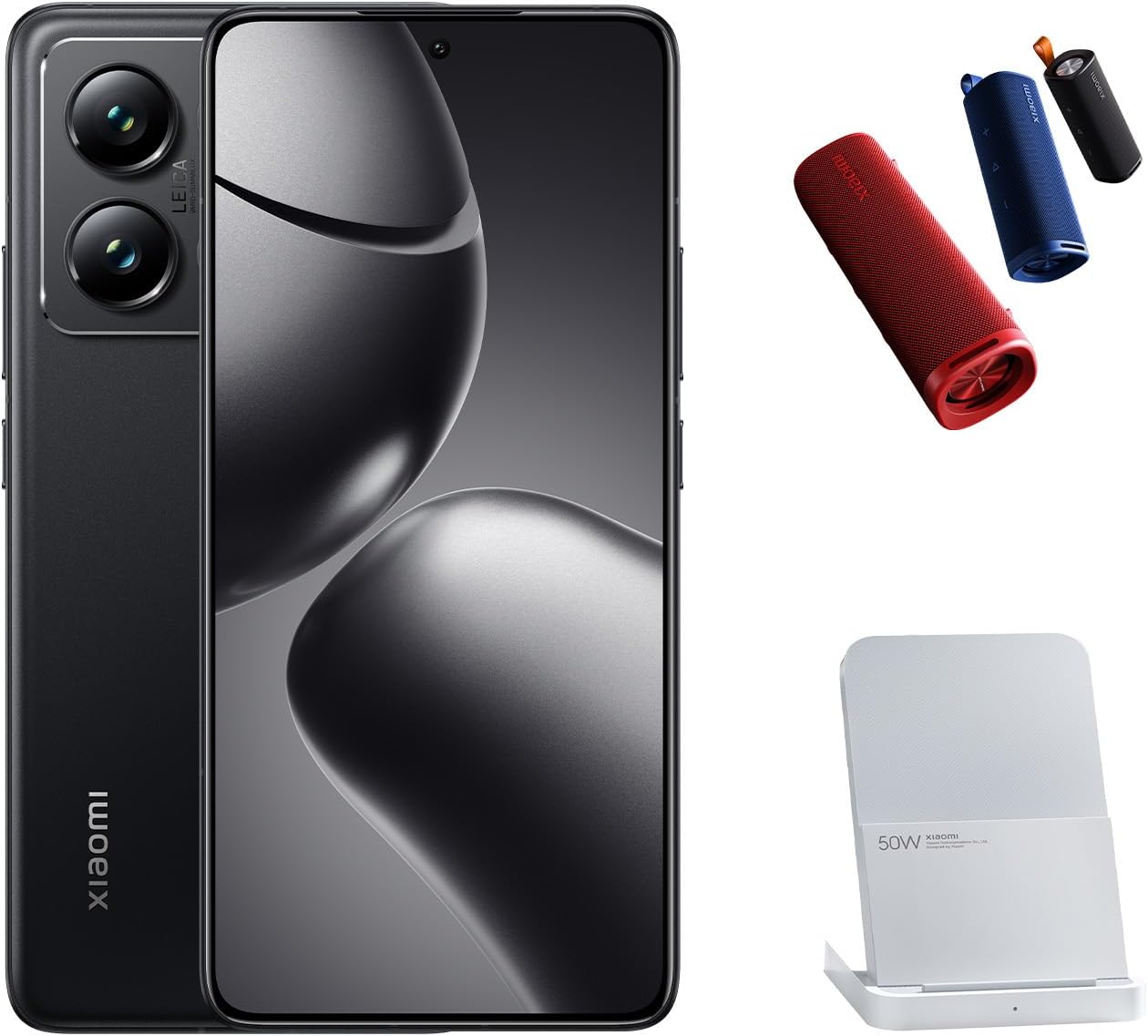
Image: The XIAOMI 14T Pro smartphone, displaying its sleek design and prominent camera array.
Karatteristiċi Ewlenin
- Wiri: 6.67-inch 144Hz AI AMOLED display with 2712 x 1220 resolution and 4000 nits peak brightness.
- Proċessur: MediaTek Dimensity 9300+ 4nm power-efficient manufacturing process.
- Sistema tal-Kamera: 50MP Triple Pro Leica Camera (Main, Telephoto, Ultra-wide) with Light Fusion 900 sensor.
- Batterija: 5000mAh (typ) battery with 120W HyperCharge support.
- Sistema Operattiva: Android 14 with Xiaomi HyperOS.
- Konnettività: Dual Nano SIM 5G + eSIM, Wi-Fi 7, Bluetooth 5.4, NFC.
- Karatteristiċi tal-AI: Circle to Search with Google, Google Gemini AI Interpreter, AI Notes, AI Recorder, AI Subtitles, AI Film, AI image editing, AI Portrait.
3. Setup
3.1 Qawwa Inizjali
- Ensure your device has sufficient charge. If not, connect it to the provided USB cable and a power adapter.
- Agħfas u żomm il- Buttuna tal-qawwa (located on the right side of the device) until the XIAOMI logo appears.
- Segwi l-istruzzjonijiet fuq l-iskrin biex tlesti s-setup inizjali, inkluż l-għażla tal-lingwa, il-konnessjoni Wi-Fi, u d-dħul fil-kont Google.
3.2 SIM Card and eSIM Installation
The XIAOMI 14T Pro supports Dual Nano SIM and eSIM functionality.
- Sib it-trej tal-kard SIM fuq il-ġenb tat-tagħmir tiegħek.
- Insert the SIM eject pin into the small hole on the SIM tray and gently push until the tray pops out.
- Place your Nano SIM card(s) into the tray with the gold contacts facing down. Ensure they are correctly seated.
- Erġa' daħħal it-trej tas-SIM fl-apparat bir-reqqa.
- For eSIM activation, navigate to Settings > Netwerk u internet > SIMs and follow the instructions to add an eSIM profile.

Image: The right side of the XIAOMI 14T Pro, highlighting the SIM card tray slot and physical buttons.
4. Tħaddim tat-Tagħmir Tiegħek
4.1 Wiri u Navigazzjoni
The 6.67-inch AI AMOLED display offers vibrant colors and deep contrasts. Its 144Hz refresh rate ensures smooth scrolling and fluid animations, enhancing your overall user experience. The touch sampling rate of up to 480Hz provides highly responsive interaction.
4.2 Funzjonijiet tal-Kamera
The XIAOMI 14T Pro features a professional Leica co-engineered triple-lens camera system, designed to capture exceptional images in various conditions.
- Kamera Prinċipali: 50MP with Leica Summilux optical lens, Light Fusion 900 image sensor, OIS, and f/1.6 aperture for excellent low-light performance.
- Kamera tat-Telephoto: 50MP with f/2.0 aperture, ideal for detailed zoomed shots.
- Kamera ultra-wiesgħa: 12MP with f/2.2 aperture and 120° FOV for expansive landscape and group photos.
- Karatteristiċi tal-Fotografija: Leica Authentic Look, Leica Vibrant Look, Leica filters, Master-lens system (35mm Documentary, 50mm Swirly bokeh, 75mm Portrait, 90mm Soft focus), Digital zoom up to 30x.
- Kamera ta' quddiem: 32MP in-display selfie camera with f/2.0 aperture, Night mode, HDR, and Portrait mode.

Immaġni: Dettaljata view of the XIAOMI 14T Pro's advanced Leica camera system.
4.3 Karatteristiċi tal-AI
Uża l-kapaċitajiet integrati tal-AI għal produttività u kreattività mtejba:
- Ċirku biex Tfittex bil-Google: Circle, highlight, or tap anything on your screen to get instant search results.
- Interpretu tal-AI tal-Google Gemini: Traduzzjoni tal-lingwa f'ħin reali.
- Noti tal-AI u Reġistratur tal-AI: Smart note-taking and transcription features.
- AI Film & AI Image Editing: Advanced tools for video creation and photo enhancement.
5. Manutenzjoni
5.1 Ġestjoni tal-batterija
The 5000mAh battery provides extended usage. Utilize the 120W HyperCharge for rapid charging. To prolong battery life, avoid extreme temperatures and fully discharging the battery frequently.
5.2 Aġġornamenti tas-Software
Regularly check for and install system updates to ensure your device has the latest features, security patches, and performance improvements. Updates are typically found under Settings > Dwar it-telefon > Verżjoni MIUI (or HyperOS version).
5.3 Tindif u Kura
Use a soft, lint-free cloth to clean your device. Avoid harsh chemicals or abrasive materials. The device features LiquidCool Technology for thermal management; ensure proper ventilation during heavy use.
6 Issolvi l-problemi
6.1 Kwistjonijiet Komuni
- Apparat mhux mixgħul: Ensure the battery is charged. If the issue persists, try a forced restart by holding the Power button for 10-15 seconds.
- Kwistjonijiet ta' konnettività tan-netwerk: Check SIM card insertion, ensure mobile data is enabled, or try toggling Airplane Mode. Verify your carrier settings.
- L-apps jiġġarraf jew jiffriża: Clear the app's cache (Settings > Apps > [App Name] > Storage > Clear cache) or reinstall the app. Ensure your device's software is up to date.
- Sensur tal-marki tas-swaba' mhux qed jaħdem: Kun żgur li subgħajk ikun nadif u niexef. Irreġistra mill-ġdid il-marki tas-swaba' tiegħek fis-Settings.
6.2 Irrisettja l-Fabbrika
Jekk tiltaqa' ma' problemi persistenti tas-softwer, jista' jkun meħtieġ reset tal-fabbrika. Twissija: Dan se jħassar id-dejta kollha fuq l-apparat tiegħek. Agħmel backup tad-dejta importanti qabel ma tipproċedi.
- Mur fuq Settings > Dwar it-telefon > Reset tal-fabbrika.
- Tektek Ħassar id-data kollha u tikkonferma d-deċiżjoni tiegħek.
7. Speċifikazzjonijiet
| Karatteristika | Dettall |
|---|---|
| Isem tal-Mudell | 14T Pro |
| Numru tal-Mudell tal-Oġġett | MZB0HIYEU |
| Sistema Operattiva | Android 14 (b'Xiaomi HyperOS) |
| Daqs tal-Wiri | 6.67 Pulzier |
| Riżoluzzjoni tal-Wiri | 2712 x 1220 (446ppi) |
| Riffriskar Rata | Sa 144Hz |
| Proċessur | MediaTek Dimensity 9300+ |
| Memorja RAM | 12 GB |
| Kapaċità tal-Ħżin | 1024 GB (Internal, no SD card slot) |
| Kamera Prinċipali | Lenti ottika Leica Summilux ta' 50MP |
| Telephoto Camera | 50MP |
| Kamera ultra-wiesgħa | 12MP |
| Kamera ta' Quddiem | 32MP |
| Kapaċità tal-batterija | 5000 mAh |
| Iċċarġjar | 120W HyperCharge (wired), Wireless Charging supported |
| Konnettività | 5G, Wi-Fi 7, Bluetooth 5.4, NFC, GPS |
| Sensuri | Fingerprint (under display, optical), accelerometer, proximity, gyro, compass, color spectrum |
| Dimensjonijiet | 6.31 x 2.96 x 0.33 pulzieri |
| Piż tal-oġġett | 7.9 uqija |
| Kulur | Titan Iswed |
8. Garanzija u Appoġġ
Please note that this is an International Model and may not include warranty coverage in the US. For warranty details specific to your region, please refer to the warranty card included in your product packaging or contact your local XIAOMI authorized service center.
For further assistance, visit the official XIAOMI support webis-sit jew ikkuntattja s-servizz tal-konsumatur tagħhom. Tista' ssib aktar informazzjoni u prodotti fuq Ħanut XIAOMI.


