1. Introduzzjoni
The LAUNCH Creader Elite 2.0 is a professional OBD2 diagnostic tool designed for BMW, Mercedes-Benz, and Audi group vehicles. It offers comprehensive system diagnostics, advanced reset services, bi-directional control (active tests), and ECU coding capabilities. This manual provides essential information for operating and maintaining your device.
2. Informazzjoni dwar is-Sigurtà
- Dejjem wettaq it-testijiet tal-karozzi f'żona ventilata tajjeb.
- Wear eye protection and safety gloves when working on vehicles.
- Keep the device dry and clean. Avoid exposure to extreme temperatures or humidity.
- Do not attempt to disassemble or modify the device. Refer to qualified personnel for repairs.
- Ensure the vehicle's ignition is off before connecting or disconnecting the diagnostic tool.
3. Device Overview
The LAUNCH Creader Elite 2.0 features a 4-inch Android 8.0 touchscreen display, providing an intuitive interface for diagnostics. It is equipped with a 3000 mAh battery and 2x16GB memory for efficient operation and data storage.

Immaġni: Quddiem view of the LAUNCH Creader Elite 2.0 diagnostic tool, showing its touchscreen interface and control buttons.
4. Setup u Konfigurazzjoni Inizjali
- Qawwa Mixgħul: Agħfas u żomm il-buttuna tal-qawwa biex tixgħel l-apparat.
- Għażla tal-Lingwa: Follow the on-screen prompts to select your preferred language. The device supports 10 languages.
- Konnessjoni Wi-Fi: Navigate to 'Settings' and connect to a stable Wi-Fi network. This is crucial for software updates and online features.
- Aġġornament tas-Software: After connecting to Wi-Fi, check for available updates in the 'Upgrade' section. Perform a one-click update to ensure you have the latest software and vehicle coverage.
5. Istruzzjonijiet Operattivi
5.1. Connecting to the Vehicle
- Locate the vehicle's OBD2 port (usually under the dashboard).
- Connect the diagnostic cable from the Creader Elite 2.0 to the vehicle's OBD2 port.
- Dawwar l-ignition tal-vettura għall-pożizzjoni 'ON' (il-magna mitfija).
- The device will automatically power on or prompt you to select 'Diagnose'.
5.2. Dijanjostika Sħiħa tas-Sistema
This function allows you to scan all available electronic control systems in the vehicle, including Engine (ENG), Anti-lock Braking System (ABS), Supplemental Restraint System (SRS), Transmission, Tire Pressure Monitoring System (TPMS), Electronic Parking Brake (EPB), Battery Management System (BMS), and Fuel systems. The device supports Auto VIN for quick vehicle identification.

Image: Diagram illustrating the comprehensive system diagnostic capabilities, showing various vehicle systems like engine, ABS, SRS, and TPMS, and the device performing a scan.
5.3. OBDII Functions
The device provides standard OBDII functions for all OBDII/EOBD compliant vehicles (1994-2000 for EOBD/OBDII global vehicles, 1996-2025 for BBA group vehicles). These include:
- Read/Clear Diagnostic Trouble Codes (DTCs)
- View Live Data Stream (text and graph format)
- Retrieve Freeze Frame Data
- Status ta' Prontezza I/M
- Test tas-Sensor O2
- Test tal-Moniter Abbord
- Test tal-Komponent
- Vehicle Information Retrieval (VIN, CIN, CVN)
5.4. Special Functions (Reset Services)
The Creader Elite 2.0 offers over 100 reset functions specifically for Benz, BMW, and Audi group vehicles. These services assist in maintenance and repair tasks.

Image: A collage of icons representing various reset functions such as Oil Reset, ABS Bleeding, DPF Regeneration, Injector Coding, and TPMS Reset, available on the diagnostic tool.
Examples of supported reset functions include:
- Irrisettja żejt
- Fsada mill-ABS
- Kalibrazzjoni tat-throttle
- Irrisettja EPB
- Riġenerazzjoni DPF
- Kodifikazzjoni tal-Injettur
- Kalibrazzjoni SAS
- Irrisettja BMS
- Irrisettja TPMS
- Irrisettjar tal-AdBlue
- Gearbox Irrisettja
- Irrisettjar tas-Saqaf tax-Xemx
- Kalibrazzjoni tas-Sedil
Note: Specific reset functions may vary by vehicle model and year.
5.5. Kontroll Bidirezzjonali (Test Attiv)
This feature allows the diagnostic tool to send commands to vehicle components and modules to test their functionality directly, without using the vehicle's controls. This helps in quickly pinpointing faulty parts.
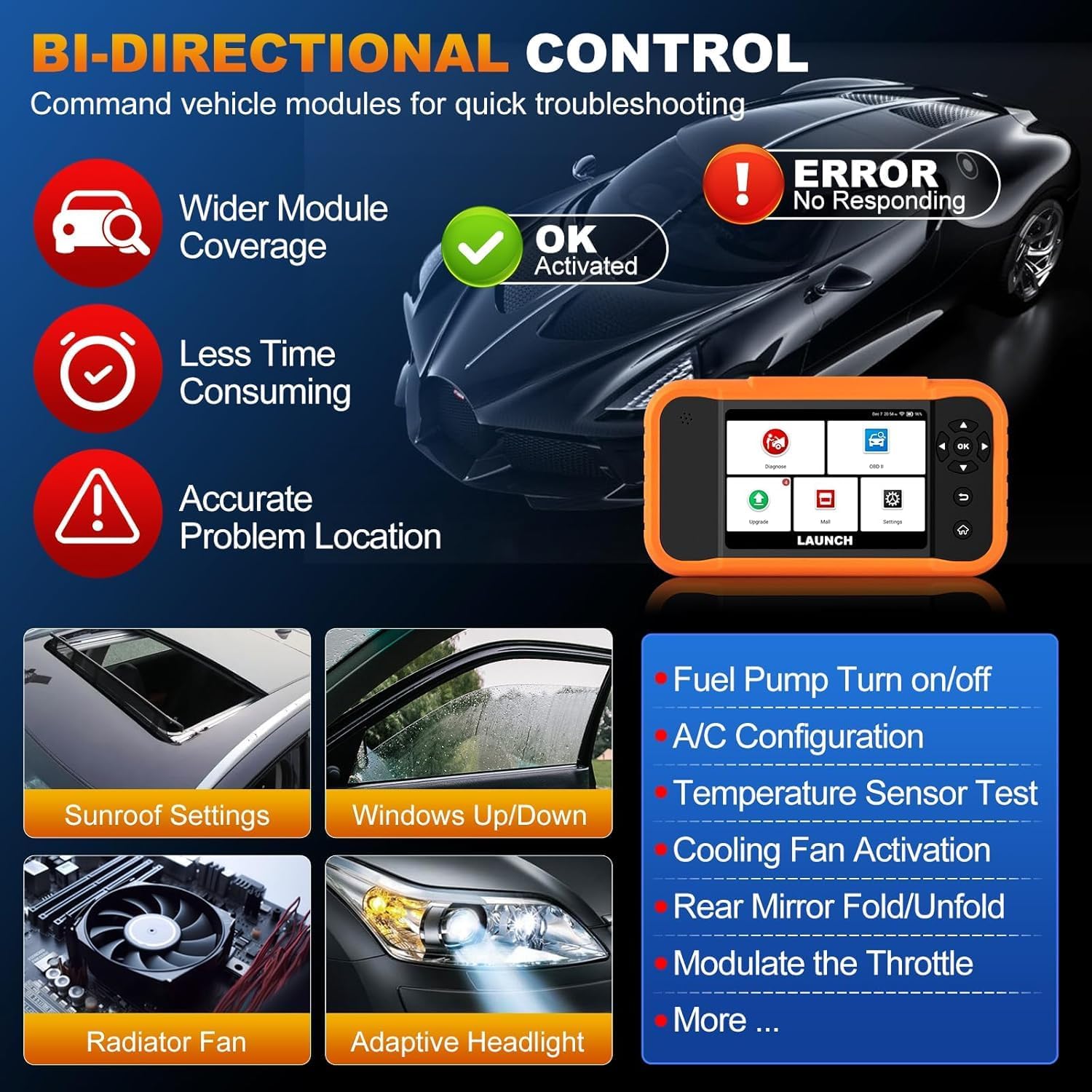
Image: Illustration of bi-directional control, showing the diagnostic tool sending commands to a car to test components like fuel pump, A/C, windows, and radiator fan, indicating successful activation or errors.
ExampIt-testijiet attivi jinkludu:
- Fuel Pump Turn on/off
- A/C Configuration
- Temperature Sensor Test
- Attivazzjoni tal-Fann tat-Tkessiħ
- Windows Up/Down
- Sunroof Settings
5.6. Kodifikazzjoni tal-ECU
ECU Coding allows for customization of vehicle settings, re-flashing hidden functions, restoring data, and opening/closing comfort functions. It also supports adaptive data for replacement and complex ECU issue repair.
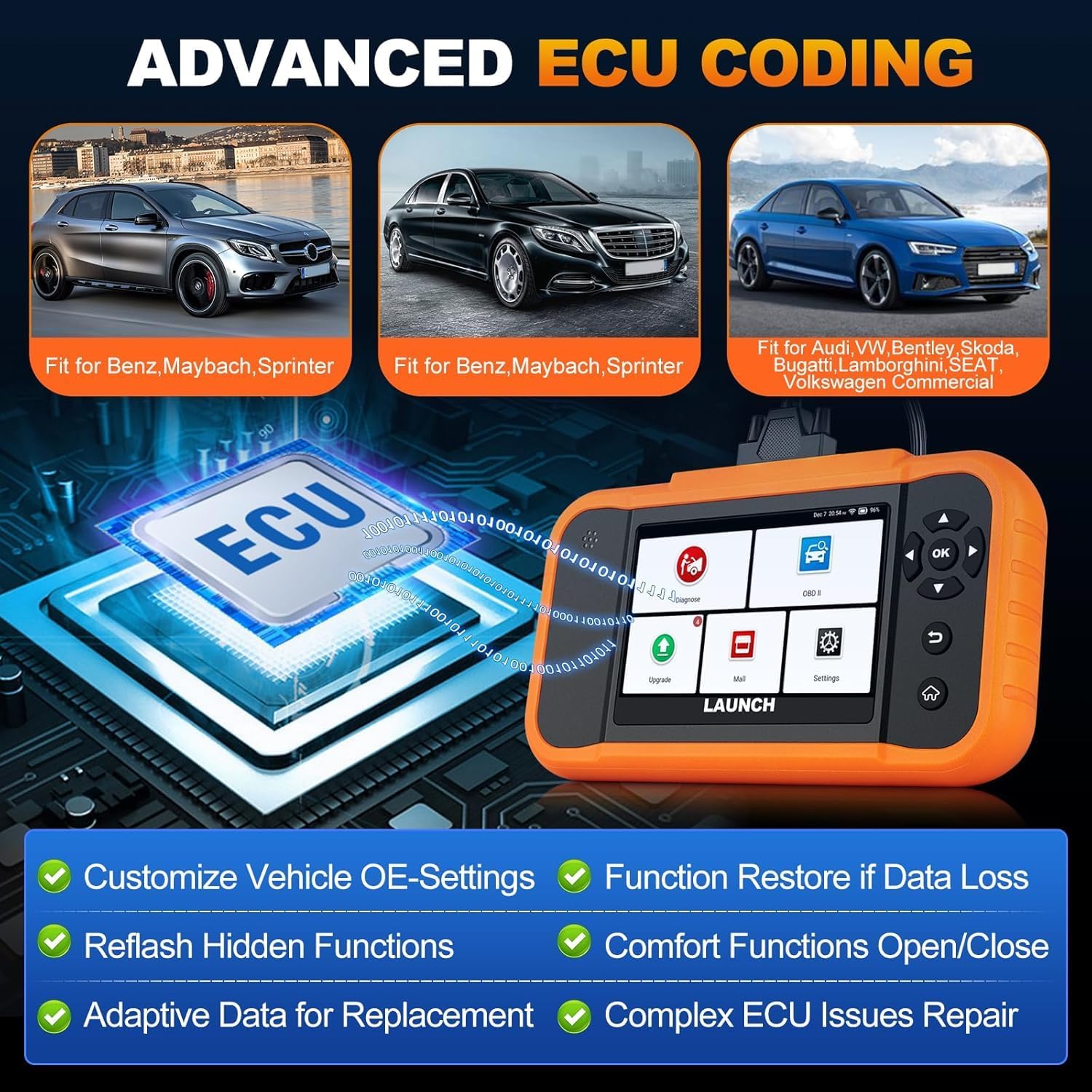
Image: A visual representation of ECU coding, showing a circuit board with 'ECU' text and the diagnostic tool, highlighting features like customizing OE-settings, re-flashing hidden functions, and restoring data.
5.7. Data Management and Reporting
The device facilitates efficient data handling:
- Skennjar Awtomatiku tal-VIN: Jidentifika awtomatikament l-informazzjoni tal-vettura għal dijanjostika rapida.
- Lookup DTC: Jipprovdi definizzjonijiet għal kodiċijiet ta' problemi dijanjostiċi.
- 4-f'1 Fluss ta' Dejta Live: Displays multiple data parameters simultaneously for detailed analysis.
- Reġistrazzjoni tal-Batterija: Supports battery registration functions.
- Rapport Dijanjostiku: Generates comprehensive health reports that can be shared or printed.
- Diagnostic History/Feedback: Stores diagnostic records and allows users to submit feedback to LAUNCH.

Image: A grid displaying various features of the diagnostic tool, including Auto VIN Scan, DTC Lookup, 4-in-1 Live Data Stream, Battery Registration, Online Diagnostic Feedback, and Diagnostic Report sharing.
6. Manutenzjoni
- Tindif: Uża artab, damp drapp biex tnaddaf l-apparat. Evita prodotti tat-tindif jew solventi li joborxu.
- Ħażna: Aħżen l-apparat f'post niexef u frisk, 'il bogħod mix-xemx diretta u minn temperaturi estremi.
- Kura tal-batterija: For optimal battery life, avoid fully discharging the battery frequently. Charge the device regularly.
7 Issolvi l-problemi
- Apparat mhux mixgħul: Ensure the battery is charged or connect the device to the vehicle's OBD2 port for power.
- Problemi ta' konnessjoni mal-vettura: Verify the OBD2 cable is securely connected to both the device and the vehicle. Ensure the vehicle's ignition is on.
- Software update problems: Check your Wi-Fi connection. If issues persist, try restarting the device and attempting the update again.
- Inaccurate readings or functions not working: Ensure the software is up to date. Verify the vehicle model and year are correctly selected.
8. Speċifikazzjonijiet
| Karatteristika | Speċifikazzjoni |
|---|---|
| Mudell | YZB23-1 |
| Piż tal-oġġett | 900 g |
| Dimensjonijiet tal-Pakkett | 25 x 18 x 8 ċm |
| Batterija | 1 AAA (included), 3000 mAh capacity |
| Memorja | 2 x 16 GB |
| Sistema Operattiva | Android 8.0 |
| Skrin | Touchscreen ta' 4 pulzieri |
| Lingwi | 10-il lingwa appoġġjati |
| Konnettività | Wi-Fi |
9. Garanzija u Appoġġ
This product comes with a manufacturer's warranty. For warranty details, technical support, or any operational questions, please refer to the official LAUNCH website or contact your authorized dealer. Ensure you have your product model number (YZB23-1) and purchase information ready when seeking support.


