1. Introduzzjoni
This manual provides essential instructions for the installation, operation, and maintenance of your APPECK Permanent Outdoor Lights (Model C5109-C). These smart RGBW lights are designed for outdoor use, offering a variety of scene modes and control options via app, remote, and voice assistants. Please read this manual thoroughly before use to ensure proper functionality and safety.
2. Kontenut tal-Pakkett
Iċċekkja li l-oġġetti kollha elenkati hawn taħt huma inklużi fil-pakkett tiegħek:
- 16.4ft String Light x 6
- Adapter tal-Enerġija x 1
- Kaxxa tal-Kontroll x 1
- Remote Controller x 1 (AAA batteries not included)
- Screw Clips Pack x 1
- Tail Plug x 1
- Manwal għall-Utent x 1

Image: Illustration of all components included in the APPECK Permanent Outdoor Lights package.
3. Informazzjoni dwar is-Sigurtà
- Sigurtà Elettrika: Ensure the power adapter is connected to a suitable outdoor-rated power outlet. The power plug is not waterproof; use an outlet cover for outdoor installations.
- Installazzjoni: Do not cut the string lights. The total length of the string lights should not exceed 100ft.
- Firxa tat-Temperatura: The lights are designed for outdoor use within a temperature range of -20℃ to 60℃ (-4℉ to 140℉).
- Reżistenza għall-Ilma: The string lights and control box are IP65 waterproof.
- Tfal u Pets: Żomm il-materjali tal-ippakkjar u l-komponenti żgħar 'il bogħod mit-tfal u l-annimali domestiċi.
4. Setup u Installazzjoni
4.1 Installazzjoni Fiżika
- Test qabel l-installazzjoni: Before mounting, connect all light segments and the power adapter. Power on the lights to ensure they function correctly.
- Preparazzjoni tal-wiċċ: Clean the installation surface with a cloth to ensure proper adhesion.
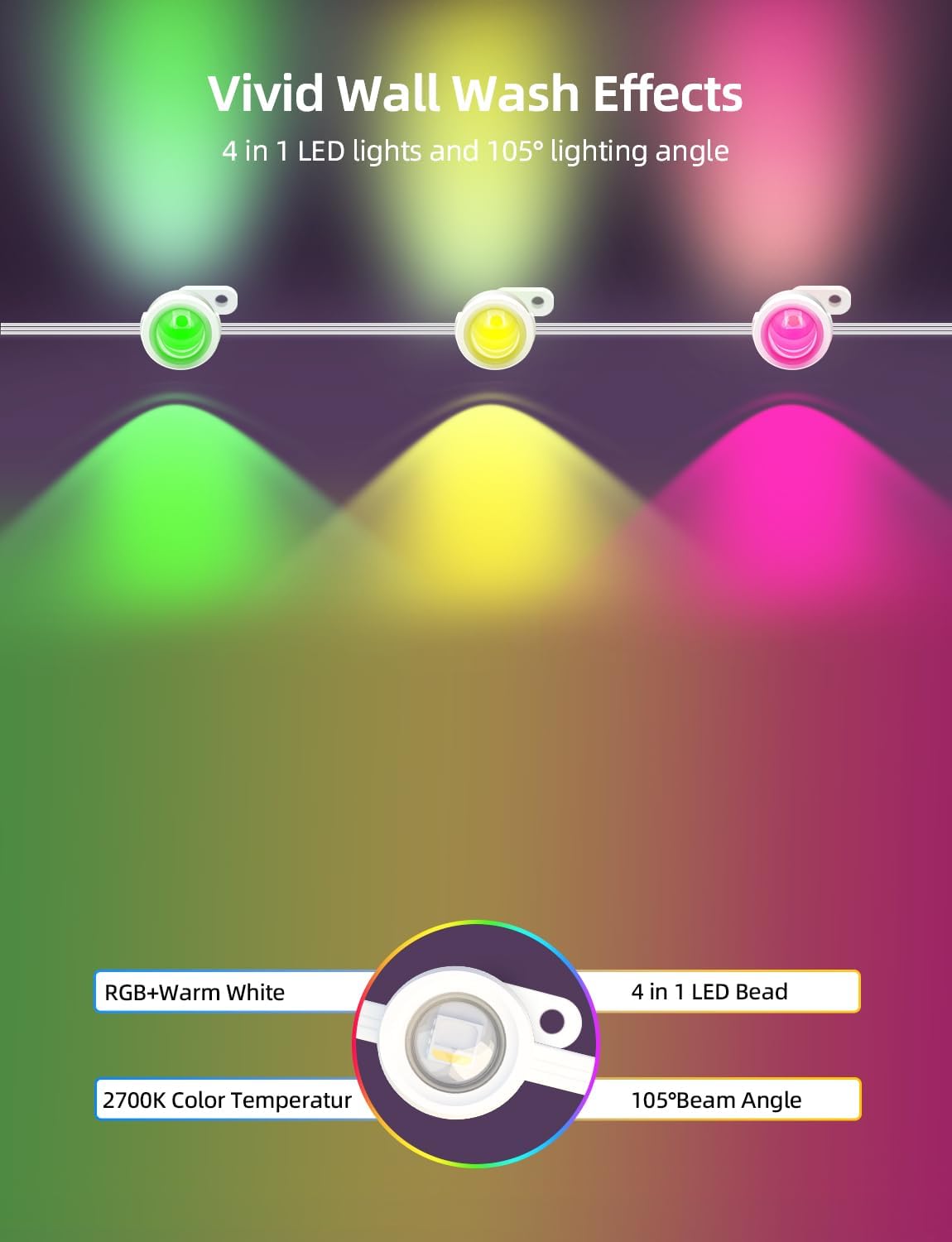
- Pożizzjonament: It is recommended to install the lights 2-4 inches away from the wall surface to achieve optimal wall washing effects.
- Tejp li jwaħħal: For temporary or initial placement, peel off the backing film from the adhesive tape on the back of each light. Firmly press each light against the surface for more than 8 seconds.
- Sikura bil-viti: For long-term and stable installation, use the provided screws and clips to secure each light. This is especially recommended for wooden surfaces.
- Connecting Segments: Connect the 16.4ft string light segments using the waterproof connectors. Firmly screw on the waterproof cap of the last light string section.
Image: Step-by-step guide for physically installing the lights, including surface preparation and securing methods.
Immaġni: Eżamples of compatible installation surfaces such as fiber cement, wood, vinyl, and metal, with a note to use screws for wood.
4.2 Konnessjoni tal-App
The APPECK Permanent Outdoor Lights utilize the Smart Life App for advanced control. Ensure your Wi-Fi network is 2.4GHz, as 5GHz Wi-Fi is not supported.
- Niżżel l-App: Download the "Smart Life" app from Google Play Store or Apple App Store.
- Reġistrazzjoni/Idħol: Idħol b'kont eżistenti jew oħloq wieħed ġdid.
- Ippermetti l-Wireless: Turn on Wi-Fi and Bluetooth on your mobile device.
- Mod ta 'tqabbil: Ensure the lights are powered on. Press and hold the on/off button on the control box for 3-5 seconds until the lights blink red, indicating pairing mode.
- Żid Apparat: In the Smart Life App, tap the "+" icon in the top right corner and search for "C5109".
- Wi-Fi Selection: Agħżel in-netwerk Wi-Fi 2.4GHz tiegħek u daħħal il-password.
- Tlestija: Follow the on-screen prompts to complete the pairing process. The device will be added successfully.

Image: Visual guide for connecting the lights to the Smart Life App, detailing steps from app download to device pairing.
5. Istruzzjonijiet Operattivi
5.1 App Control
The Smart Life App provides comprehensive control over your APPECK lights:
- Kontroll tad-Dawl Individwali: Adjust the color of each light bead individually from 16 million available colors.
- Personalizzazzjoni tax-Xena: Access 111 built-in scene modes. Program, save, collect, and loop custom scenes.
- Timing & Length Setting: Set schedules for lights to turn on/off and adjust the duration of specific effects.
- Kontroll tal-Grupp: Control multiple sets of lights simultaneously by creating groups within the app.
- Aġġustament tal-luminożità: Dim or brighten the lights. Warm white light brightness up to 40lm each, RGB brightness up to 25lm each.
- Sinkronizzazzjoni tal-Mużika: Synchronize light effects with music for dynamic displays.

Image: The Smart Life App displaying options for individual light color control.

Image: The Smart Life App interface demonstrating scene customization, collection, looping, and timing features.
5.2 Kontroll mill-Bogħod
Use the included remote controller for convenient operation. (Requires 2 AAA batteries, not included).
- Power On/Off: Ixgħel jew itfi d-dwal.
- Għażla tal-Modalità: Cycle through various preset scene modes.
- Aġġustament tal-luminożità: Increase or decrease light intensity.
5.3 Kontroll tal-Vuċi
The lights are compatible with Amazon Alexa and Google Assistant for hands-free control.
- Integrazzjoni: Link your Smart Life account with Amazon Alexa or Google Assistant through their respective apps.
- Kmandi: Use voice commands such as "Alexa, turn on the outdoor lights" or "Hey Google, set outdoor lights to red."
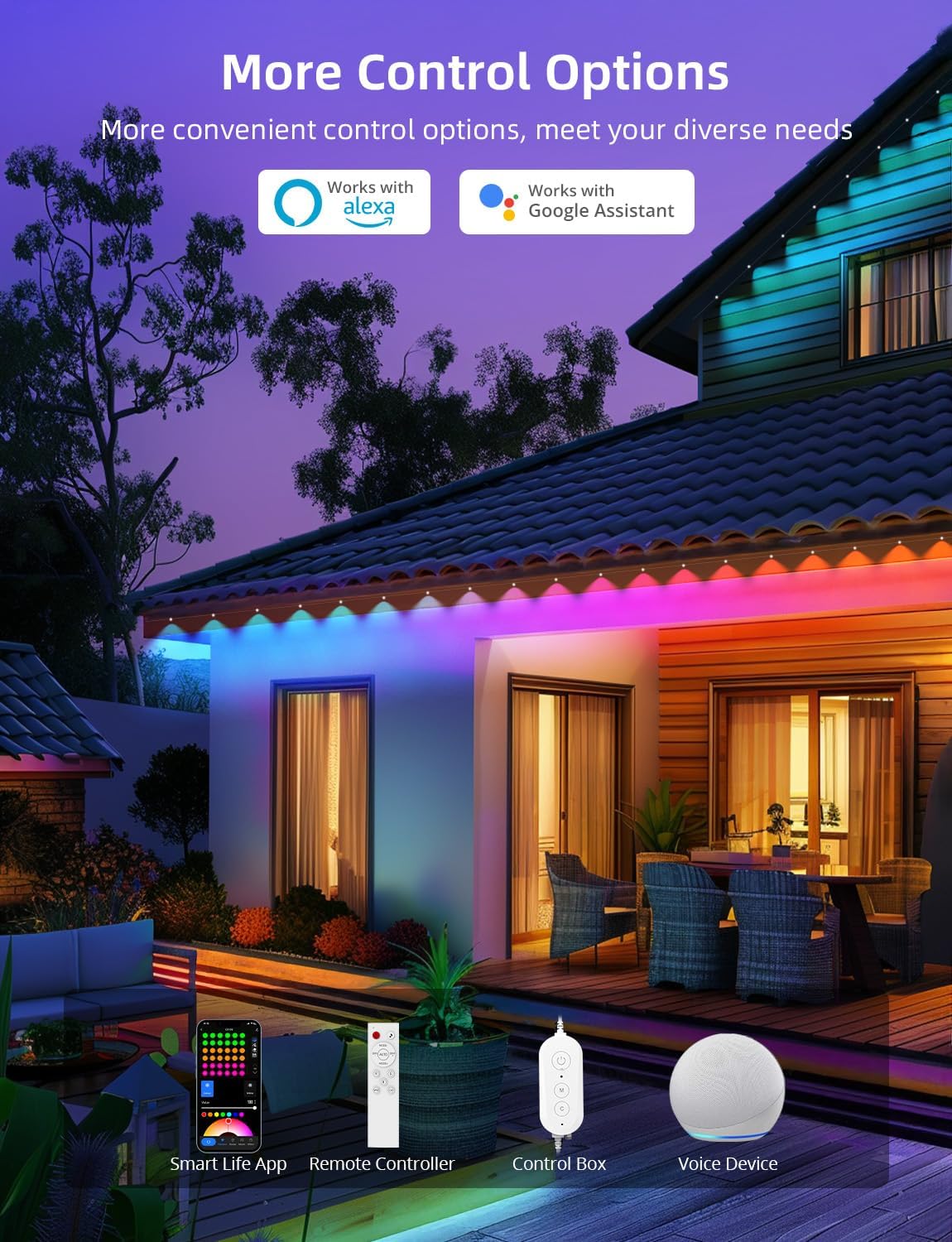
Immaġni: Fuqview of the multiple control methods available for the lights, including app, remote, control box, and voice assistants.
6. Manutenzjoni
To ensure the longevity and optimal performance of your APPECK Permanent Outdoor Lights, follow these maintenance guidelines:
- Tindif: Periodically clean the light beads and housing with a soft, damp drapp biex tneħħi l-ħmieġ u d-debris. Tużax kimiċi ħarxa jew tindif li joborxu.
- Spezzjoni: Regularly inspect the wiring, connectors, and mounting points for any signs of wear, damage, or loose connections.
- Protezzjoni tat-Temp: While the lights are IP65 waterproof and UV resistant, ensure the power plug is protected from direct exposure to water. An outdoor outlet cover is recommended.
- Ħażna: Jekk se taħżen id-dwal għal perjodu estiż, skonnettjahom mill-elettriku, naddafhom, u aħżenhom f'post frisk u niexef.
Image: Visual representation of the lights' durability and reliability in different outdoor conditions.
7 Issolvi l-problemi
If you encounter issues with your APPECK Permanent Outdoor Lights, refer to the following common solutions:
| Problema | Kawża Possibbli | Soluzzjoni |
|---|---|---|
| Id-dwal ma jixegħlux. | Bla enerġija, konnessjoni maħlula, adapter difettuż. | Check power outlet, ensure all connections are secure, test with another power source if possible. |
| Cannot connect to Smart Life App. | Incorrect Wi-Fi frequency, incorrect password, lights not in pairing mode. | Ensure your Wi-Fi is 2.4GHz. Re-enter Wi-Fi password. Put lights into pairing mode (hold control box button for 3-5 seconds). |
| Il-kontroll mill-bogħod ma jaħdimx. | Batteriji mejta, remote barra mill-firxa, ostruzzjoni. | Replace AAA batteries. Ensure remote is pointed at the control box and within range. Remove any obstructions. |
| Lights are not displaying correct colors/modes. | App settings incorrect, interference. | Check settings in the Smart Life App. Restart the app and lights. |
8. Speċifikazzjonijiet
| Karatteristika | Dettall |
|---|---|
| Numru tal-Mudell | C5109-C |
| Tip ta' Sors tad-Dawl | LED (RGBW) |
| Numru ta' Sorsi tad-Dawl | 72 LEDs |
| Tul Totali | 100ft (6 x 16.4ft string light segments) |
| Wire Length (Adapter to 1st Light) | 9.19ft / 2.8m |
| Wire Length (Between 2 Lights) | 1.31ft / 0.4m (1.97ft / 0.6m with connector) |
| Warm White Brightness | 40lm per light |
| Luminożità RGB | 25lm per light |
| Temperatura tal-Kulur (Abjad Sħun) | 2700 Kelvin |
| Angolu tar-raġġ | Sa 105° |
| Fond tal-Ħasil tal-Ħajt | Sa 16 pulzier |
| Livell ta 'Reżistenza għall-Ilma | IP65 (lights and control box) |
| Temperatura operattiva | -20 ℃ sa 60 ℃ (-4 ℉ sa 140 ℉) |
| It-tul tal-ħajja | Sa 50,000 sigħat |
| Metodi ta' Kontroll | Smart Life App, Remote Control, Control Box, Amazon Alexa, Google Assistant |
| Kompatibilità Wi-Fi | 2.4GHz biss |
| Voltage | 24 Volts |
| Wattage | 54 watt |
| Materjal | Plastik |
9. Garanzija u Appoġġ
APPECK products are designed for durability and performance. For warranty information, technical support, or any questions regarding your product, please contact APPECK customer service through the retailer's platform or the official APPECK websit.
Jekk jogħġbok żomm l-irċevuta tax-xiri tiegħek għal talbiet ta' garanzija.


