1. Introduzzjoni
The GHB Baby Monitor (Model ABM800) is designed to provide parents with peace of mind by offering a reliable and secure way to monitor their baby. This advanced video baby monitor features a 2.8-inch 720P HD IPS screen, night vision, two-way audio, temperature monitoring, and a long-lasting 2000mAh battery. It utilizes enhanced 2.4 GHz wireless technology for a private and secure connection, requiring no Wi-Fi or external applications.

Image 1.1: The GHB Baby Monitor system, showing the camera unit and the parent monitor unit.

Immaġni 1.2: Fuqview of the GHB Baby Monitor's main features, highlighting its comprehensive monitoring capabilities.
2. Setup
2.1 Tneħħija tal-kaxxa u l-komponenti
Before setting up your GHB Baby Monitor, ensure all components are present in the package:
- Screen unit (Parent Unit)
- Camera unit (Baby Unit)
- Power adapters (for both units)

Image 2.1: The GHB Baby Monitor package contents, including the monitor, camera, power adapters, and user manual.
2.2 Placement of Camera Unit
Place the camera unit in a secure location within the baby's room, ensuring a clear view of the crib or play area. The camera is designed for indoor use and can be placed on a tabletop or mounted on a wall. For optimal performance, ensure the camera is positioned at a safe distance from the baby and any potential hazards.
Nota Importanti: The camera unit must remain plugged into a power source to function. It does not operate on battery power.
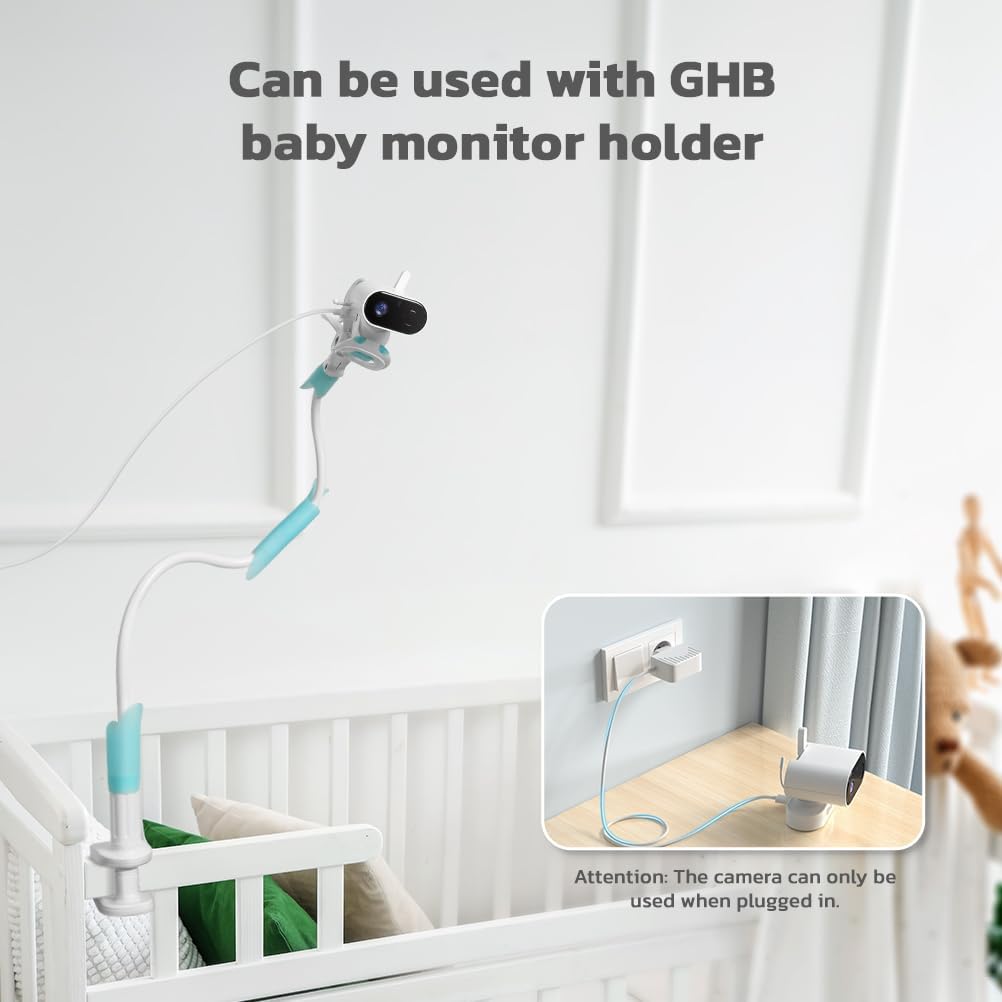
Image 2.2: The camera unit can be mounted on a crib using a compatible holder, emphasizing the need for it to be plugged in.
2.3 Ixgħel u l-Itqabbil Inizjali
Connect the power adapters to both the camera unit and the parent unit, then plug them into electrical outlets. The parent unit has a built-in 2000mAh Lithium Ion battery, allowing for portable use. The units are typically pre-paired at the factory. If pairing is required, refer to the on-screen instructions or the dedicated pairing button on the units.
3. Istruzzjonijiet Operattivi
3.1 Operazzjoni Bażika
- Tixgħel/Jitfi: Press and hold the power button on the parent unit to turn it on or off.
- Wiri tal-iskrin: The 2.8-inch IPS screen provides a clear 720P HD video feed of your baby.
- Kontroll tal-Volum: Use the dedicated buttons on the parent unit to adjust the listening volume.
3.2 Karatteristiċi ewlenin
- VOX Power Save Mode: Activate VOX mode to conserve battery life. In this mode, the screen automatically turns off and wakes up only when the camera detects noise above a certain level in your baby's room. The parent unit can operate for up to 15 hours in VOX mode and approximately 9 hours with continuous screen-on.

Image 3.1: Battery life comparison between VOX ON and VOX OFF modes.
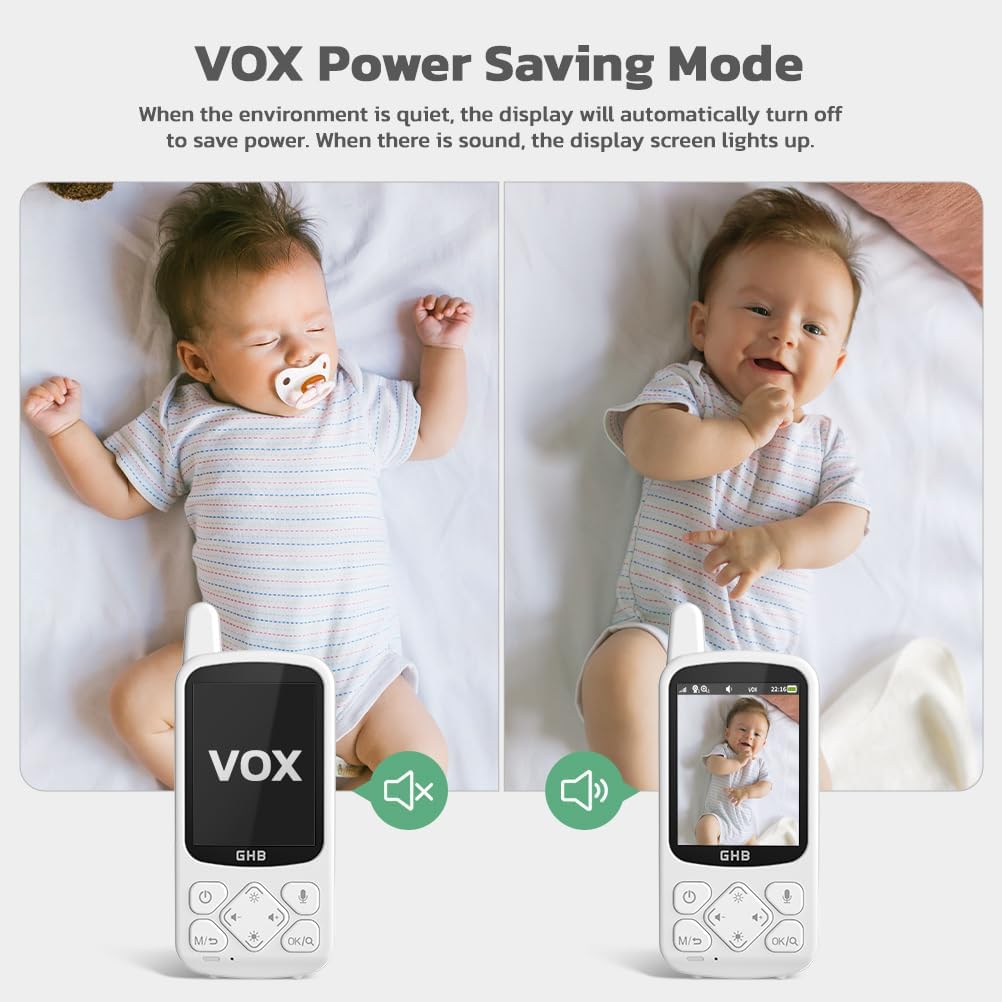
Image 3.2: Illustration of VOX Power Saving Mode, where the display turns off when quiet and lights up upon sound detection.
- Taħdita f'żewġ direzzjonijiet: Use the two-way talk feature to communicate with your baby from another room. Press and hold the microphone button on the parent unit to speak. The intercom sound is clear, and background noise is minimized.
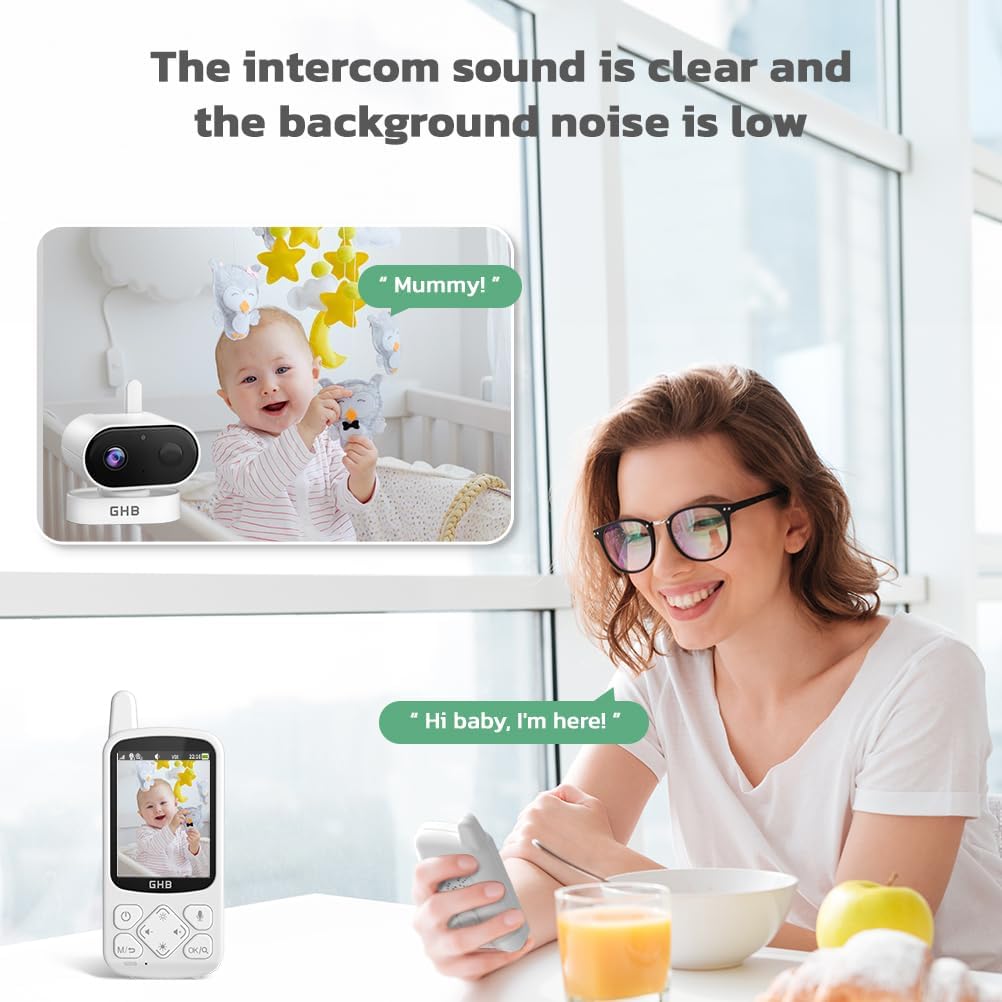
Image 3.3: Demonstrating the two-way talk feature, allowing parents to soothe their baby remotely.
- HD Infrared Night Vision: The monitor automatically switches to night vision in low-light conditions, allowing you to observe your baby clearly without disturbing them by turning on lights.

Image 3.4: Visual comparison of day mode and night vision mode, highlighting the clarity of the infrared night vision.
- Monitoraġġ tat-temperatura: The camera unit includes a temperature sensor that displays the real-time room temperature on the parent unit. You can set a temperature alert to be notified if the room temperature goes outside a comfortable range for your baby.
- Lullabies: The monitor has 8 built-in lullabies that can be played remotely from the parent unit to help soothe your baby to sleep.

Image 3.5: The monitor's features for playing lullabies and displaying room temperature.
- Funzjoni Żum: The parent unit supports 2X and 4X digital zoom, allowing you to get a closer look at your baby.

Image 3.6: Demonstration of the 2X and 4X digital zoom feature on the monitor screen.
- Appoġġ għal Kameras Multipli: The system can connect with up to 2 camera units (additional cameras sold separately), allowing you to monitor multiple rooms or angles. It uses FHSS (Frequency Hopping Spread Spectrum) technology for a secure and private connection without needing Wi-Fi or a mobile app.
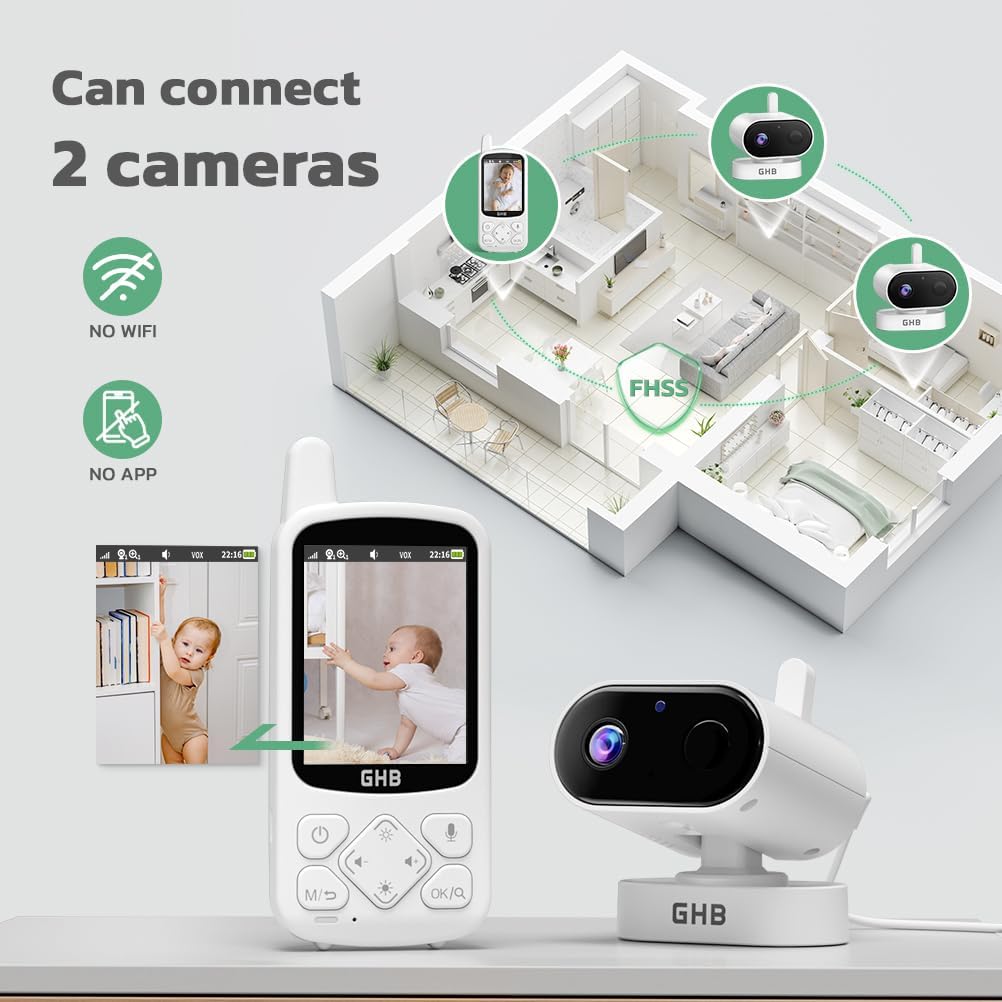
Image 3.7: The ability to connect up to two cameras for broader home monitoring.
3.3 Important Operating Notes
- The camera unit must remain plugged in to work.
- The camera can only be rotated manually; it cannot be rotated remotely via the screen.
- This device does not support motion detection.
4. Manutenzjoni
To ensure the longevity and optimal performance of your GHB Baby Monitor, follow these maintenance guidelines:
- Tindif: Use a soft, dry cloth to clean the surfaces of both the camera and parent units. Do not use abrasive cleaners or solvents.
- Kura tal-batterija: The parent unit contains a rechargeable Lithium Ion battery. For best battery life, avoid fully discharging the battery frequently. Charge the unit when the low battery warning appears.
- Ħażna: If storing the monitor for an extended period, ensure both units are powered off and stored in a cool, dry place.
5 Issolvi l-problemi
If you encounter issues with your GHB Baby Monitor, refer to the following common problems and solutions:
| Problema | Kawża / Soluzzjoni Possibbli |
|---|---|
| L-ebda immaġni/ħoss fuq l-unità tal-ġenituri | Ensure both camera and parent units are powered on and connected to power. Check if units are within range. Re-pair units if necessary (refer to manual for pairing instructions). |
| Kwalità ta 'immaġni fqira | Check for obstructions between units. Ensure camera lens is clean. Adjust camera position for better lighting. |
| Statika jew interferenza | Move units closer together. Move units away from other electronic devices (e.g., Wi-Fi routers, microwaves) that may cause interference. |
| Il-batterija tal-unità tal-ġenituri tixxotta malajr | Ensure battery is fully charged. Activate VOX mode to conserve power. Reduce screen brightness. Battery life naturally decreases over time. |
| Taħdit bidirezzjonali ma jaħdimx | Ensure microphone button is pressed and held during speaking. Check volume levels on both units. |
| Temperature alert not functioning | Verify temperature alert settings are correctly configured on the parent unit. |
6. Speċifikazzjonijiet
| Karatteristika | Dettall |
|---|---|
| Brand | GHB |
| Isem tal-Mudell | ABM800 |
| Użu fuq ġewwa/barra | Ġewwa |
| Sors tal-Enerġija | Corded Electric (Camera), Rechargeable Battery (Parent Unit) |
| Protokoll tal-Konnettività | 2.4GHz FHSS (Spettru Mifrux ta' Qbiż ta' Frekwenza) |
| Tip ta 'Immuntar | Tabletop Mount or Wall Mount |
| Riżoluzzjoni tal-Qbid tal-Vidjo | 720p HD |
| Daqs tal-Iskrin | 2.8 pulzieri IPS Screen |
| Numru ta' Oġġetti | 1 (Camera Unit, Parent Unit, Power Adapters) |
| Komponenti Inklużi | Screen unit, Camera unit, Power adapters |
| Dimensjonijiet tal-oġġett (L x W x H) | 20 x 15 x 5.6 ċm |
| Piż tal-oġġett | 520 g |
| Battery Type (Parent Unit) | 1 batterija tal-jone tal-litju (2000mAh) |
| Karatteristiċi Speċjali | 2-Way Audio, VOX Mode, Night Vision, Temperature Monitoring, Lullabies, 2X/4X Zoom |
| Użi Rakkomandati | Baby Monitoring, Elder Monitoring, Pet Monitoring |
7. Garanzija u Appoġġ
For warranty information, technical support, or any inquiries regarding your GHB Baby Monitor, please refer to the warranty card included in your product packaging or visit the official GHB website. You may also contact GHB customer service directly for assistance.


