1. Introduzzjoni
This manual provides detailed instructions for the setup, operation, and maintenance of your ProtoArc EKM01 Plus Ergonomic Wireless Keyboard and Mouse Combo. This combo is designed to enhance comfort and productivity with its ergonomic features and multi-device connectivity.
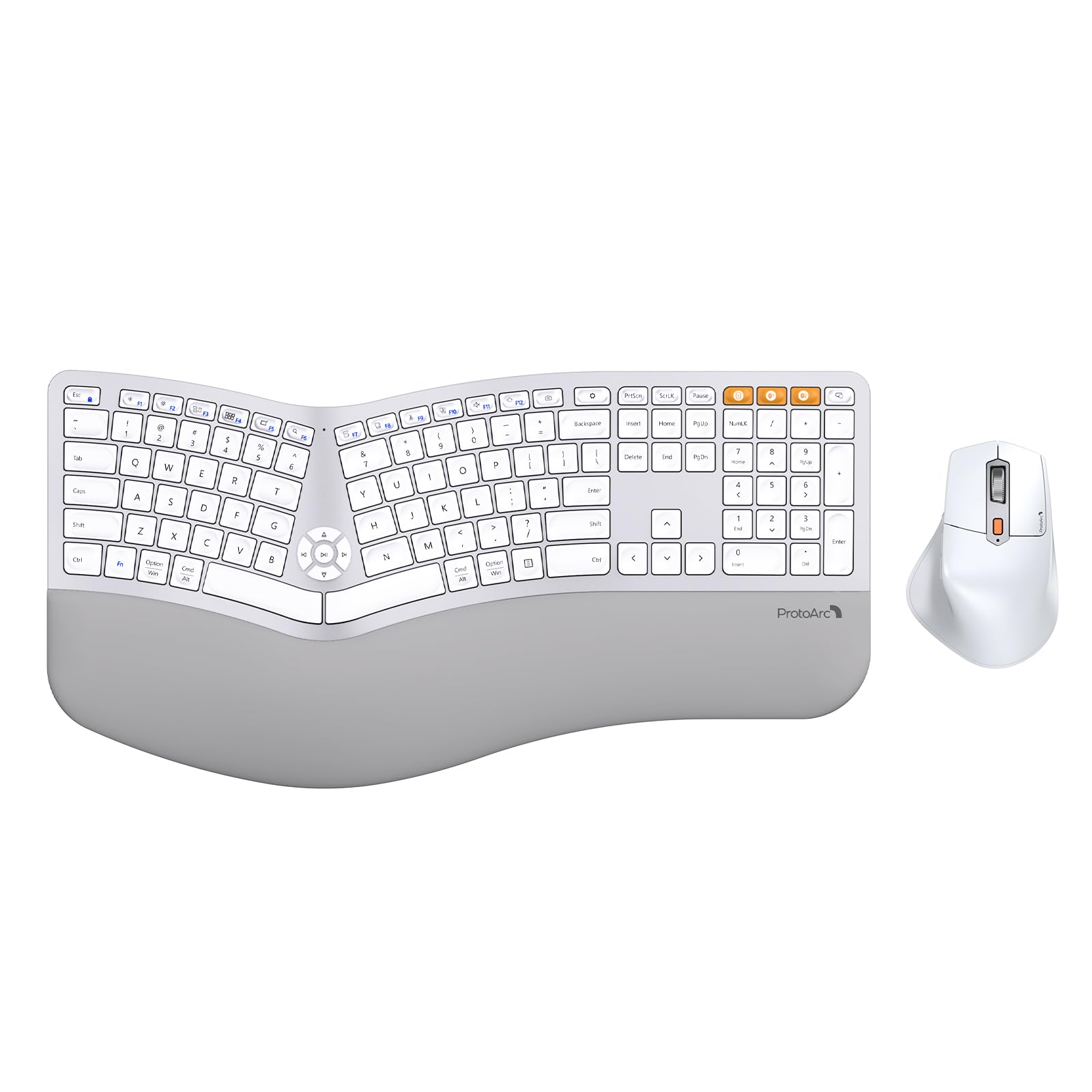
Image 1.1: ProtoArc EKM01 Plus Ergonomic Wireless Keyboard and Mouse Combo (White Silver).
2. Kontenut tal-Pakkett
Kun żgur li l-oġġetti kollha huma preżenti fil-pakkett tiegħek:
- Tastiera Wireless Ergonomika ProtoArc EKM01 Plus
- Maws bla fili ergonomiku ProtoArc
- USB-A to USB-C Charging Cable (31 inches)
- 2.4G USB Receiver (stored in the keyboard's back compartment)
- Manwal għall-Utent
- Gwida Quick Start
3. Prodott Aktarview
The ProtoArc EKM01 Plus combo features a full-size, curved, and split ergonomic design for natural hand and wrist positioning. Both the keyboard and mouse are rechargeable and support multi-device connectivity.
3.1. Disinn Ergonomiku
The keyboard's split keyframe and curved layout promote a natural, relaxed posture for your wrists and forearms. Scooped keys are designed to fit your fingertips for comfortable typing. The integrated cushioned wrist rest provides additional support.

Image 3.1.1: Full-size, curved, split design of the keyboard and mouse.

Image 3.1.2: Hands positioned on the ergonomic keyboard.
3.2. Cushioned Wrist Rest
The keyboard features a soft memory foam layer wrist rest, reducing wrist bending and providing comfort during extended use. Adjustable tilt legs allow you to set the keyboard at an optimal angle.
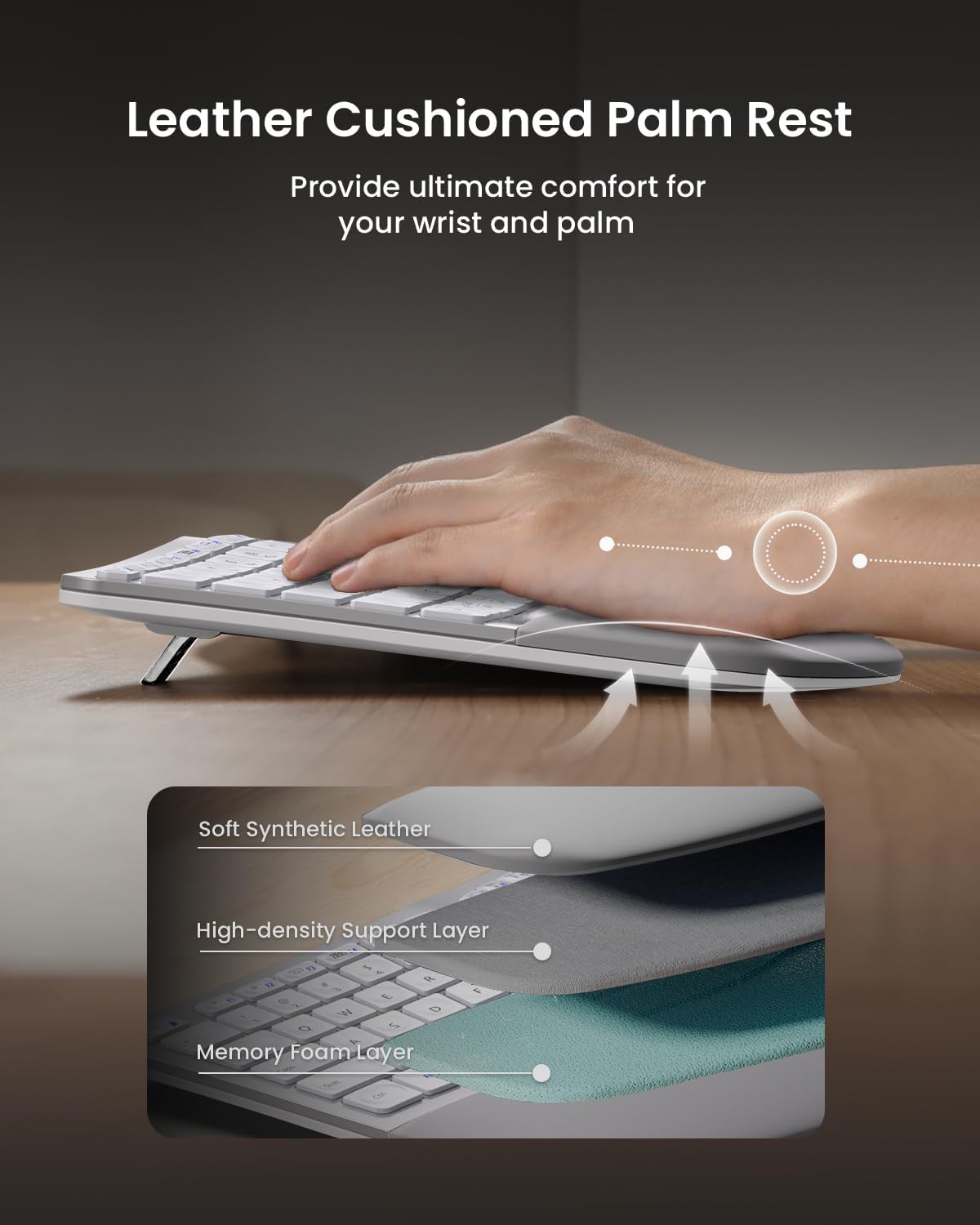
Image 3.2.1: Leather cushioned palm rest construction.

Image 3.2.2: Adjustable tilt legs for customized keyboard angle.
3.3. Ergonomic Mouse
The wireless ergonomic mouse is sculpted to fit the hand naturally, with a palm and thumb rest to reduce wrist strain. It features 2000 DPI for precise control and includes forward/backward buttons for convenient web browsing.

Image 3.3.1: Comfortable contoured shape of the ergonomic mouse.
4. Setup
4.1. Iċċarġjar tal-Apparati
Both the keyboard and mouse are equipped with built-in 500mAh lithium batteries. Use the included USB-A to USB-C cable to recharge them. An auto-sleep mode activates after 30 minutes of inactivity to conserve power.

Image 4.1.1: Type-C rechargeable design for keyboard and mouse.
4.2. Konnessjoni ma' Apparati
The combo supports connection to up to three devices simultaneously via a 2.4G USB receiver or Bluetooth. Quick switching between devices is possible with a single button press.
4.2.1. 2.4G USB Receiver Connection
- Locate the 2.4G USB receiver stored in the back compartment of the keyboard.
- Ipplaggja r-riċevitur USB f'port USB disponibbli fuq il-kompjuter tiegħek.
- Turn on the keyboard and mouse. They should automatically connect to your computer.
4.2.2. Konnessjoni Bluetooth
- Ixgħel it-tastiera u l-maws.
- On the keyboard, press the Bluetooth channel button (B1 or B2) for 3 seconds until the indicator light flashes, indicating pairing mode.
- On your device (computer, laptop, tablet), go to Bluetooth settings and select 'ProtoArc EKM01 Plus' to pair.
- Repeat for the mouse by pressing its Bluetooth channel button.
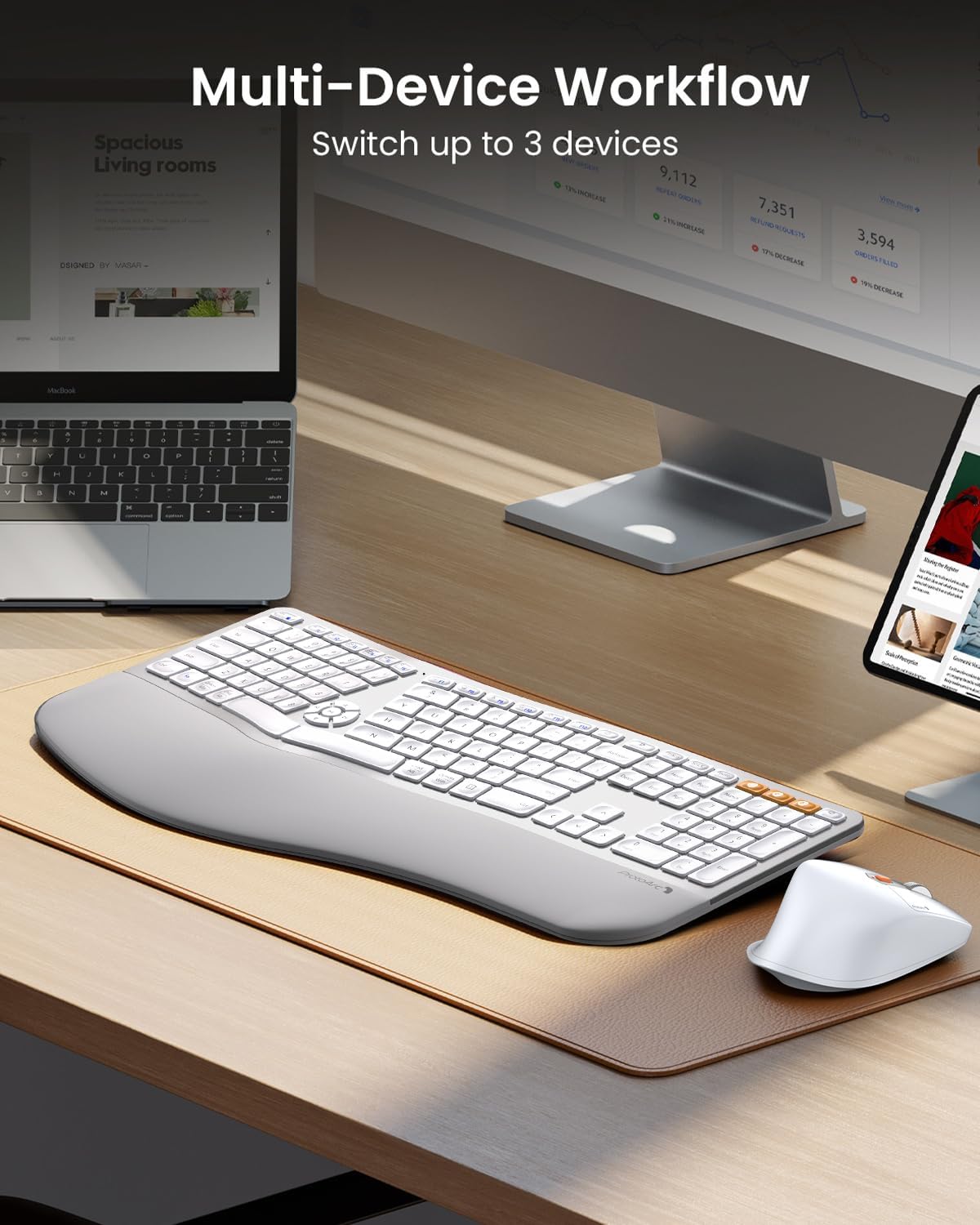
Image 4.2.1: Multi-device workflow setup.
5. Istruzzjonijiet Operattivi
5.1. Karatteristiċi tat-Tastiera
- Disinn maqsum: Reduces wrist strain by allowing a more natural hand position.
- Mistrieħ tal-polz ikkuttunat: Provides comfort and support for your wrists.
- Saqajn Aġġustabbli għall-Inklinazzjoni: Customize the keyboard angle for optimal comfort.
- Ċwievet Multimedia: Dedicated keys for media control (play/pause, volume, etc.) are centrally located.
- Kompatibilità: Compatible with Windows 7/8/10, Mac OS X 10.12 or higher, and Android 4.3 or higher.

Image 5.1.1: Key switch mechanism for quiet typing.
5.2. Karatteristiċi tal-Maws
- Forma Skulturata Ergonomika: Designed for palm and thumb rest, reducing wrist strain.
- DPI aġġustabbli: 2000 DPI for precise cursor control.
- Buttuni 'l Quddiem/Lura: Convenient for web navigazzjoni tal-paġna.

Image 5.2.1: Mouse DPI settings indicator.

Image 5.2.2: Mouse side buttons for enhanced functionality.
5.3. Swiċċjar ta' Apparati Multipli
To switch between connected devices, simply press the corresponding channel button (e.g., B1, B2 for Bluetooth, or the 2.4G indicator) on the keyboard or the mode switch button on the mouse. The devices will seamlessly transition to the selected connection.
6. Manutenzjoni
- Tindif: Uża artab, damp cloth to clean the surfaces of the keyboard and mouse. Avoid harsh chemicals.
- Qoxra tat-Trab: Utilize the included dust cover to protect the keyboard from dust and spills when not in use.
- Iċċarġjar: Recharge the devices when the low battery indicator appears to ensure uninterrupted use.
- Ħażna: Store the USB receiver in its designated slot on the keyboard's back when not in use to prevent loss.
7 Issolvi l-problemi
| Ħruġ | Soluzzjoni Possibbli |
|---|---|
| Keyboard/Mouse not connecting via 2.4G USB receiver | Ensure the USB receiver is securely plugged into a working USB port. Turn the keyboard/mouse off and on again. Try a different USB port. |
| It-tastiera/maws mhux qed jikkonnettja permezz tal-Bluetooth | Ensure Bluetooth is enabled on your device. Press and hold the Bluetooth channel button (B1/B2 on keyboard, mode switch on mouse) for 3 seconds to enter pairing mode. Re-pair the device in your computer's Bluetooth settings. Ensure the device is within range. |
| Dewmien jew rispons imdewwem | Check battery levels and recharge if necessary. Ensure no strong interference sources (e.g., other wireless devices) are nearby. Move the receiver closer to the devices if using 2.4G. |
| Iċ-ċwievet ma jirrispondux | Check if the keyboard is powered on and connected. Recharge the keyboard. Clean under the affected keys if debris is suspected. |
| Il-cursor tal-maws huwa erratiku jew ma jiċċaqlaqx | Check if the mouse is powered on and connected. Recharge the mouse. Clean the optical sensor on the bottom of the mouse. Ensure you are using the mouse on a suitable surface. |
8. Speċifikazzjonijiet
- Mudell: EKM01 Plus
- Ditta: ProtoArc
- Teknoloġija tal-Konnettività: Bluetooth, USB (2.4G Wireless)
- Karatteristiċi Speċjali: Ergonomic, Rechargeable, Wrist Rest, Split Design, Multi-Device
- Apparati Kompatibbli: Laptop, Personal Computer (Windows 7/8/10, Mac OS X 10.12+, Android 4.3+)
- Keyboard Battery Capacity: Batterija tal-litju 500mAh
- Kapaċità tal-Batterija tal-Maws: Batterija tal-litju 500mAh
- DPI tal-ġurdien: Sa 2000 DPI
- Piż tal-oġġett: 4.24 pounds (approximate for combo)
- Dimensjonijiet tal-pakkett: 20.7 x 12.8 x 2.6 pulzieri
9. Garanzija u Appoġġ
The ProtoArc EKM01 Plus Ergonomic Wireless Keyboard and Mouse Combo comes with a garanzija ta 'sena. For customer support, please refer to the contact information provided on your warranty card or visit the official ProtoArc websit.
Contact information for support is typically available via phone number and email address on the warranty card.


