Introduzzjoni
Thank you for choosing the House of Marley Roots Bluetooth Speaker. This portable wireless speaker is designed for durability and exceptional sound, featuring IP67 water protection, a 10-hour playtime, and eco-friendly materials. This manual provides essential information for setting up, operating, and maintaining your speaker to ensure optimal performance and longevity.
X'hemm fil-Kaxxa
- House of Marley Roots Bluetooth Speaker
- USB-to-USB C charging cable
- Gwida Quick Start

Image: The House of Marley Roots speaker packaging, showing the speaker, charging cable, and quick start guide.
Prodott Overview
Familiarize yourself with the key components and features of your Roots Bluetooth Speaker.
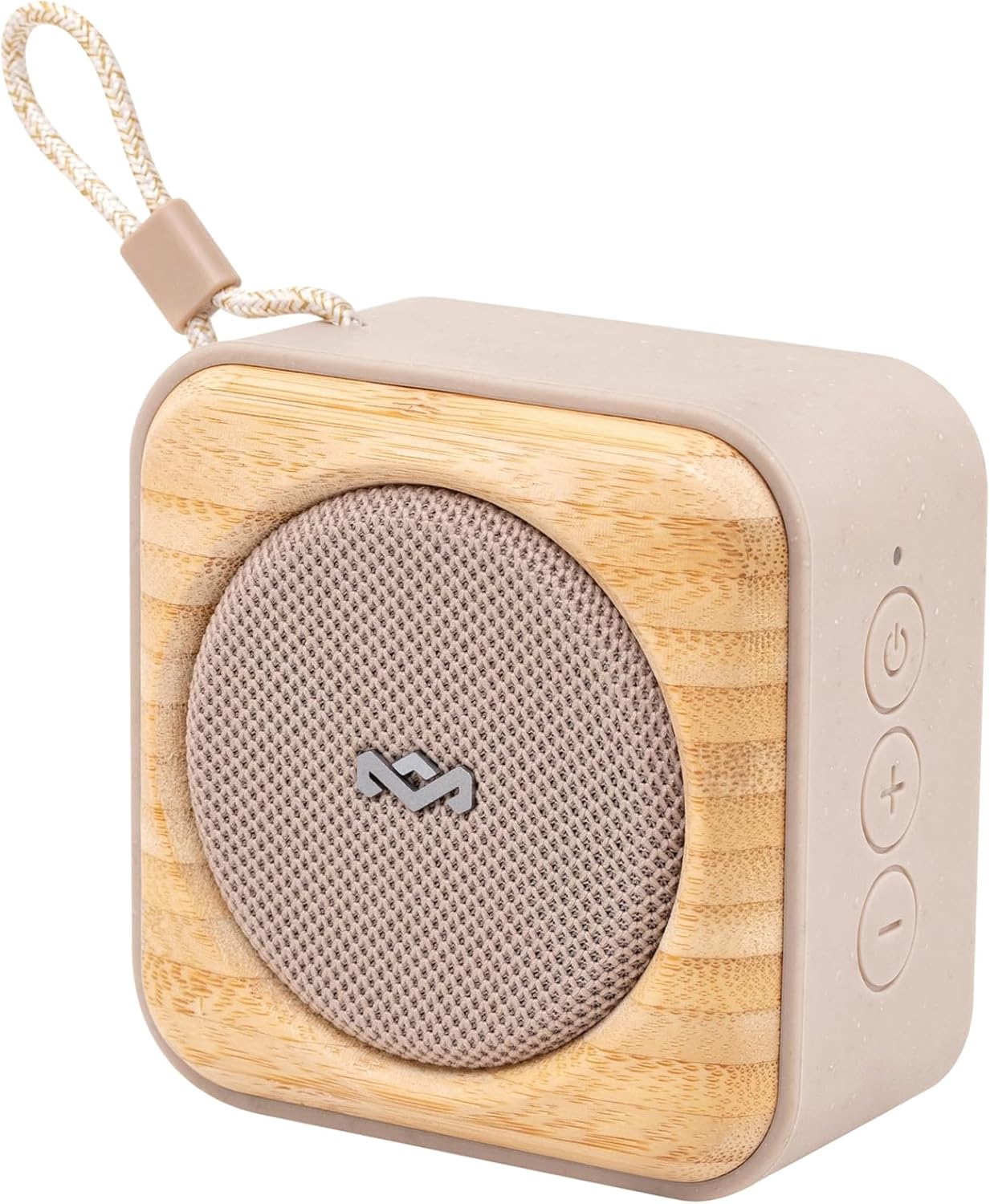
Immaġni: Angolata view of the Roots speaker, highlighting its compact size, cream color, and bamboo front panel with a fabric grille.
Karatteristiċi ewlenin:
- IP67 Water Protection: Designed to be fully waterproof and dustproof, suitable for outdoor use.
- Ħin tal-logħob ta' 10-il siegħa: Provides extended audio playback on a single charge.
- Ftuħ tal-Fliexken Inkorporat: A convenient feature located on the back of the speaker.
- Party Pair Modes: Allows connection of multiple Roots speakers for stereo or party sound.
- Ħlas ta' malajr: Rapid charging capability for minimal downtime.
- Materjali Sostenibbli: Crafted from recycled fabrics, plastics, and renewable bamboo.

Immaġni: In-naħa ta' wara view of the Roots speaker, clearly showing the integrated bottle opener and the "MARLEY" branding.
Setup
Iċċarġja lill-Ispeaker:
- Locate the USB-C charging port on your Roots speaker.
- Connect the provided USB-to-USB C charging cable to the speaker.
- Ipplaggja t-tarf l-ieħor tal-kejbil USB ma' adapter tal-enerġija USB kompatibbli (mhux inkluż) jew mal-port USB tal-kompjuter.
- The LED indicator will show charging status. A full charge provides up to 10 hours of playtime. Quick Charge allows 1 hour of playtime from 15 minutes of charging.
Tqabbil Bluetooth:
- Ensure the Roots speaker is charged.
- Agħfas u żomm il-buttuna Power (⏻) on the speaker until you hear an audible prompt and the Bluetooth indicator light begins to flash, indicating pairing mode.
- Fuq l-apparat tiegħek (smartphone, tablet, laptop), mur fis-settings tal-Bluetooth u attiva l-Bluetooth.
- Fittex għal "Roots Speaker" or a similar name in the list of available devices.
- Select the speaker to connect. Once connected, the Bluetooth indicator light will become solid, and you will hear a confirmation sound.
Operazzjoni
Kontrolli Bażiċi:
- Power On/Off: Agħfas u żomm il-buttuna Power (⏻).
- Volum 'il fuq: Agħfas il-buttuna '+'.
- Volum 'l isfel: Agħfas il-buttuna '-'.
- Play/Pawsa: Press the Play/Pause button (often integrated with Power or a separate button, refer to Quick Start Guide for specific button layout).
- Aqbeż Track: Agħfas darbtejn il-buttuna Play/Pause.
- Track preċedenti: Agħfas tliet darbiet il-buttuna Play/Pause.

Immaġni: Faċċata diretta view of the Roots speaker, showing the power, volume up, and volume down buttons on the right side panel.
Party Pair Modes (Stereo & Party):
The Roots speaker supports connecting to other Roots speakers for an enhanced audio experience.
- Ensure both Roots speakers are powered on and not connected to any device.
- On the first speaker (primary), press and hold the Bluetooth pairing button (or a dedicated Party Pair button if available, otherwise refer to Quick Start Guide for specific instructions).
- Repeat the action on the second speaker (secondary).
- The speakers will automatically connect to each other. Once paired, connect your device to the primary speaker via Bluetooth.
- Refer to the Quick Start Guide for detailed instructions on switching between Stereo and Party modes.
Using the Bottle Opener:
The integrated bottle opener is located on the back of the speaker.
- Hold the speaker firmly.
- Position the bottle cap under the metal lip of the opener.
- Leverage the speaker to pop off the bottle cap.

Image: A person demonstrating the use of the Roots speaker's integrated bottle opener to open a beverage bottle.
Manutenzjoni
Tindif:
- Before cleaning, ensure the speaker is powered off and disconnected from any power source.
- Imsaħ l-uċuħ ta 'barra b'artab, damp drapp. Tużax kimiċi ħarxa, solventi tat-tindif, jew deterġenti qawwija.
- Allow the speaker to dry completely before use or storage.
Water Protection Guidelines (IP67):
- The Roots speaker is IP67 rated, meaning it is protected from dust ingress and can withstand immersion in water up to 1 meter for 30 minutes.
- Kun żgur li l-għatu tal-port tal-iċċarġjar ikun magħluq sew qabel ma tesponi l-ispiker għall-ilma.
- Tgħaddasx l-ispiker intenzjonalment għal perjodi twal jew lil hinn mill-fond speċifikat.
- Wara espożizzjoni għall-ilma, speċjalment ilma mielaħ jew ilma klorinat, laħlaħ l-ispiker b'ilma frisk u ħallih jinxef kompletament bl-arja qabel ma tiċċarġjah jew tużah.

Image: The Roots speaker resting on wet sand near the ocean, illustrating its IP67 water protection.
Issolvi l-problemi
| Problema | Kawża / Soluzzjoni Possibbli |
|---|---|
| L-ispiker ma jixgħelx. | Battery is depleted. Charge the speaker using the provided USB-C cable. |
| Ma tistax tgħaqqad ma' apparat Bluetooth. |
|
| L-ebda ħoss jew volum baxx. |
|
| Party Pair mode not working. |
|
Speċifikazzjonijiet
| Karatteristika | Dettall |
|---|---|
| Isem tal-Mudell | Għeruq |
| Numru tal-Mudell | EM-JA022 |
| Tip ta' Kelliem | Speaker li jista ’jinġarr |
| Teknoloġija tal-Konnettività | Bluetooth |
| Teknoloġija tal-Komunikazzjoni mingħajr Fili | Bluetooth |
| Kulur | Krema |
| Dimensjonijiet tal-Prodott | 5"D x 5"W x 2"H |
| Piż tal-oġġett | 15.8 uqija |
| Livell ta 'Reżistenza għall-Ilma | IP67 (Li ma jgħaddix ilma) |
| Sors tal-Enerġija | Li jaħdem bil-batterija (batterija tal-jone tal-litju inkluża) |
| Qawwa tal-Ħruġ Massimu tal-Ispeaker | 7 Watts |
| Ħin tal-Iċċarġjar | 15 minutes (for 1 hour playtime) |
| Modalità tal-Ħruġ tal-Awdjo | Stereo |
| Metodu ta' Kontroll | Mess |
| UPC | 846885011416 |
| Manifattur | Dar ta' Marley |
Garanzija u Appoġġ
The House of Marley Roots Bluetooth Speaker comes with a Limited Warranty. For specific warranty terms and conditions, please refer to the warranty information included with your product or visit the official House of Marley websit.
For technical support, troubleshooting assistance, or warranty claims, please contact House of Marley customer service directly. Contact information can typically be found on their official webis-sit jew fil-Gwida ta' Bidu Mgħaġġel.
Note: Keep your proof of purchase for warranty purposes.


