1. Introduzzjoni
This manual provides comprehensive instructions for the installation, operation, and maintenance of your Blink Video Doorbell. Please read this manual thoroughly before using the device to ensure proper functionality and safety.
The Blink Video Doorbell is a smart security device designed to provide head-to-toe HD video, two-way audio, and smart notifications for your home's entrance. It operates on battery power for extended life and can be integrated with existing doorbell wiring or used wire-free.

Image: The Blink Video Doorbell mounted on a wall next to a door, highlighting its key features: Head-to-Toe HD View, Ħajja tal-batterija ta' sentejn, Awdjo f'żewġ direzzjonijiet, u Notifiki Intelliġenti.
2. Kontenut tal-Pakkett
Ivverifika li l-oġġetti kollha huma preżenti fil-pakkett tiegħek:
- 1 Qanpiena tal-Bieb bil-Vidjo Blink
- 3 AA 1.5V Lithium Batteries
- 1 Pjanċa tal-Ħajt
- 1 Wall Mounting Kit (including screws and anchors)
- 1 Għodda għat-Tneħħija tal-Qanpiena tal-Bieb
- 2 Estensuri tal-Wajer
- 1 Mudell tat-Tħaffir
- 1 Ċavetta għat-Tneħħija tal-Qanpiena tal-Bieb
Nota: A Blink Sync Module is required for full functionality and is sold separately. This add-on doorbell does not include a Sync Module.
3. Setup u Installazzjoni
Before beginning installation, ensure you have a compatible Blink Sync Module (sold separately) and the Blink Home Monitor app installed on your smartphone (iOS, Android, or Fire OS).
3.1 Konfigurazzjoni tal-App
- Niżżel u installa l- Blink HomeMonitor app mill-ħanut tal-apps tat-tagħmir tiegħek.
- Create a new account or log in to your existing Blink account.
- Follow the in-app instructions to add your Blink Sync Module (if not already set up).
- In the app, select "Add Device" and scan the QR code located on the back of your Blink Video Doorbell.
- Insert the three AA lithium batteries into the doorbell.
- Follow the remaining in-app prompts to connect the doorbell to your Wi-Fi network (2.4 GHz 802.11b/g/n required).
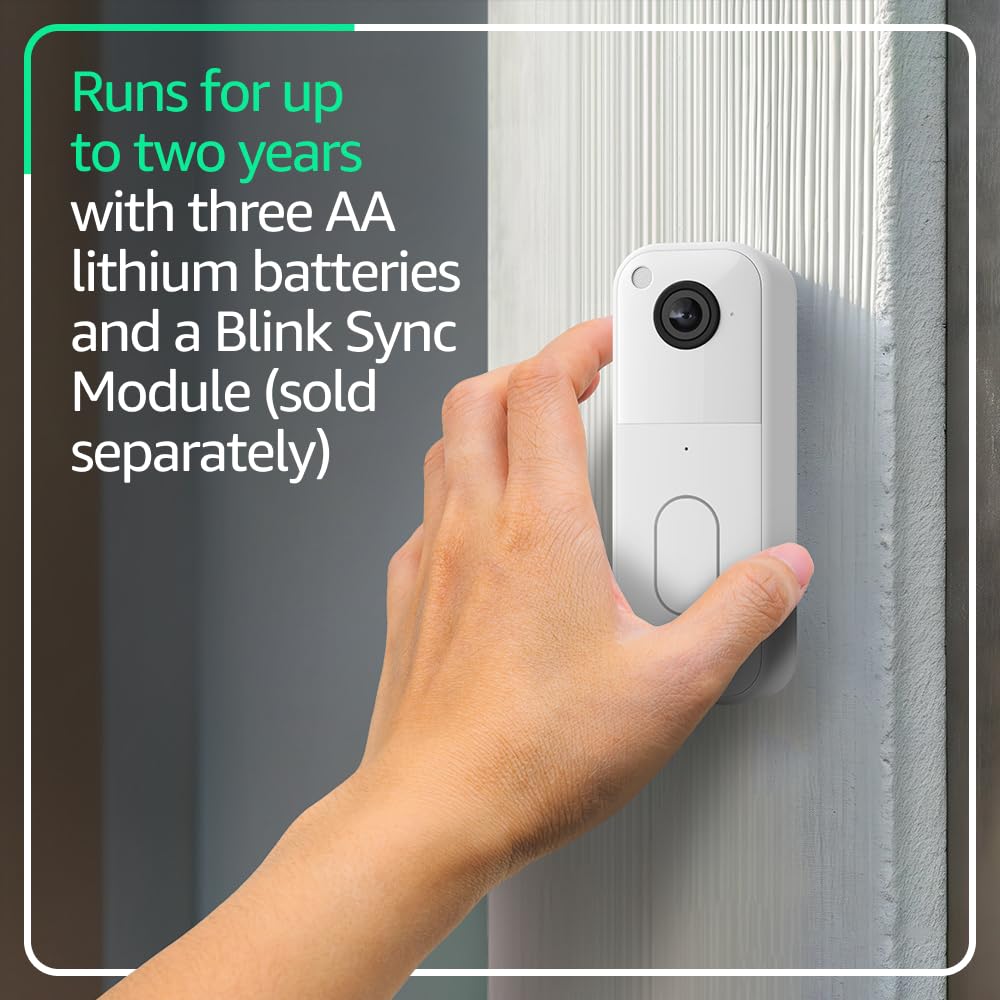
Image: A hand holding the Blink Video Doorbell, illustrating the process of handling the device, likely for battery installation or removal, emphasizing its two-year battery life.
3.2 Physical Installation (Wire-Free)
- Choose a suitable location for your doorbell, ensuring good Wi-Fi signal strength.
- Use the provided drill template to mark the screw holes on your wall.
- Drill pilot holes and insert the wall anchors if mounting on drywall or masonry.
- Waħħal il-pjanċa tal-ħajt mal-ħajt billi tuża l-viti pprovduti.
- Securely attach the Blink Video Doorbell to the wall plate.
3.3 Physical Installation (Wired to Existing Chime)
If connecting to existing doorbell wiring (8-24 VAC), the Blink Video Doorbell will sound through your home's existing chime when pressed.
- Importanti: Turn off power to your existing doorbell at the circuit breaker before proceeding.
- Neħħi l-buttuna tal-qanpiena tal-bieb eżistenti tiegħek.
- Connect the existing doorbell wires to the terminals on the back of the Blink Video Doorbell using the provided wire extenders if necessary. Ensure a secure connection.
- Attach the wall plate to the wall, routing the wires through the opening.
- Securely attach the Blink Video Doorbell to the wall plate.
- Irrestawra l-enerġija fis-circuit breaker.
- Test the doorbell by pressing the button.
4. Operating Your Blink Video Doorbell
4.1 Ħaj View u Taħdita Two-Way
- Iftaħ il- Blink HomeMonitor app.
- Tap on your Video Doorbell device to initiate a live view.
- Use the microphone icon in the app to enable two-way audio communication with visitors.
- The doorbell provides a 150° head-to-toe HD view, allowing you to see visitors and packages clearly.

Immaġni: Smartphone li juri l-istampi live tal-app Blink view from the doorbell, capturing a delivery person. This illustrates the 150° head-to-toe field of view.
4.2 Sejbien tal-Mozzjoni u Notifiki
- The doorbell detects motion and sends alerts to your smartphone via the Blink app.
- Customize motion detection zones and sensitivity settings within the app to reduce unwanted alerts.
- With a Blink Subscription Plan (sold separately), you can receive person detection alerts and access features like Blink Moments.

Image: A smartphone displaying two Blink app notifications: one for person detection and another for general motion detection, illustrating the smart notification feature available with a subscription.
4.3 Integrazzjoni ta' Alexa
- Connect your Blink Video Doorbell to an Alexa-enabled device.
- Uża kmandi bil-vuċi biex twieġeb il-bieb ta' quddiem, view live feeds, and arm/disarm your Blink system.

Image: An Amazon Echo Show device displaying a live video feed from the Blink Video Doorbell, showing a family. This demonstrates the integration with Alexa-compatible devices for viewing u komunikazzjoni.
5. Manutenzjoni
5.1 Sostituzzjoni tal-batterija
The Blink Video Doorbell is designed for up to two years of battery life using the included AA lithium batteries. The Blink app will notify you when battery levels are low.
- Use the provided doorbell removal tool or key to detach the doorbell from its wall plate.
- Iftaħ il-kompartiment tal-batterija.
- Replace the old batteries with three new AA 1.5V lithium metal (non-rechargeable) batteries.
- Close the battery compartment and reattach the doorbell to the wall plate.
5.2 Tindif
Naddaf il-lenti tal-kamera u l-barra tal-qanpiena tal-bieb perjodikament b'ċarruta ratba u nadifa.amp cloth to ensure optimal video quality and appearance. Avoid using harsh chemicals or abrasive materials.
6 Issolvi l-problemi
| Ħruġ | Kawża / Soluzzjoni Possibbli |
|---|---|
| Il-qanpiena tal-bieb mhux qed tikkonnettja mal-Wi-Fi |
|
| No chime sound when doorbell is pressed (wired setup) |
|
| Poor video quality or night vision |
|
| Ħajja qasira tal-batterija |
|
For further assistance, refer to the Blink support page or contact customer service.
7. Speċifikazzjonijiet
| Karatteristika | Dettall |
|---|---|
| Qasam ta View | 150° HV |
| Riżoluzzjoni tal-vidjo | 1440 x 1440p |
| Proporzjon ta' l-aspett | 1:1 |
| Rata tal-qafas tal-kamera | 30 FPS |
| Dimensjonijiet | 1.85 in x 5.12 in x 1.44 in (47mm x 130mm x 36.6mm) |
| Piż | 4 oz (113 g) |
| Sors tal-Enerġija | 3 batteriji tal-litju tal-metall AA 1.5V (mhux rikarikabbli); Wajers eżistenti tal-qniepen: 8-24 VAC |
| Konnettività | Wi-Fi 2.4 GHz 802.11b/g/n |
| Rekwiżiti Minimi tal-Ismartphone | iOS, Android, jew Fire OS |
| App tal-Blink | Blink HomeMonitor |
| Awdjo | Ħruġ tal-ispiker u reġistrazzjoni awdjo f'żewġ direzzjonijiet |
| LEDs | Indikatur tar-reġistrazzjoni, LED tal-buttuna |
| Temperatura operattiva | -5°F sa 113°F (-20° sa 45°C) |
| Ġenerazzjoni | It-2 Ġenerazzjoni |
8. Garanzija u Appoġġ
Garanzija: The Blink Video Doorbell includes a one-year limited warranty and service. Use of Blink devices is subject to the terms found on the official Blink websit.
Appoġġ: For more information, setup guides, and troubleshooting, visit the official Blink Video Doorbell support page. You can also contact Blink customer service for direct assistance.
Aġġornamenti tas-Sigurtà tas-Softwer: Dan l-apparat jirċievi aġġornamenti tas-sigurtà tas-softwer garantiti sa mill-inqas erba' snin wara li l-apparat ikun l-aħħar disponibbli għax-xiri bħala unità ġdida fuq tagħna websites. For more details, refer to the Blink websit.


