1. Introduzzjoni
This manual provides detailed instructions for the setup, operation, and maintenance of your FULLJA 32-Inch WiFi Digital Picture Frame. Please read this guide thoroughly to ensure proper use and to maximize your product experience.
The FULLJA Digital Picture Frame allows you to display photos and videos from anywhere, anytime, using its WiFi connectivity and the VPhoto app. It features a 32-inch FHD IPS display, remote control, auto-rotation, and 64GB of built-in storage.
2. Kontenut tal-Pakkett
Ivverifika li l-oġġetti kollha huma preżenti fil-pakkett tiegħek:
- 1x FULLJA 32-Inch Digital Picture Frame
- 1x Manwal għall-Utent
- 1x Adapter tal-Enerġija
- 1x Bracket (for stand or wall mounting)
- 1x Kontroll mill-bogħod

Image: Contents of the FULLJA Digital Picture Frame retail box.
3. Karatteristiċi tal-prodott
- 32-Inch FHD IPS Display: High-resolution screen for clear photo and video display.
- Dual WiFi 2.4G/5G: Stable and fast wireless connectivity for content transfer.
- VPhoto App Integration: Easily send photos and videos from your smartphone.
- 64GB Memorja Inkorporata: Ample storage for a large collection of media.
- Funzjoni ta' Rotazzjoni Awtomatika: Automatically adjusts display orientation (portrait or landscape).
- Kontroll mill-bogħod: Operazzjoni konvenjenti mill-bogħod.
- Disinn li jitwaħħal mal-ħajt: Includes a wall-mounted hole for flexible placement.
- Funzjonijiet addizzjonali: Slideshow mode, weather station, time alarm, adjustable brightness, auto on/off.

Immaġni: Fuqview of the FULLJA Digital Picture Frame's key features.
4. Gwida ta' Setup
4.1 Tixgħel Inizjali
- Unpack the digital picture frame and all accessories.
- Attach the included bracket for desktop placement or prepare for wall mounting.
- Connect the power adapter to the frame and then plug it into a power outlet.
- Il-frejm jinxtegħel awtomatikament u juri l-iskrin tas-setup inizjali.
4.2 Network Connection (WiFi)
- On the frame's screen, navigate to "Settings" and select "WiFi".
- Agħżel in-netwerk WiFi 2.4G jew 5G li tixtieq mil-lista.
- Enter your WiFi password using the on-screen keyboard or remote control.
- Confirm the connection. Once connected, a WiFi icon will appear on the screen.
4.3 Installazzjoni u Tqabbil tal-App VPhoto
The VPhoto app is essential for sending photos and videos to your frame from a smartphone.
- Niżżel l-App VPhoto:
- Fittex għal "VPhoto" in the Apple App Store (for iOS devices) or Google Play Store (for Android devices).
- Alternatively, scan the QR codes displayed on the frame's initial setup screen or in the manual.
- Download VPhoto for iOS
- Download VPhoto for Android
- Open and Sign Up: Open the VPhoto app. If you are a new user, select "Sign Up" and fill in the required information. If you already have an account, log in directly.
- Pair with Frame:
- On your FULLJA frame, go to "Settings" > "My Frame" to find the 9-digit connection code or QR code.
- In the VPhoto app, select "Add New Frame" and enter the 9-digit connection code or scan the QR code displayed on your frame.
- Once paired, you can begin sending media to your frame.

Image: Steps for connecting your smartphone to the digital frame via the VPhoto app.
5. Operazzjoni
5.1 Tibgħat Ritratti u Vidjows
- Permezz tal-App VPhoto: After pairing, open the VPhoto app, select the photos or videos you wish to send, choose your frame, and tap "Send". You can send instant or timed wishes along with your media.
- Via Email: The frame supports receiving media via email. Refer to the frame's settings for its unique email address.
- Via Cloud Storage: The frame offers free cloud storage. Details on accessing and managing this can be found within the frame's settings or the VPhoto app.

Image: Sharing photos and videos to the frame using the VPhoto app.

Image: The frame's capacity to store a large number of photos (64GB built-in storage).
5.2 L-użu tal-Kontroll mill-bogħod
The included remote control allows for convenient navigation and setting adjustments:
- Navigazzjoni: Uża l-vleġeġ biex tiċċaqlaq fil-menus u tagħżel l-għażliet.
- Daqq: Control slideshows, pause, play, and skip media.
- Settings Access: Quickly access various settings like brightness, volume, and display modes.
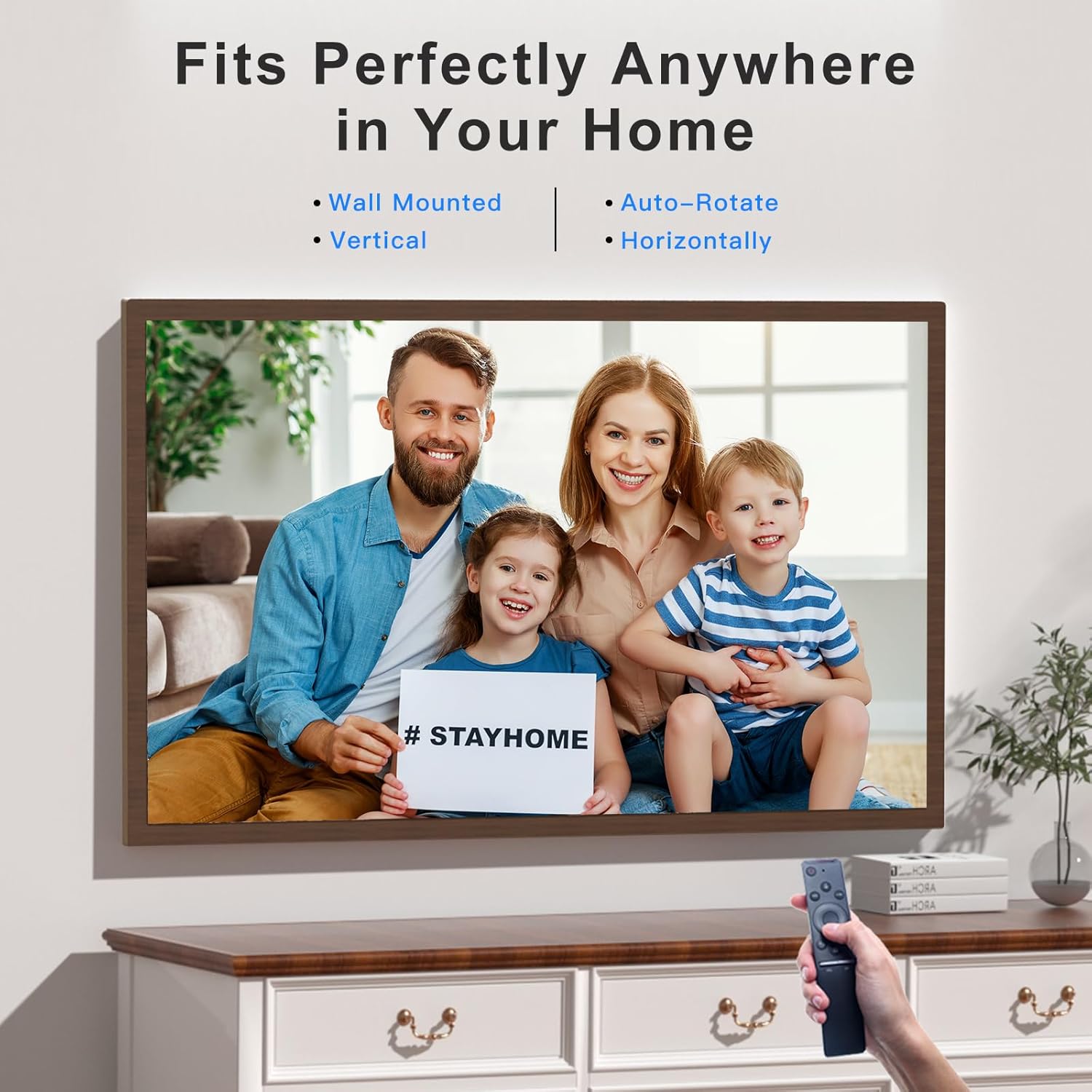
Image: Operating the digital frame with the remote control, showcasing its versatile placement options.
5.3 Modi u Settings tal-Wiri
- Modalità Wirja: Configure the interval and transition effects for your photo slideshows.
- Dawwar Awtomatikament: The frame automatically detects its orientation (horizontal or vertical) and adjusts the display accordingly.
- Aġġustament tal-luminożità: Customize screen brightness to suit your environment.
- Weather Station & Time Alarm: Access these features through the frame's main menu.
- Split-Screen/Screen Mirror: This feature allows mirroring content from your phone to the frame.

Image: Screen Mirroring functionality, allowing content from a smartphone to be displayed on the frame in various orientations.
6. Manutenzjoni
- Tindif tal-Iskrin: Uża drapp artab u mingħajr suf biex timsaħ l-iskrin bil-mod. Għal marki persistenti, nixxef ftit.ampLaħlaħ id-drapp bl-ilma jew b'soluzzjoni għat-tindif tal-iskrin. Evita kimiċi ħarxa.
- Tindif tal-qafas: Imsaħ il-barra tal-qafas b'ċarruta niexfa u ratba.
- Ħażna: When not in use for extended periods, store the frame in a cool, dry place, away from direct sunlight and extreme temperatures.
- Aġġornamenti tas-Software: Periodically check for software updates through the frame's settings to ensure optimal performance and access to new features.
7 Issolvi l-problemi
| Problema | Soluzzjoni Possibbli |
|---|---|
| Il-qafas ma jixgħelx. | Kun żgur li l-adapter tal-enerġija huwa konness sew kemm mal-qafas kif ukoll ma' sokit tal-enerġija li jaħdem. Ipprova sokit differenti. |
| Ma nistax nikkonnettja mal-WiFi. |
|
| VPhoto app cannot find the frame. |
|
| Photos/videos are not displaying correctly. |
|
| Il-kontroll mill-bogħod ma jirrispondix. |
|
8. Speċifikazzjonijiet
| Karatteristika | Dettall |
|---|---|
| Brand | FULLJA |
| Numru tal-Mudell | 06942231800827 |
| Daqs tal-Iskrin | 32 Pulzier |
| Riżoluzzjoni | 1920 x 1080 IPS Display (FHD) |
| Dimensjonijiet tal-Prodott | 17 x 29 x 0.99 pulzieri |
| Piż tal-oġġett | 12.43 liri |
| Ħażna Interna | 64GB |
| Konnettività | Dual WiFi 2.4G/5G |
| Apparati Kompatibbli | Kompjuter Personali, Smartphone |
| Kulur | Dark Wood Grain (Brown) |
| Karatteristiċi Speċjali | Remote Control, Auto-Rotate, VPhoto App, Free Cloud Storage, Weather Station, Time Alarm, Slideshow Mode |
9. Garanzija u Appoġġ
FULLJA is committed to providing high-quality products and customer satisfaction.
- Appoġġ għall-Klijent: For any questions, technical assistance, or issues, please contact FULLJA customer support. Our team is available to provide 24-hour support. Refer to the product packaging or the official FULLJA websit għad-dettalji tal-kuntatt.
- Informazzjoni dwar il-garanzija: Specific warranty terms and conditions may vary. Please retain your proof of purchase for warranty claims. For detailed warranty information, visit the official FULLJA websit jew ikkuntattja l-appoġġ tal-klijent.

