1. Prodott Aktarview
The SUAAT S6 Tablet is an advanced 11-inch device running on the Android 14 operating system. It features an Octa-core T606 processor, 24GB RAM, 256GB internal storage (expandable up to 1TB), and an 8000mAh battery. Designed for versatile use, it supports 5G/2.4G WiFi, Bluetooth 5.0, GPS, and includes dual cameras (5MP front, 13MP rear) for capturing moments and video calls. The tablet also boasts Widevine L1 support for high-definition streaming.

Immaġni 1.1: Fuqview of the SUAAT S6 Tablet, showcasing its 8000mAh battery, Android 14, 24GB RAM, 256GB storage, 5G WiFi, and Widevine L1 capabilities.
2. X'hemm fil-Kaxxa
Upon unboxing your SUAAT S6 Tablet, please ensure all the following items are present:
- Pillola SUAAT S6
- Kawża Protettiva
- Protettur tal-iskrin
- Ċarġer u Kejbil
3. Setup Inizjali
3.1. Iċċarġja l-Pillola
Before first use, fully charge your tablet. Connect the provided charger cable to the tablet's charging port and plug the adapter into a power outlet. The battery indicator on the screen will show charging progress.
3.2. Tixgħil / Mitfi
- Biex Tixgħel: Press and hold the Power button located on the side of the tablet until the SUAAT logo appears.
- Biex Tifi: Agħfas u żomm il-buttuna tal-Enerġija sakemm jidher il-menu tal-għażliet tal-enerġija. Agħżel 'Itfi' u kkonferma.
- Biex terġa' tibda: Mill-menù tal-għażliet tal-enerġija, agħżel 'Erġa' ibda'.
3.3. Konfigurazzjoni Inizjali
Malli tixgħel it-tablet tiegħek għall-ewwel darba, segwi l-istruzzjonijiet fuq l-iskrin biex tissettja t-tablet tiegħek:
- Agħżel il-lingwa preferuta tiegħek.
- Qabbad ma' netwerk Wi-Fi. Dan huwa essenzjali biex tniżżel aġġornamenti u taċċessa servizzi online.
- Sign in with your Google account or create a new one. This allows access to the Google Play Store and other Google services.
- Issettja l-illokkjar tal-iskrin (PIN, mudell, password, jew ftuħ bil-wiċċ).
- Review u aċċetta t-termini u l-kundizzjonijiet.
4. It-Tħaddim tat-Tablet Tiegħek
4.1. Android 14 System Features
Your tablet runs on the latest Android 14 system, offering enhanced performance, privacy, and user experience.
- Face Unlock: Utilize the front camera for quick and secure unlocking of your device.
- Taskbar: The convenient taskbar allows for efficient multitasking and quick app switching.
- Privatezza u Sigurtà: Android 14 provides robust controls for managing app permissions and protecting your personal data.
- Kontroll tal-Ġenituri: Manage and control screen time and content access for younger users.
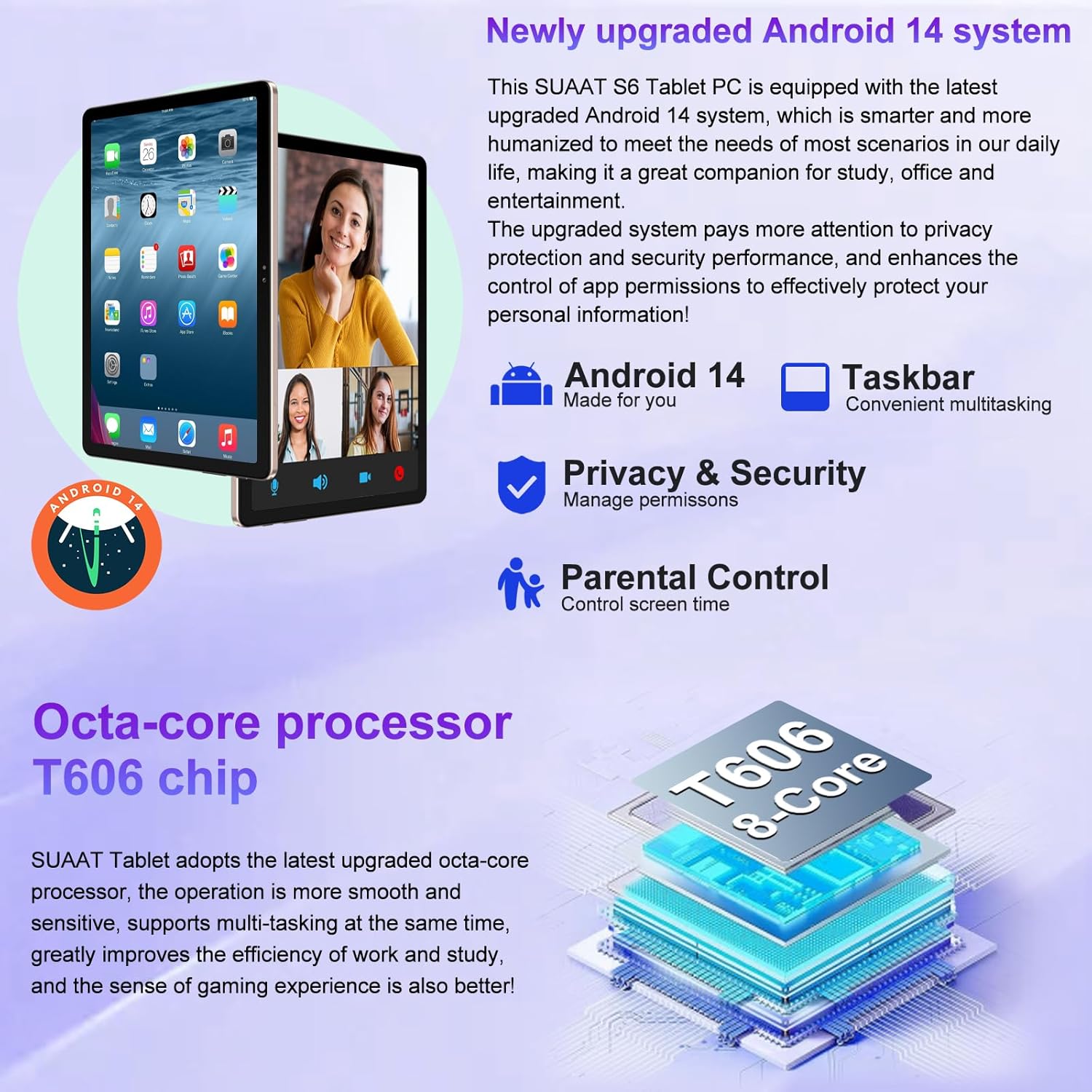
Image 4.1: Visual representation of the Android 14 system's key features, including the taskbar for multitasking, enhanced privacy and security controls, and parental control options.
4.2. Wirja u Viżwali
The 11-inch HD display offers a resolution of 1280x800 pixels, providing a clear and vibrant visual experience. The screen is made with tempered glass for increased durability.

Image 4.2: The large 11-inch HD display, highlighting its 2000x1200 FHD resolution, 16:10 aspect ratio, and In-cell multi-touch technology for a premium visual experience.
4.3. Ħażna u Prestazzjoni
The tablet is equipped with an Octa-core T606 processor, ensuring smooth operation and efficient multitasking. It comes with 256GB of internal storage and supports expansion up to 1TB via a Micro SD card slot, providing ampspazju żgħir għal applikazzjonijiet, midja, u dokumenti.

Image 4.3: Details on the tablet's storage capacity (24GB RAM, 256GB ROM, 1TB expansion via Micro SD) and its dual camera setup (13MP rear, 5MP front).
4.4. Funzjonalità tal-Kamera
Capture high-quality photos and videos with the tablet's dual cameras: a 13MP rear camera and a 5MP front camera. These are ideal for video calls and documenting your experiences.
4.5. Konnettività
- Wi-Fi: Supports both 5G and 2.4G Wi-Fi connections for fast and stable internet access.
- Bluetooth 5.0: Easily connect wireless accessories such as headphones, keyboards, and mice for enhanced productivity and entertainment.
- GPS: Integrated GPS allows for navigation and location-based services.
4.6. Ħajja tal-batterija
The 8000mAh high-capacity battery provides extended usage times, allowing for up to 8 hours of music playback, 6 hours of web browsing, or 5 hours of gaming on a single charge.
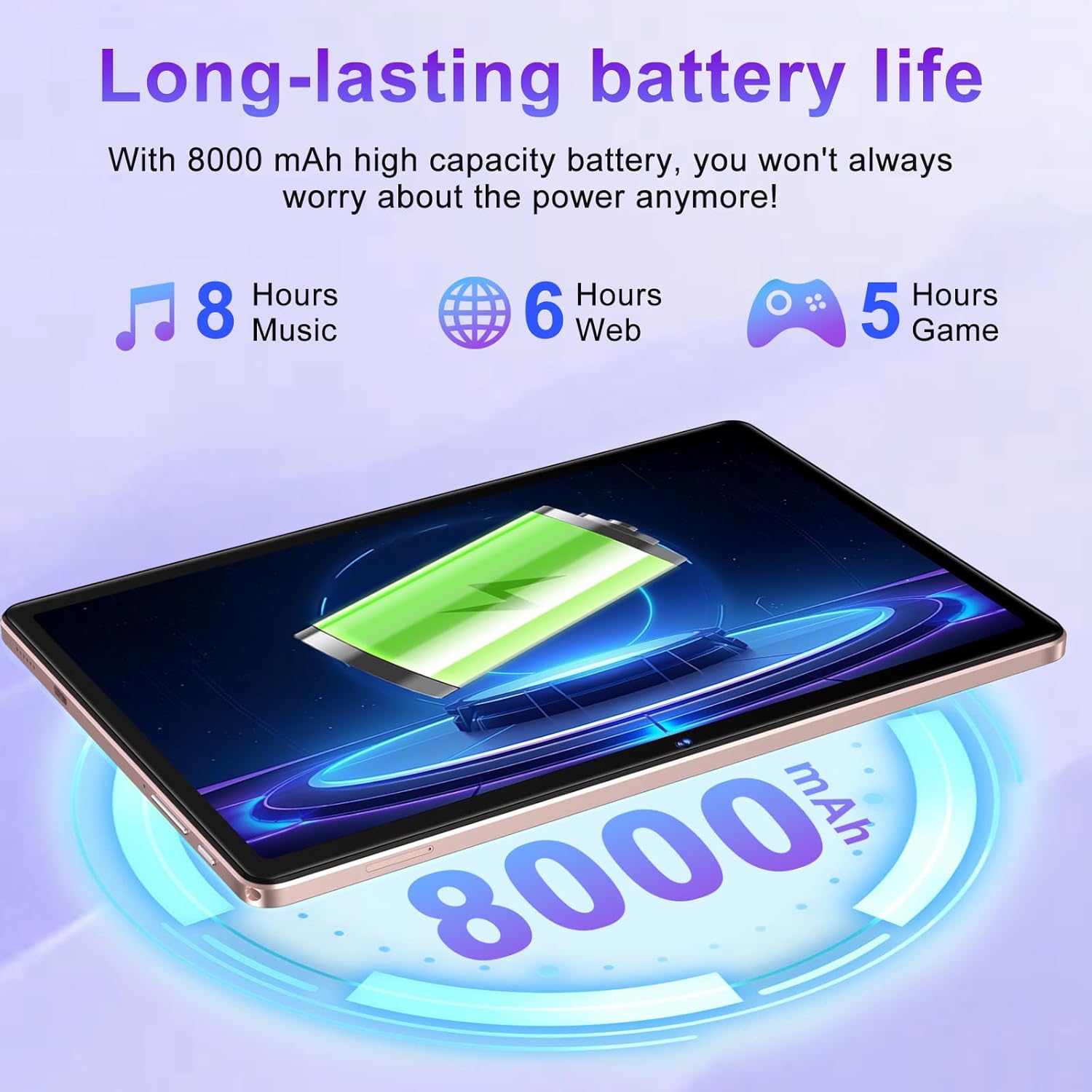
Image 4.4: Illustration of the tablet's 8000mAh battery capacity and its estimated usage times for music, web browsing, u logħob.
4.7. Appoġġ Widevine L1
The SUAAT S6 tablet supports Widevine L1, enabling high-definition video streaming from popular platforms like YouTube, Prime Video, Hulu, and HBO Max, ensuring a premium viewing esperjenza.

Image 4.5: Comparison showing the difference between Widevine L1 (1080P) and L3, indicating the tablet's capability for high-definition streaming from various platforms.
5. Manutenzjoni
5.1. Tindif tat-Tablet Tiegħek
Biex tnaddaf it-tablet tiegħek, uża drapp artab u mingħajr suf. Għal tbajja' persistenti, nixxef ftit.ampen the cloth with water or a screen-safe cleaner. Avoid using harsh chemicals, abrasive materials, or excessive moisture.
5.2. Aġġornamenti tas-Software
Periodically check for system updates to ensure your tablet has the latest features, security patches, and performance improvements. Navigate to Settings > Sistema > Aġġornament tas-sistema biex tiċċekkja u tinstalla aġġornamenti disponibbli.
5.3. Kura tal-batterija
To prolong battery life, avoid exposing the tablet to extreme temperatures. It is recommended to keep the battery charge between 20% and 80% for optimal longevity. Avoid leaving the tablet fully charged or fully discharged for extended periods.
6 Issolvi l-problemi
This section addresses common issues you might encounter with your SUAAT S6 Tablet.
6.1. Tablet Not Turning On
- Kun żgur li t-tablet huwa ċċarġjat biżżejjed. Qabbad il-ċarġer u stenna ftit minuti qabel ma tipprova tixgħelu mill-ġdid.
- Agħfas u żomm il-buttuna tal-Qawwa għal mill-inqas 10-15-il sekonda biex twettaq restart furzat.
6.2. Kwistjonijiet ta' Konnettività tal-Wi-Fi
- Iċċekkja jekk il-Wi-Fi huwiex attivat fi Settings > Netwerk u internet > Internet.
- Erġa' ibda r-router tal-Wi-Fi tiegħek.
- Insieh in-netwerk u erġa' qabbad billi terġa' ddaħħal il-password.
- Kun żgur li tinsab fil-firxa tas-sinjal tal-Wi-Fi.
6.3. L-Applikazzjonijiet Jiġġarraf jew Jiffriża
- Agħlaq l-app problematika u erġa' iftaħha.
- Neħħi l-cache u d-dejta tal-app Settings > Apps > [Isem tal-App] > Ħażna u cache.
- Ensure the app is updated to its latest version via the Google Play Store.
- Ibda mill-ġdid il-pillola.
6.4. Prestazzjoni bil-mod
- Agħlaq l-applikazzjonijiet fl-isfond li ma jintużawx.
- Illibera l-ispazju tal-ħażna billi tħassar l-ispazju żejjed files jew id-diżinstallazzjoni ta' applikazzjonijiet mhux użati.
- Erġa’ ibda l-pillola regolarment.
- Ikkunsidra li tagħmel reset tal-fabbrika bħala l-aħħar għażla (Nota: Dan se jħassar id-dejta kollha fuq it-tablet. Agħmel backup tad-dejta importanti l-ewwel.).
7. Speċifikazzjonijiet
Detailed technical specifications for the SUAAT S6 Tablet:
| Karatteristika | Speċifikazzjoni |
|---|---|
| Isem tal-Mudell | S6 |
| Sistema Operattiva | Android 14 |
| Proċessur | Octa-core T606, 2 GHz |
| RAM | 24GB |
| Ħażna Interna | 256GB |
| Ħażna espansibbli | Up to 1TB via Micro SD Card |
| Daqs tal-Iskrin | 11 Pulzier |
| Riżoluzzjoni tal-Iskrin | 1280x800 Pixels (Max 2000x1200) |
| Kamera ta' wara | 13 MP |
| Kamera ta' Quddiem | 5 MP |
| Kapaċità tal-batterija | 8000 mAh (Lithium Polymer) |
| Tip bla fili | 802.11ac (WiFi 5G/2.4G) |
| Bluetooth | Bluetooth 5.0 |
| Dimensjonijiet (LxWxH) | 10.16 x 6.61 x 0.32 pulzieri |
| Piż tal-oġġett | 1.15 liri |
| Kulur | Deheb Rose |
8. Garanzija u Appoġġ
SUAAT is committed to providing excellent customer service and product support.
8.1. Servizz ta' wara l-bejgħ
For any inquiries or issues regarding your SUAAT S6 Tablet, the brand offers 24-hour after-sales service. Please refer to your purchase documentation or the official SUAAT store page for contact details.
8.2. Appoġġ Tekniku
Professional technical support is available to assist you with setup, troubleshooting, and general usage questions. Contact information can typically be found on the SUAAT brand store or within the product packaging.
Għal aktar informazzjoni u appoġġ, tista' żżur il- SUAAT Store on Amazon.


