Introduzzjoni
Thank you for choosing the VEVOR LED Lighted Liquor Bottle Display. This 2-tier, 16-inch acrylic display shelf is designed to enhance your home bar, commercial establishment, or any space requiring an illuminated display for bottles. Featuring RF remote and smart app control, it offers a wide range of static and dynamic multicolor lighting options. Please read this manual thoroughly before use to ensure proper setup, operation, and maintenance.
Istruzzjonijiet Importanti dwar is-Sigurtà
- Do not overload shelves. Ensure the shelf is placed on a stable, level surface.
- Always follow the instructions in this user manual for safe installation and use.
- Żomm l-apparat 'il bogħod mill-ilma jew minn umdità eċċessiva.
- Tippruvax tiżżarma jew issewwi l-unità int stess. Ikkuntattja persunal kwalifikat għas-servizz.
- Uża biss l-adapter tal-enerġija pprovdut.
- Żomm fejn ma jintlaħaqx mit-tfal.
Kontenut tal-Pakkett
Iċċekkja li l-oġġetti kollha elenkati hawn taħt huma inklużi fil-pakkett tiegħek:
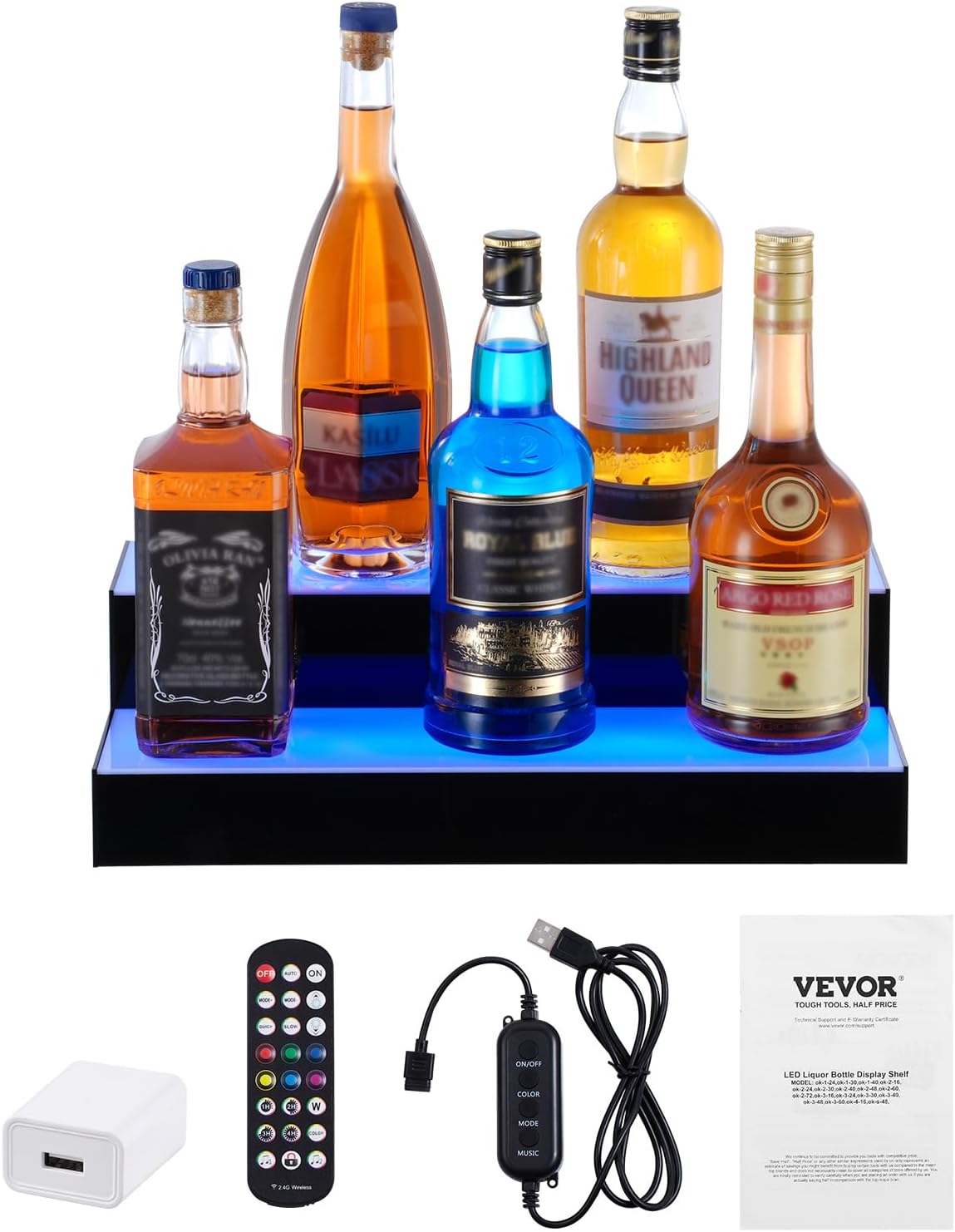
- 1 x LED Liquor Bottle Display Shelf
- 1 x 24-Key RF Remote
- 1 x USB Controller
- 1 x Adapter tal-Enerġija
- 1 x Manwal għall-Utent
- Mounting Brackets (for wall mounting, if desired)
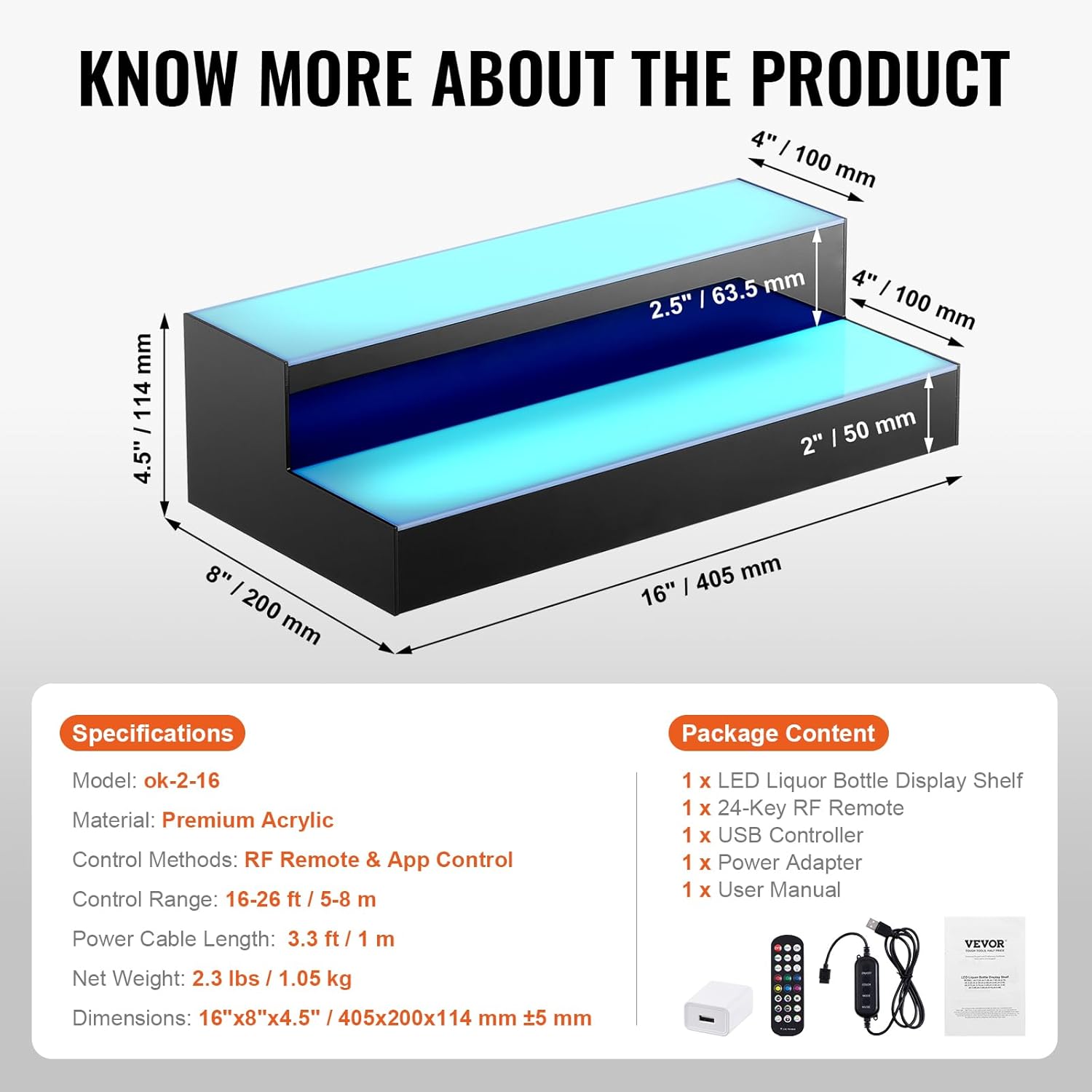
Speċifikazzjonijiet
| Karatteristika | Dettall |
|---|---|
| Mudell | ok-2-16 |
| Materjal | Akriliku |
| Tip ta 'Immuntar | Floor Mount (can be wall-mounted with brackets) |
| Tip ta' xkaffa | Tiered Shelf (2 Steps) |
| Dimensjonijiet tal-Prodott (P x W x H) | 15.94" x 7.87" x 4.49" (405 x 200 x 114 mm) |
| Forma | L-Forma |
| Tip Finish | Illustrat |
| Metodi ta' Kontroll | RF Remote & App Control |
| Firxa ta 'Kontroll | 16-26 pied / 5-8 m |
| Tul tal-Kejbil tal-Enerġija | 3.3 pied / 1 m |
| Piż Nett | 2.3 lbs / 1.05 kg |
| Assemblea Meħtieġa | Nru |
| Komponenti Inklużi | 1 x LED Liquor Bottle Display Shelf, 1 x 24-Key RF Remote, 1 x USB Controller, 1 x Power Adapter, 1 x User Manual |
Setup
- Unpack the Display: Neħħi l-komponenti kollha mill-imballaġġ bir-reqqa. Iċċekkja għal kwalunkwe ħsara.
- Pjazzament: Place the LED liquor bottle display on a stable, level surface. Ensure there is enough space for bottles and access to a power source. If wall-mounting, use the provided brackets and appropriate hardware for your wall type.
- Qabbad l-Enerġija:
- Connect the USB controller to the display shelf.
- Connect the USB controller to the power adapter.
- Plug the power adapter into a standard 110-240V electrical outlet.
- Alternatively, for portable use, connect the USB controller to a laptop or power bank. Note that brightness may be slightly dimmer when powered by a laptop/power bank.
- Ipprepara l-Kontroll mill-Bogħod: Remove the plastic tab from the battery compartment of the RF remote control to activate it.

Istruzzjonijiet Operattivi
Kontroll mill-bogħod RF
The included 24-key RF remote allows for convenient control of the display's lighting effects from up to 26 feet (8 meters) away. Ensure the plastic tab is removed from the remote before first use.
- ON/OFF: Press the "ON" button to turn on the lights, and "OFF" to turn them off.
- AUTO: Activates an automatic cycling of various lighting modes.
- MODE+/-: Cycles through different dynamic lighting modes.
- VELOĊITÀ+/-: Jaġġusta l-veloċità tal-effetti tad-dawl dinamiku.
- BRIGHTNESS+/-: Adjusts the brightness level of the lights.
- Kuluri statiċi: Select from 7 preset static colors (Red, Green, Blue, White, Yellow, Cyan, Purple) using the dedicated color buttons.
- Timer: Set the lights to turn off automatically after 1, 2, 3, or 4 hours.
- Modalità tar-Ritmu tal-Mużika: Two modes (Music 1, Music 2) allow the lights to react to ambient sound or music.
- Serratura mill-Bogħod: Press the lock button to prevent accidental changes to settings.

Kontroll tal-App Smart
For advanced control and customization, download the dedicated smart app. Scan the QR code provided in the user manual or on the product packaging to download the app. The app offers:
- Għażla tal-Kulur: Choose from 29 preset colors and a full color wheel for custom hues.
- Multiple DIY Modes: Create and save your own unique lighting effects.
- Interface tal-mużika: Lights flash to the rhythm of music played through the app.
- Interface tal-mikrofonu: Lights beat with the rhythm of sound detected by your phone's microphone.
- Interface tal-ħin: Schedule automatic turn on/off times.

Manutenzjoni
- Tindif: The polished acrylic surface is waterproof and easy to clean. Use a soft, damp cloth to wipe down the display. Avoid abrasive cleaners or solvents that could damage the acrylic.
- Ħażna: When not in use for extended periods, disconnect the power and store the display in a dry, cool place.
Issolvi l-problemi
| Problema | Kawża / Soluzzjoni Possibbli |
|---|---|
| Id-dwal ma jixegħlux. |
|
| Il-kontroll mill-bogħod mhux qed jaħdem. |
|
| App control is not connecting. |
|
| Lights are dim when using power bank. | This is normal. For full brightness, use the provided wall power adapter. |
Appoġġ
For further assistance, technical support, or warranty inquiries, please refer to the contact information provided in your product's original packaging or visit the official VEVOR websit.
Żur il- Ħanut VEVOR fuq Amazon għal aktar prodotti u informazzjoni.


