Introduzzjoni
This manual provides comprehensive instructions for the TIATUA M9 Instant Print Kids Camera. Please read this manual carefully before using the camera to ensure proper operation and to maximize your experience.
Prodott Overview
Karatteristiċi Ewlenin
- Skrin IPS ta' 3.0 pulzieri: A larger, soft IPS screen for comfortable viewing u navigazzjoni.
- 48 MP Photo Resolution: Capture high-quality images with a 48-megapixel lens.
- Reġistrazzjoni tal-vidjo HD 1080p: Record clear high-definition videos.
- Stampar Instant: Print black and white photos directly from the camera without ink or toner.
- Multifunzjonali: Includes photography, video recording, instant printing, fun frames, music playback, games, and a flashlight.
- Ħajja twila tal-batterija: Equipped with a 1000 mAh battery, providing up to 4 hours of continuous use.
- 32GB Memory Card Included: Ample ħażna għal ritratti u vidjows.
- Għodda Kreattiva: Comes with 5 colorful pens for customizing printed photos.
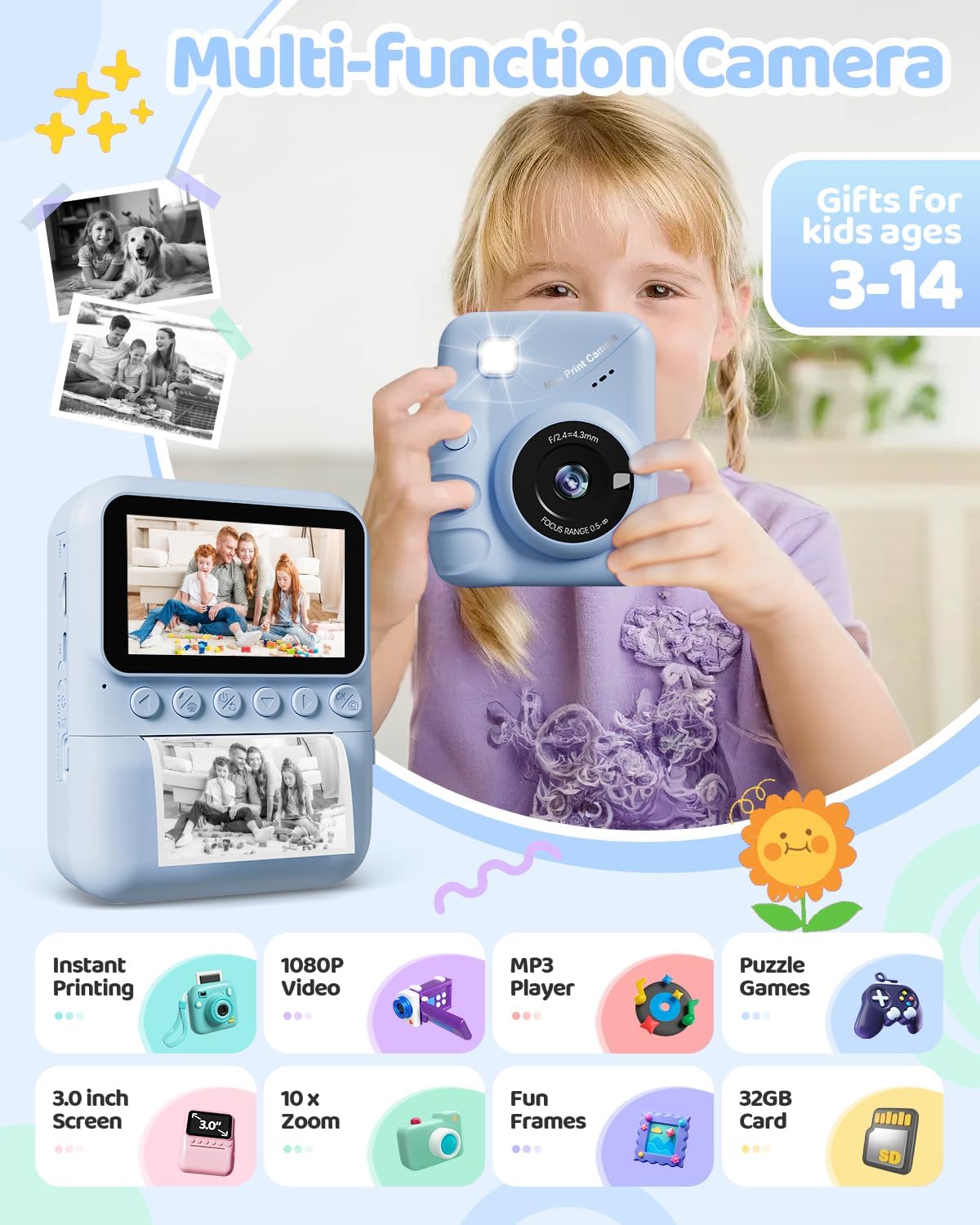
Image: The TIATUA M9 Instant Print Kids Camera highlighting its various functions like instant printing, 1080P video, MP3 player, puzzle games, 3.0-inch screen, 10x zoom, fun frames, and 32GB card.
Nibdew
Kontenut tal-Pakkett
Jekk jogħġbok iċċekkja l-pakkett biex tiżgura li l-oġġetti kollha huma preżenti:
- TIATUA M9 Instant Print Kids Camera
- 32GB Mikro SD Card
- Printing Paper Rolls (typically 3 rolls)
- Cable tal-Iċċarġjar tal-USB
- Lanyard/Strap
- Colorful Pens (5 pieces)
- Manwal għall-Utent (dan id-dokument)

Image: The TIATUA M9 Instant Print Kids Camera in dark blue, displayed with its accessories including a 32GB memory card, colorful pens, three rolls of printing paper, a USB charging cable, and a decorative lanyard.
Iċċarġjar tal-Kamera
Before first use, fully charge the camera. Connect the included USB cable to the camera's charging port and to a USB power adapter (not included) or a computer's USB port. The charging indicator light will show the charging status.
Daħħal il-Mikro SD Card
Locate the Micro SD card slot on the side of the camera. Insert the 32GB Micro SD card (included) into the slot until it clicks into place. Ensure the camera is powered off before inserting or removing the card.
Tagħbija Print Paper
Follow these steps to load the thermal printing paper:
- Iftaħ is-Slot tal-Karta: Gently push the latch or button to open the paper compartment cover.
- Insert the Paper Roll: Place a new roll of thermal paper into the compartment. Ensure the paper feeds from the bottom of the roll and the end of the paper is facing outwards, ready to be pulled through the printing mechanism.
- Pull Paper Out: Pull approximately 1 inch (2.5 cm) of paper out of the slot, ensuring it is straight.
- Agħlaq il-Qoxra: Agħlaq l-għatu tal-kompartiment tal-karta sew sakemm tikklikkja.

Image: A three-step visual guide demonstrating how to load the thermal printing paper into the TIATUA M9 Instant Print Kids Camera. Step 1 shows opening the paper slot, Step 2 shows inserting the paper roll in the correct direction, and Step 3 shows pulling out approximately 1 inch of paper before closing the compartment.
Istruzzjonijiet Operattivi
Kontrolli Bażiċi
The camera features intuitive buttons for easy navigation:
- Buttuna tal-Qawwa: Press and hold to turn the camera ON/OFF. Short press to switch modes or confirm selections.
- Buttuna tas-shutter: Agħfas biex tieħu ritratt jew tibda/twaqqaf ir-reġistrazzjoni tal-vidjow.
- Buttuni tan-Navigazzjoni ('il fuq/'l isfel/'il fuq/'il fuq/'il fuq): Użat biex tinnaviga l-menus, tagħmel zoom in/out, jew tagħżel l-għażliet.
- Buttuna OK/Ikkonferma: Jikkonferma l-għażliet fil-menus.
- Buttuna tal-menu: Aċċessa s-settings u l-għażliet tal-kamera.
Jieħdu Ritratti
Biex tieħu ritratt:
- Ixgħel il-kamera.
- Select the photo mode from the main menu.
- Ikkwadra r-ritratt tiegħek billi tuża l-iskrin IPS ta' 3.0 pulzieri.
- (Optional) Use the navigation buttons to zoom in or out (up to 10x digital zoom).
- Press the Shutter button to capture the image.

Image: The TIATUA M9 Instant Print Kids Camera's 3.0-inch screen displaying a live view, demonstrating 1080P HD video recording capability and 10x digital zoom functionality with examples of zoomed-in images.
Reġistrar Vidjows
Biex tirrekordja vidjo:
- Ixgħel il-kamera.
- Select the video recording mode from the main menu.
- Press the Shutter button once to start recording. A timer will appear on the screen.
- Agħfas il-buttuna tax-Shutter mill-ġdid biex twaqqaf ir-reġistrazzjoni. Il-vidjow se jiġi ssejvjat fuq il-kard tal-Micro SD.
Stampar Instant
After taking a photo, you can instantly print it in black and white. The camera offers different printing densities:
- Low (1-3): Lighter print.
- Medium (4-5): Standard print.
- High (6-7): Darker print.
Select your desired density in the print settings before initiating the print. The camera uses thermal printing technology, requiring no ink cartridges.

Image: An illustration demonstrating the two printing modes (Grayscale Matrix and Grayscale Levels) and three printing densities (Low, Medium, High) available on the TIATUA M9 Instant Print Kids Camera, showing how image clarity changes with density settings.
Photo Frames and Filters
Enhance your photos with various built-in frames and filters. Access these options through the camera's menu while in photo mode. Select a frame or filter before taking a picture to apply it directly to the image and print.
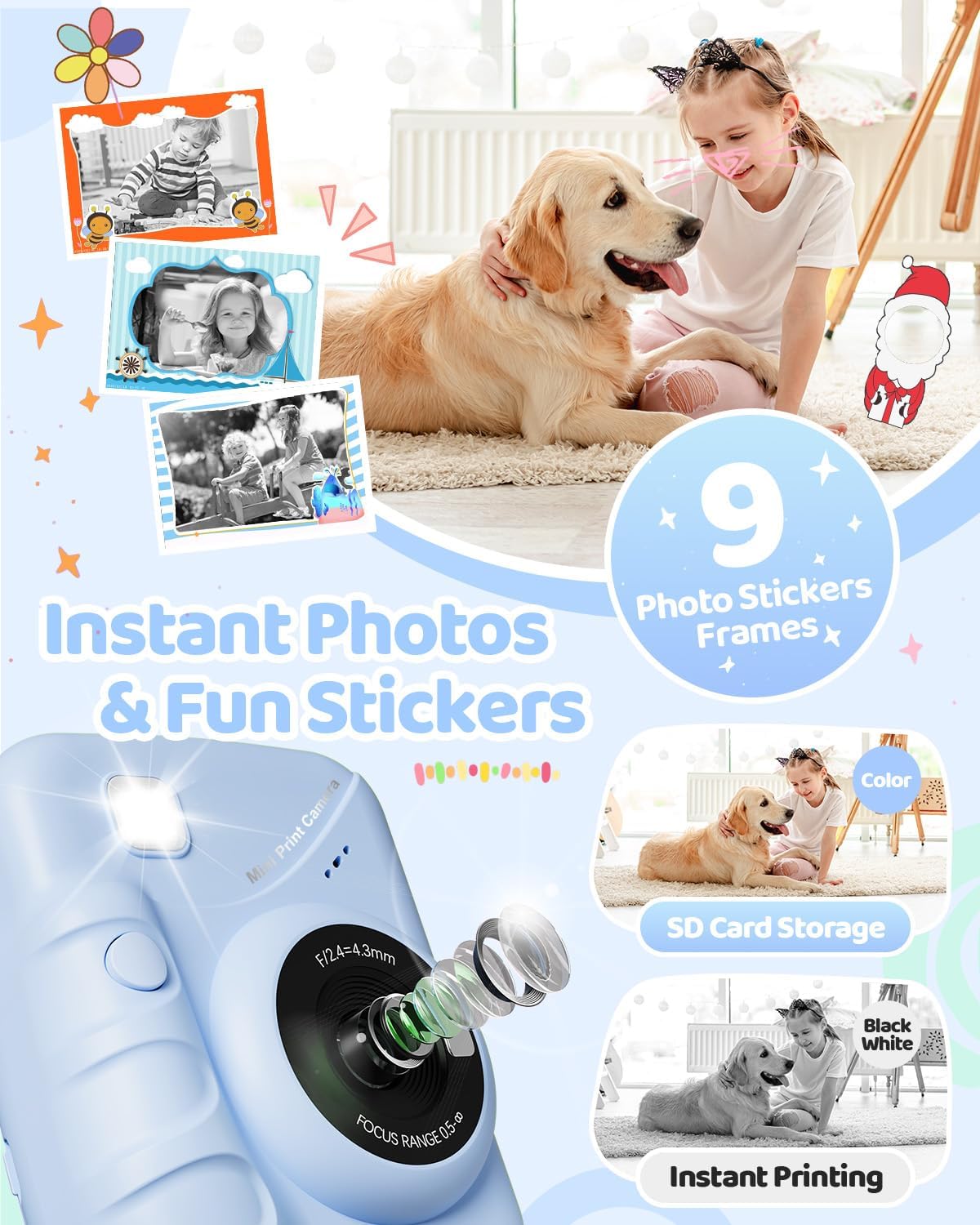
Image: The TIATUA M9 Instant Print Kids Camera displaying various fun photo stickers and frames that can be applied to images, encouraging creative expression.
Logħob
The camera includes several pre-installed puzzle games for entertainment. Navigate to the "Games" option in the main menu to select and play. Use the navigation buttons to control the games.

Image: A child interacting with the TIATUA M9 Instant Print Kids Camera, which displays various puzzle games on its screen, alongside icons for a music player and other interesting features.
Daqq u Riproduzzjoniview
Biex view your captured photos and videos, enter the "Playback" mode from the main menu. Use the navigation buttons to scroll through your media. Press the OK button to view ritratt jew idoqq vidjo.
Manutenzjoni
Tindif tal-Kamera
To clean the camera body, use a soft, dry cloth. For the lens, use a specialized lens cleaning cloth. Do not use liquid cleaners or abrasive materials, as they may damage the camera.
Ħażna
Aħżen il-kamera f'post frisk u niexef 'il bogħod mix-xemx diretta u minn temperaturi estremi. Meta ma tkunx qed tużaha għal perjodi twal, kun żgur li l-batterija tkun parzjalment iċċarġjata (madwar 50%) biex ittawwal il-ħajja tagħha.
Issolvi l-problemi
Kwistjonijiet Komuni u Soluzzjonijiet
- Il-kamera ma tixgħelx:
- Kun żgur li l-batterija hija ċċarġjata. Qabbad il-kamera ma' sors ta' enerġija permezz tal-kejbil USB.
- Agħfas u żomm il-buttuna tal-qawwa għal ftit sekondi.
- Ma nistax nieħu ritratti/vidjows:
- Check if the Micro SD card is inserted correctly and has sufficient free space.
- Ensure the camera is in the correct mode (photo or video).
- Print quality is poor or no print:
- Verify that the thermal paper is loaded correctly and not upside down.
- Check if there is enough paper in the compartment.
- Adjust the printing density settings in the camera menu.
- Ensure the print head is clean (refer to cleaning instructions).
- Screen is frozen:
- Try restarting the camera by holding the power button. If unresponsive, use a thin object to press the reset button (if available, usually a small pinhole).
Speċifikazzjonijiet
| Karatteristika | Dettall |
|---|---|
| Brand | TIATUA |
| Isem tal-Mudell | M9 |
| Kulur | Blu Skur |
| Skrin | 3.0 pulzier LCD |
| Karatteristika Speċjali | Instant Photo |
| Teknoloġija tal-Konnettività | USB |
| Kompożizzjoni tal-batterija | Lithium-polymer (1000 mAh) |
| Riżoluzzjoni tal-vidjo | 1080p |
| Riżoluzzjoni Għadha Effettiva | 48 Megapixels |
| Veloċità Max tax-Shutter | 1/2000s |
| Tip ta 'Focus | Auto Focus |
| Zoom Tip | Zoom ottiku |
| Medda ISO | 100-6400 |
| Livell ta 'Reżistenza għall-Ilma | Mhux Waterproof |
| Dimensjonijiet (L x W x H) | 16.7 x 13.4 x 6.2 ċm |
| Piż | 420 gramma |
Garanzija u Appoġġ
For warranty information and customer support, please refer to the contact details provided with your purchase or visit the official TIATUA websit. Żomm il-prova tax-xiri tiegħek għal kwalunkwe talba ta' garanzija.


