1. Introduzzjoni
Grazzi tax-xiriasing the SIMREX X300C Mini Drone. This manual provides essential information for the safe operation, setup, and maintenance of your drone. Please read it thoroughly before first use to ensure optimal performance and to prevent damage or injury. The X300C is a compact, foldable RC quadcopter featuring a 720P HD FPV camera, Altitude Hold, 3D Flip, Headless Mode, and Gravity Control, designed for beginners, kids, and adults.

Image: The SIMREX X300C Mini Drone, its remote controller, and two modular batteries.
2. Prekawzjonijiet tas-Sigurtà
- Superviżjoni għall-adulti: Always ensure adult supervision, especially when children are operating the drone.
- Ambjent tat-Titjira: Fly in open, clear areas, away from people, animals, buildings, and obstacles. Avoid flying in strong winds or adverse weather conditions.
- Sigurtà tal-Iskrun: Keep hands, face, and hair away from rotating propellers. Always turn off the drone and controller before handling the propellers.
- Sigurtà tal-batterija: Use only the provided charging cable and batteries. Do not overcharge or short-circuit batteries. Discontinue use if batteries show signs of swelling or damage.
- Ilma u Umdità: Keep the drone and its components away from water and moisture to prevent damage to electronic parts.
- Waqfien ta' Emerġenza: Familiarize yourself with the emergency stop function for immediate shutdown if needed.

Image: The SIMREX X300C drone equipped with propeller guards, emphasizing safe operation.
3. X'hemm fil-Kaxxa
- SIMREX X300C Mini Drone
- Kontrollur mill-bogħod
- Modular Batteries (x2)
- Skrejjen żejda
- Cable tal-Iċċarġjar tal-USB
- Tornavit
- Manwal għall-Utent (dan id-dokument)
4. Prodott Aktarview
Komponenti tad-drone
- Foldable Arms with Motors and Propellers
- 720P HD FPV Camera (front)
- Optical Flow Positioning Sensor (bottom)
- Kompartiment tal-batterija
- Buttuna tal-Qawwa
Remote Controller Layout

Image: Detailed diagram of the remote controller, showing buttons for gravity sensor switch, one key takeoff/ascend, 3 speeds mode, gyro calibration, left/right sliders, one key descend, headless mode, one key return, 3D flip, fine tuning controls, power switch, and charging interface.
- Joystick tax-Xellug: Jikkontrolla l-altitudni ('il fuq/'l isfel) u r-rotazzjoni (xellug/lemin).
- Joystick tal-lemin: Jikkontrolla l-moviment 'il quddiem/lura u lejn ix-xellug/il-lemin.
- One Key Takeoff/Landing Button: Jibda t-tluq jew l-inżul awtomatiku.
- Buttuna tal-Iswiċċ tal-Veloċità: Toggles between different flight speeds (low, medium, high).
- Buttuna tal-Modalità Bla Ras: Activates/deactivates headless mode.
- 3D Flip Button: Performs 360-degree flips.
- Buttuni ta' aġġustament fin: Adjusts drone drift for stable flight.
- Buttuna tal-Qawwa: Jixgħel/jitfi l-kontrollur.
5. Setup
5.1 Iċċarġjar u Installazzjoni tal-Batterija
Charge both drone batteries and the remote controller battery using the provided USB charging cable. The indicator light will turn off when fully charged. Insert the charged modular batteries into the drone's battery compartment until they click into place. The remote controller has a built-in rechargeable battery.
5.2 Installazzjoni tal-Iskrun
Ensure propellers are installed correctly according to the markings (A1, A2, B1, B2) on the drone arms and propellers. Incorrect installation will prevent the drone from taking off.
5.3 App Installation (SIMREX Zoomy)
Download the "SIMREX Zoomy" app from your smartphone's app store (iOS App Store or Google Play Store). This app is required for FPV viewing, photo/video recording, and advanced flight features like Waypoints and Gravity Control. You can also scan the QR code on the product packaging or visit simrex.com.cn/download_zoomy.html biex tniżżel l-app.
5.4 It-tqabbil tad-Drone u l-Kontrollur
- Poġġi d-drone fuq wiċċ ċatt u livell.
- Press and hold the power button on the drone for a long time until the color light flashes.
- Turn on the switch button at the bottom of the remote controller.
- Push the left joystick up and then down. The drone's indicator lights will become solid, indicating successful pairing.

Image: Visual guide for initial setup, showing propeller installation, powering on the drone, and turning on the remote controller for adaptation.
6. Istruzzjonijiet Operattivi
6.1 Kontrolli Bażiċi tat-Titjira
- Tluq/Inżul Ewlieni Wieħed: Press the dedicated button on the controller for automatic takeoff or landing.
- Titla/Inżel: Push the left joystick up to ascend, down to descend.
- Quddiem/Lura: Push the right joystick up for forward flight, down for backward flight.
- Dawwar ix-Xellug/Lemin: Push the left joystick left or right to rotate the drone.
- Ittir lejn ix-Xellug/Lemin: Push the right joystick left or right to fly sideways.
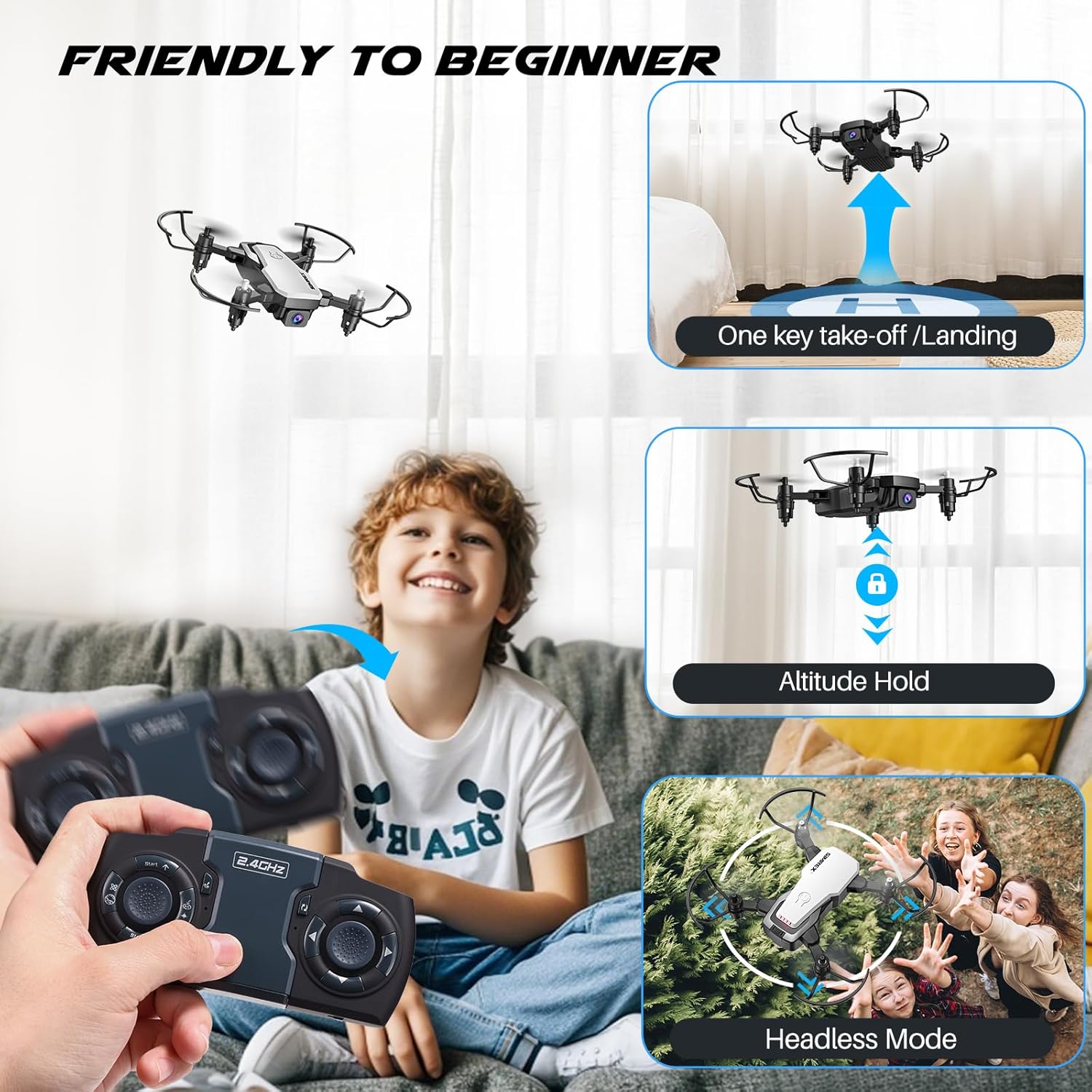
Image: A child operating the SIMREX X300C drone, illustrating features like one-key takeoff/landing, altitude hold, and headless mode for beginner-friendly flight.
6.2 Karatteristiċi Speċjali
- Żamma tal-Altitudni: The drone maintains a consistent altitude, making it easier to control and capture stable photos/videos. This is supported by optical flow positioning.
- Modalità bla ras: In this mode, the drone's orientation is relative to the pilot, eliminating the need to adjust its position before flying.
- Flip 3D: Press the 3D Flip button and move the right joystick in any direction to perform a 360-degree flip.
- Kontroll tal-Gravità: Using the SIMREX Zoomy app, you can control the drone's direction by tilting your smartphone.
- Punti ta' Referenza tat-Titjira: Draw a flight path on the app screen, and the drone will automatically follow the designated route.
- 3 Modi ta' Veloċità: Adjust the drone's speed to suit your skill level or flying environment.

Image: A child observing the SIMREX X300C drone as it hovers stably, demonstrating its optical flow positioning capability.
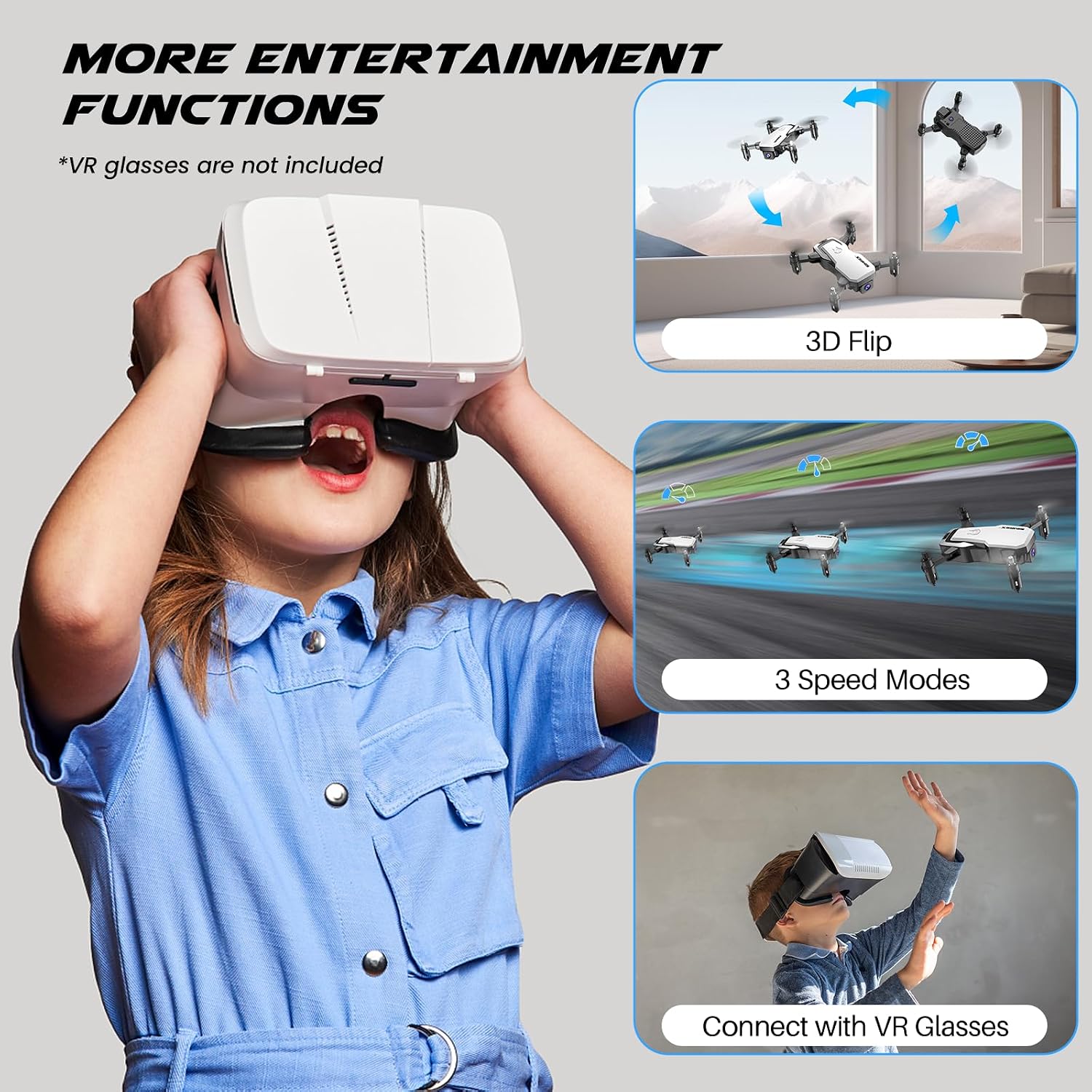
Image: A child wearing VR glasses, with illustrations of the SIMREX X300C performing 3D flips and operating in different speed modes, highlighting entertainment functions.
6.3 Tħaddim tal-Kamera (FPV)
Connect your smartphone to the drone's Wi-Fi network (usually named "SIMREX-X300C-XXXX"). Open the SIMREX Zoomy app to view the live FPV feed. From the app, you can capture 720P HD photos and videos directly to your phone's gallery.

Image: Close-up of the SIMREX X300C drone's 720P WiFi FPV camera, with examples of photos and videos it can capture.
6.4 Vidjo Uffiċjali tal-Prodott
Video: An official demonstration of the SIMREX mini drone, showcasing its features and flight capabilities for kids and beginners.
7. Manutenzjoni
- Tindif: Use a soft, dry cloth to clean the drone and controller. Do not use harsh chemicals or solvents.
- Spezzjoni tal-Iskrun: Regularly check propellers for damage. Replace any bent or broken propellers immediately using the spare parts provided.
- Kura tal-batterija: Store batteries in a cool, dry place. If not used for an extended period, charge them to about 50% capacity every three months to prolong battery life.
- Ħażna: Store the drone and its components in a safe place, away from direct sunlight and extreme temperatures.
8 Issolvi l-problemi
| Problema | Kawża Possibbli | Soluzzjoni |
|---|---|---|
| Id-drone ma jirrispondix għall-kontrollur | Not paired; Low battery (drone/controller); Out of range | Re-pair drone and controller; Charge batteries; Fly within range (18 meters) |
| Drone cannot take off or flies unstable | Propellers installed incorrectly; Damaged propellers; Not calibrated; Uneven surface | Check propeller installation (A/B markings); Replace damaged propellers; Perform gyro calibration; Place on a flat surface for takeoff |
| FPV feed is laggy or disconnected | Weak Wi-Fi signal; Too far from drone; Interference | Ensure strong Wi-Fi connection; Fly closer to the drone; Avoid areas with strong Wi-Fi interference |
| Ħin qasir tat-titjira | Batterija mhux iċċarġjata għalkollox; Batterija qadima; Titjir aggressiv | Fully charge batteries; Consider replacing old batteries; Fly more gently |
9. Speċifikazzjonijiet
| Karatteristika | Dettall |
|---|---|
| Isem tal-Mudell | X300C |
| Brand | SIMREX |
| Kulur | Abjad |
| Riżoluzzjoni tal-Qbid tal-Vidjo | 720p |
| Teknoloġija tal-Konnettività | USB (charging) |
| Tip ta' Kontroll | Remote Control, App Control (Wi-Fi FPV) |
| Medda Massimu | 18 Meters |
| Piż tal-oġġett | 237 Gram (8.4 uqija) |
| Dimensjonijiet tal-Prodott | 1.9"T x 4.5"W x 1.3"Għ (Mitwi) |
| Tip ta 'batterija | Lithium Ion (Modular) |
| Ħin tat-Titjira | Sa 18 minuta (b'2 batteriji) |
| Karatteristiċi Speċjali | 360 Degree Flip, Speed Adjustment, Anti-Fall, Foldable, First Person View (FPV), Optical Flow Positioning, Altitude Hold, Headless Mode, Gravity Control |

Image: The SIMREX X300C drone resting in a hand, illustrating its compact and portable dimensions.
10. Garanzija u Appoġġ
For warranty information or technical support, please contact SIMREX customer service. Keep your purchase receipt as proof of purchase.
Email: simrex.com@outlook.com
Website for App Download: simrex.com.cn/download_zoomy.html


