1. Introduzzjoni
This manual provides instructions for the safe and effective use of the Xiaomi Magnetic Reading Light Bar, Model BHR8956GL. Please read this manual thoroughly before operating the device and retain it for future reference.
Karatteristiċi Ewlenin
- Wide-angle Illumination: Features a 14.3-inch extended lamp head with a 150lm wide-angle light source for uniform illumination of large areas.
- Rendering Għoli tal-Kulur: Utilizes LEDs with a Color Rendering Index (CRI) of Ra90 for accurate color representation.
- Ħajja twila tal-batterija: Equipped with a built-in 2000mAh battery, providing up to 4.5 hours of operation at maximum brightness.
- L aġġustabbliamp Kap: Offers ±25° angle adjustment for flexible lighting positioning.
- Tliet Livelli ta' Luminożità: Allows selection among 10%, 50%, and 100% brightness settings via touch control.
- Disinn manjetiku: Securely attaches to surfaces using a magnetic base with 3M double-sided adhesive.
- Iċċarġjar USB tat-Tip C: Convenient charging and connectivity via a standard USB Type-C port.
2. Komponenti tal-Prodott
Il-pakkett jinkludi l-oġġetti li ġejjin:
- Xiaomi Magnetic Reading Light Bar
- Magnetic Base with 3M Adhesive
- USB-A to USB-C Charging Cable (1.2 meters)
- Manwal għall-Utent

Figura 2.1: Quddiem view of the Xiaomi Magnetic Reading Light Bar.
3. Istruzzjonijiet ta' Setup
3.1 Immuntar tal-Bar tad-Dawl
- Identify a suitable, clean, and dry surface for mounting the light bar.
- Peel off the protective film from the 3M double-sided adhesive on the magnetic base.
- Press the magnetic base firmly onto the desired surface for secure adhesion.
- Attach the light bar to the magnetic base. The strong magnetic connection will hold it in place.
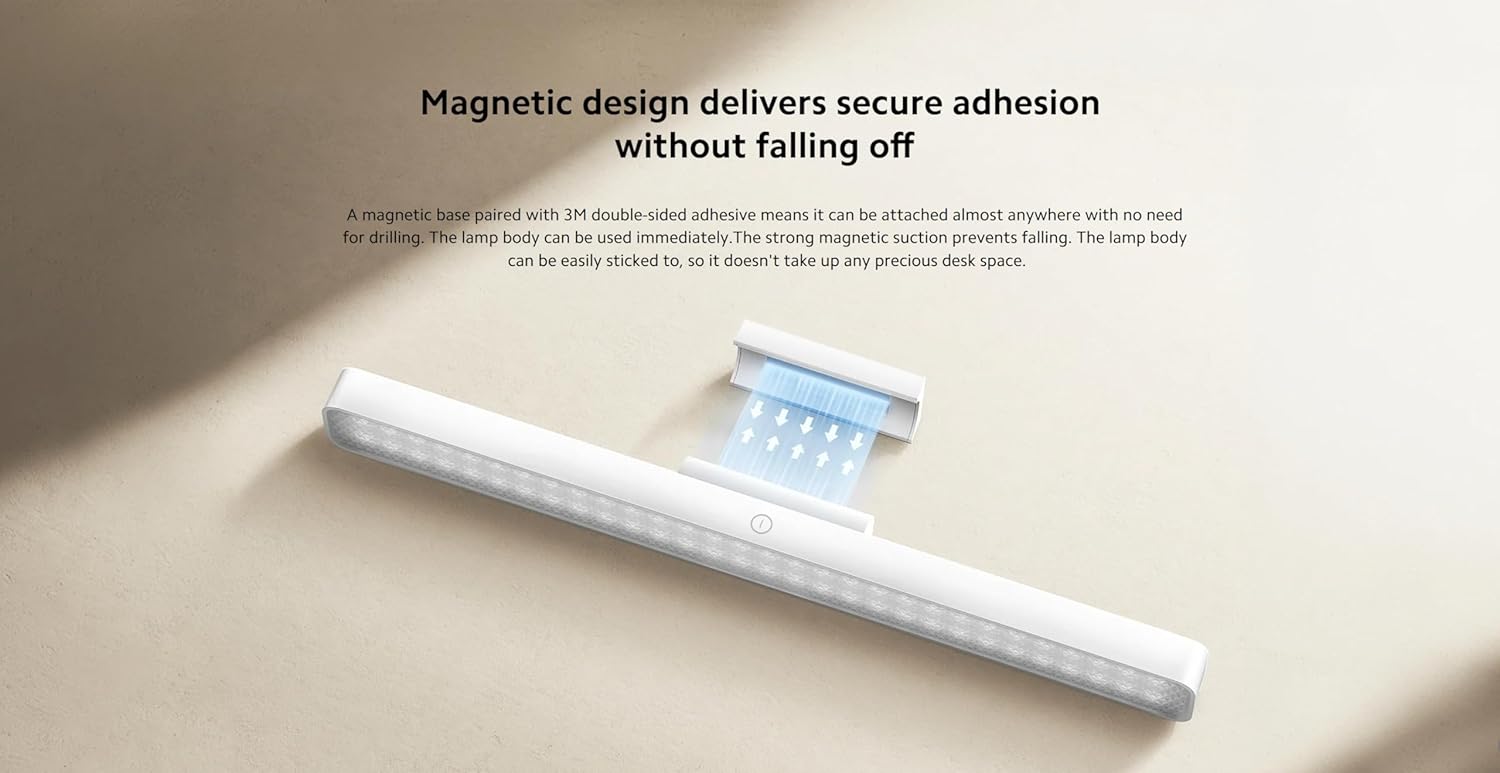
Figure 3.1: Illustration of the magnetic attachment mechanism.
3.2 Charging the Light Bar
The light bar is powered by a rechargeable battery. To charge:
- Locate the USB Type-C port on the side of the light bar.
- Connect the provided USB-A to USB-C charging cable to the light bar.
- Qabbad it-tarf USB-A tal-kejbil ma' adapter tal-enerġija USB kompatibbli (mhux inkluż) jew port USB tal-kompjuter.
- The charging indicator (if present) will show the charging status. Disconnect once fully charged.

Figure 3.2: USB Type-C port for charging and connectivity.
4. Istruzzjonijiet Operattivi
4.1 Aġġustament tal-Mixgħul/Mitfi u l-Luminożità
The light bar features intuitive touch controls:
- Power On/Off: Lightly touch the power icon on the light bar to turn it on or off.
- Aġġustament tal-luminożità: Press and hold the power icon to cycle through the three brightness levels: 10%, 50%, and 100%. Release your finger at the desired brightness.
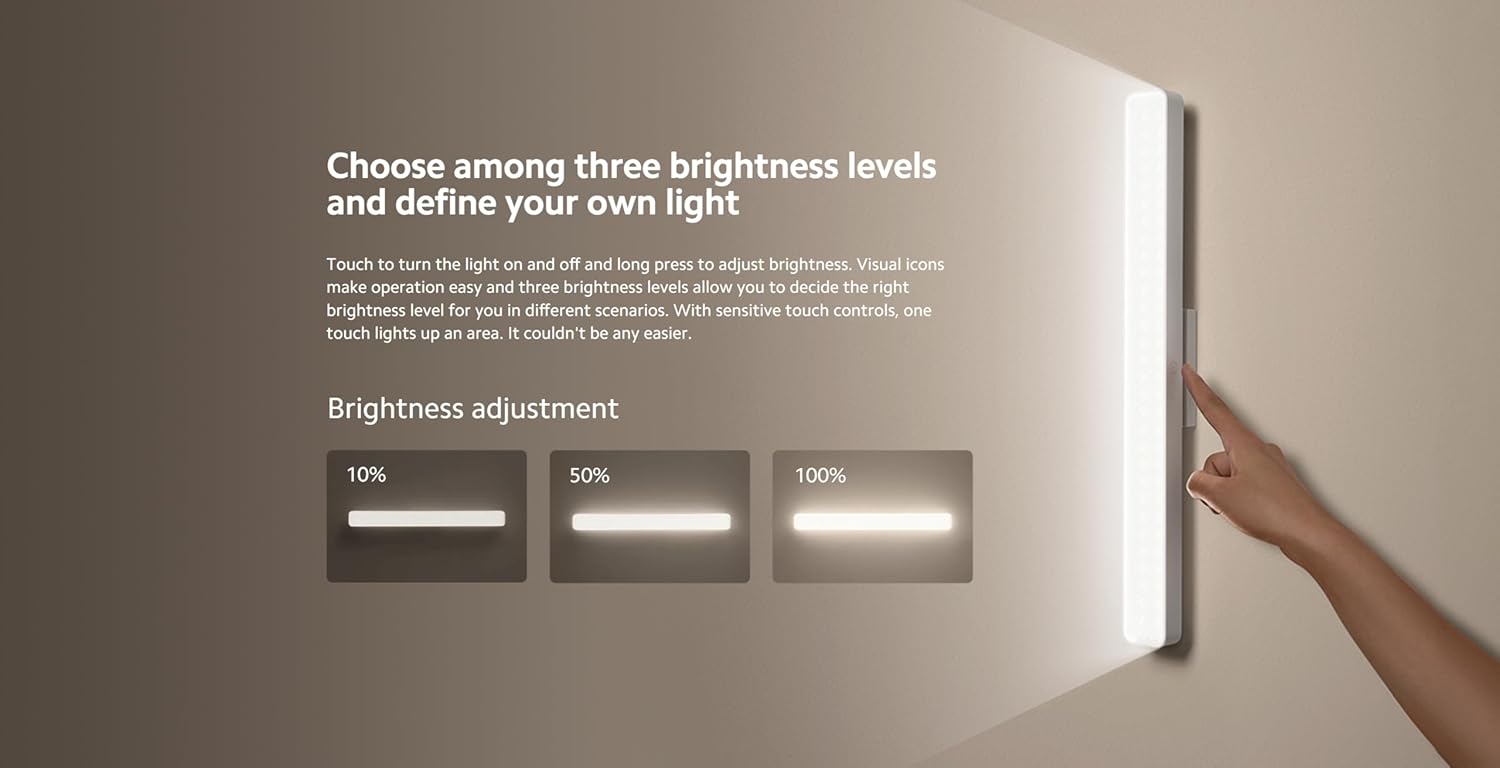
Figure 4.1: Visual representation of the three brightness levels (10%, 50%, 100%).
4.2 Aġġustament tal-Angolu
Il-lamp head can be adjusted ±25° to direct light precisely where needed. Gently rotate the lamp head to achieve the optimal lighting angle.
4.3 Użu Versatili
The light bar's magnetic and portable design allows for various applications:
- Desk Lighting: Provides focused illumination for reading or working.
- Handheld Torch: Detach from the magnetic base for portable lighting.
- Dawl tal-Aċċent: Suitable for entrances, wardrobes, makeup areas, or other spaces requiring supplementary light.
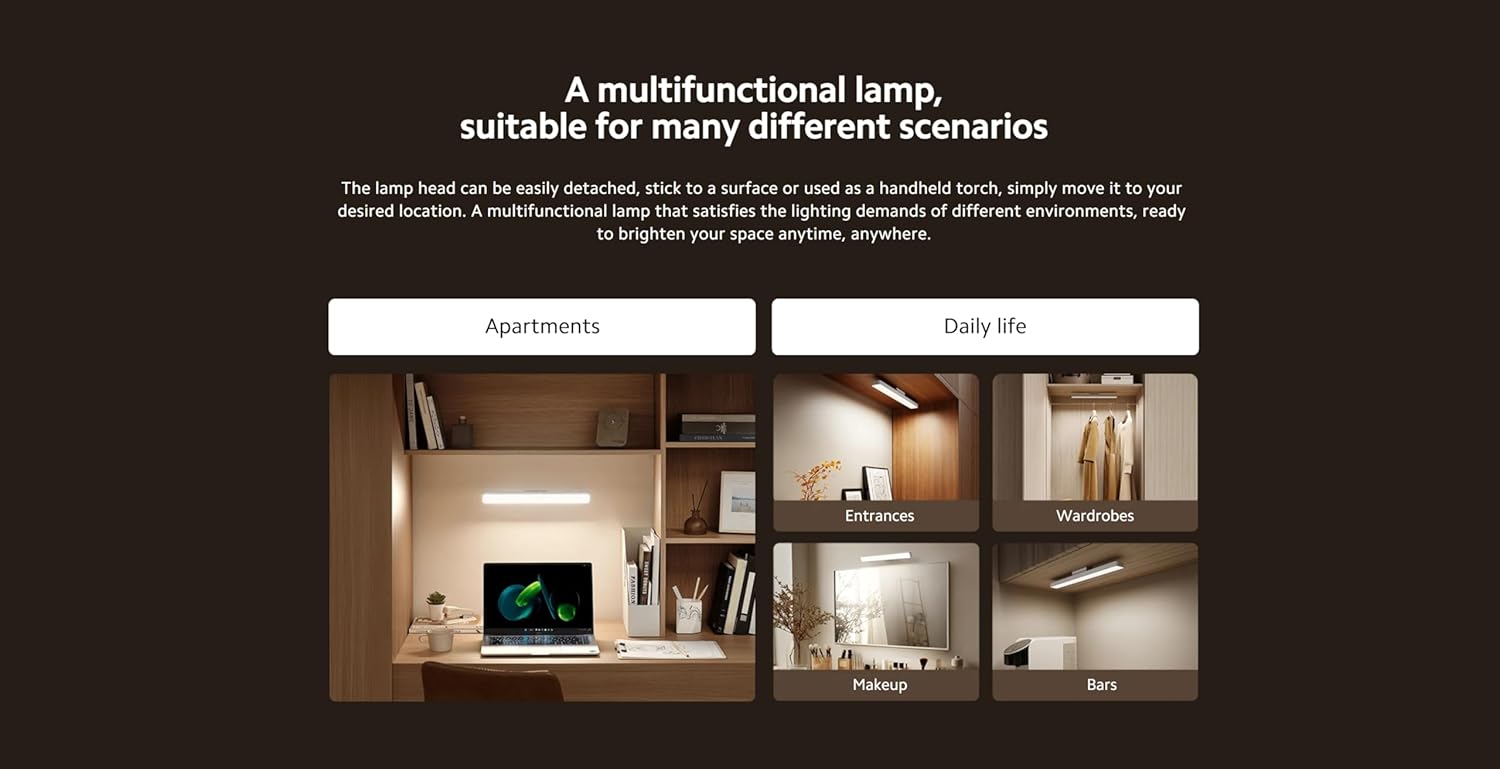
Figura 4.2: Eżamples of the light bar's multifunctional applications.
5. Manutenzjoni
5.1 Tindif
To maintain the light bar's appearance and performance:
- Kun żgur li l-apparat ikun mitfi u skonnettjat minn kwalunkwe sors ta' enerġija qabel ma tnaddaf.
- Imsaħ il-wiċċ b'ċarruta ratba, niexfa, jew kemxejn imxarrbaamp drapp.
- Tużax prodotti tat-tindif li joborxu, solventi, jew kimiċi ħarxa, għax dawn jistgħu jagħmlu ħsara lill-finitura.
5.2 Ħażna
When not in use for extended periods, store the light bar in a cool, dry place away from direct sunlight and extreme temperatures. Ensure the battery is partially charged before storage to prolong its lifespan.
6 Issolvi l-problemi
If you encounter issues with your Xiaomi Magnetic Reading Light Bar, refer to the following common problems and solutions:
| Problema | Kawża Possibbli | Soluzzjoni |
|---|---|---|
| Il-bar tad-dawl ma jixgħelx. | Il-batterija hija eżawrita. | Charge the light bar using the provided USB-C cable. |
| L-output tad-dawl huwa baxx. | Brightness setting is low or battery is low. | Adjust brightness by long-pressing the power icon. If still dim, charge the battery. |
| Light bar detaches from surface. | Magnetic base not securely attached or surface is unsuitable. | Ensure the 3M adhesive is firmly pressed onto a clean, smooth surface. Avoid repositioning frequently. |
| L-iċċarġjar huwa bil-mod jew mhux qed jaħdem. | Kejbil jew adapter tal-enerġija difettuż. | Try a different USB-C cable or power adapter. Ensure the power source provides sufficient current. |
Jekk il-problema tippersisti wara li tipprova dawn is-soluzzjonijiet, jekk jogħġbok ikkuntattja l-appoġġ għall-klijenti.
7. Speċifikazzjonijiet Tekniċi
| Speċifikazzjoni | Dettall |
|---|---|
| Isem tal-Mudell | Bar tad-Dawl manjetiku |
| Numru tal-Mudell | BHR8956GL |
| Brand | XIAOMI |
| Dimensjonijiet tal-Prodott | 14.17 x 1.46 x 1.57 pulzieri (2"D x 14"W x 2"Għ) |
| Piż tal-oġġett | 7.8 uqija (220 Grammi) |
| Sors tal-Enerġija | Mħaddma bil-batterija |
| Kapaċità tal-batterija | 2000mAh |
| Tip ta' Sors tad-Dawl | LED |
| Luminożità | 150 Lumen |
| Wattage | 5 Watts |
| Temperatura tal-Kulur | 4000 Kelvin |
| Indiċi tar-Rendiment tal-Kulur (CRI) | Ra90 |
| Tip ta' Swiċċ | Mess |
| Materjal | Glass-ceramic, Metal |
| Tip Finish | Iswed Metalliku |
| Tip ta 'Immuntar | Desktop (Magnetic) |
| Użu fuq ġewwa/barra | Ġewwa |
8. Informazzjoni dwar Garanzija
Xiaomi products are manufactured to high quality standards. This product is covered by a limited warranty against defects in materials and workmanship under normal use. The specific warranty period may vary by region and retailer. Please retain your proof of purchase for warranty claims.
For detailed warranty terms and conditions, please refer to the warranty card included with your product or visit the official Xiaomi websit.
9. Appoġġ għall-Klijent
For further assistance, technical support, or inquiries regarding your Xiaomi Magnetic Reading Light Bar, please contact Xiaomi customer service through their official channels.
Tista' ssib aktar informazzjoni u riżorsi ta' appoġġ billi żżur is-sit uffiċjali Ħanut XIAOMI fuq Amazon.


