1. Introduzzjoni
This manual provides essential instructions for setting up, operating, and maintaining your SUAAT S10 10-inch Android 14 Tablet. Please read this manual thoroughly before using your device to ensure proper functionality and to maximize its lifespan. The SUAAT S10 tablet features an Octa-Core processor, 22GB RAM, 128GB ROM (expandable to 1TB), 5G+2.4G WiFi, Bluetooth 5.0, an 8000mAh battery, and an 8MP rear camera with a 5MP front camera.
2. Kontenut tal-Pakkett
Iċċekkja li l-oġġetti kollha elenkati hawn taħt huma preżenti fil-pakkett tal-prodott tiegħek:
- Pillola SUAAT S10
- Tastiera Bluetooth
- Ġurdien mingħajr fili
- Kawża Protettiva
- Screen Protector (Tempered Glass)
- Cable tal-Iċċarġjar tal-USB tat-Tip-Ċ
- Adapter tal-Enerġija
- Adapter OTG
- SIM Ejector Pin (for microSD card slot)
- Manwal għall-Utent

Figure 2.1: Included accessories with the SUAAT S10 tablet.
3. Setup Inizjali
3.1 Iċċarġjar tat-Tablet
Before first use, fully charge the tablet. Connect the USB Type-C charging cable to the tablet's charging port and the power adapter to a wall outlet. The charging indicator will show the charging status. A full charge typically takes several hours.
3.2 Tixgħel/Jitfi
- Biex Tixgħel: Agħfas u żomm il-buttuna Power sakemm l-iskrin jixgħel.
- Biex Tifi: Agħfas u żomm il-buttuna tal-Enerġija, imbagħad agħżel "Itfi" mill-għażliet fuq l-iskrin.
- Biex terġa' tibda: Agħfas u żomm il-buttuna tal-Power, imbagħad agħżel "Restart" mill-għażliet fuq l-iskrin.
3.3 Konnessjoni mal-Wi-Fi
- Mur fuq Settings > Netwerk u internet > Wi-Fi.
- Ixgħel il-Wi-Fi On.
- Agħżel in-netwerk Wi-Fi mixtieq tiegħek mil-lista.
- Daħħal il-password tan-netwerk jekk tintalab, imbagħad tektek Qabbad.
3.4 Pairing Bluetooth Accessories (Keyboard & Mouse)
- Ensure the Bluetooth keyboard and mouse are powered on and in pairing mode (refer to their respective manuals for specific instructions).
- Fuq it-tablet tiegħek, mur fuq Settings > Apparati konnessi > Bluetooth.
- Toggle Bluetooth On.
- Tektek Par apparat ġdid.
- Select the keyboard or mouse from the list of available devices and follow any on-screen prompts to complete pairing.

Figure 3.1: SUAAT S10 tablet with keyboard and mouse accessories.
4. Tħaddim tat-Tablet
4.1 Interfaċċja tal-Android 14
Your SUAAT S10 tablet runs on Android 14, offering a user-friendly interface. Navigate by tapping, swiping, and pinching the screen. The home screen provides quick access to applications and widgets. Swipe down from the top for notifications and quick settings.

Figure 4.1: Android 14 operating system on SUAAT S10.
4.2 Użu tal-Kameras
The tablet is equipped with an 8MP rear camera and a 5MP front camera. Open the Camera application to capture photos and videos. Tap the screen to focus and press the shutter button to take a picture.

Figura 4.2: Karatteristiċi tal-kamera uample stampi.
4.3 Konsum tal-Midja
The 10-inch display with 1920x1200 resolution and Widevine L1 support provides an optimal viewing experience for videos and other media. The 8000mAh battery supports extended usage for video playback, music, and gaming.

Figure 4.3: High-definition display of the SUAAT S10 tablet.
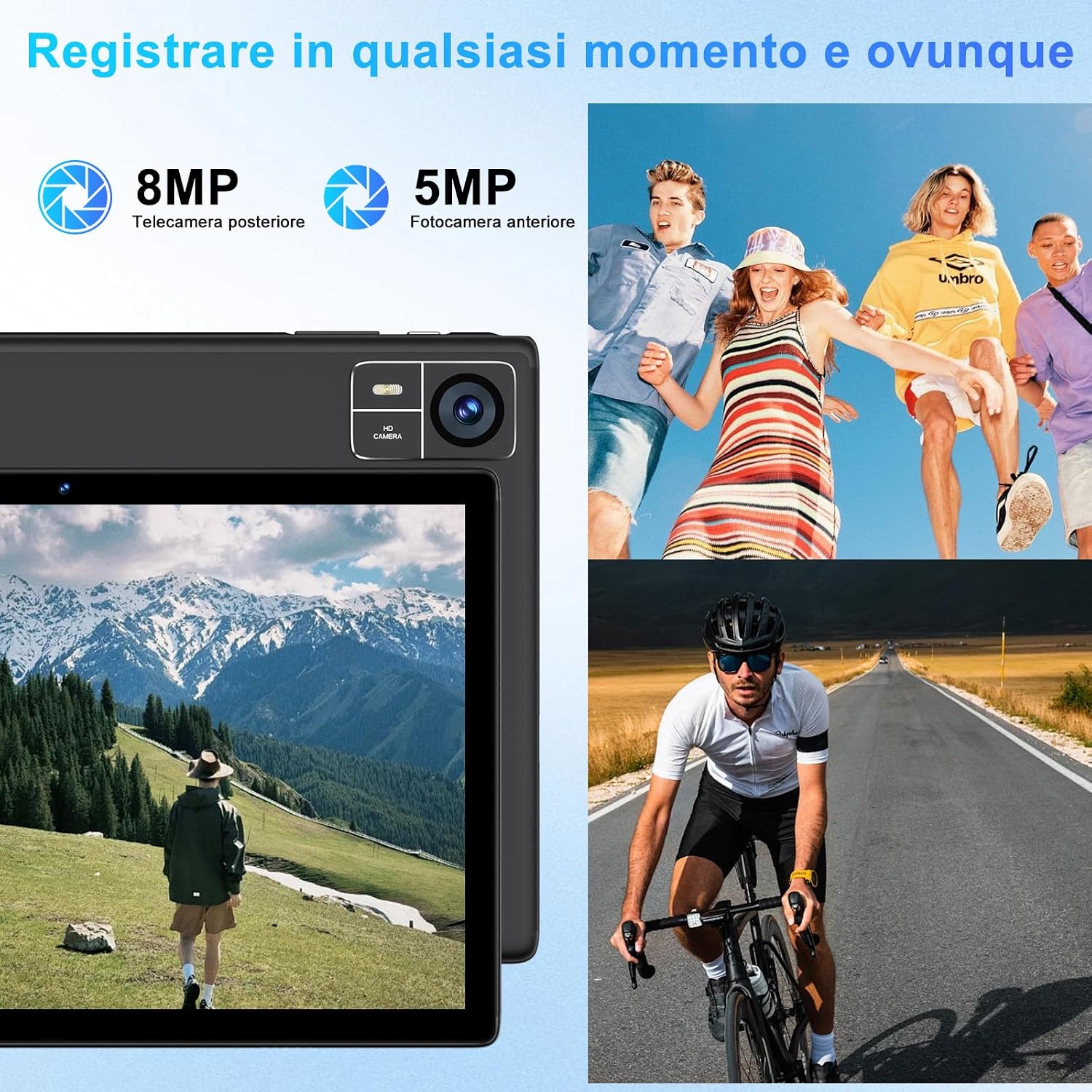
Figure 4.4: 8000mAh battery for extended use.

Figure 4.5: Tablet performance for media and applications.
5. Manutenzjoni
5.1 Tindif tat-Tablet
Use a soft, lint-free cloth to clean the screen and body of the tablet. Avoid using harsh chemicals or abrasive materials, which can damage the screen coating or finish. For stubborn smudges, slightly dampLaħlaħ id-drapp bl-ilma jew b'soluzzjoni tat-tindif speċifika għall-iskrin.
5.2 Kura tal-Batterija
- Avoid exposing the tablet to extreme temperatures (hot or cold), as this can degrade battery performance.
- Tħallix il-pillola skarikata għalkollox għal perjodi twal.
- For optimal battery longevity, avoid constantly charging the tablet to 100% or letting it frequently drop to 0%.
5.3 Aġġornamenti tas-Software
Iċċekkja u installa aġġornamenti tas-softwer regolarment biex tiżgura li t-tablet tiegħek ikollu l-aħħar karatteristiċi, irqajja tas-sigurtà, u titjib fil-prestazzjoni. Mur fuq Settings > Sistema > Aġġornament tas-sistema.
6 Issolvi l-problemi
6.1 It-Tablet Mhux Mixgħul
- Kun żgur li t-tablet huwa ċċarġjat biżżejjed. Qabbadha mal-ċarġer għal mill-inqas 30 minuta.
- Agħfas u żomm il-buttuna tal-Qawwa għal 10-15-il sekonda biex twettaq restart furzat.
6.2 Kwistjonijiet ta' Konnettività tal-Wi-Fi
- Iċċekkja jekk il-Wi-Fi huwiex attivat fi Settings.
- Erġa' ibda r-router Wi-Fi tiegħek u t-tablet.
- Insieh in-netwerk ġewwa Settings > Netwerk u internet > Wi-Fi, imbagħad erġa' qabbad.
6.3 Prestazzjoni bil-mod
- Agħlaq applikazzjonijiet fl-isfond mhux meħtieġa.
- Clear cache data for frequently used apps in Settings > Apps > [Isem tal-App] > Ħażna u cache.
- Kun żgur li hemm biżżejjed spazju għall-ħażna disponibbli. Ħassar l-ispazju mhux użat. files jew apps.
- Ibda mill-ġdid il-pillola.
6.4 Bluetooth Accessories Not Connecting
- Ensure the accessories are charged and in pairing mode.
- Check if Bluetooth is enabled on the tablet.
- Unpair and re-pair the accessories.
- Restart both the tablet and the accessories.
7. Speċifikazzjonijiet
| Karatteristika | Speċifikazzjoni |
|---|---|
| Brand | SUAT |
| Numru tal-Mudell | S10 |
| Sistema Operattiva | Android 14 |
| Brand tal-proċessur | Unisoc Octa-Core (2.0 GHz) |
| RAM | 22GB (Note: This typically includes virtual RAM expansion. Actual physical RAM may be lower.) |
| Ħażna Interna | 128GB |
| Ħażna espansibbli | Up to 1TB via TF card (microSD) |
| Daqs tal-Iskrin | 10 Pulzier |
| Riżoluzzjoni tal-Wiri | 1920x1200 pixels (FHD) |
| Kamera ta' wara | 8MP |
| Kamera ta' Quddiem | 5MP |
| Kapaċità tal-batterija | 8000mAh |
| Konnettività bla fili | 5G+2.4G WiFi (802.11ac, 802.11b, 802.11g, 802.11n), Bluetooth 5.0 |
| Tip ta 'Konnettività | USB Tip-Ċ |
| Dimensjonijiet (L x W x H) | 17 x 12 x 0.8 ċm |
| Karatteristiċi Speċjali | Widevine L1 Support, Includes Keyboard and Mouse |
8. Garanzija u Appoġġ
SUAAT is committed to providing professional technical assistance and 24-hour after-sales service. For any issues, questions, or warranty claims, please contact SUAAT customer support through the official channels provided with your purchase or on the SUAAT brand websit.

Figure 8.1: SUAAT customer support details.


