1. Introduzzjoni
Is-SafeTag Mag 4G LTE GPS Tracker is a state-of-the-art device designed for real-time tracking of vehicles such as cars, vans, motorbikes, and caravans. Utilizing 4G LTE connectivity, it provides accurate and rapid location updates across a wide range of countries. This manual provides essential information for setting up, operating, and maintaining your SafeTag Mag 4G LTE GPS Tracker to ensure optimal performance and security.

Image: The SafeTag Mag 4G LTE GPS Tracker shown alongside mobile phone screens displaying the tracking application interface.
2. X'hemm fil-Kaxxa
Upon opening your SafeTag Mag 4G LTE GPS Tracker package, you should find the following items:
- SalvTag Mag 4G GPS Tracker
- Cable tal-Iċċarġjar tal-USB-C
- Activation Guide & Product Manual (this document)
3. Prodott Aktarview
Is-SafeTag Mag 4G LTE GPS Tracker is a compact and robust device designed for discreet placement and reliable tracking. It features a strong magnetic base for easy attachment to metallic surfaces.
Karatteristiċi ewlenin:
- Disinn manjetiku: Integrated strong magnets for secure attachment.
- Konnettività 4G LTE: Ensures broad coverage and fast data transmission.
- Appoġġ Multi-GNSS: Compatible with GPS, GNSS, Beidou, and GLONASS for enhanced accuracy.
- Ħajja twila tal-batterija: High-performance battery offering extended operation.
- Iċċarġjar USB-C: Modern and rapid charging interface.
- Indikaturi LED: For status updates (e.g., 4G locked, GPS locked, charging).
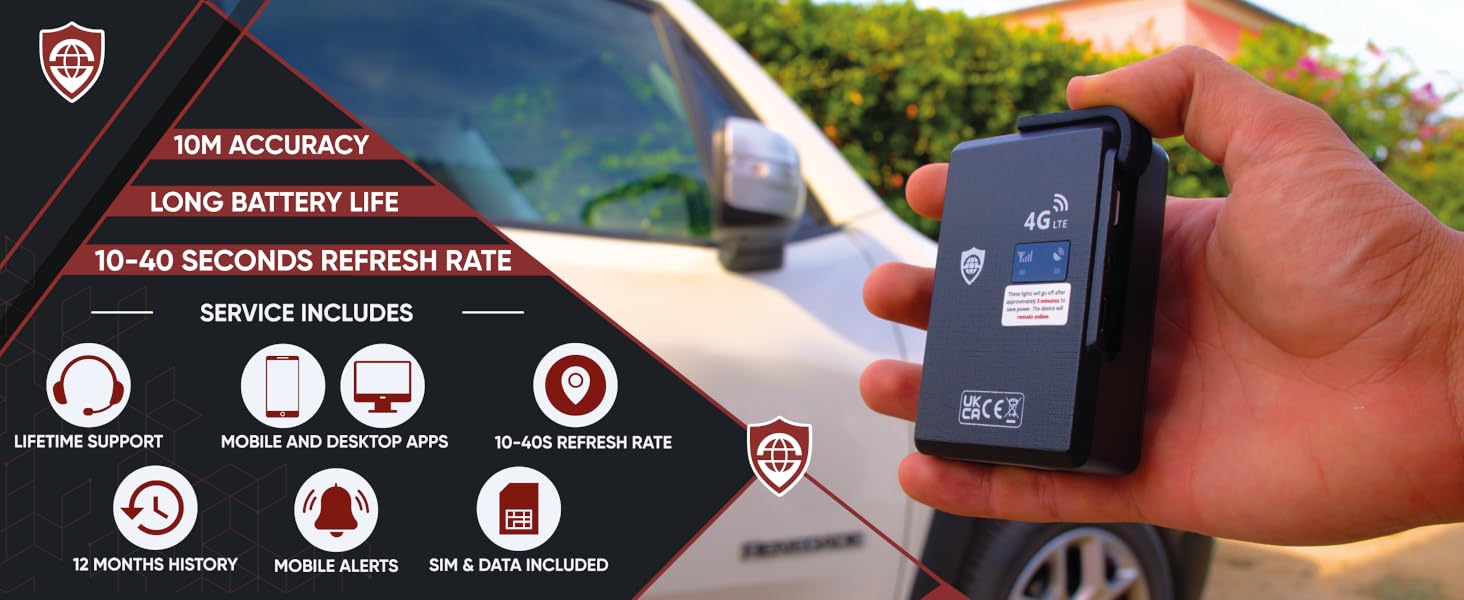
Immaġni: Aktar minnview of the SafeTag Mag 4G LTE GPS Tracker's features, highlighting its magnetic design, 4G LTE capability, and various service inclusions.
4. Konfigurazzjoni u Attivazzjoni
Setting up your SafeTag Mag 4G LTE GPS Tracker involves a few simple steps to get you tracking quickly.
4.1. Ħlas Inizjali
Before first use, fully charge your tracker using the provided USB-C cable. Connect the cable to the tracker's USB-C port and a standard USB power adapter (not included). The LED indicator will show charging status.
4.2. Activation and Subscription
- Visit the SafeTag Websit: Go to the official SafeTag website to activate your device.
- Oħloq Kont: If you don't have one, create a new user account.
- Activate Your Tracker: Follow the on-screen instructions to link your tracker to your account. You will need the device ID, usually found on the tracker itself or its packaging.
- Choose a Subscription Plan: A subscription is required for the tracker to function. SafeTag offers various plans (Standard, Plus, Pro) with different update rates (40s, 20s, 10s). A 7-day free trial is included to evaluate the system before committing. The SIM card and data are included in the subscription.
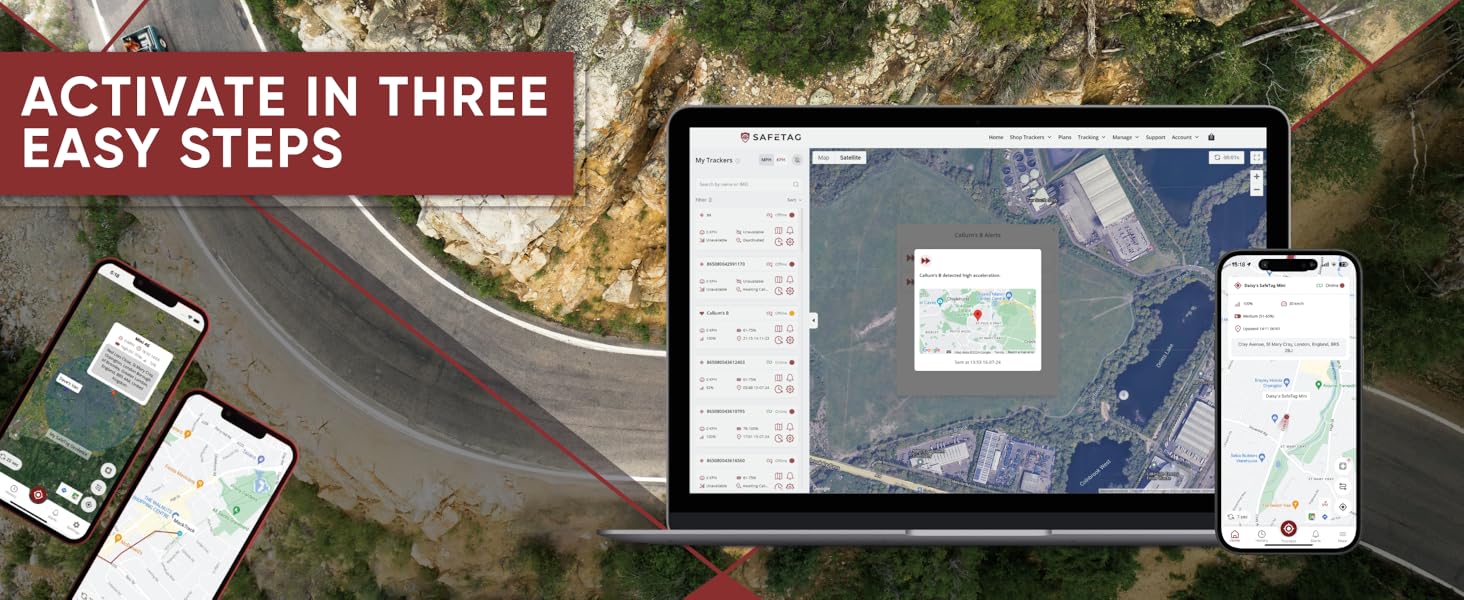
Image: Visual representation of the three-step activation process for the SafeTag tracker.
4.3. App Download
Download the SafeTag Tracking App from the Apple App Store (for iOS devices) or Google Play Store (for Android devices). Alternatively, you can use the web-app on any computer or mobile browser.
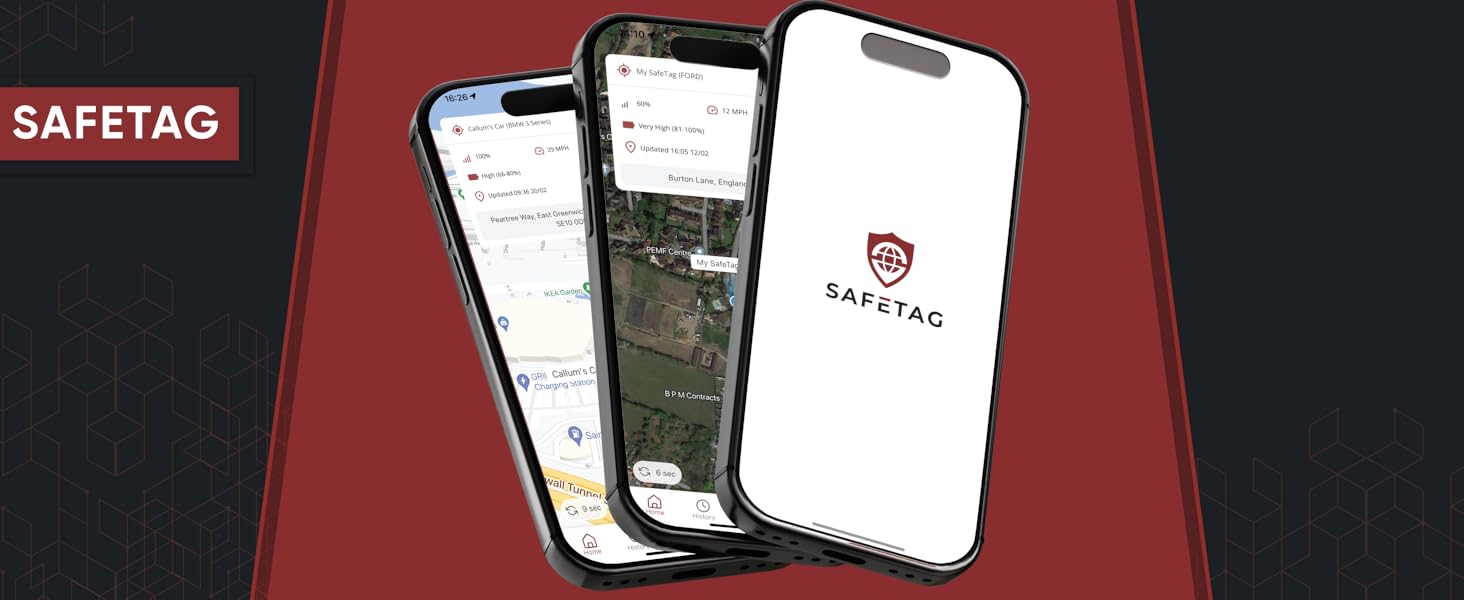
Image: The SafeTag application displayed on multiple mobile devices.
5. Istruzzjonijiet Operattivi
Once activated, your SafeTag Mag 4G LTE GPS Tracker is ready for use. All tracking and management are done through the SafeTag app jew web-app.
5.1. Real-Time Tracking
Access the app or web-app and log in. You will see your tracker's current location displayed on a map. The tracker provides location updates every 10-40 seconds, depending on your subscription plan.

Image: A mobile phone screen showing the SafeTag app with real-time tracking information.
5.2. Location History and Route Playback
Is-SafeTag system stores up to 12 months of location history. You can view past routes and journeys directly within the app or web-app. This feature allows you to retrace steps and review travel logs.
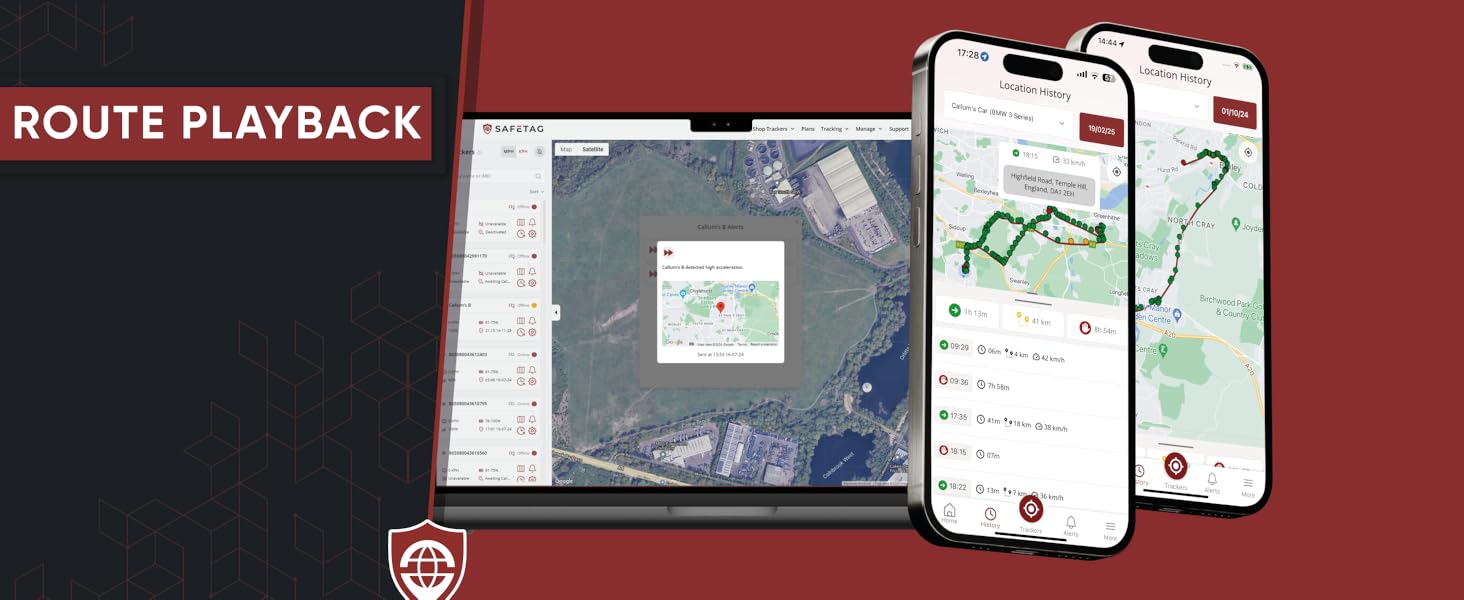
Image: The route playback function within the SafeTag app, illustrating historical travel paths.
5.3. GeoFence Setup
A GeoFence is a virtual boundary you can set on the map. When your tracker enters or exits this predefined area, you will receive an alert. To set up a GeoFence:
- Navigate to the "GeoFences" section in the app.
- Select "Add New GeoFence" and define the area on the map.
- Customize alert preferences for entry and exit.
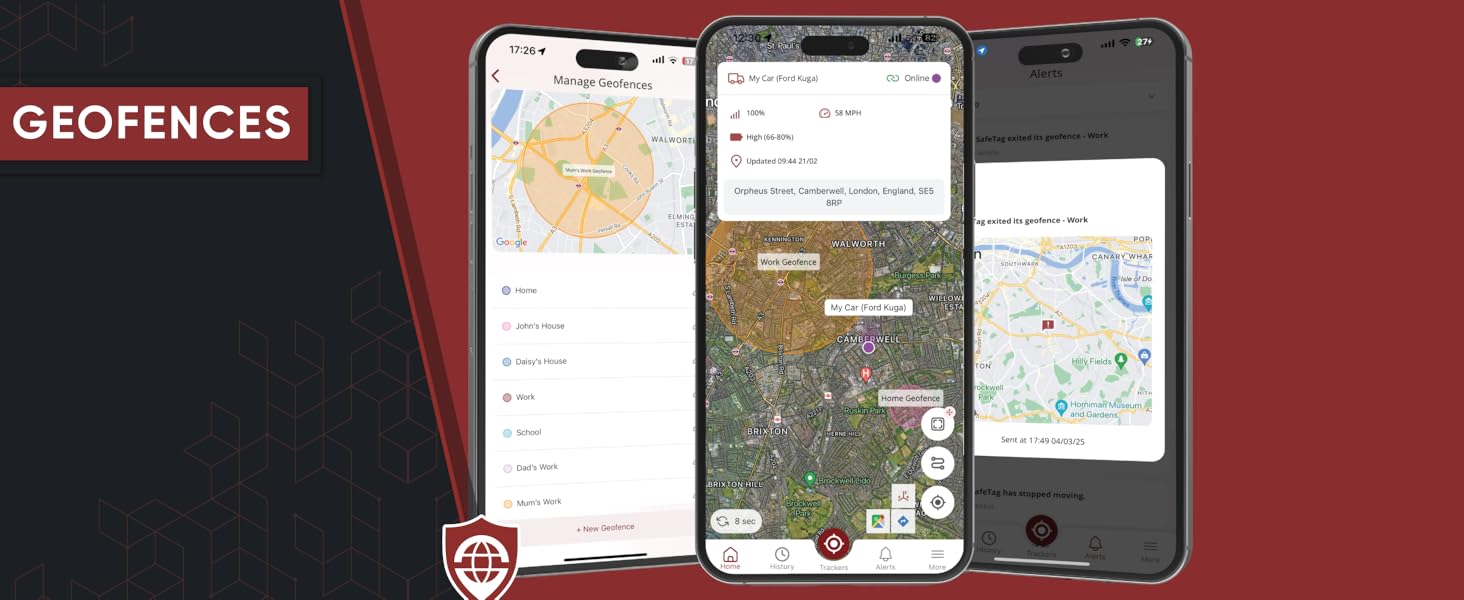
Image: The GeoFence management interface within the SafeTag applikazzjoni.
5.4. Twissijiet u Notifiki
Is-SafeTag Mag 4G LTE GPS Tracker supports various alerts to keep you informed:
- Twissija ta' Moviment: Notifies you if the tracker begins to move.
- GeoFence Alert: Notifies you when the tracker enters or exits a specified GeoFence area.
- Twissija tal-batterija: Informs you when the tracker's battery level is low and requires recharging.
- Overspeed Alert: Notifies you if the tracker exceeds a preset speed limit.
You can configure these alerts within the app to receive notifications via your mobile device.
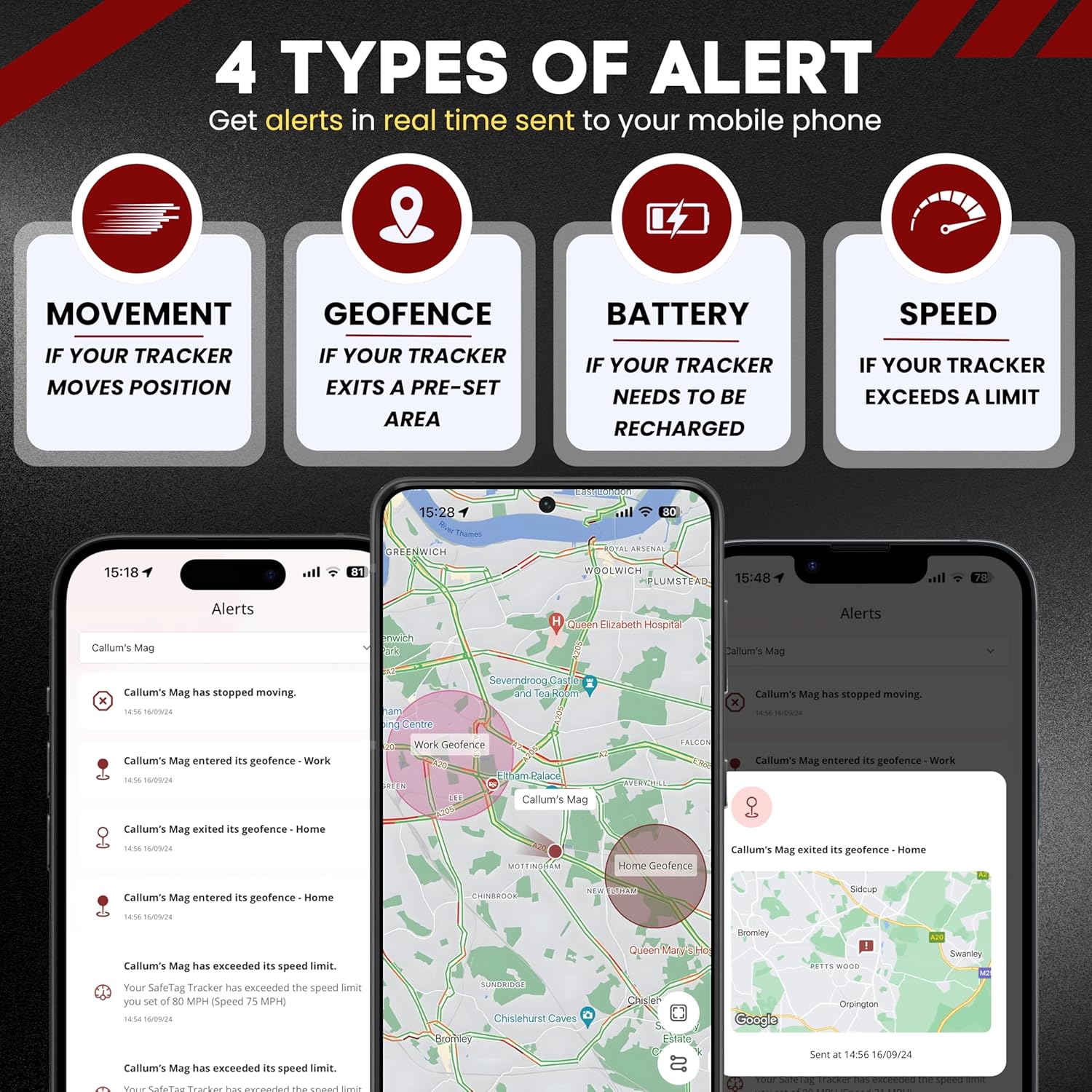
Image: An illustration of the four primary alert types provided by the SafeTag tracker: Movement, GeoFence, Battery, and Speed.
6. Ħajja tal-Batterija u Iċċarġjar
Is-SafeTag Mag 4G LTE GPS Tracker is equipped with a high-capacity LiPo battery designed for extended use.
- Ħin ta' Standby: Sa 90 ijiem.
- Użu Tipiku: 16-32 days with 1-2 hours of movement per day.
- Iċċarġjar: Use the provided USB-C cable. A full charge typically takes a few hours.
You will receive a battery alert notification when the charge level is critically low, prompting you to recharge the device.

Image: The SafeTag tracker in a scene suggesting its long battery life for various vehicles.
7. Manutenzjoni
To ensure the longevity and optimal performance of your SafeTag Mag 4G LTE GPS Tracker, follow these maintenance guidelines:
- Tindif: Imsaħ l-apparat b'ċarruta ratba u niexfa. Evita li tuża kimiċi ħarxa jew materjali li joborxu.
- Kundizzjonijiet Ambjentali: Store and operate the tracker within recommended temperature ranges. Avoid extreme heat, cold, or direct exposure to water.
- Iċċarġjar: Recharge the device regularly, especially if it will be stored for an extended period, to maintain battery health.
- Aġġornamenti tal-Firmware: Periodically check the SafeTag website or app for any available firmware updates for your device.
8 Issolvi l-problemi
If you encounter issues with your SafeTag Mag 4G LTE GPS Tracker, try the following steps:
| Problema | Soluzzjoni Possibbli |
|---|---|
| Tracker not reporting location. |
|
| Il-batterija tiskula malajr. |
|
| Cannot log into the app/web-app. |
|
If these steps do not resolve the issue, please contact SafeTag appoġġ għall-klijent għall-assistenza.
9. Speċifikazzjonijiet
| Karatteristika | Dettall |
|---|---|
| Numru tal-Mudell | 4G |
| Dimensjonijiet tal-Prodott | 1.18 x 1.97 x 2.76 pulzieri |
| Piż tal-oġġett | 8.4 uqija |
| Kulur | Iswed |
| Teknoloġija tal-Konnettività | 4G LTE Cellular & GPS/GNSS/Beidou/GLONASS |
| Karatteristiċi Speċjali | Magnetic, GeoFence, Movement, Speed Alerts/Notifications, Real Time Tracking, Location History, Long life |
| Applikazzjoni Appoġġjata | Is-SafeTag Tracking App on iOS & Android |
| Użi Speċifiċi | GPS Tracker for Cars, Trucks, Motorbikes, Semi-trucks & More |
| Manifattur | SalvTag |
| Data L-Ewwel Disponibbli | 13 ta’ Novembru, 2024 |
10. Garanzija u Appoġġ
SalvTag is committed to providing high-quality products and excellent customer service.
10.1. Appoġġ għall-Klijent
For any questions, technical assistance, or issues not covered in this manual, please contact the SafeTag dedicated support team. They aim to answer all inquiries within 2 hours during business hours and within 8 hours outside of business hours.
- Informazzjoni ta' Kuntatt: Refer to the SafeTag website or your activation guide for the most current contact methods (e.g., email, phone, live chat).
- Riżorsi onlajn: Visit the SafeTag website for FAQs, additional guides, and community forums.
10.2. Informazzjoni dwar Garanzija
Specific warranty details are typically provided with your purchase documentation or available on the SafeTag uffiċjali website. Please retain your proof of purchase for warranty claims. SafeTag emphasizes lifetime support for its products, ensuring ongoing assistance for its users.


