1. Introduzzjoni
Thank you for choosing the Sheawasy Digital Camera SHXJ-02. This compact and user-friendly camera is designed for beginners, offering 1080P Full HD photo and video capabilities. It features dual screens, a 16X digital zoom, and an LED fill light, making it suitable for capturing everyday moments, selfies, and vlogs. This manual provides essential information for setting up, operating, and maintaining your camera.
2. Prodott Aktarview
Iffamiljarizza ruħek mal-komponenti u l-kontrolli tal-kamera.

Figure 2.1: Camera Components and Controls Diagram
This diagram illustrates the various components and controls of the Sheawasy SHXJ-02 Digital Camera, highlighting the main screen, front screen, lens, LED fill light, and all operational buttons.

Figura 2.2: Quddiem u Wara View tal-Kamera
Komprensiva view of the Sheawasy SHXJ-02 Digital Camera, displaying its front with the lens and front screen, and its back with the main display and navigation controls.
Karatteristiċi tal-kamera:
- Skrins Doppju: 2.4-inch main screen and 1.5-inch front screen for versatile shooting.
- 1080P FHD: High-definition photo and video capture.
- Żum Diġitali 16X: Magnify subjects for detailed shots.
- Awtomatiku: Automatically adjusts focus for clear images.
- Dawl tal-Mili LED: Ittejjeb il-viżibilità f'kundizzjonijiet ta 'dawl baxx.
- Funzjoni tal-Mużika: Play MP3 awdjo files directly from the camera.
- Disinn kompatt: Ħfief u portabbli għall-użu fuq il-go.
- Built-in 32GB Storage: Ample spazju għal ritratti u videos.
3. Setup
3.1 Installazzjoni u Iċċarġjar tal-Batterija
The camera is powered by an included Lithium Polymer battery. Ensure the battery is fully charged before initial use. Connect the camera to a power source using the provided USB cable. The charging indicator will show the charging status.
3.2 Inserzjoni tal-Kard tal-Memorja
A 32GB memory card is included with your camera. Locate the memory card slot, typically on the side or bottom of the camera. Insert the memory card gently until it clicks into place. Ensure it is inserted in the correct orientation to avoid damage.
4. Istruzzjonijiet Operattivi
4.1 Power On/Off
To power on the camera, press and hold the Power button located on the top of the device. To power off, press and hold the Power button again until the screen turns off.
4.2 Tieħu Ritratti
- Ixgħel il-kamera.
- Frame your shot using either the main rear screen or the front screen for selfies.
- The camera features autofocus. Allow it a moment to adjust for clarity.
- Press the Shutter button firmly to capture the photo.
4.3 Reġistrar Vidjows
- Ixgħel il-kamera.
- Switch to video recording mode using the Mode button.
- Press the Shutter button once to start recording.
- Agħfas il-buttuna Shutter għal darb'oħra biex tieqaf tirrekordja.
4.4 Using Dual Screens
The camera is equipped with a 2.4-inch main screen on the back and a 1.5-inch front screen. The front screen is particularly useful for:
- Selfies: Easily compose self-portraits.
- Vlogging: Monitor your framing while recording videos of yourself.
- Composition Adjustment: Ensure everyone is in the frame for group shots.
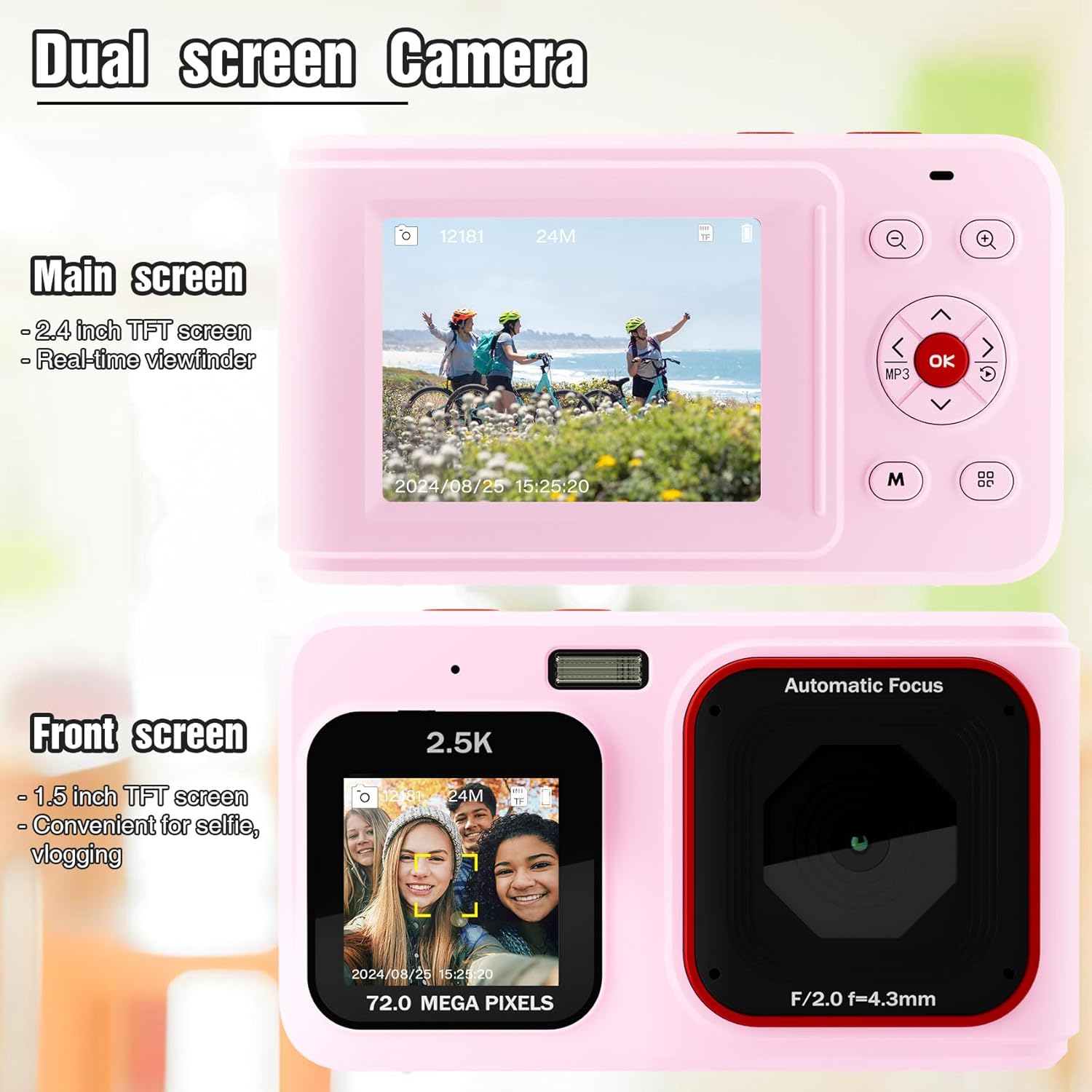
Figure 4.1: Dual Screen Functionality
This image highlights the camera's dual screen feature, with the larger rear screen for general viewing and a smaller front screen ideal for selfies and vlogging.
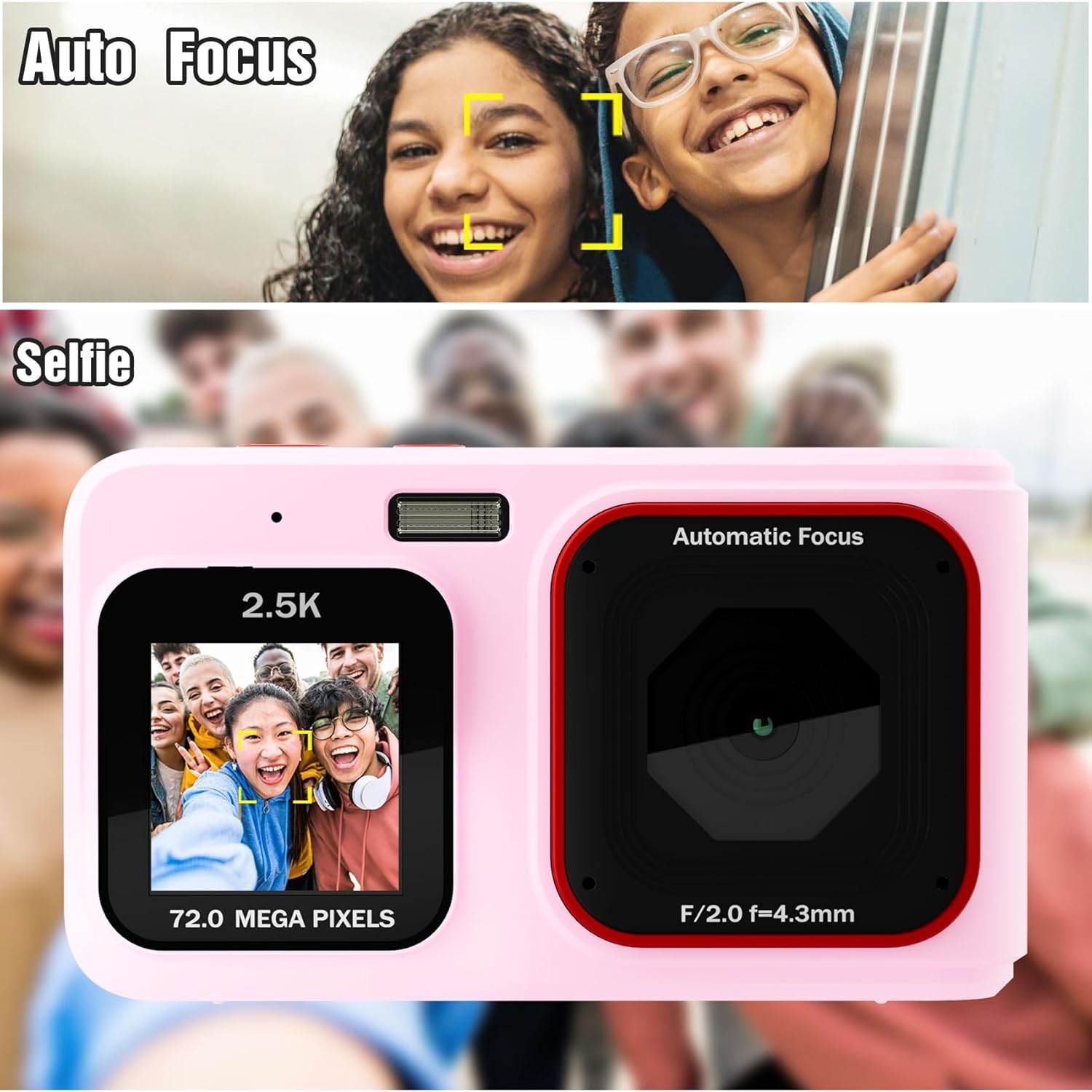
Figure 4.2: Autofocus and Selfie Mode
This visual explains the camera's autofocus capability, which helps in capturing clear subjects, and illustrates its use in selfie mode with the front screen.
4.5 Żum Diġitali
Use the Zoom In (+) and Zoom Out (-) buttons to digitally magnify or reduce your subject. The camera features 16X digital zoom. Note that digital zoom may reduce image quality compared to optical zoom.
4.6 Dawl tal-Mili LED
For shooting in low-light environments, activate the built-in LED fill light. Refer to the camera's menu or a dedicated button (if available) to toggle this feature on or off.

Figure 4.3: LED Fill Light in Action
This image illustrates the effectiveness of the built-in LED fill light, showing how it improves visibility and detail in low-light photography compared to not using it.
4.7 Music Playback Function
The camera includes a music playback feature. Press the dedicated MP3 button to access music files stored on the memory card. You can connect headphones via the 3.5mm audio jack for private listening.

Figure 4.4: Music Functionality
This image demonstrates the camera's integrated music playback feature, including the 3.5mm audio jack for headphones.
4.8 Modalità Daqq
Biex terġa 'view your captured photos and videos, switch to Playback mode using the Mode button. Use the navigation buttons to browse through your media. Press the OK button to view oġġett magħżul.
5. Manutenzjoni
5.1 Tindif tal-Kamera
- Uża drapp artab u niexef biex tnaddaf il-korp tal-kamera.
- For the lens and screens, use a specialized lens cleaning cloth and solution to avoid scratches.
- Tużax kimiċi ħarxa jew materjali li joborxu.
5.2 Ħażna
Store the camera in a cool, dry place away from direct sunlight and extreme temperatures. If storing for an extended period, remove the battery.
6 Issolvi l-problemi
- Il-kamera ma tixgħel: Kun żgur li l-batterija hija ċċarġjata kompletament u mdaħħla b'mod korrett.
- Images are blurry or dark: Check lighting conditions. Use the LED fill light in low light. Hold the camera steady during capture. Note that this is an entry-level camera, and image quality expectations should be set accordingly.
- Ma jistax view images on camera: Ensure you are in Playback mode. Navigate through files using the directional buttons.
- Żball fil-karta tal-memorja: Reinsert the memory card. If the issue persists, try formatting the card (this will erase all data) or use a different compatible memory card.
- Il-kamera tiffriża: Neħħi u erġa' daħħal il-batterija biex tirrisettja l-kamera.
7. Speċifikazzjonijiet
| Karatteristika | Speċifikazzjoni |
|---|---|
| Isem tal-Mudell | SHXJ-02 |
| Brand | Sheawasy |
| Riżoluzzjoni tal-vidjo | 1080P FHD |
| Riżoluzzjoni Għadha Effettiva | 1 MP |
| Zoom Diġitali | 16X |
| Teknoloġija tas-Sensor tar-Ritratti | CMOS |
| Daqs tal-Iskrin | 2.4 Inches (Main), 1.5 Inches (Front) |
| Kapaċità tal-Ħżin tal-Memorja | 32 GB (Inkorporat) |
| Tip ta 'batterija | Polimeru tal-litju |
| Teknoloġija tal-Konnettività | USB |
| Appoġġjati File Format | AVI (Vidjo) |
| Autofocus | Yes (Contrast Detection) |
| Dawl tal-Mili LED | Iva |
| Livell ta 'Reżistenza għall-Ilma | Mhux Reżistenti għall-Ilma |
8. Garanzija u Appoġġ
For warranty information and technical support, please refer to the documentation included with your purchase or contact Sheawasy customer service. Keep your purchase receipt as proof of purchase for any warranty claims.
For further assistance, please visit the official Sheawasy webis-sit jew ikkuntattja l-kanali ta' appoġġ tagħhom.


