1. Introduzzjoni
Grazzi tax-xiriasing the JOWLURK A30 Home Projector. This projector is designed to provide an immersive home cinema experience with its advanced features, including a built-in Android TV system, electric focus, 270-degree rotation, and high-quality audio. This manual will guide you through the setup, operation, and maintenance of your new projector to ensure optimal performance and enjoyment.
2. Kontenut tal-Pakkett
Jekk jogħġbok immarka l-kaxxa għall-oġġetti li ġejjin:
- JOWLURK A30 Projector Unit
- Kontroll mill-bogħod
- Adapter tal-Enerġija
- Cable HDMI
- Manwal għall-Utent
3. Prodott Aktarview
The JOWLURK A30 features a sleek cylindrical design with an integrated stand for versatile placement. Its compact size makes it highly portable for use in various settings.

Figura 3.1: Naħa ta' quddiem view of the JOWLURK A30 home projector, showcasing its compact cylindrical design and integrated stand. The lens is visible on the front, and the device is white with black grilles.
3.1. Portijiet u Kontrolli
The projector is equipped with essential ports for connectivity:
- Port HDMI: For connecting external devices like laptops, gaming consoles (PS3/PS4), or DVD players.
- Port USB: For playing media directly from a USB drive.
- Jack Awdjo 3.5mm: Għall-konnessjoni ta' kelliema esterni jew headphones.
- Input ta' Enerġija: Għall-konnessjoni tal-adapter tal-enerġija.

Figure 3.2: The JOWLURK A30 projector shown next to a smartphone and inside a backpack, illustrating its compact size and portability for easy transport.
3.2. Sistema ta 'tkessiħ
The A30 projector incorporates a dual-fan circulation cooling system to maintain optimal operating temperature and ensure long-term durability.

Figure 3.3: An illustration of the JOWLURK A30 projector's dual-fan cooling system, showing air flowing through the device to dissipate heat, surrounded by ice cubes to symbolize effective cooling.
4. Setup
4.1 Tqegħid
Place the projector on a stable, flat surface. The integrated stand allows for 270-degree rotation, enabling projection onto walls or ceilings without the need for an additional tripod.

Figure 4.1: This image shows the JOWLURK A30 projector's 270-degree rotation capability, allowing it to project images onto a wall or ceiling. The projector is placed on a bedside table, projecting a large image onto the ceiling above a bed.
4.2. Konnessjoni tal-Enerġija
Connect the power adapter to the projector's power input port and then plug it into a power outlet. The projector will power on automatically or can be turned on using the power button on the unit or remote control.
4.3. Automatic Keystone Correction
The JOWLURK A30 features automatic keystone correction. The projector will automatically adjust the image to a rectangular shape, even if it's placed at an angle. For fine-tuning, manual keystone correction options are available in the settings menu.
4.4. Electric Focus
Adjust the image clarity using the electric focus function via the remote control. This eliminates the need for manual lens adjustments, providing a sharp image with a single button press.

Figure 4.2: This image demonstrates the electric focus feature of the JOWLURK A30 projector. A hand holds a remote control, adjusting the focus of the projected image of a car on a screen, emphasizing ease of use compared to manual adjustment.
5. Istruzzjonijiet Operattivi
5.1. Android TV System
The projector comes with a built-in Android TV system, allowing direct access to over 8,000 applications, including popular streaming services like YouTube, Prime Video, Netflix, Hulu, and TVer. Navigate the interface using the remote control.

Figure 5.1: A visual representation of the JOWLURK A30's built-in Android TV interface, displaying various streaming service logos such as Netflix, YouTube, Prime Video, Hulu, and TikTok, indicating direct access to content without external devices.
5.2. Image Quality and Brightness
Experience vibrant and clear images with 18000LM brightness and real 1080P resolution, supporting 4K sources. The projector offers a high contrast ratio of 12000:1 for vivid colors and deep blacks.

Figure 5.2: An image illustrating the superior brightness (18000LM) and 4K/1080P resolution of the JOWLURK A30 projector, comparing a sharp, vibrant image of a wolf on the left with a blurry, less detailed image on the right, highlighting the high contrast ratio.
5.3. Funzjoni taż-Żum
Adjust the projection size from 50% to 100% using the digital zoom function, allowing you to fit the image perfectly to your screen or wall without moving the projector.
6. Konnettività
6.1. Wi-Fi 6
The JOWLURK A30 supports advanced Wi-Fi 6 technology, offering faster and more stable network connections for both 2.4G and 5G bands. This reduces latency by up to 60%, providing a smoother experience for streaming and online gaming.
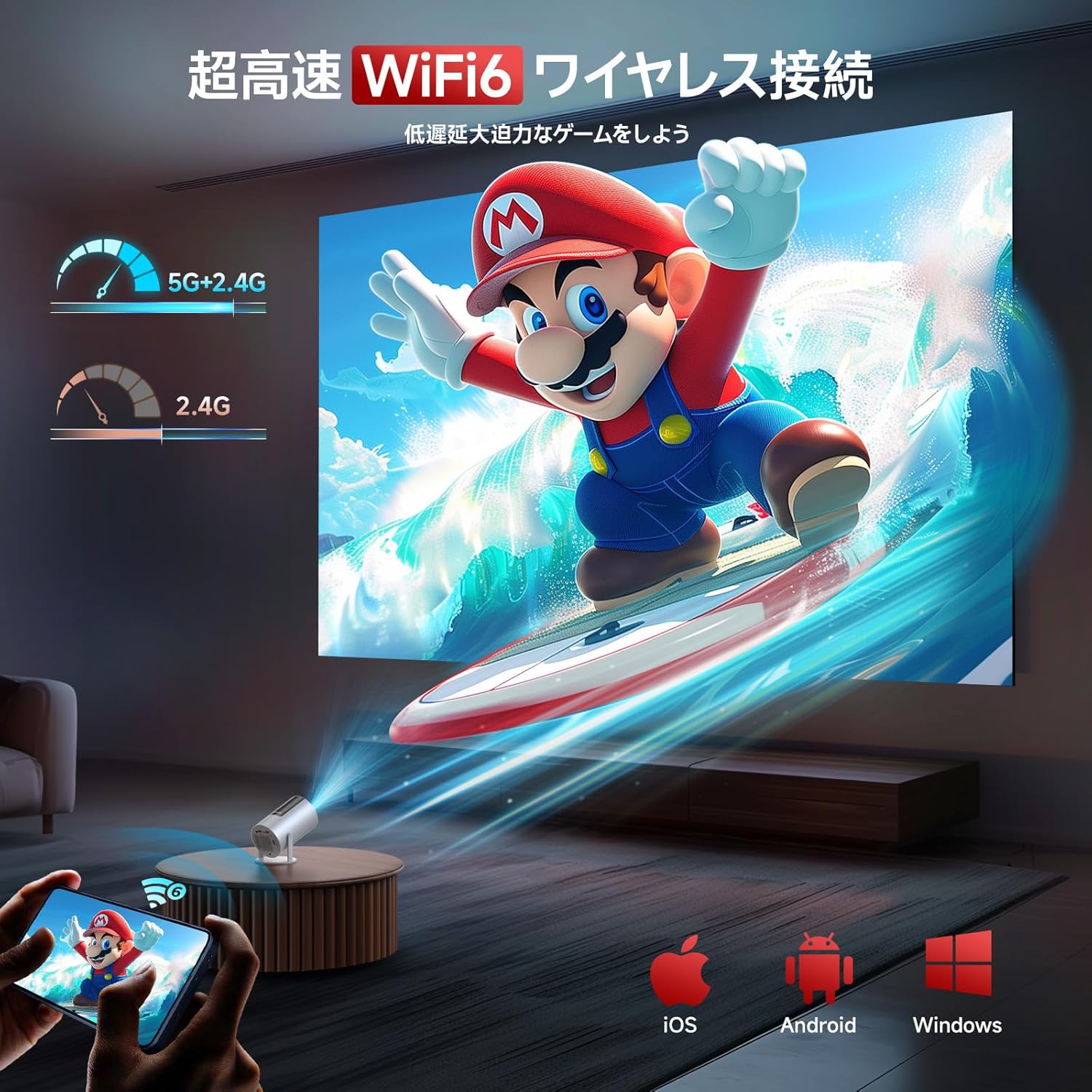
Figure 6.1: An illustration of the JOWLURK A30 projector utilizing Wi-Fi 6 for high-speed wireless connection, ideal for gaming. A large projected image of a video game character is shown on a wall, with a smartphone displaying the game in the foreground, emphasizing low latency.
6.2. Bluetooth 5.3 and Hi-Fi Speaker
Equipped with Bluetooth 5.3, the projector can quickly connect to external speakers, headphones, or AirPods for enhanced audio. The built-in Hi-Fi stereo sound system delivers clear, layered sound with rich bass, creating an immersive 360-degree surround sound experience.

Figure 6.2: This image highlights the JOWLURK A30's Bluetooth 5.3 and built-in Hi-Fi speaker capabilities. The projector is shown surrounded by wireless headphones, a smart speaker, and earbuds, demonstrating its ability to connect to various audio devices for immersive sound.
6.3. Konnessjonijiet bil-Wajers
Il-proġettazzjoni tappoġġja diversi konnessjonijiet bil-fili:
- HDMI: Connect to laptops, PCs, TV boxes, DVD players, X-Box, PS3, PS4, and more.
- USB: Daqq tal-midja files directly from USB memory sticks.
- Awdjo 3.5mm: Qabbad ma' sistemi awdjo esterni jew headphones.
7. Manutenzjoni
7.1. Tindif tal-Lenti
Gently wipe the projector lens with a soft, lint-free cloth. Do not use abrasive cleaners or solvents, as they may damage the lens coating.
7.2. Cleaning Vents
Regularly clean the air vents to prevent dust buildup, which can affect cooling efficiency. Use a soft brush or compressed air to remove dust.
7.3. Ħażna
Meta ma tkunx qed tużah għal perjodi twal, aħżen il-proġettur f'post frisk u niexef, 'il bogħod mix-xemx diretta u minn temperaturi estremi. Uża l-imballaġġ oriġinali jew kaxxa protettiva biex tevita t-trab u l-ħsara.
8 Issolvi l-problemi
8.1. No Power/No Image
- Kun żgur li l-adapter tal-enerġija huwa konness sew kemm mal-proġettur kif ukoll ma' sokit tal-enerġija li jaħdem.
- Check if the power indicator light on the projector is on.
- Ipprova żbokk tad-dawl differenti.
8.2. Immaġni Mċajpra
- Use the remote control to adjust the electric focus until the image is clear.
- Kun żgur li l-wiċċ tal-projezzjoni jkun ċatt u lixx.
- Iċċekkja jekk il-lenti hijiex nadifa.
8.3. Ebda Ħoss
- Check the volume level on the projector and any connected external audio devices.
- Jekk qed tuża l-Bluetooth, kun żgur li l-apparat awdjo estern huwa mqabbad u konness sew.
- If using HDMI, ensure the audio output settings on the source device are correct.
8.4. Wi-Fi/Bluetooth Connectivity Issues
- Ensure the Wi-Fi router or Bluetooth device is within range and powered on.
- Restart the projector and the Wi-Fi router/Bluetooth device.
- Check Wi-Fi password or Bluetooth pairing process.
9. Speċifikazzjonijiet
| Karatteristika | Dettall |
|---|---|
| Brand | JOWLURK |
| Manifattur | JOWLURK |
| Serje | A30 |
| Numru tal-Mudell | A30 |
| Kulur | Abjad |
| Fattur tal-Formola | Portable/Tabletop/Integrated Stand |
| Riżoluzzjoni | 1920 x 1080 (Nattiv) |
| Luminożità | 18000 Lumens |
| Proporzjon ta' Kuntrast | 12000:1 |
| Wattage | 65 W |
| Piż tal-oġġett | 1.2 Kilogrammi |
| Dimensjonijiet tal-Pakkett | 26.3 x 18.6 x 14.8 ċm |
| Użu Rakkomandat | Home Cinema |
| Karatteristiċi Speċjali | Digital Keystone Correction, Lightweight, Wi-Fi Compatible, Short Throw, Portable |
| Teknoloġija tal-Konnettività | 3.5mm Jack, USB, HDMI, Wi-Fi 6, Bluetooth 5.3 |
10. Garanzija u Appoġġ
The JOWLURK A30 projector comes with a Garanzija ta' 2 snin mill-manifattur from the date of purchase, covering defects in materials and workmanship under normal use. Additionally, we offer a 30-day refund/return guarantee u a free exchange/100% money-back guarantee for initial defects or natural failures.
For technical support, warranty claims, or any inquiries, please contact our customer service team. Contact information can be found in the original product packaging or on our official websit.

Figure 10.1: An image detailing JOWLURK's customer support, including operating hours, 30-day refund/return, 2-year quality guarantee, and extended warranty registration.


