1. Introduzzjoni
This manual provides detailed instructions for the E-YOOSO X-45 Ergonomic Vertical Mouse. Designed for comfort and versatility, this mouse offers multiple connectivity options and adjustable sensitivity to enhance your computing experience. Please read this manual thoroughly before using the product to ensure proper operation and longevity.
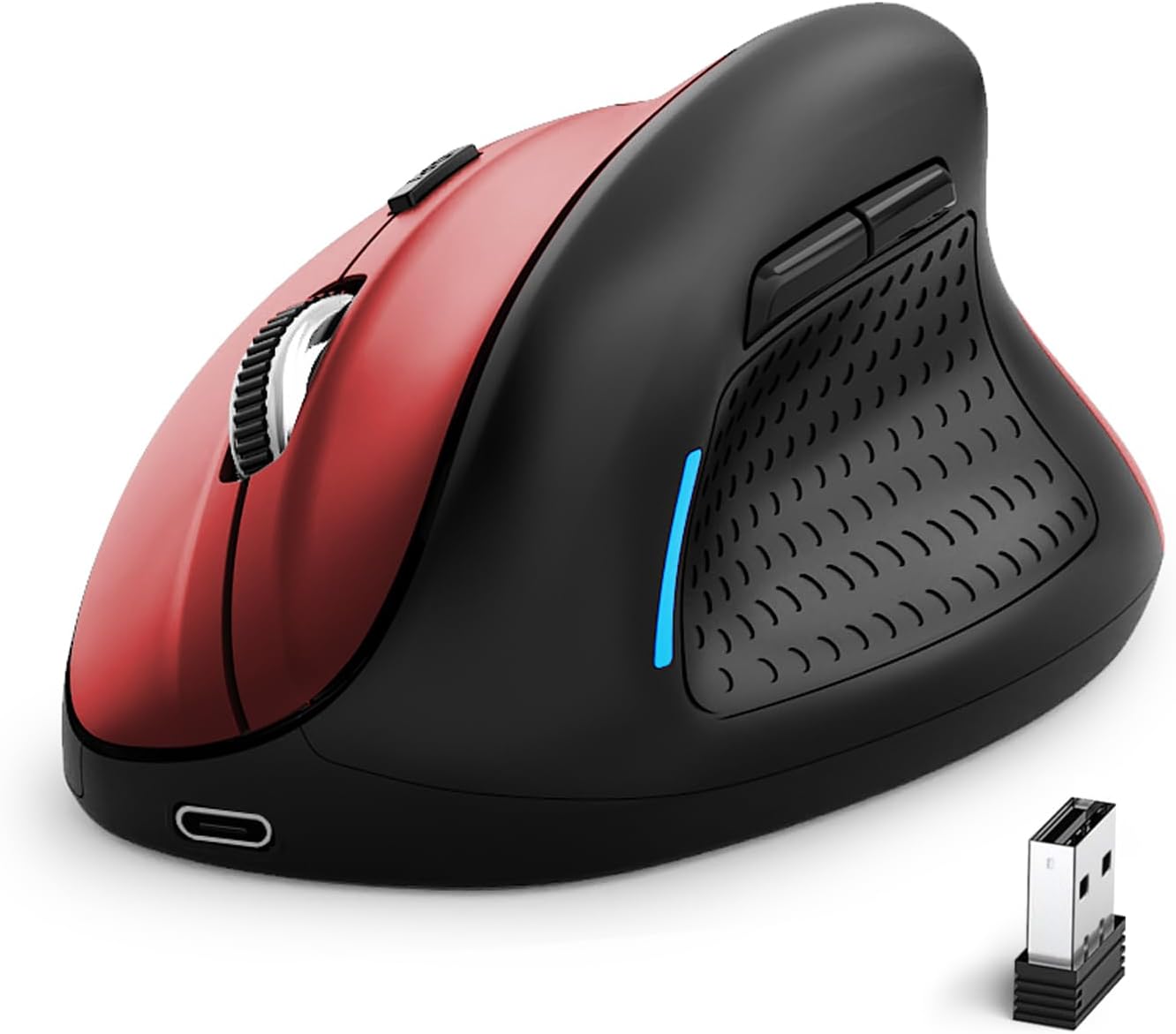
Image 1: E-YOOSO X-45 Ergonomic Vertical Mouse (Red Black)
2. Kontenut tal-Pakkett
Ivverifika li l-oġġetti kollha huma preżenti fil-pakkett tiegħek:
- 1 x E-YOOSO X-45 Ergonomic Vertical Mouse
- 1 x USB Receiver (2.4G)
- 1 x Cable tal-Iċċarġjar USB-C
- 1 x Manwal tal-Utent (dan id-dokument)
3. Prodott Aktarview
Familiarize yourself with the various components of your E-YOOSO X-45 mouse:

Image 2: Labeled components of the E-YOOSO X-45 Vertical Mouse
- Buttuna tax-Xellug: Funzjoni standard tal-ikklikkjar tax-xellug.
- Buttuna tas-Swiċċ tad-DPI: Adjusts cursor sensitivity (DPI levels).
- Scroll Wheel: For vertical scrolling and middle-click.
- Buttuna tal-lemin: Funzjoni standard tal-ikklikkjar tal-lemin.
- Riċevitur USB: Stores the 2.4G wireless dongle (located on the bottom of the mouse).
- Buttuna 'l quddiem: Jinnaviga 'l quddiem ġewwa web browsers jew file esploraturi.
- Buttuna b'lura: Jinnaviga lura ġewwa web browsers jew file esploraturi.
- Buttuna tas-Swiċċ tal-Enerġija/Modalità: Turns the mouse on/off and switches between connection modes.
- Buttuna ta 'tqabbil: Jibda l-modalità ta' tqabbil Bluetooth.
4. Setup
4.1 Iċċarġjar tal-Maws
The E-YOOSO X-45 mouse features a rechargeable battery. Use the provided USB-C cable to charge the mouse. A full charge typically takes 2-3 hours and can provide power for 2-3 months of usage, depending on usage patterns.
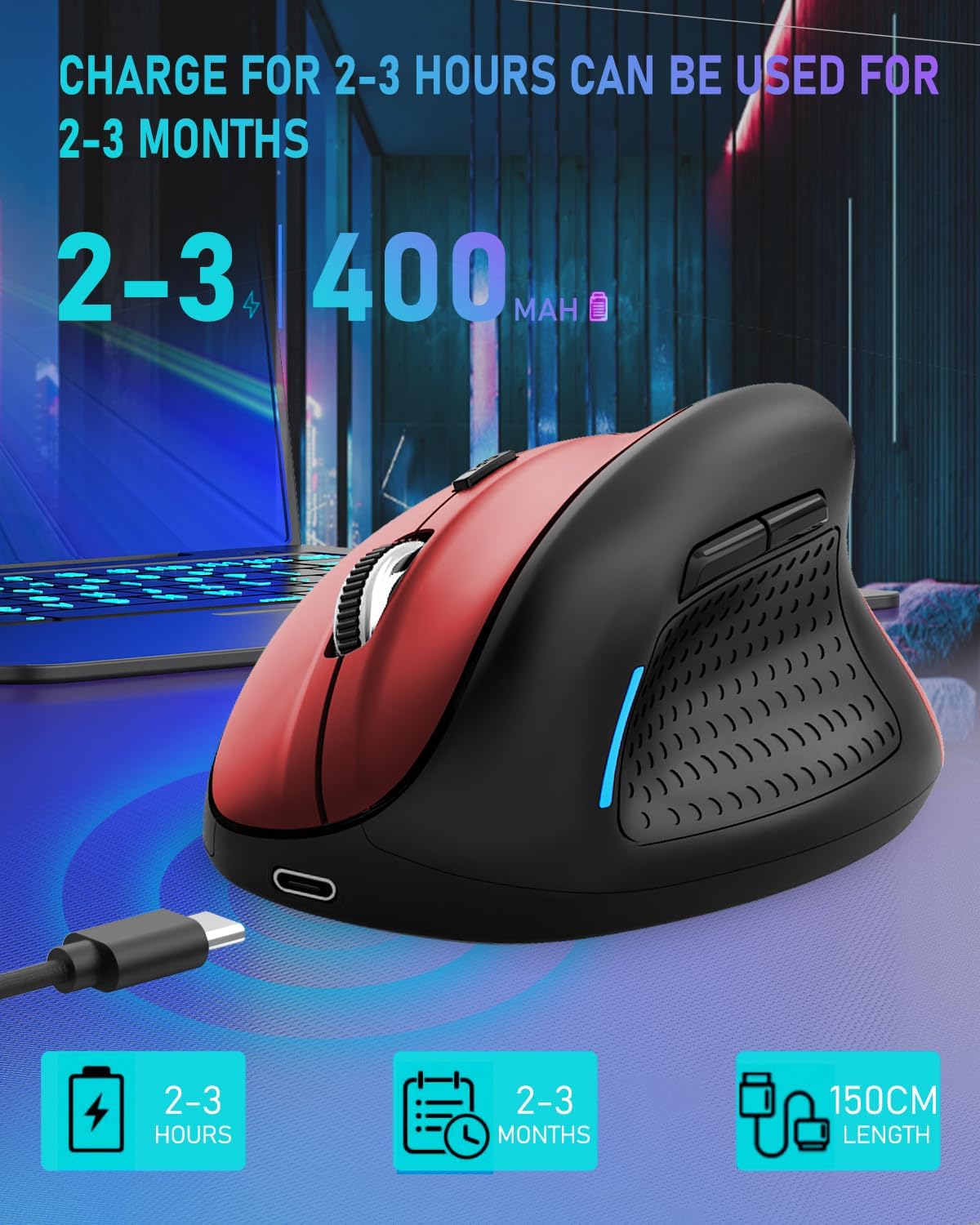
Image 3: Charging the E-YOOSO X-45 mouse
4.2 Modi ta' Konnettività
The mouse supports three connection modes: 2.4G Wireless, Bluetooth, and Wired.

Image 4: Tri-Mode Connection Options
4.2.1 Konnessjoni bla fili 2.4G
- Sib ir-riċevitur USB maħżun fil-kompartiment fil-qiegħ tal-maws.
- Ipplaggja r-riċevitur USB f'port USB disponibbli fuq il-kompjuter tiegħek.
- Turn on the mouse using the Power/Mode Switch button on the bottom. Select the 2.4G mode.
- Il-maws għandu jikkonnettja awtomatikament.
4.2.2 Konnessjoni Bluetooth
- Turn on the mouse using the Power/Mode Switch button on the bottom. Select one of the Bluetooth modes (BT1 or BT2).
- Press and hold the Pairing Button (9) on the bottom of the mouse until the indicator light flashes, indicating it is in pairing mode.
- Fuq l-apparat tiegħek (kompjuter, tablet, smartphone), mur fis-settings tal-Bluetooth u fittex apparati ġodda.
- Select "E-YOOSO X-45" (or similar name) from the list of available devices to pair.
- Ladarba jkun imqabbad, id-dawl indikatur jieqaf iteptep.
4.2.3 Konnessjoni bil-Fili
- Connect the USB-C end of the charging cable to the mouse and the USB-A end to your computer.
- The mouse will automatically switch to wired mode and function without needing a battery or wireless connection.
5. Istruzzjonijiet Operattivi
5.1 Aġġustament DPI
The mouse features 5 adjustable DPI (Dots Per Inch) levels, allowing you to customize cursor sensitivity. Press the DPI Switch Button (2) to cycle through the following settings:
- 800 DPI
- 1200 DPI
- 1600 DPI
- 2000 DPI
- 4800 DPI
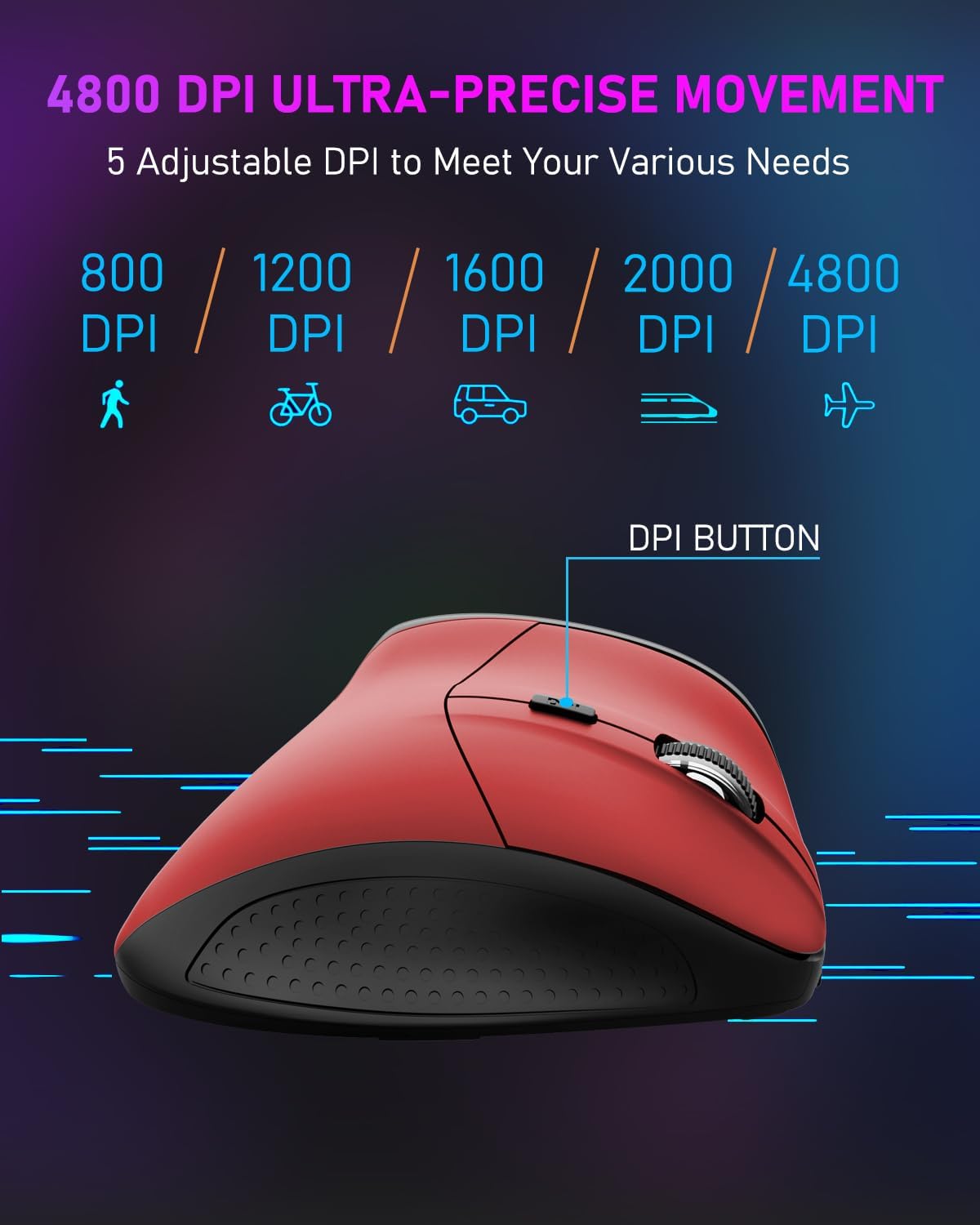
Image 5: DPI Adjustment Levels
5.2 Funzjonijiet tal-buttuni
In addition to standard left and right clicks, the mouse includes:
- Rota tal-iskrolljar (3): For smooth vertical scrolling. Pressing it acts as a middle-click button.
- Buttuna 'l Quddiem (6): Użat għan-navigazzjoni 'l quddiem ġewwa web browsers jew file esploraturi.
- Buttuna Lura (7): Used for navigating backward in web browsers jew file esploraturi.
5.3 Benefiċċji tad-Disinn Ergonomiku
The vertical design of the E-YOOSO X-45 mouse promotes a natural 'handshake' wrist and arm posture, which can help reduce wrist strain and discomfort during prolonged use compared to traditional horizontal mice.
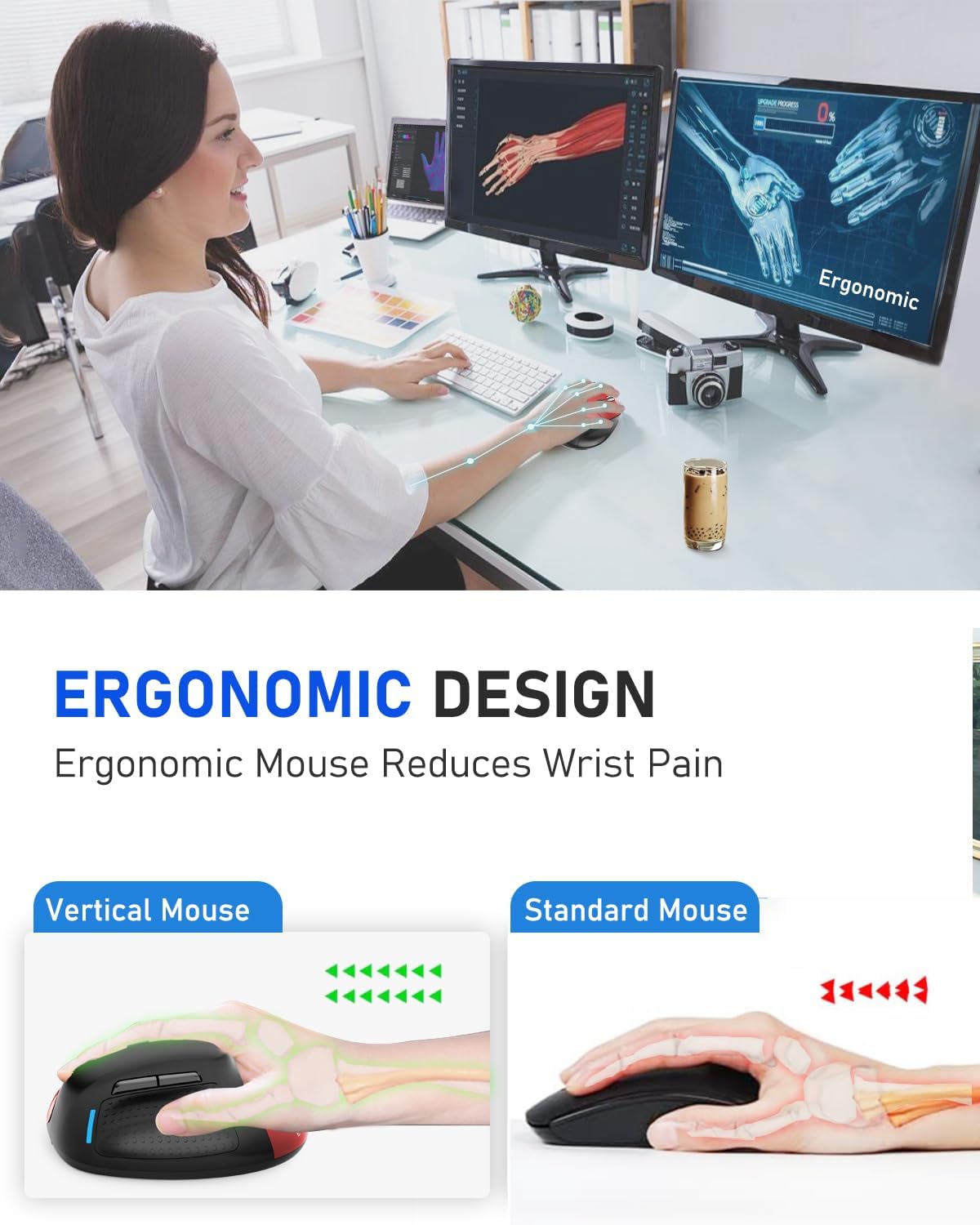
Image 6: Ergonomic Design Reduces Wrist Pain
6. Manutenzjoni
To ensure optimal performance and longevity of your E-YOOSO X-45 mouse:
- Tindif: Uża drapp artab u niexef biex tnaddaf il-maws. Evita li tuża kimiċi ħarxa jew materjali li joborxu.
- Ħażna: When not in use for extended periods, turn off the mouse to conserve battery life. Store in a cool, dry place.
- Kura tal-batterija: Evita li tiċċarġja l-batterija kompletament ta' spiss. Iċċarġja l-maws meta l-indikatur tal-batterija jkun baxx.
7 Issolvi l-problemi
If you encounter issues with your E-YOOSO X-45 mouse, refer to the following common solutions:
| Problema | Kawża Possibbli | Soluzzjoni |
|---|---|---|
| Mouse not responding (2.4G) | Low battery; USB receiver not properly connected; Incorrect mode selected. | Charge the mouse; Re-insert the USB receiver; Ensure the mouse is in 2.4G mode. |
| Il-maws ma jirrispondix (Bluetooth) | Low battery; Not paired; Incorrect mode selected; Device Bluetooth off. | Charge the mouse; Re-pair the mouse; Ensure the mouse is in BT mode; Enable Bluetooth on your device. |
| Il-cursor huwa erratiku jew ma jirrispondix | Sensor ottiku maħmuġ; Wiċċ mhux adattat; Batterija baxxa. | Clean the optical sensor; Use on a mouse pad or smooth, opaque surface; Charge the mouse. |
| Buttuni ma jaħdmux | Software conflict; Low battery. | Restart your computer; Charge the mouse. |
8. Speċifikazzjonijiet
Key technical specifications for the E-YOOSO X-45 Ergonomic Vertical Mouse:
- Mudell: X-45
- Konnettività: 2.4G Wireless, Bluetooth (BT 5.1), Wired (USB)
- Livelli DPI: 800 / 1200 / 1600 / 2000 / 4800 (Adjustable)
- Buttuni: 6 (Xellug, Lemin, Rota tal-Iskrolljar, Swiċċ DPI, 'Il Quddiem, Lura)
- Sejbien tal-Moviment: Ottiċi
- Karatteristika Speċjali: Soundless clicks
- Dimensjonijiet tal-Prodott: 4.63 x 3.22 x 0.1 inches (Note: The provided dimension 0.1 inches for height seems incorrect for a vertical mouse, typically it would be larger. Please refer to actual product for accurate height.)
- Piż tal-oġġett: 6.4 uqija
- Manifattur: E-YOOSO
- Kompatibilità: Windows, Mac OS, Linux, Android, Chromebook, Laptops, Desktops
9. Garanzija u Appoġġ
E-YOOSO products are designed for reliability and performance. For warranty information, technical support, or customer service inquiries, please refer to the contact details provided on the product packaging or the official E-YOOSO websit. Żomm l-irċevuta tax-xiri tiegħek bħala prova tax-xiri għal talbiet ta' garanzija.


